




Wrapped in Color
coaster
coasters
drink coaster
drink coasters
coaster drink
emoji
emoji face
glare
blob
blob glare
blobglare


13

1
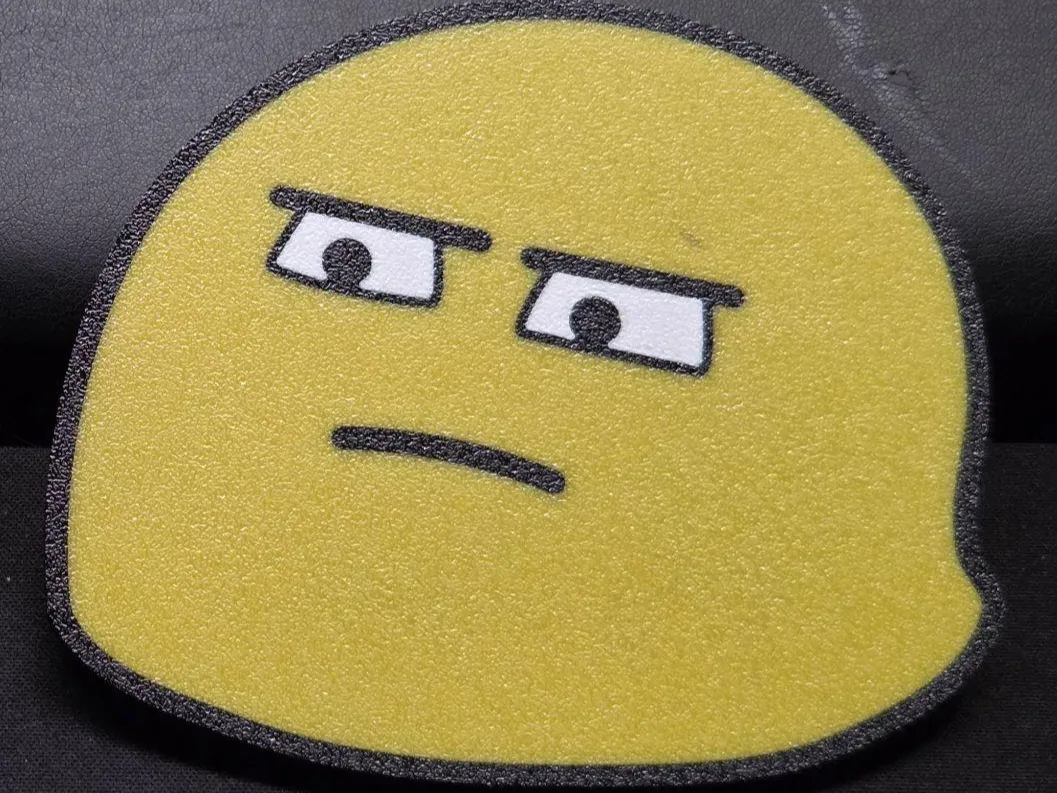
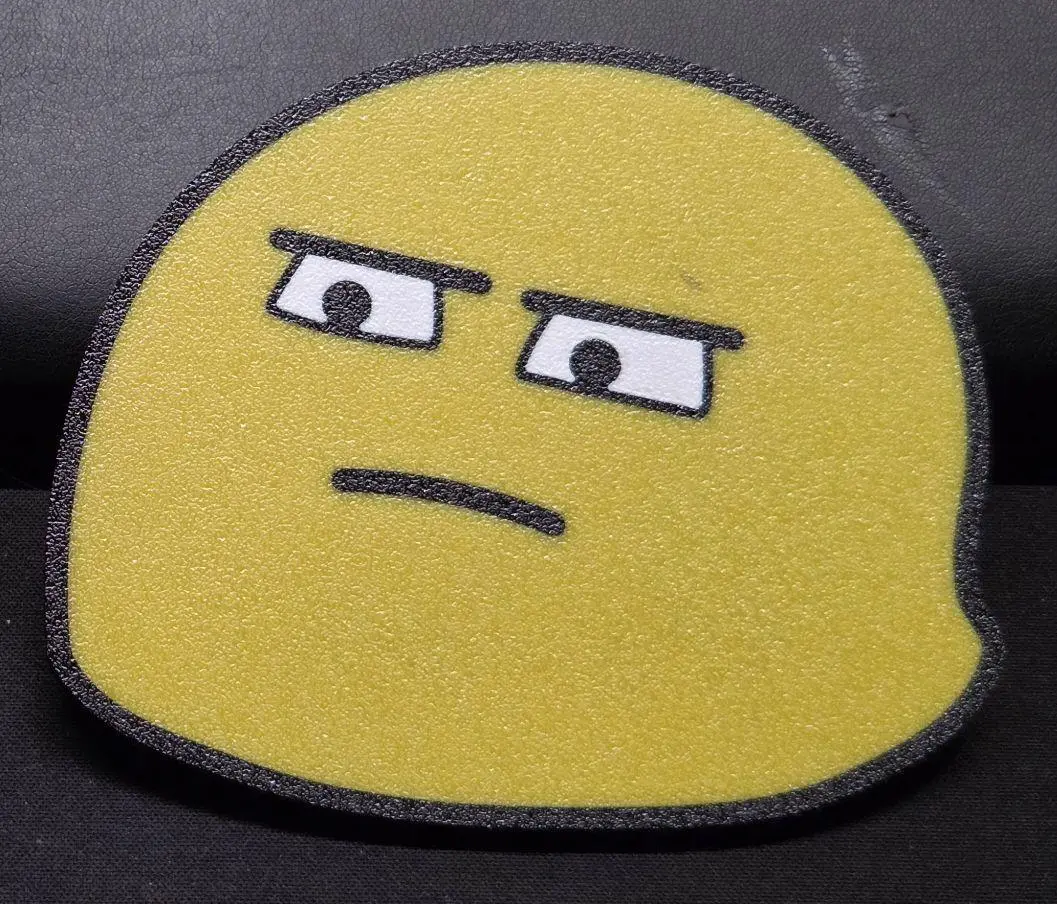
Behold, it's the coaster nobody ever asked for.
The crowd favourite. It's BLOB-GLARE.
It's designed to be printed with a 0.4mm nozzle, 0.2mm layer height.
15 layers / 3mm thick, 100mm diameter. The perfect coaster size.
There's 3 variants available, each consists of 3 files, one per colour, named accordingly:
Single Sided:
5 multicolour layers, 10 all-black layersDoube Sided SwapSaver:
10 multicolour layers in total (5 on the bottom, 5 on top), 5 center layers are all black to reduce swaps
Doube Sided Fullcolour:
15 multicolour layers
Instructions:
- load all three files into your slicer at the same time
- on the popup “Object with multiple parts detected, load as object with multiple parts” click YES – this way all parts stay aligned to each other
- add 3 different filaments in your slicer
- switch to the objects tab in your slicer and set the filament colours for each object separately
- for the best surface finish I recommend printing multicolour face down (the single-sided coasters will load face up, you will have to flip them, the double sided ones will always have one face down obviously)
- to flip them: once you selected the filament colours click on the coaster, hit hotkey [F] (in ElegooSlicer and Orca) and click on the top surface. This will place the top surface to touch the plate, so face down.
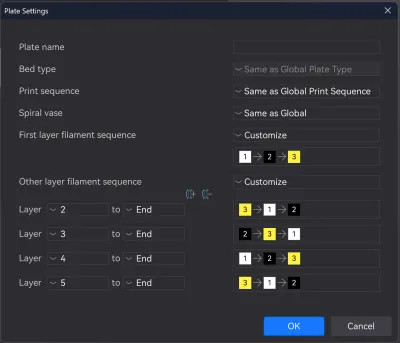
- Set the colour order manually, to reduce swaps as much as possible. Mostly only relevant when swapping manually, without am multicolour system like the Canvas.
- To set colour order manually (in ElegooSlicer and Orca): in the Prepare view click on “customize current plate” on the right hand side of the buildplate
- Adjust First layer filament sequence and other layer filament sequence accordingly
- for recommended colour sequence see images
- With the single sided coaster you should end up at 10 swaps in total
- Adjust First layer filament sequence and other layer filament sequence accordingly
- To set colour order manually (in ElegooSlicer and Orca): in the Prepare view click on “customize current plate” on the right hand side of the buildplate
- I recommend printing at 100% infill (or a total of 15 solid layers through bottom and top layer count)
- PETG recommended, for some heat resistance, when setting a hot cup on them. PLA works too, but is more sensitive to temperature than PETG.
Originality of the Model
The author declares that this work is their personally original model
This model is licensed under the following terms:
Credit must be given to the creator
Only noncommercial uses of the work are permitted
Remixes must be shared under the same license
Models(9)
 Glare-Emoji_WHITE_SingleSided_SwapSaver.stlDesigner
28.30 KB

2026-02-01
- Glare-Emoji_YELLOW_SingleSided_SwapSaver.stlDesigner
81.82 KB
2026-02-01
- Glare-Emoji_BLACK_SingleSided_SwapSaver.stlDesigner
208.97 KB
2026-02-01
- Glare-Emoji_YELLOW_DoubleSided_FullColour.stlDesigner
149.69 KB
2026-02-01
- Glare-Emoji_BLACK_DoubleSided_FullColour.stlDesigner
274.79 KB
2026-02-01
- Glare-Emoji_WHITE_DoubleSided_FullColour.stlDesigner
47.05 KB
2026-02-01
- Glare-Emoji_YELLOW_DoubleSided_SwapSaver.stlDesigner
164.54 KB
2026-02-01
- Glare-Emoji_BLACK_DoubleSided_SwapSaver.stlDesigner
338.46 KB
2026-02-01
- Glare-Emoji_WHITE_DoubleSided_SwapSaver.stlDesigner
56.82 KB
2026-02-01
View all(9)


