




Weapons
Toys
Eight Trigrams
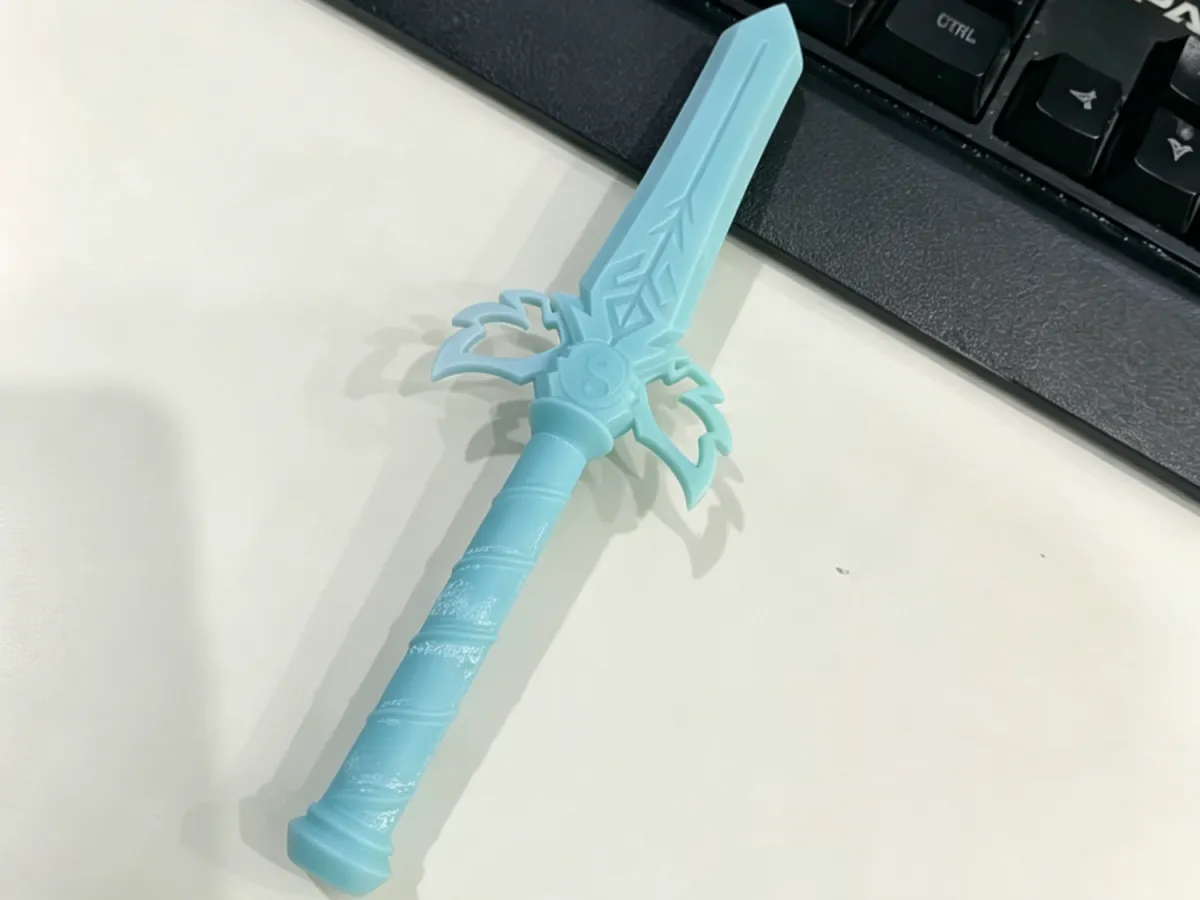
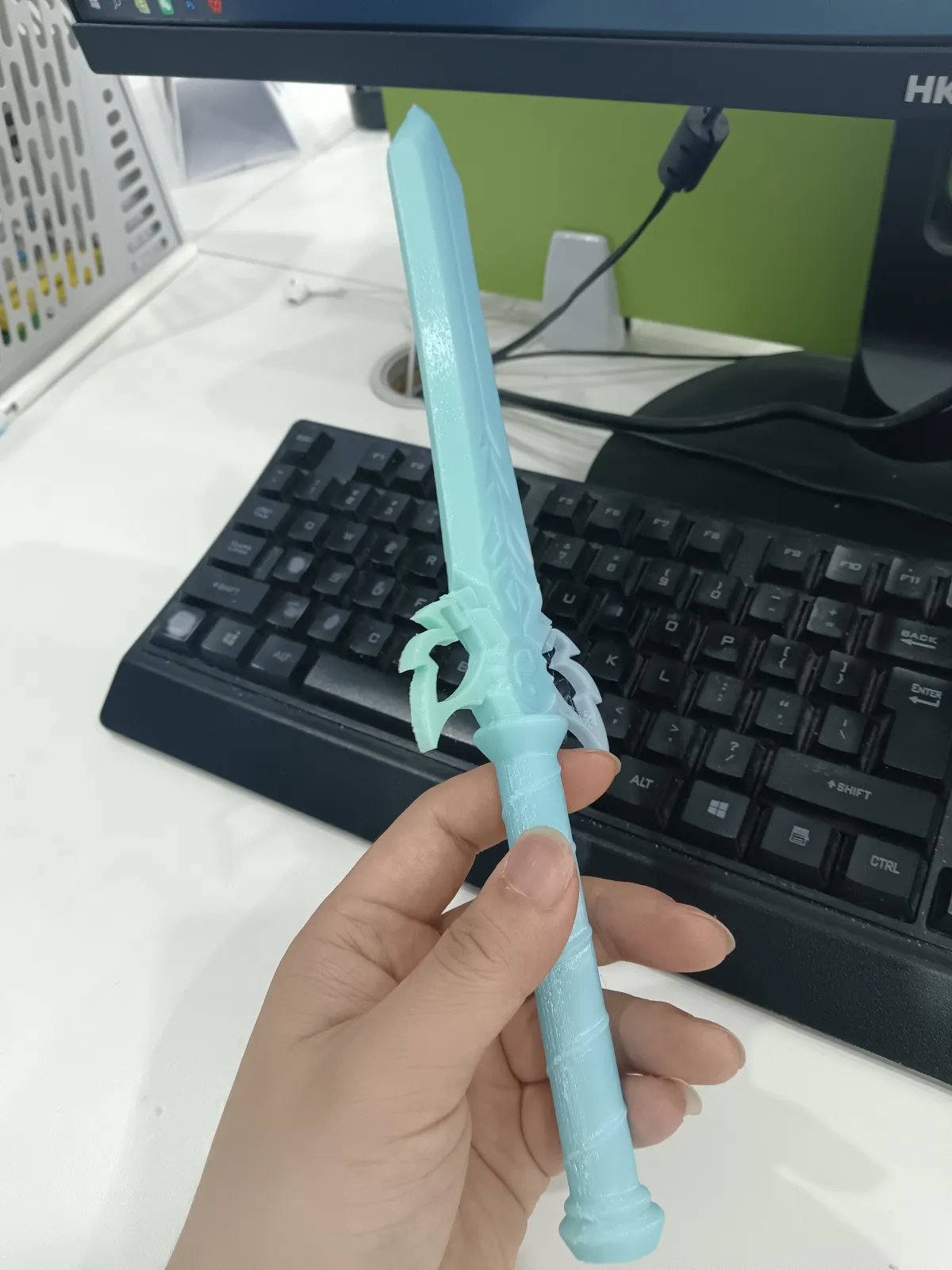
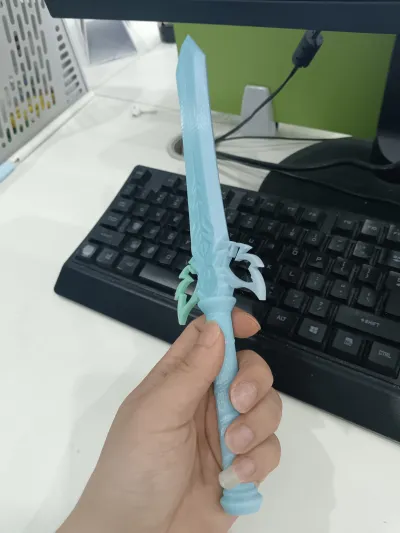
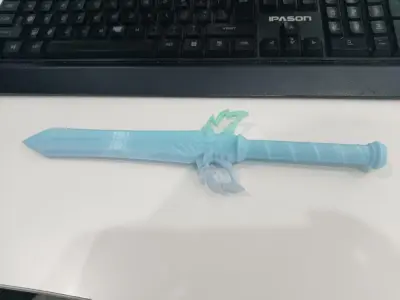
Bagua Sword

- 0.28 mm layer height, 2-wall structure, 15% infill density

1-disc
PLA
Designer

4

1
Bagua Sword – Lightweight One-Piece Printed Version
A 3D-printed toy sword that incorporates the traditional Bagua diagram. The entire sword is designed for one-piece printing, requiring no assembly or glue—ready to play with straight out of the printer. Weighing only 19 grams, it’s exceptionally lightweight, making it ideal for desk display, role‑playing, or as a fun prop. It preserves the cultural charm of the traditional Bagua sword while adding a modern mechanical aesthetic.
🚀 Key Highlights
One‑Piece Printing: Ready to Play Immediately: No assembly required—the model is designed for single‑plate, all‑in‑one printing. Simply remove it from the build plate, clean off any excess material, and start playing.
Ultra-Lightweight: At just 19 grams, it feels almost weightless in your hand, allowing for extended use without fatigue—perfect even for children to handle easily.
Minimal Support Structures: The design is optimized to minimize supports; most overhangs are handled by 45° self-supporting angles, leaving only a few isolated contact points after slicing.
Safety Rounded Edges: Both the tip and edges feature rounded corners for safer handling (though please still avoid pointing it at eyes).
🛠️ Printing Notes
Recommended Materials: PLA+ or PETG. PLA+ offers lightness and ease of printing, while PETG provides greater toughness and impact resistance.
Printing Settings: Layer height 0.2 mm, 2 wall layers, infill 5–8% (or use Lightning Infill). With these settings, the final weight will be approximately 19 g ± 2 g.
Print Orientation: We recommend printing with the sword tip facing upward, standing vertically along the Z-axis. This yields a smoother surface and reduces support needs. For this relatively tall model, ensure strong bed adhesion.
Brim Recommendation: Due to the model’s height and small base footprint, we suggest adding an 8–10 mm wide brim to prevent warping or tipping during printing.
Supports: No additional supports are needed—the model has been optimized for support-free printing. If you notice filament stringing on certain overhangs, gently trim it with a craft knife.
Infill Suggestions: To maintain the target weight of around 19 grams, keep infill below 10%. You can further reduce weight using Lightning Infill.
🧩 Assembly Instructions
No assembly required. After printing, follow these steps:
Cool Down: Allow the printed model to cool completely—ideally for at least 30 minutes—before removing it from the build plate.
Clean Up: Use your fingernail or tweezers to remove any minor support remnants, if present. Gently scrape away fine filament stringing on the blade and handle with a craft knife.
: Verify that the blade is free of warping or deformation, and that the tip is smooth and burr-free. Once satisfied, the sword is ready to play with.
⚡ Common Issues
What if the weight exceeds 19 grams?
Check whether the infill rate exceeds 10% or if more than two wall layers were used. Reduce infill to 5–8%, set wall thickness to 2 layers, and consider using Lightning Infill to easily bring the weight back within the target range.Does the blade warp or detach from the heated bed after printing?
This issue often arises due to the model’s height and small base area. Solution: Add an 8–10 mm wide brim, set the heated bed temperature to 60°C for PLA or 80°C for PETG, and thoroughly clean the bed surface before printing, applying solid adhesive or spray to enhance adhesion-1.Are there filament striations or surface lines after printing?
Try lowering the print speed or switching to a finer 0.12 mm layer height (which may slightly increase weight). For existing striations, quickly torch them with a lighter for about one second, or gently blow them away with a heat gun.Is it safe for children?
The tip and edges have been rounded, and the sword weighs only 19 grams, making it relatively safe. However, we still recommend adult supervision for children under six years old, and advise against poking the face or eyes.Can I scale the model?
Yes, you can scale it proportionally. Keep in mind that reducing the size may blur details like the Bagua symbols, while enlarging increases weight and requires sufficient platform dimensions.Why is it called the “Bagua Sword”?
The Bagua Sword is one of the signature weapons of the Bagua Sect, also known as the “Wandering Bagua Linked Sword,” emphasizing the unity of mind, energy, and sword. This model draws inspiration from that tradition, blending Bagua symbolism with mecha‑style elements to pay homage to classical martial arts culture.Can I use colored filaments?
Absolutely! Using matte silver, champagne gold, bronze‑tone silk PLA, or glow‑in‑the‑dark filaments will give the sword a metallic sheen and accentuate its mecha‑inspired aesthetic-.
Originality of the Model
The author declares that this work is their personally original model
This model is licensed under the following terms:
Credit must be given to the creator
Models(1)
- 八卦剑.3mfDesigner

663.49 KB

2026-05-16


