




GardenLayer 2026
parametric
customizable
outdoor
garden
label
plant
sign
stake

- 0.2mm layer, 6 walls, 25% infill, PETG

1-disc
PETG
Designer

25

11
Parametric Plant Stake Generator - "The Lite Edition"
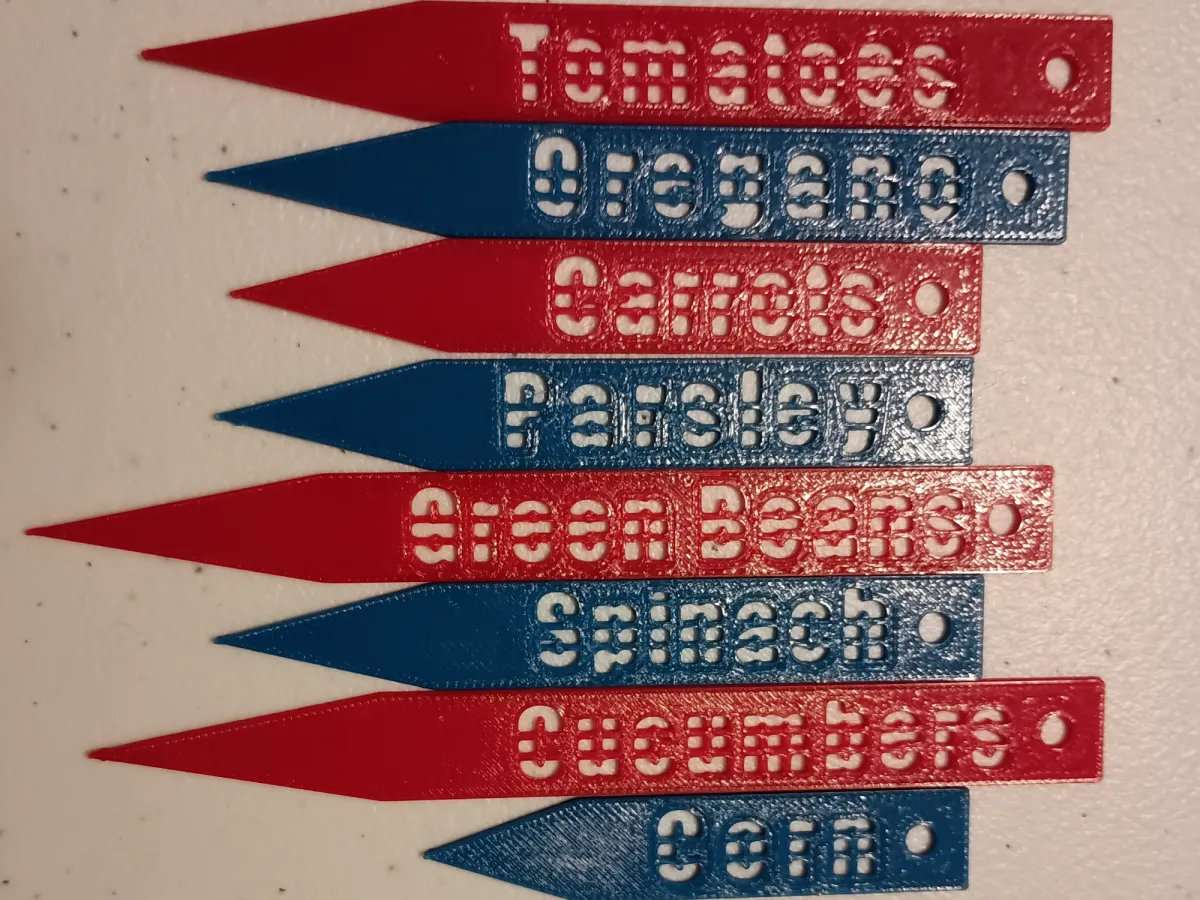
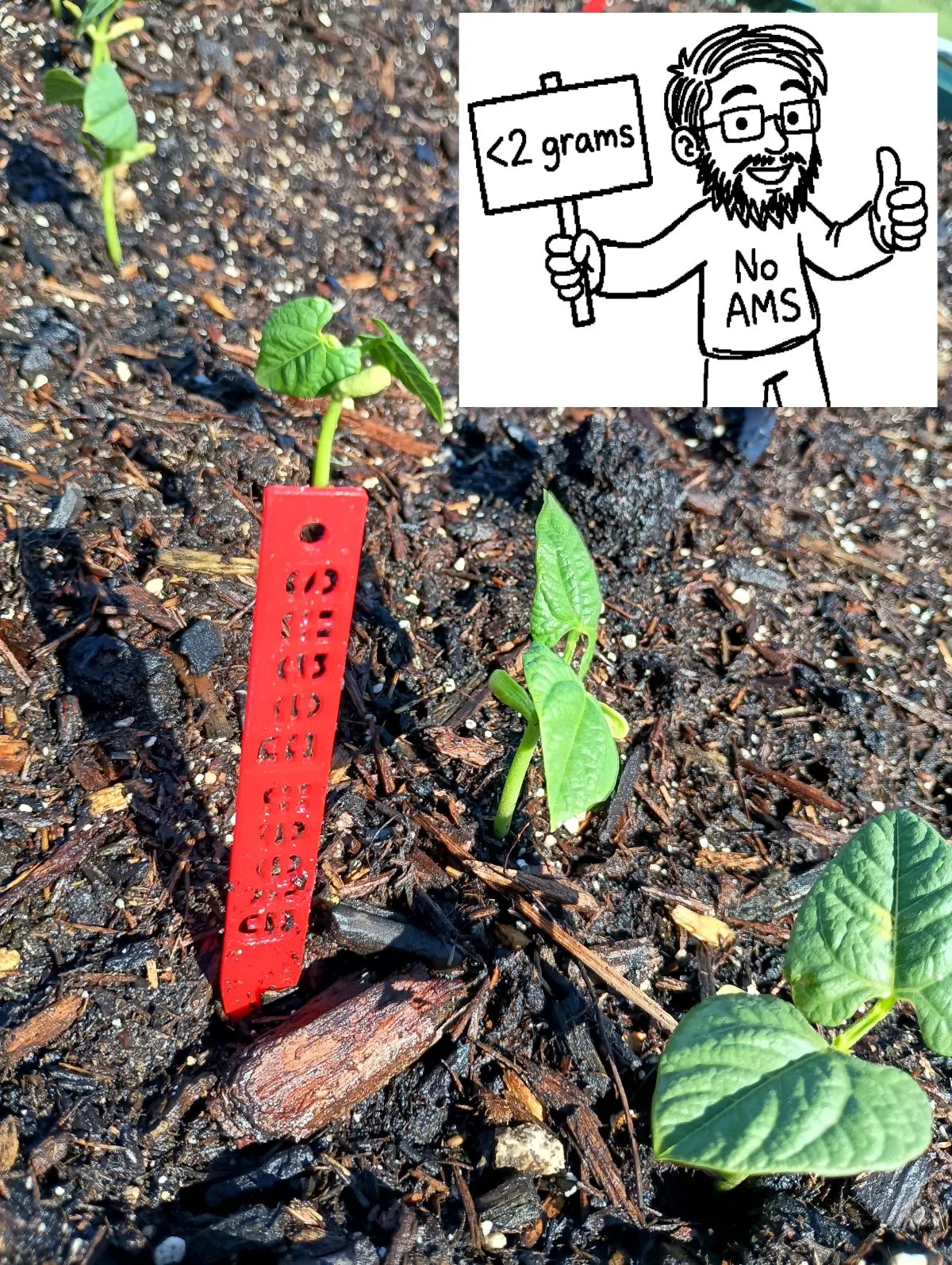
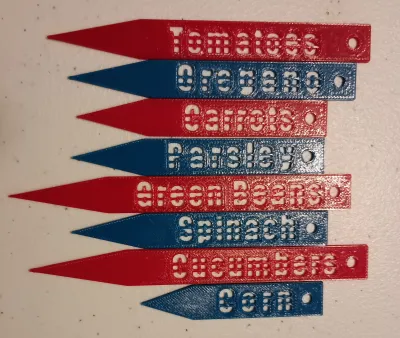
The Lite Edition is a streamlined, high-efficiency version of the classic garden stake. Designed specifically for rapid batch printing and ultra-low filament consumption (averaging under 2 grams per stake), this model is perfect for large gardens, community plots, or nursery starts.
Instead of traditional embossing, this model "punches" the text through the stake as a stencil. This creates a striking, modern look that won't fade in the sun or peel in the rain.
The punch method it uses allows for a stencil-like effect that does not require you to install a special font. With OpenSCAD modeling, you are generally limited to the fonts installed on your system. “The Lite Edition” uses plastic bars to guarantee you catch the hole in every letter whether it is lowercase or uppercase, therefore turning any font into a stencil without creating plastic islands.
Key Features:
- Universal Stencil Logic: No specialized fonts required. The built-in "Double-Bridge" algorithm automatically bisects every letter, ensuring that "islands" (like the centers of O, B, g, or e) are securely anchored and won't fall out.
- Visual Clarity: Includes an "Outline Frame" feature that allows you to engrave or emboss a halo around the letters, adding a tactile depth that makes the text pop in any lighting.
- Fully Parametric Sliders: Total control over height, width, thickness, and text placement.
- Versatile Mounting: Includes an optional hanging hole at the top—perfect for zipties or twine if the ground is too hard to pierce.
Printing Recommendations:
- Material: PETG is highly recommended for UV resistance and its "springy" durability in the soil.
- Wall Loops: Set to at least 2 or 3 to ensure the stencil bridges are solid.
- Infill: 100% (at 1.5mm - 2mm thickness, this is the fastest and strongest way to print).
- Efficiency: A single 1kg spool can yield over 500 stakes at default settings!
How to use:
- Enter your plant name in the Label box (e.g., "TOMATOES", "Corn").
- Choose a Font that you like.
- Choose a Stake Length that appropriately fits the text you generated. You will want a little blank space so that it does not look crowded. Additionally, this keeps the dirt from blocking your first letter.
- Use the Text Position slider to center your label between the tip and the hole.
- You may need to adjust the Universal Stencil Supports depending on your decisions with font and font size. The goal is to capture all of the “islands” in your letters.
Originality of the Model
The author declares that this work is their personally original model
This model is licensed under the following terms:
Credit must be given to the creator
Models(22)
 Parametric Plant Stake Generator Lite V2.scadDesigner
3.01 KB

2026-05-26
 Broccoli Lite.stlDesigner
488.95 KB
2026-05-26
 Cabbage Lite.stlDesigner
603.01 KB
2026-05-26
 Carrots Lite.stlDesigner
471.57 KB
2026-05-26
 Corn Lite.stlDesigner
276.25 KB
2026-05-26
 Cucumbers Lite.stlDesigner
306.72 KB
2026-05-26
 Dill Lite Outline Emboss.stlDesigner
120.59 KB
2026-05-26
 Green Beans Lite.stlDesigner
752.43 KB
2026-05-26
 Jalapenos Lite.stlDesigner
299.89 KB
2026-05-26
 Lavender Lite.stlDesigner
477.82 KB
2026-05-26
 Lettuce Lite.stlDesigner
414.73 KB
2026-05-26
 Onion Lite.stlDesigner
309.07 KB
2026-05-26
 Oregano Lite.stlDesigner
544.42 KB
2026-05-26
 Parsley Lite.stlDesigner
449.30 KB
2026-05-26
 Peas Lite.stlDesigner
164.14 KB
2026-05-26
 Sage Lite.stlDesigner
386.61 KB
2026-05-26
 Spinach Lite.stlDesigner
481.33 KB
2026-05-26
 Sweet Peppers Lite.stlDesigner
901.45 KB
2026-05-26
 Tomatillo Lite.stlDesigner
448.71 KB
2026-05-26
 Tomatoes Lite Outline.stlDesigner
628.40 KB
2026-05-26
 Tomatoes Lite.stlDesigner
279.96 KB
2026-05-26
- Plant Stake Generator Lite.3mfDesigner
2.18 MB
2026-02-21
View all(22)


