


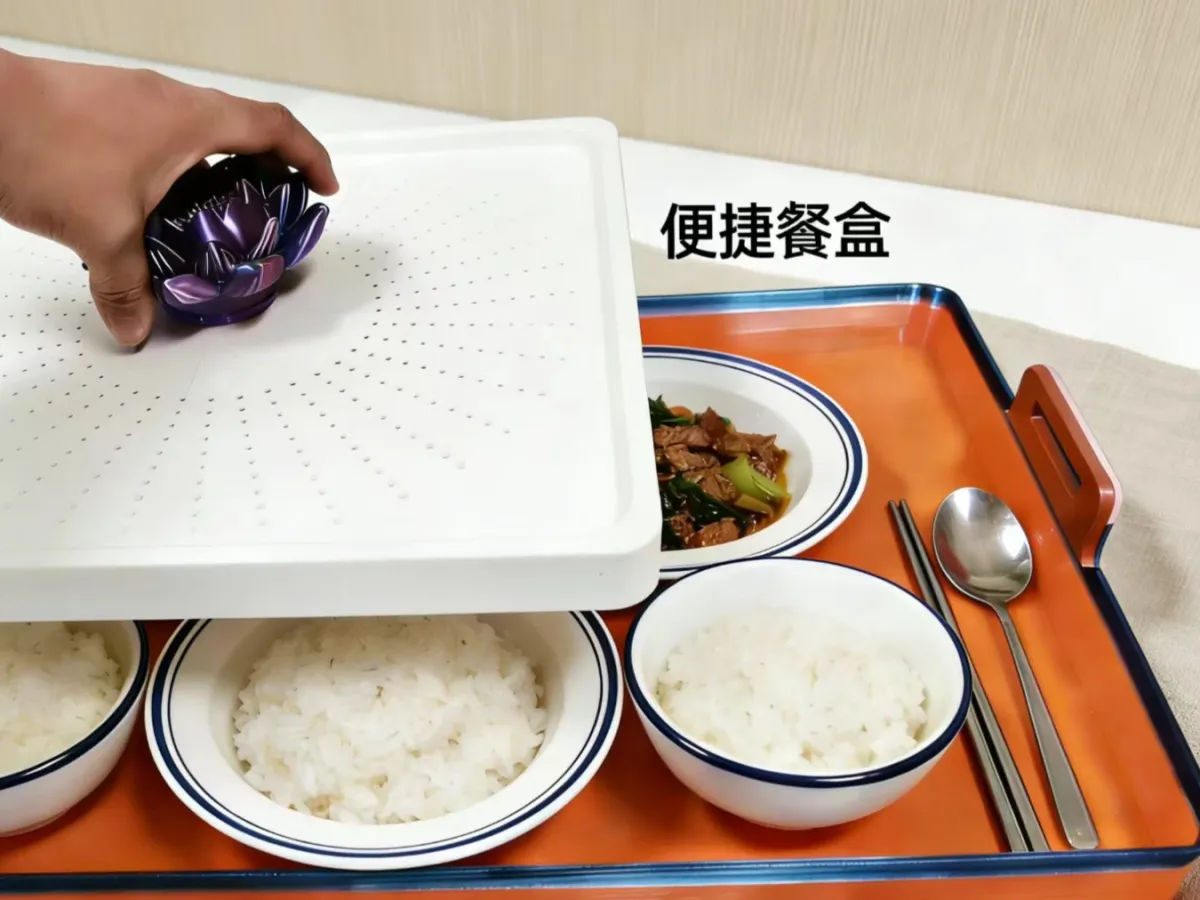
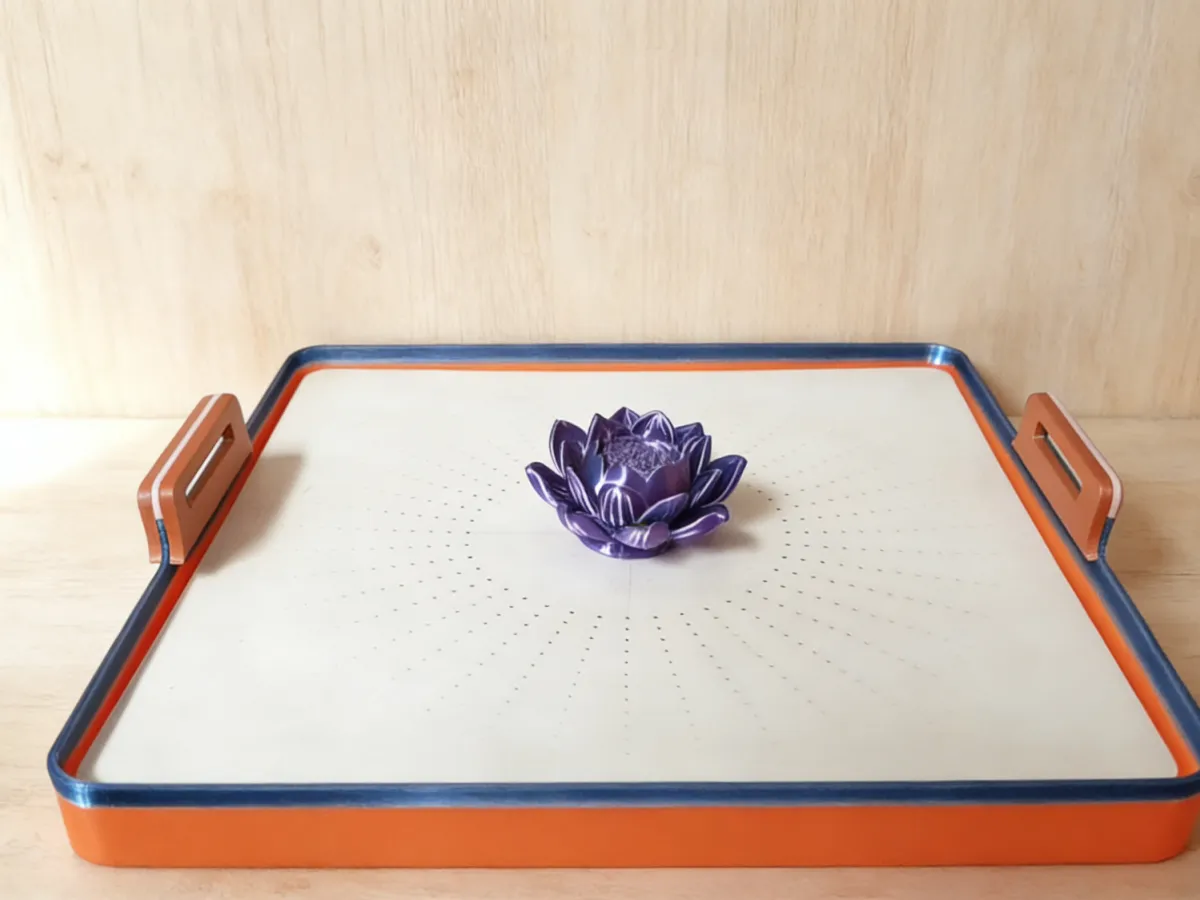

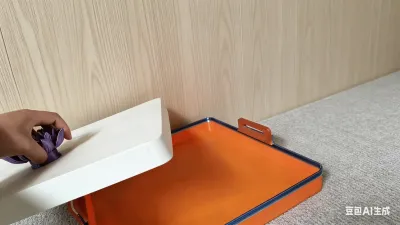

Storage Tray
Cutlery Storage
The Perfect Companion for 3D-Printed Meal Storage
Home-use, High-Capacity Cutlery Organizer – 3D Printed
3D‑Printed Storage Box with a Smooth, Flat Base
Neptune Print: A Handy Kitchen Assistant
3D‑Printed Reinforced Storage Rack with Handle
Flexibly Adaptable Lunch Box Storage Rack
3D-Printed Dorm Storage Solution
3D‑Printed Kitchen Utensil Organizer
PETG Waterproof Cutlery Storage Box
3D‑Printed Office Cutlery Organizer
Modular Lunch Box Storage Rack – 3D Printed

- 0.2 mm layer height, 3‑layer walls, 5% infill density

4-disc
PLA
Designer

4

0
Based on the structural design and practical needs of storage lunch boxes, I’ll explore the project from three key angles—inspiration origins, full-process printing requirements, and assembly details—while adding more granular structural logic and hands-on operational insights to ensure a thorough and professional presentation:
🌟 Model Name: “Wen Na” Adjustable Lunch Box Organizer
1. Source of Inspiration: Addressing Everyday Storage Pain Points While Balancing Flexibility and Load Capacity
In daily meal storage, users often encounter three core challenges: inconsistent box heights that make stacking difficult; fragile handles prone to breakage; and uneven bases that lead to wobbling and instability. Drawing on real-world scenarios in home kitchens and office break rooms, this adjustable lunch box organizer was designed with “adaptability and durability” at its core.
The design draws inspiration from modular, stackable thinking: the four corner‑height‑raising modules feature a detachable design, breaking free from the rigid height constraints of traditional organizers and allowing users to flexibly adjust the setup for bowls, plates, food containers, and other items of varying heights. To tackle the common issue of handle stress concentrating in vulnerable areas, the design introduces an innovative double‑sheet reinforcement structure that increases contact area and significantly boosts load-bearing capacity. The bottom panel is thickened to not only enhance stability but also prevent dishes from tilting or sliding off during placement. With its sleek, minimalist aesthetic, the organizer strikes a perfect balance between practicality and space efficiency, transforming cluttered kitchenware storage into a tidy, well‑organized system.
2. Basic Model Information
- Core Functionality: Stores bowls, plates, lunch boxes, food containers, and other tableware—ideal for home kitchens, offices, dormitories, and similar settings.
- Dimensions (Default): External dimensions of the main frame—35 cm (L) × 25 cm (W) × 12 cm (H)—with optional scaling based on user needs; recommended scaling range: 0.8–1.2x.
- Modular Composition: 1 main frame (including bottom panel + side barriers) + 4 replaceable height‑raising feet + 2 sets of double‑sheet handles (2 pieces per set).
- File Format: STL (high‑precision modeling; each component is saved as a separate file, supporting individual printing and replacement for easy post‑production maintenance).
- Design Highlights:
1. The height‑raising feet come in 3 pre‑configured height options—1 cm, 2 cm, and 3 cm—allowing users to print and combine them as needed to accommodate tableware ranging from 5 cm to 18 cm in height.
2. The handles feature an ergonomic, curved design; when the two sheets are fully bonded, the handle thickness reaches 8 mm, capable of supporting up to 5 kg of weight.
3. The edges of the bottom panel are rounded with a 2 mm radius to eliminate sharp corners and reduce the risk of injury.
4. The inner surface of the main frame is textured with a 2 mm anti‑slip pattern, minimizing slippage when placing dishes inside.
3. Detailed Printing Requirements (Compatible with the Entire TopoZhu Printer Series)
1. Filament Selection and Material Planning
- Recommended Filaments:
- Entry‑level: PLA (1.75 mm, natural/ light gray), offering stable build quality and low cost—perfect for everyday storage applications.
- Advanced: PETG (1.75 mm, clear/matte finish), boasting impact resistance, water resistance, and high‑temperature tolerance (-40°C to 80°C), making it safe for direct contact with foodware.
- Filament Usage Alerts:
- For the complete model (including default-height height‑raising feet + 2 sets of handles), filament consumption is approximately 280–320 g (PLA density: 1.25 g/cm³)—1.5–2 times the amount required for standard storage models. Be sure to check filament reserves in advance.
- Component‑specific filament usage: The main frame requires about 200 g, each 1 cm height‑raising foot uses roughly 30 g, and each pair of handles consumes around 60 g.
- It’s recommended to reserve at least 30% extra filament (about 90 g) to avoid material shortages mid‑print; you can use TopoZhu’s slicing software’s “Filament Estimation” feature for precise consumption calculations.
2. Printing Parameters by Component (Tailored to Structural Needs)
Parameter Category | Main Frame | Height‑Raising Feet | Double‑Sheet Handles
Layer Height | 0.2 mm (Efficient Mode) / 0.16 mm (Fine Mode) | 0.2 mm | 0.16 mm (Ensures smooth, curved surfaces)
Filling Density | 25% (Diamond Pattern) | 30% (Grid Pattern) | 35% (Triangular Pattern, enhancing toughness)
Outer Wall/Top & Bottom Layers | Outer walls: 4 layers; top & bottom: 6 layers | Outer walls: 3 layers; top & bottom: 4 layers | Outer walls: 5 layers; top & bottom: 5 layers
Support Structures | None (no overhanging structures) | Tree‑like supports (density: 15%, only at bottom contact points) | Tree‑like supports (density: 20%, at the curved apex of the handles)
Skirt Settings | Width: 8 mm, 2 layers | Width: 6 mm, 1 layer | Width: 6 mm, 2 layers
Printing Speed | Outer walls: 35 mm/s, inner walls: 45 mm/s, filling: 50 mm/s | Outer walls: 40 mm/s, inner walls: 50 mm/s, filling: 60 mm/s | Outer walls: 30 mm/s, inner walls: 40 mm/s, filling: 50 mm/s
Temperature Settings | Nozzle: 200–205°C (PLA) / 220–225°C (PETG); heated bed: 60°C (PLA) / 70°C (PETG) | Same temperature parameters as the main frame | Same temperature parameters as the main frame (nozzle temperature may be increased by 5°C to ensure smooth arc formation)
Glue Usage | No glue required | No glue required | No glue required
Print Orientation | Bottom panel facing down | Height‑raising surface facing down | Handle bonding surface facing down
3. Printing Environment and Pre‑Processing Requirements
- Environmental Control: Maintain a temperature range of 18–25°C and humidity ≤60% to prevent thermal shock that could cause layer cracking or warping.
- Heated Bed Calibration: Before printing, perform “Auto Leveling” followed by manual fine‑tuning of the four corner heights to ensure bed flatness within an error margin of ≤0.1 mm.
- Filament Pre‑Processing: If the filament has absorbed moisture (PLA moisture content >1%), dry it in a 60°C oven for 2–4 hours to avoid bubbles and stringing during printing.
- Bottom Surface Cleaning: Wipe the heated bed surface with an alcohol‑impregnated cotton pad before printing to remove residual oil and filament debris, ensuring a smooth, clean base after printing.
4. Key Quality Control Measures During Printing
- When printing the main frame, enable “Anti‑Warpage Mode” and maintain a heated bed temperature of 60°C (PLA) until 10 layers have been printed—this helps prevent the bottom edges from curling up.
- For handle printing, set the cooling fan speed to 70% to avoid rapid cooling that could lead to shrinkage marks on the curved surfaces.
- After printing the height‑raising feet, inspect the bottom surface for any unevenness; if there are protrusions, gently sand them down with 1000‑grit sandpaper until the surface is perfectly flat, ensuring the organizer remains stable when placed on a surface.
4. Detailed Assembly Instructions and Post‑Processing Steps
1. Post‑Processing Workflow (By Component Order)
- Main Frame:
1. Once printing is complete, wait until the heated bed temperature drops below 40°C before removing the part—this prevents high‑temperature deformation.
2. Use diagonal pliers to trim any excess skirt material along the bottom edge, then lightly sand the corners with 1000‑grit sandpaper to remove burrs.
3. If the bottom panel shows slight unevenness, dampen a 2000‑grit sandpaper with water and carefully polish the surface to ensure a snug fit against the tabletop when placed.
- Height‑Raising Feet:
1. Carefully remove any remaining support structures using needle‑nose pliers to avoid damaging the contact surfaces at the base of the feet.
2. Check that the locking mechanism at the top of each height‑raising foot is intact; if any parts are broken, reprint the feet.
- Double‑Sheet Handles:
1. After removing the supports, sand the bonding surfaces of the handles to ensure the two pieces fit together seamlessly without gaps.
2. Wipe the bonding surfaces with an alcohol‑impregnated cotton pad to remove dust and grease, enhancing adhesive strength.
2. Assembly Steps (Tools: Eco‑Friendly Glue/Hot Melt Gun, Tweezers, Measuring Tape)
1. Installing the Height‑Raising Feet:
- Based on the height of the stored items, select the appropriate height‑raising feet—for example, if storing 10 cm tall lunch boxes, stack a 2 cm foot with a 1 cm foot.
- Use a measuring tape to mark the installation positions at the four corners of the main frame, ensuring symmetry after installation (error margin ≤0.5 mm).
- Apply a small amount of eco‑friendly glue (EVA hot melt glue is recommended—odorless and fast‑setting) to the top of each height‑raising foot, align it with the corresponding mounting slots on the main frame, press firmly for 30 seconds, and let it sit for 2 hours to allow the glue to fully cure.
2. Installing the Handles:
- Take one set of handles (2 pieces), evenly apply glue (about 0.5 mm thick) to the bonding surface of one handle, align the other handle precisely, clamp it in place with tweezers, and let it sit for 1 hour.
- Once the double‑sheet handles are securely bonded, apply glue to the inner surface of the handles, align them with the pre‑drilled mounting slots on both sides of the main frame (3 cm from the top edge), press firmly, and let them sit for 4 hours to ensure complete adhesion.
- After assembly, test the handles’ stability by gently pulling on them to verify their load‑bearing capacity (start with a 2 kg test weight; if no looseness is detected, the organizer is ready for use).
3. Advanced Optimization (Optional)
- To enhance water resistance, spray a thin coat of clear varnish on the inner walls of the main frame and the bottom panel (apply two thin coats from a distance of 20 cm, with a 30‑minute interval between coats).
- If you’re concerned about dishes slipping, consider attaching anti‑slip silicone strips to the inner walls of the main frame (1 cm wide, 0.5 mm thick).
- Feel free to add color to the organizer using acrylic paints or decorate it with stylish stickers to boost its aesthetic appeal.
5. Usage and Maintenance Guidelines
1. Limit the maximum storage weight to 5 kg to prevent handle breakage due to excessive load.
2. If you need to adjust the height, simply remove the existing height‑raising feet and swap in feet of a different specification—there’s no need to reprint the entire main frame.
3. For routine cleaning, wipe with a damp cloth; avoid exposing PLA to temperatures above 80°C, while PETG can withstand warm water cleaning.
4. If the handles or height‑raising feet become damaged, you can print replacement parts individually—no need to reprint the entire organizer, saving both time and materials.
5. When the organizer is not in use for extended periods, store it in a dry, well‑ventilated area to prevent moisture damage and deformation.
This detailed guide covers everything from component‑specific printing parameters and assembly tools to maintenance tips, balancing ease of use for beginners with advanced optimization options. If you’d like to add a “Precise Filament Consumption Calculator” or a “Troubleshooting Guide for Common Printing Issues,” or refine the design logic for any particular component, just let me know—I’m happy to help!
Originality of the Model
The author declares that this work is their personally original model
This model is licensed under the following terms:
Credit must be given to the creator
Models(1)
- 餐具收纳盒.3mfDesigner

22.79 MB

2026-01-29


