




bug
bugs
micro bots
bugbot
bristlebot
bristle bot
bug bot
hexbug
hexabug
hex bug
vibrating bug bot
vibrrating motor
battery
CR2032
Maker Lab Kids

- 0.2mm layer, 2 walls, 15% infill

5-disc
PLA
Designer

8

1
INSTALL THE MOTOR FIRST! If you are using the small flat 10mm motors they need to be installed before you snap the two halves together!
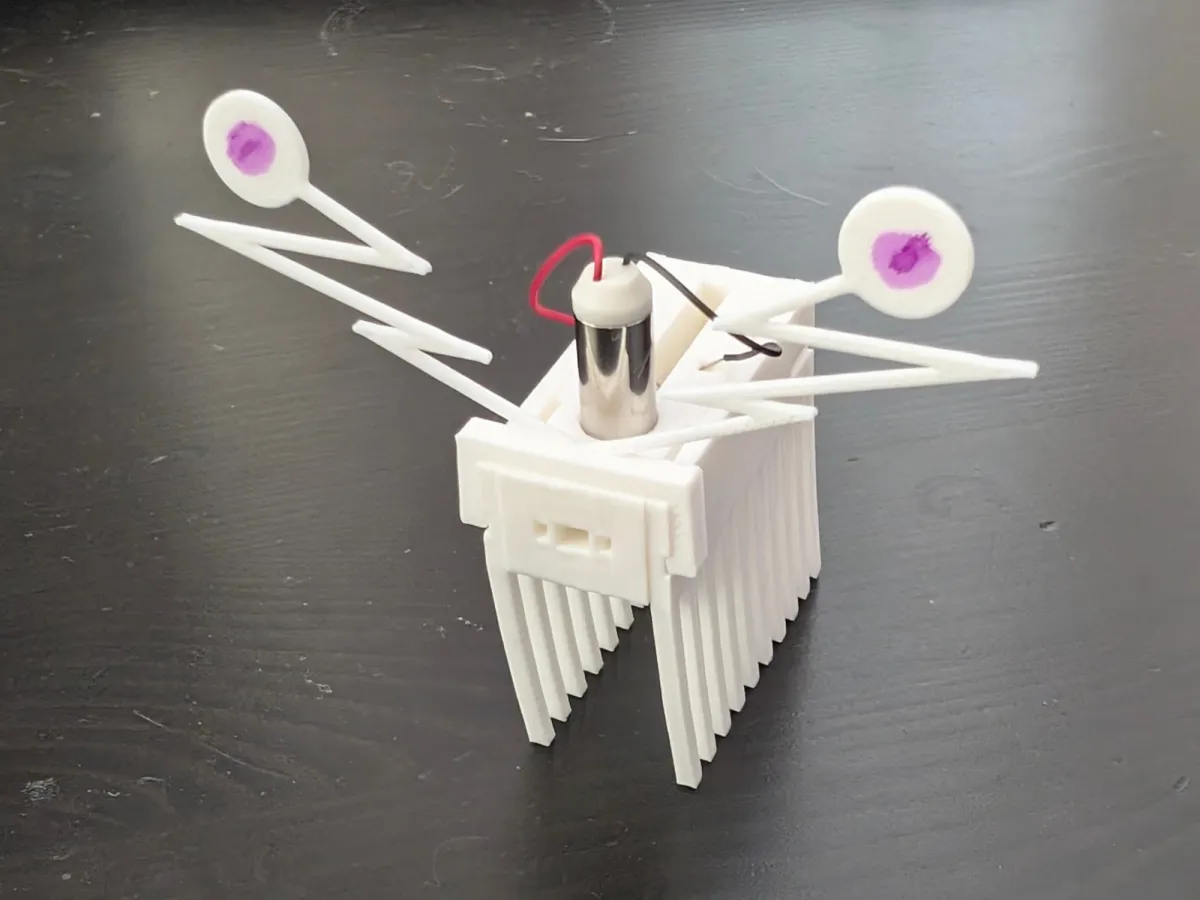
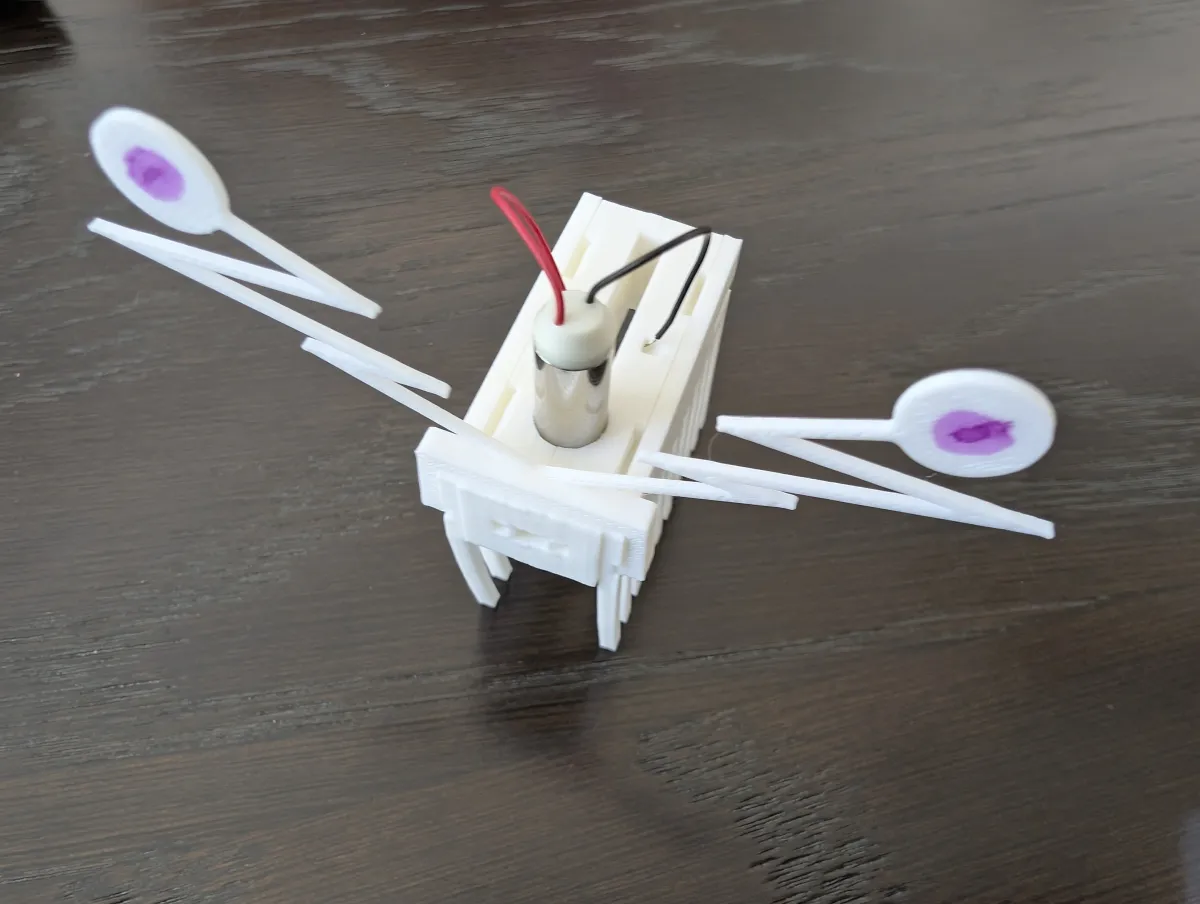
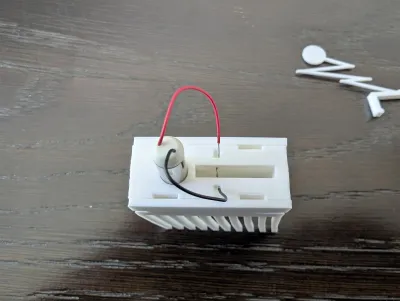
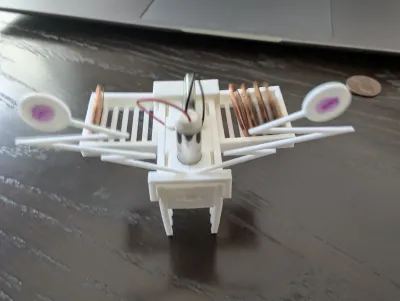
This is a Q bug. Also know as a bug bot, bristle bot, or hex bug. I really liked some of the design out there but not really worked for me. so this is a from scratch design in Onshape that combines the best of what I could find.
Notable features:
- Snap fit! No screws or other hardware required to hold it together or even to connect the battery terminals (there are none!)
- Turns on and off! Well, you remove the battery… but it's super easy so that counts, right?
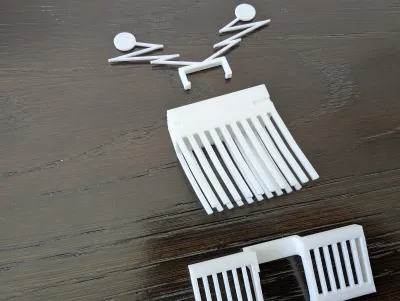
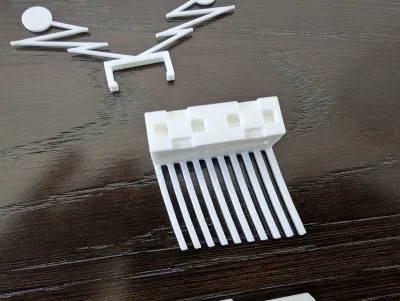
- Swappable legs! The legs make a big difference. Instead of printing a whole new bot, you can just pop the legs off and try a different set
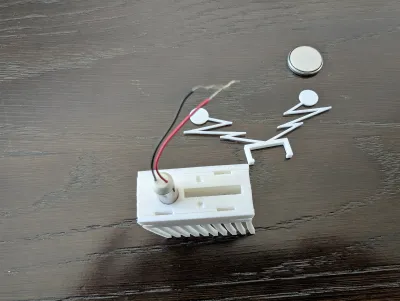
- Dual motor options! You can use a 10mm x 3.4mm flat pager motor or a 7mm x 25mm long tube vibrating motor .
- Reversable! You can just swap which side the legs go on and have the motor in either the front or the back.
- Tunable! You can make adjustments to which way and how fast your bot goes with the penny backpack. Revolutionary!
Easy assembly:
- INSTALL THE MOTOR FIRST! If you are using the small flat 10mm motors they need to be installed before you snap the two halves together!
- Read step 1 before you begin.
- Snap the two body halves together. press them all the way together. They should zip/snap together in a very satisfying way that makes you think it will stay together and be difficult to come apart later. See bold type on step 1.
- Put the legs on. You can have the motor in the front or the back - it all depends on which way the legs are facing. The bot tends to go in the direction it leans - so short legs in the front. If they are all the same length it tends to move away from the direction the legs are pointing (from body to grounds) - the legs look like they are dragging behind the bot. Again the legs should zip/pop/snap into place.
- Install the the vertical 25mm motor in the top of your bot
- For the 25mm motor (also another option for the flat 10mm motor) Install the wire through the to holes near the middle of the battery slot. You will likely need to strip a little more bare wire from the leads. You want ONLY bare wire inside the battery slot. It's OK if the wires touch while you're inserting them - as long as they are not too long the battery will separate them when it is inserted.
- For the small 10mm flat motor the wires go out the front of the bot and then back in from the front via the two tiny holes near where they went out. This is NOT an option for the big 25mm motors as they obstruct that path, hence the top option above.
- Decorate and attach antennae / eyestalks / etc. If using small flat motors you can twist each wire to itself to make them look like antennae. Self adhesive google eyes are great, but you can also just draw them on with markers. The should clip into the rail on the legs for additional "grip".
- Install the battery - push it in from the top. It will not fall through the bottom. To remove push from the bottom.
Optional. If your bot is not tracking straight… or you just want to experiment - add the optional “backpack” to adjust how your bot moves. The backpack will accept pennies and dimes flat OR pennies, nickles, and dimes into the various slots. You will likely need to off set the weight on one side, but you can adjust how far out that weight is as well. And don't forget you can change the front of your bot by swapping legs-sides.
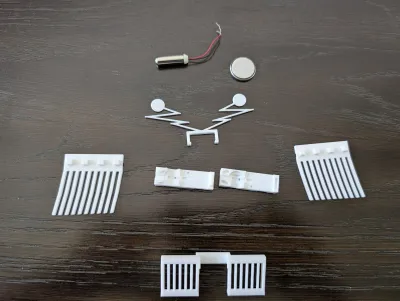
Plate 2 is different feet. You can sink them into the bed to cut them off at different lengths and bot cant/angle then export each as a single stl and re-import to lay flat again - but that's a bit of a pain so I just generated a few to get you started on Plate 2.
Plate 3 is a few eye stalks. Kids really like these and they're super easy to design and fast to print.
Plate 4 is the “penny back pack”. these bots don't always go straight. There are many things you can do to ”fix" that, but the most straight forward (pun intended) is to add weight the side it needs to go.
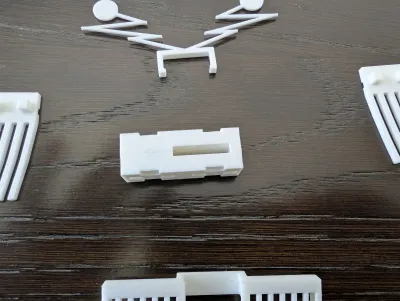
Plate 5 is the bug body left and right side.
10mmx3.4mm flat motors: https://www.amazon.com/gp/product/B0B4SMWM52/ref=ewc_pr_img_1?smid=A2L2YSK9NV3SSU&th=1
Bill of materials
- NameQuantityNotes
- 1Vibrating Motors1Either flat motors 10mm x 3.4mm FLAT motors https://www.amazon.com/gp/product/B0B4SMWM52/ref=ewc_pr_img_1?smid=A2L2YSK9NV3SSU&th=1 OR 7mm x 25mm LONG motors https://www.amazon.com/gp/product/B07KYLZC1S/ref=ewc_pr_img_1?smid=A1TBJFOKESMIUW&psc=1
- 2CR 2032 Battery1https://www.amazon.com/gp/product/B01CL5QGWW/ref=ewc_pr_img_1?smid=A8N8LIX7GUCVR&psc=1 OR Bulk (of dubious quality) https://www.amazon.com/gp/product/B01CL5QGWW/ref=ewc_pr_img_1?smid=A8N8LIX7GUCVR&psc=1
Originality of the Model
The author declares that this work is their personally original model
This model is licensed under the following terms:
Credit must be given to the creator
Remixes must be shared under the same license
Models(1)
- Qbugs.3mfDesigner

352.38 KB

2026-04-07


