





5

0
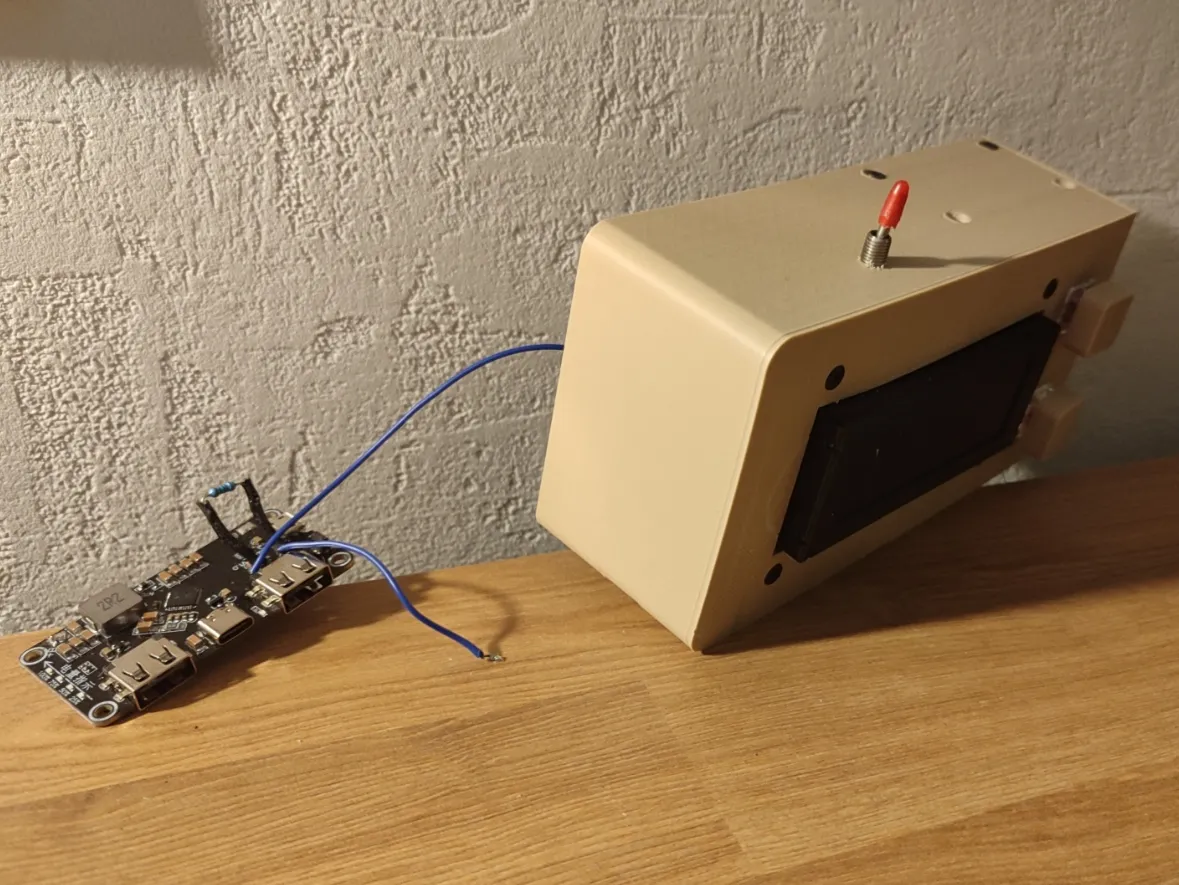
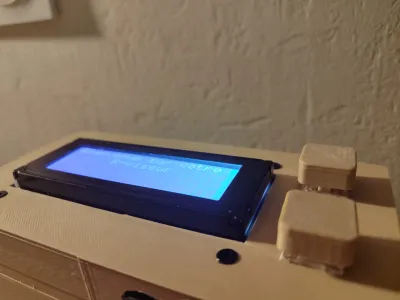
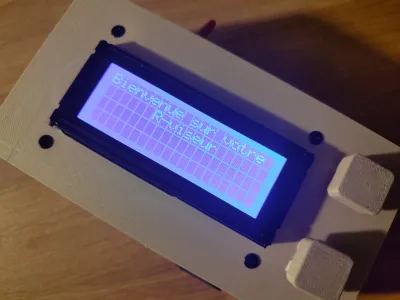
This R-Viewer randomly poses a question in the subject of your choice. The top button is used to display the answer—or, if the answer is already shown, to present the next question. The bottom button, on the other hand, allows you to move on to the next subject (there are 6 subjects in total).
!!! This project is intended for individuals with expertise in electronics and programming. You should be able to solder, understand electrical schematics, and work with code written in Arduino !!!
Required Materials:
- Arduino board (I recommend the D1 Mini or another ESP32)
- 2 gaming keyboard switches
- One toggle switch
- IP5328P IC
- Lipo/Li-ion battery
- 20x4 I2C LCD screen
- 100-ohm resistor
- Dupont female-to-female or male-to-female jumper wires
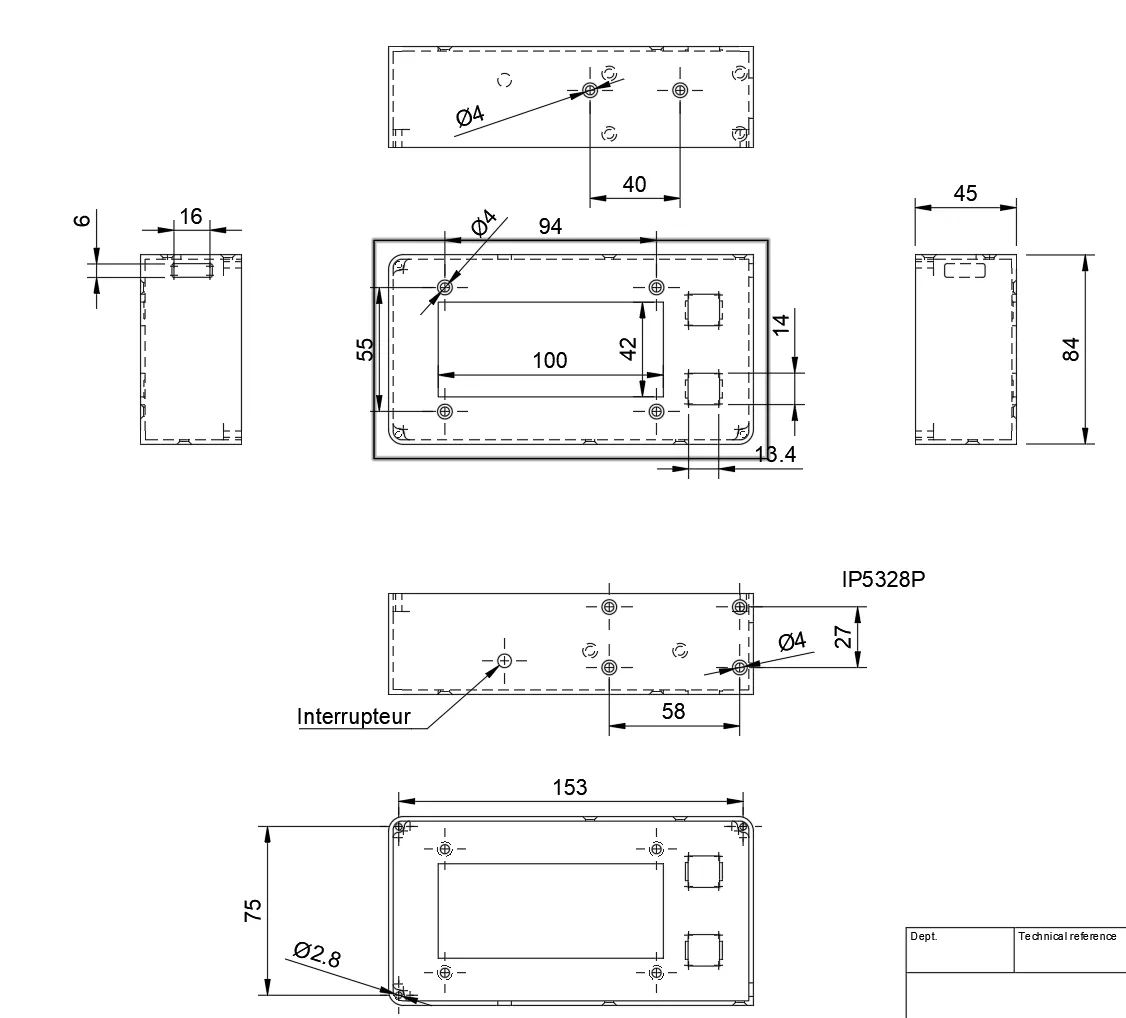
- 8 M3 x 8 screws + 4 nuts
- 4 M3 x 12 screws + 4 nuts
Required Tools:
- Soldering iron + solder
- Multimeter
Assembly Instructions:
- Make sure to remove all protective supports and verify that you have all the components ready.
- Install the switches (position them at the front and press them inward), then attach the keycaps.
- Place the toggle switch into its designated slot.
- Mount and secure the LCD screen (you can either install jumper caps across the two pins labeled “LED” or create a soldered connection to link those two pins).
- Next, solder all components according to the schematic—be sure to cut Dupont wires to access the connectors for the LCD screen.
- Screw in the IP5328P, and your R-Viewer’s electronic assembly is complete.
For the Code:
- Open the “programme.ino” file in the Arduino IDE.
- Modify the String XXX variables by replacing the questions and answers enclosed in quotation marks.
- Upload the program to your Arduino board.
For example, the basic code looks like this:
String questions_m1_1[] = {"Q1 M1", "Q2 M1", "Q3 M1", "Q4 M1", "Q5 M1", "Q6 M1"};//Questions for Subject 1, displayed on the first line
String questions_m1_2[] = {"Q1 M1", "Q2 M1", "Q3 M1", "Q4 M1", "Q5 M1", "Q6 M1"};//Questions for Subject 1, displayed on the second line
String reponses_m1_1[] = {"R1 M1", "R2 M1", "R3 M1", "R4 M1", "R5 M1", "R6 M1"};//Answers for Subject 1, displayed on the first line
String reponses_m1_2[] = {"R1 M1", "R2 M1", "R3 M1", "R4 M1", "R5 M1", "R6 M1"};//Answers for Subject 1, displayed on the second line, and so on
You can customize it as follows:
String questions_m1_1[] = {"Calculation", "Calculation", "Calculation", "Calculation", "Complex Calculation", "Explain the Theo-"};//Questions for Subject 1, displayed on the first line

String questions_m1_2[] = {"2+2= ?", "4-3= ?", "2x6= ?", "12/3= ?", "12/2+3x7", "Pythagorean Theorem"};//Questions for Subject 1, displayed on the second line

String reponses_m1_1[] = {"4", "1", "12", "4", "27", "In triangle ABC"};//Answers for Subject 1, displayed on the first line

String reponses_m1_2[] = {" ", " ", " ", " ", " ", "BC² = AB² + AC²"};//Answers for Subject 1, displayed on the second line, and so on
!Caution!: Keep each line to no more than 20 characters (meaning 40 characters per question and 40 characters per answer), and avoid using accents or special characters.
Bill of materials
- NameQuantityNotes
- 1Arduino1D1 mini ou autre ESP32/8266
- 2Switch clavier gamer2
- 3Interrupteur1
- 4IP5328P1
- 5Batterie LiPo / Li-ion13-5 V
- 6Écran LCD 20x4 I2C1
- 7Résistance 100ohms1
- 8Connecteur Dupont femelle4
- 9vis M3*88
- 10vis M3*124
- 11Écrou M38
Originality of the Model
The author declares that this work is their personally original model
This model is licensed under the following terms:
Credit must be given to the creator
Only noncommercial uses of the work are permitted
Remixes must be shared under the same license
Models(2)
 r-viseur cover.3mfDesigner
67.15 KB

2026-02-16
 r-viseur body.3mfDesigner
151.57 KB
2026-02-16
Attachments(2)
ino
programme.ino
6.27 KB
2026-02-16
pdf
Schematic_Schema-r-viseur_2026-02-16.pdf
35.55 KB
2026-02-16


