




Deckard
rick deckard
deckard's blaster
bladerunner
Blade Runner
replicant
android
Nexus 6
prop
prop replica
prop blaster
blaster

- 0.2mm layer, 2 walls, 15% infill

5-disc
PLA
Designer

5

1
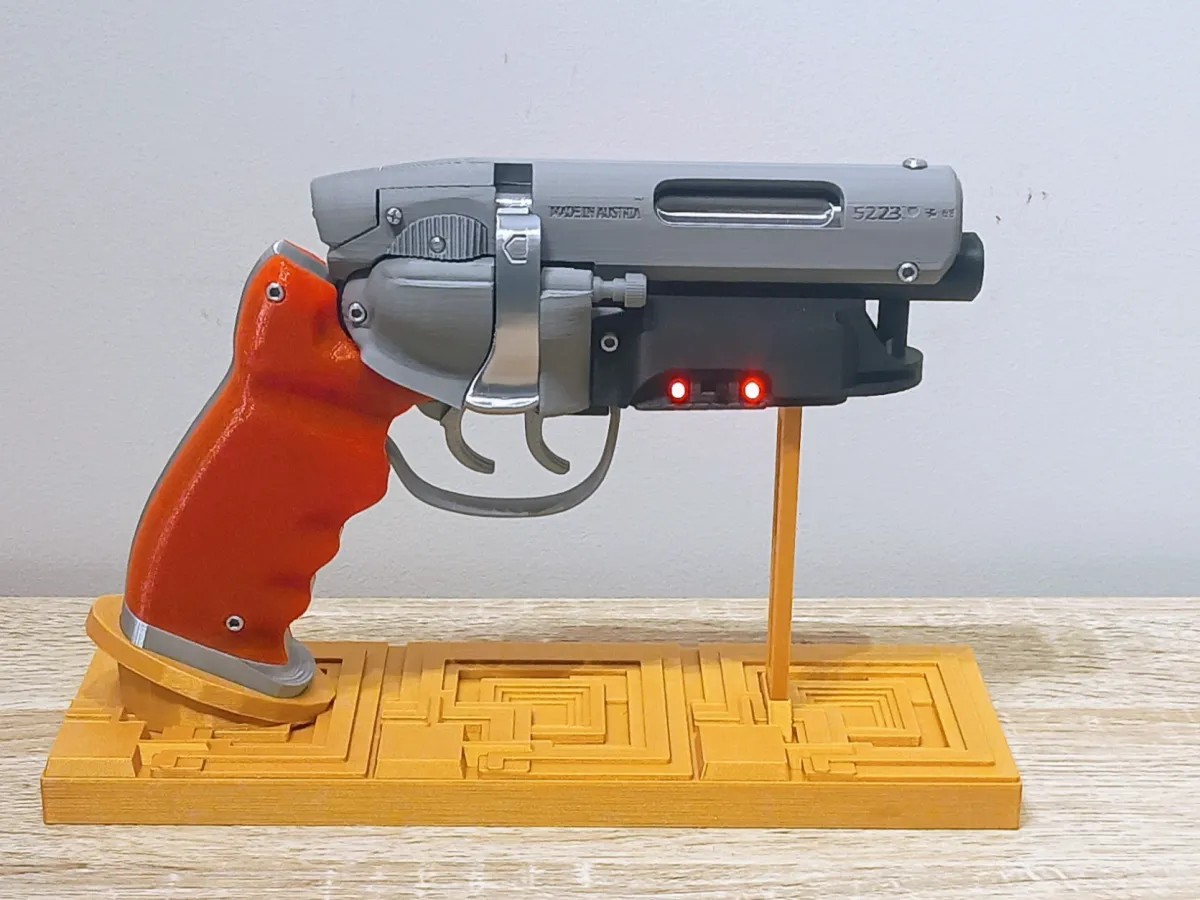
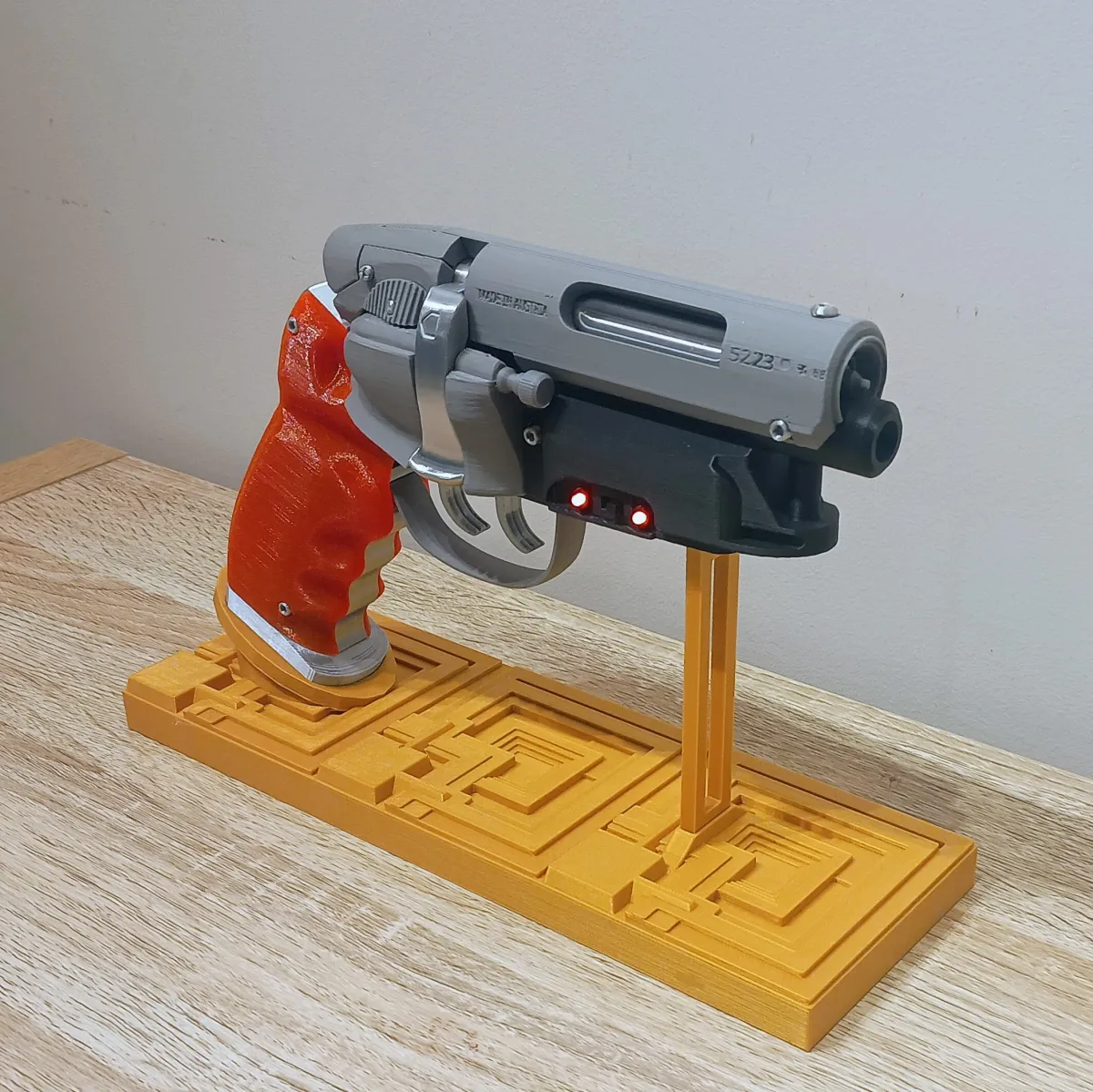
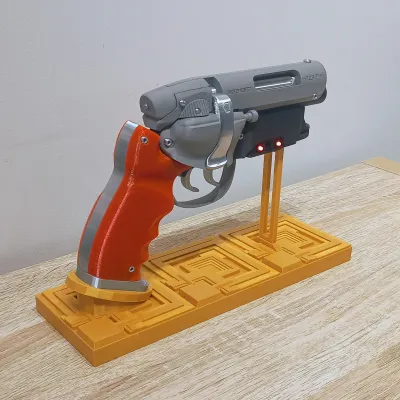
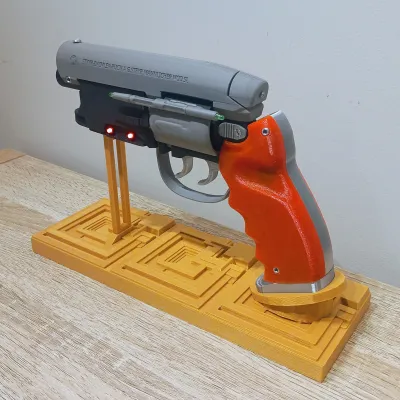
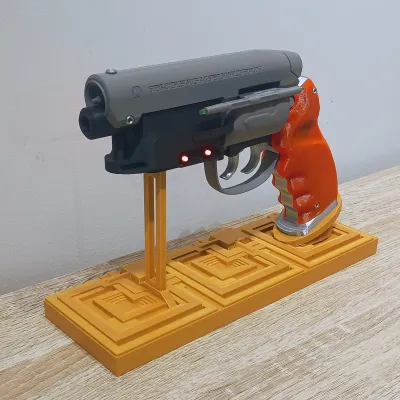
This is an upgraded version of my original Deckard’s Blaster remix, adding a few more prop-inspired details and some much-requested improvements.
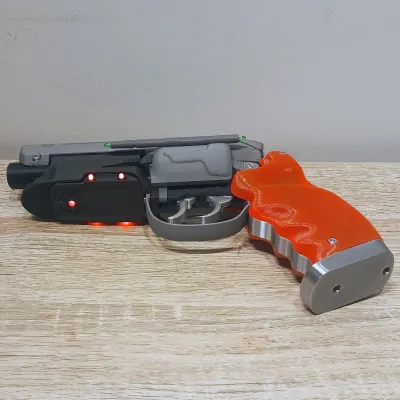
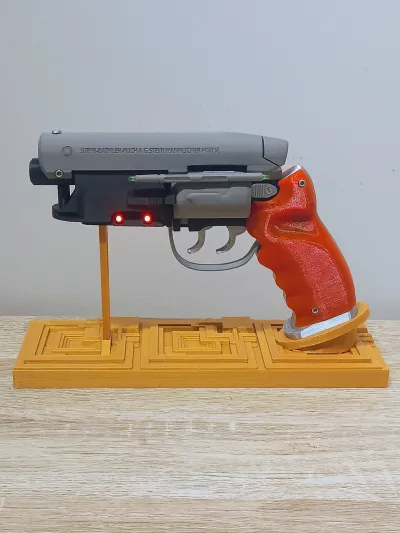
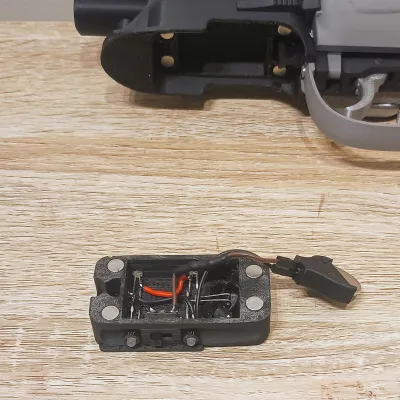
The biggest upgrade is the new powered LED underbarrel magazine/LED housing, which includes space for the LEDs, a small battery housing, and a power switch. I have also added the unpowered green LEDs on the small “pen thingy” on the cylinder cover, added the engraving detail on the underbarrel magazine like the original prop, slightly lengthened the front detailed cylinder, and completely reworked the trigger setup to use proper springs.
I have also added a print profile for the Bambu Lab A1 Mini, along with a few updated print settings for the transparent orange grips.
As always, a massive shout-out to Andrew, the original creator, who did an awesome job with the base model. I have just added some extra upgrades, details, and quality-of-life improvements over my original remix.
What’s New in This Version
Powered LED underbarrel housing
Small battery housing and power switch
4x 3mm red LEDs and 1x 5mm red LED under the barrel
Unpowered green LEDs added to the cylinder cover detail
Engraving added to the underbarrel magazine
Front detailed cylinder made slightly longer
Trigger redesigned to use real 4mm springs
Some parts joined together to simplify assembly
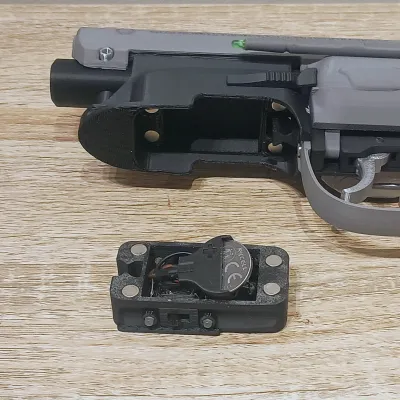
Magnetic underbarrel LED/magazine housing
A1 Mini print profile added
Updated grip print orientation for a cleaner transparent finish
Print Profile / Grip Printing Notes
For this upgraded version, I have also changed the way I print the grips. Instead of printing them laying flat, I now print them standing upright on their end. This gives a much better finish and follows the curves of the grip far more cleanly.
For the transparent orange grips, I usually use:
| Setting / Material | Recommendation |
|---|---|
| Material | SUNLU Clear Orange PLA |
| Infill | 100% |
| Speed | Around 40mm/s |
| Orientation | Standing upright on end |
This gives a really nice clear-ish transparent grip. Obviously, it will not look quite as good as properly cast resin, but for a 3D printed part, the result is excellent.
The grip shown in this print uses Siddament Translucent Orange PLA, which is just slightly off from what I wanted, but still works well. I have also ordered some Bambu Translucent PLA to test as another option.
For best results, slow the print down, keep the infill at 100%, and print the grips upright so the layer lines follow the shape of the grip rather than cutting across it.
Powering LEDs
For the battery, I have been using a CR2032 in a 3D printed holder with Dupont connectors as terminals. Shout out to Mintonette for such an awesome little model, that can be found here, its so simple but works so damn well. Mintonette has also mentioned that bare wires will work as well if you don't get and Dupont connectors. I wanted to keep this as simple as possible, and so far I have had over 24 hours of runtime from a single CR2032 battery. The still a bit of room if you wanted to add some other batteries, a small Lipo or Li-Ion cell could work if you wanted to go that router.
Assembly Notes
For the main blaster assembly, follow Andrew’s original guide, which I have also uploaded with this remix.
The overall assembly is mostly the same, except some parts have already been joined together to simplify the build. The main differences are the trigger spring setup, the decorative green LEDs, and the powered red LED underbarrel section. I also use 2 x M3 20mm Cap Head screws to add the Grip End Cap/B004 as well as glue as I don't use the pegs for this.
Trigger Assembly
The trigger has been reworked to use proper springs instead of the original PETG rectangle piece. This was a much-requested feature, as the old method never really worked as well as it should have.
You will need:
1x 4mm x 20mm spring
Cut the spring in half
Use one half for each trigger
Installing the Trigger Spring
Cut the 4mm x 20mm spring in half.
Heat the end of the spring with a jet lighter.
Carefully melt the spring into the hole on the trigger.
Do not melt it all the way through. You only want it embedded enough to stay in place during assembly, roughly through the first wall.
Slide the trigger onto the post on the mid body section.
Use tweezers to hold the spring and guide it into the opposite hole.
Take your time. It is a little fiddly, but it works much better than the original PETG spring piece that never really worked.
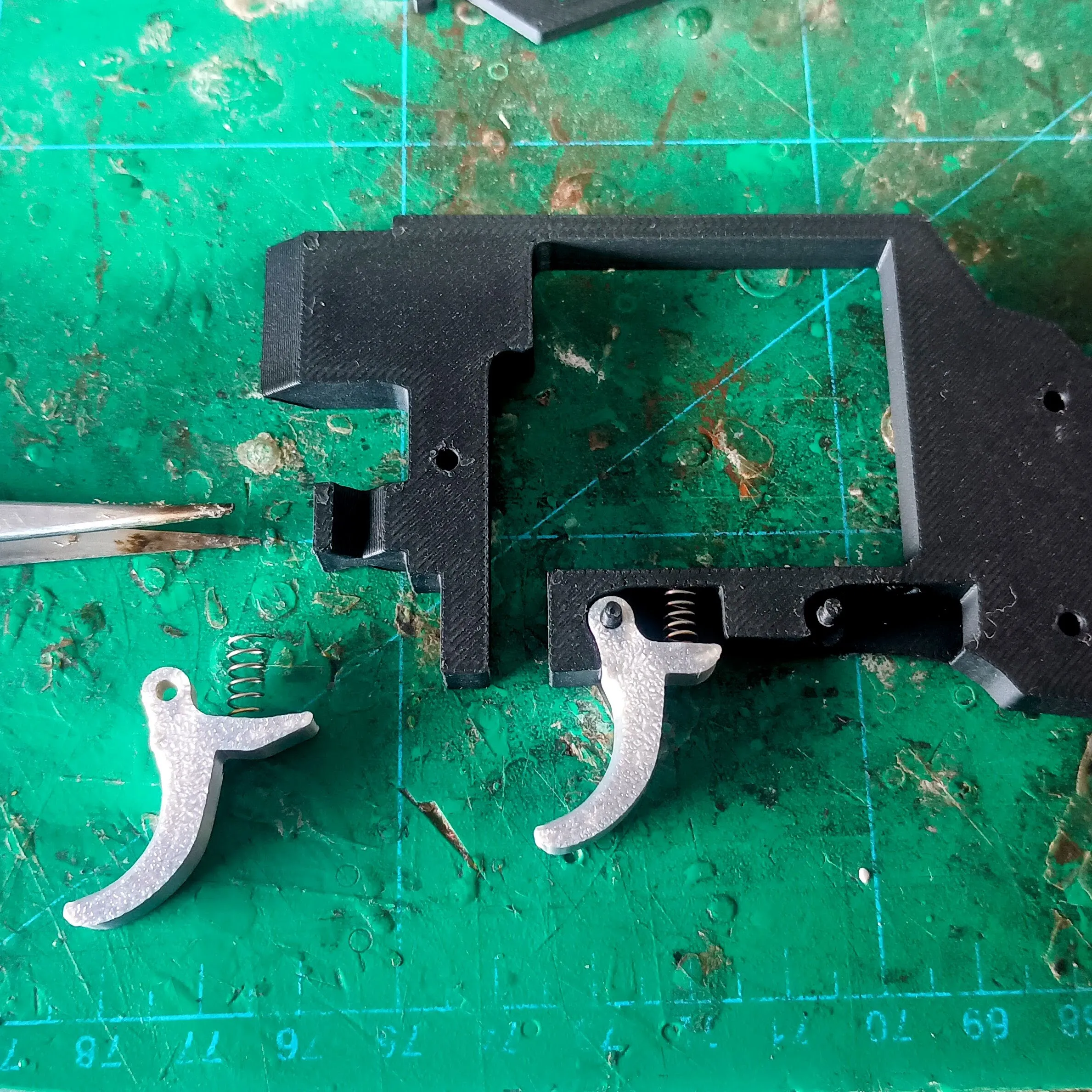
Important: Be extremely careful with the trigger post. It is strong enough once the blaster is assembled and supported by the left side, but it can snap if you apply sideways force while dry fitting.
When pushing the trigger on or removing it, only use straight vertical force. Any horizontal or sideways force can snap the post.
Decorative Green LEDs on Cylinder Cover
The green LEDs on the small pen-like detail on the cylinder cover are decorative only and are not powered.
I added tiny holes so you can leave about 1mm of wire on the LEDs. This helps centre them while gluing.
Trim the LED legs, leaving about 1mm if possible.
Insert the small remaining wire ends into the printed holes.
Glue the LEDs in place with a small amount of CA glue.
If your LEDs are a different shape or the wire does not line up, just trim the legs flat against the LED body and glue them directly on.
I did try designing proper recesses for these LEDs, but the wall thickness became too thin and the area would crumble, so gluing them on ended up being the best solution. I also found that holes would get covered on the buildplate side, I guess with elephants foor, even with no brim, so just shave off a layer or 2 until they appear.
Powered Red LED Underbarrel Section
The powered underbarrel section uses:
4x 3mm red LEDs
1x 5mm red LED
1x slide switch
1x CR2032 battery
1x 100 ohm resistor
This is a very simple LED circuit. It is not the prettiest wiring job in the world, but it does the trick and keeps everything compact.
LED Installation
Insert the 3mm red LEDs into the underbarrel LED housing.
Insert the 5mm red LED into the front position.
Add a small amount of CA glue around the LED bulb when inserting it.
Do the same with the switch, but be careful not to get glue inside the actual moving switch mechanism.
The switch I used had extra mounting brackets on the sides. I removed them by bending them back and forth with flush cutters until they snapped off. Then I glued the switch into place with a small amount of CA glue on the top and bottom metal housing.
Do not glue the switch slider itself.
Basic Wiring
The LEDs are wired together as one simple circuit.
Solder the LED legs together:
Positive to positive
Negative to negative
For the 5mm LED, bend the legs and solder it to the closest 3mm LEDs so it shares the same circuit.
Add a small jumper wire from the front LEDs to the rear LEDs.
Add another small jumper wire from the positive LED side to the switch.
Solder the battery negative wire to the negative LED legs.
On the positive side, add a 100 ohm resistor to reduce the brightness slightly.
Solder the positive battery wire/resistor to the other side of the switch.
So the basic flow is:
Battery positive → 100 ohm resistor → switch → LED positive side
Battery negative → LED negative side
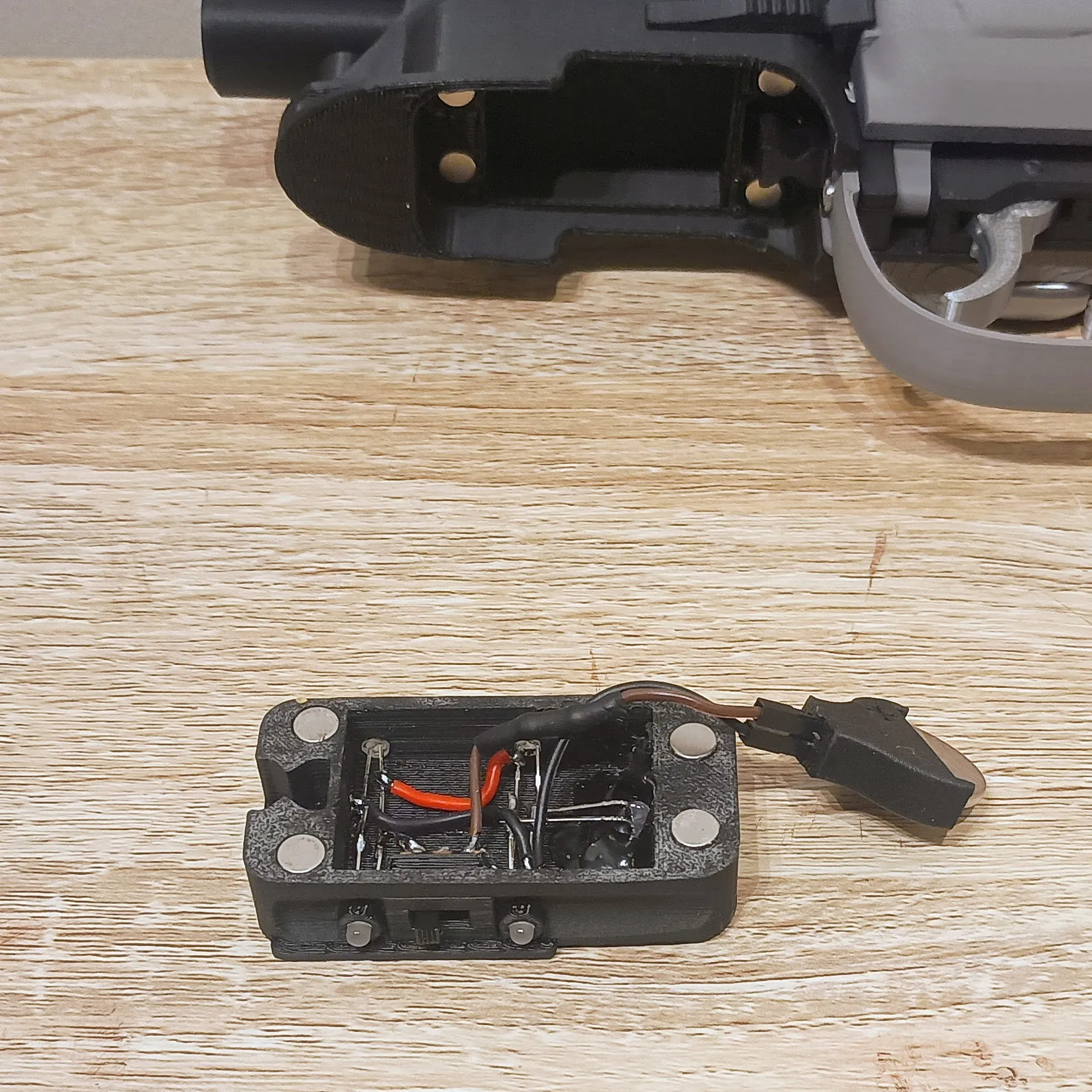
Important Underbarrel Housing Note
When installing part G Underbarrel Fitting, make sure you do not glue in part H Underbarrel LED Housing.
The LED housing is designed to remain removable. I left the alignment section on it with a little extra clearance so it helps hold the part in place, but if you get glue on that section, the housing will be permanently stuck.
So again:
Do not glue the removable LED housing.
Pegs / Alignment Pins
The printed pegs are for appearance and alignment only.
They are not designed to mechanically hold the blaster together by themselves. You will need to glue the parts.
I know this has been said a few times, but someone will still complain that the pegs do not hold on their own, so here it is again:
The pegs are for looks and alignment only. Glue is required.
Final Notes
This remix keeps the spirit of Andrew’s original model but adds a few extra details, a better trigger setup, and a simple LED feature under the barrel. The powered LED section is intentionally kept basic so it can be built without needing a microcontroller, coding, or complicated electronics.
It is still very much a display prop, but the added lighting gives it a nice extra bit of Blade Runner-style character on the shelf.
Originality of the Model
The author declares that this work is their personally remixed model
This model is licensed under the following terms:
Credit must be given to the creator
Only noncommercial uses of the work are permitted
Remixes must be shared under the same license
Models(1)
- Deckard's+Blaster+with+LEDs.3mfDesigner

10.74 MB

2026-06-04
Attachments(1)
pdf
Deckards-Gun-Assembly-Instructions-V1.pdf
5.70 MB
2026-06-04


