




customizable
sign
customizer
Multilingual
The Office
room signs


36

6
Summary
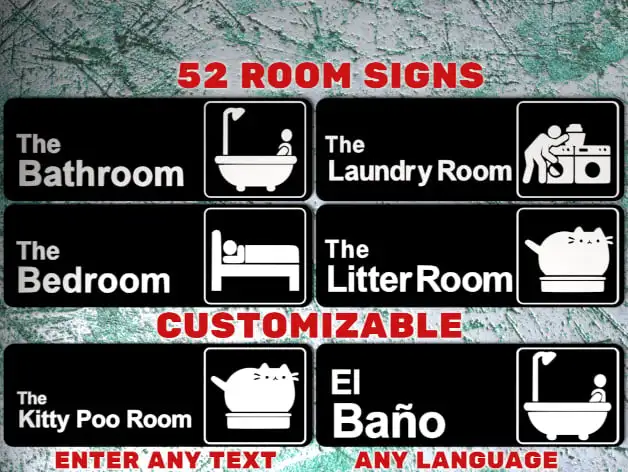
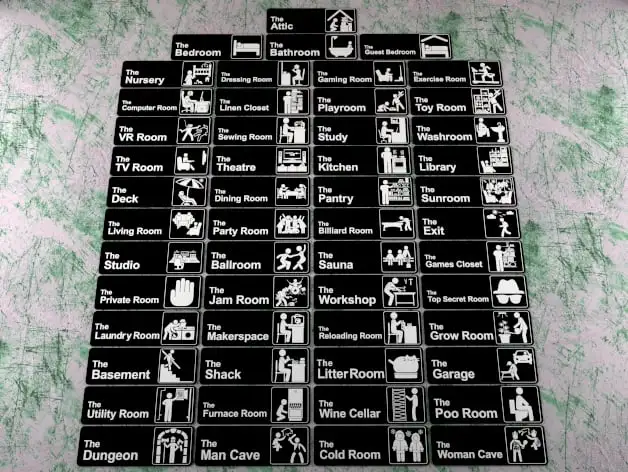
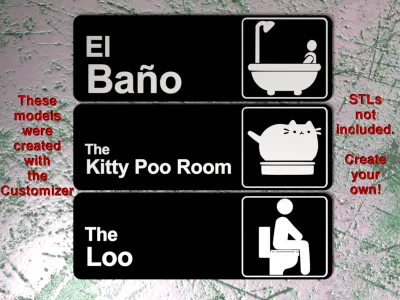
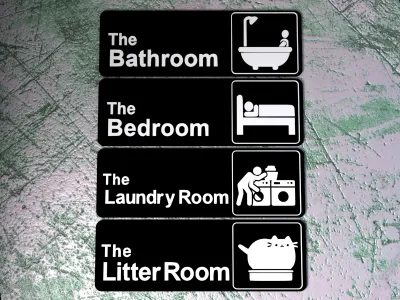
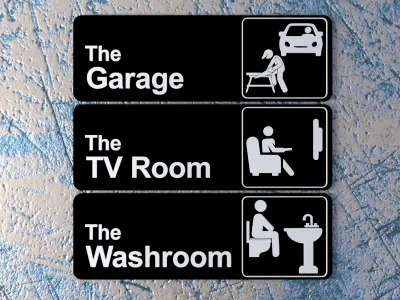
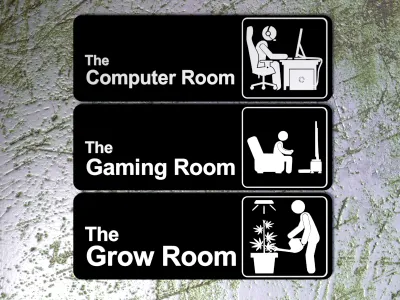
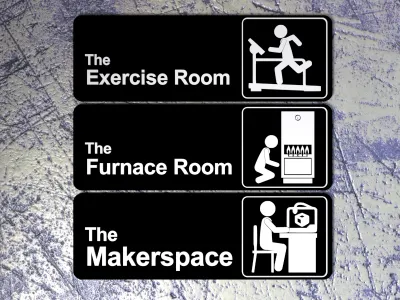
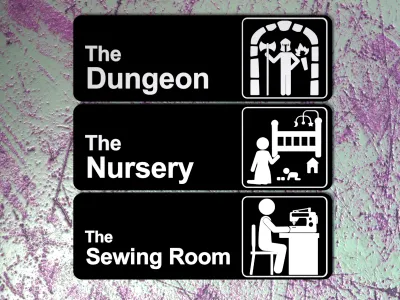
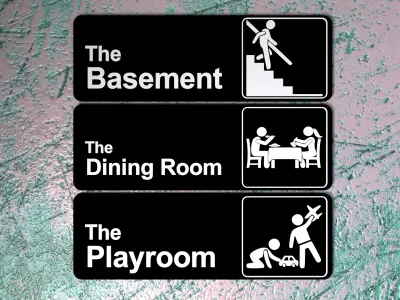
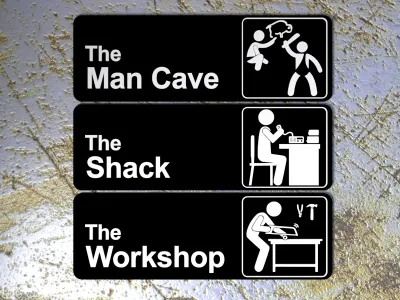
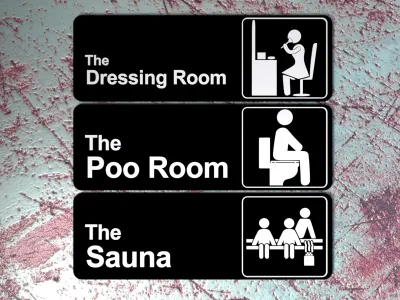
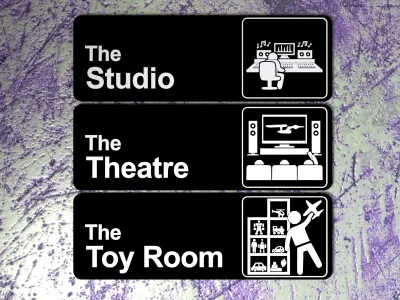
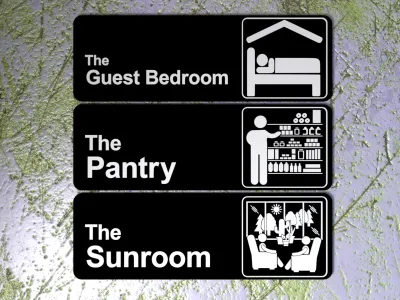
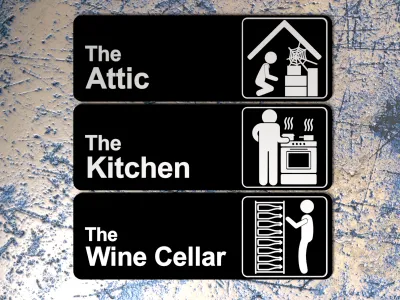
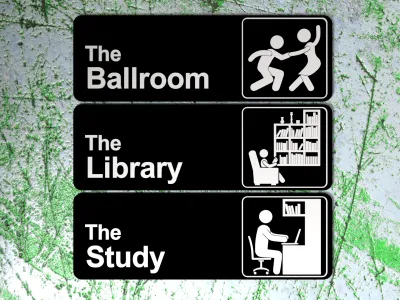
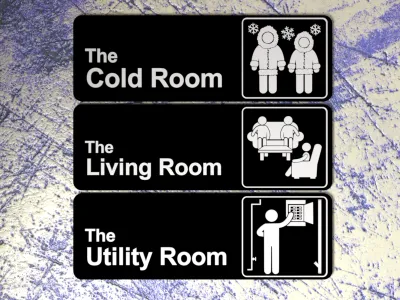
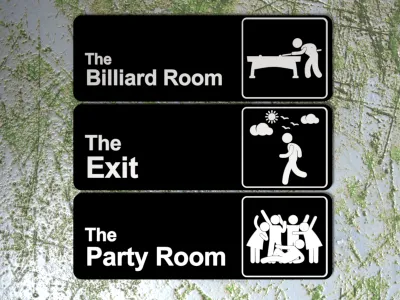
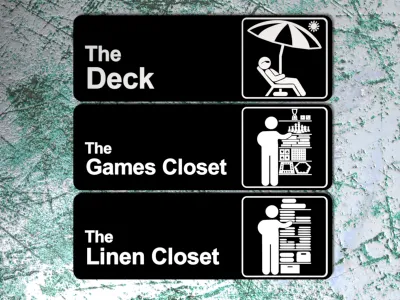
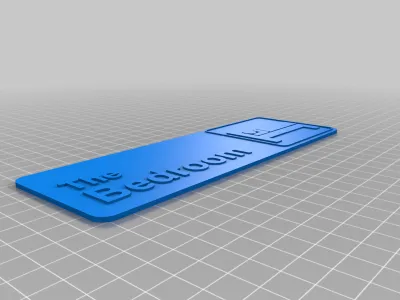
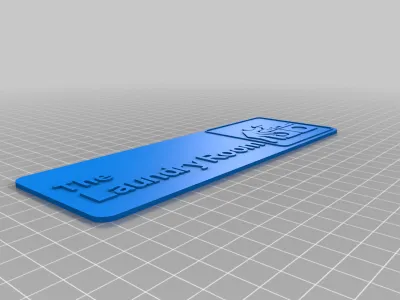
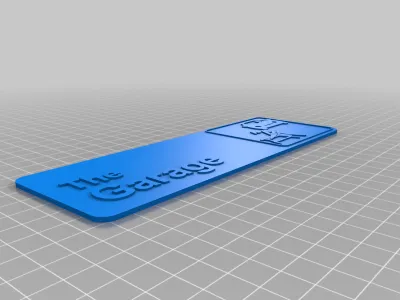
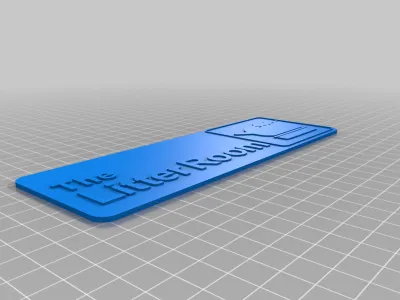
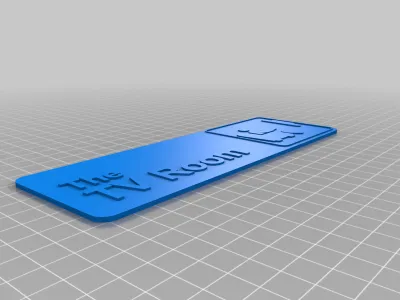
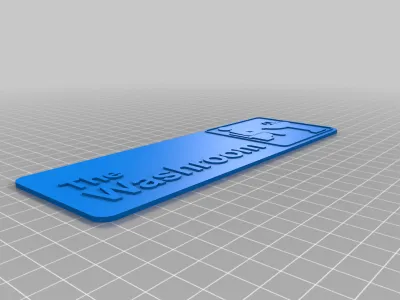
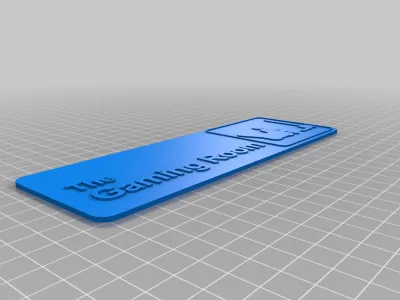
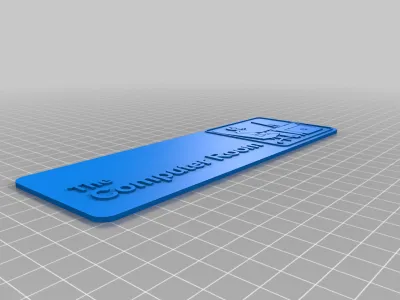
These are residential room signs designed in the style of the logo for "The Office" TV show.
Please post your makes so I can see which signs/pictograms are the most popular.
Dual Colors with a Single Extruder
I printed these with a single extruder by pausing the printer after the black part had completed and then swapping in a spool of white filament. My printer doesn't support the M600 pause command so I have to pause it manually. The printer shows me the height it's at while it's printing and as soon as it finishes the layer at 2 mm I pause it using the menu on the printer control panel.
Most printers support the M600 G-code command, so you may be able to add pauses in using your slicer program. You may find the Colorprint tool useful if your printer supports the M600 command, but your slicer doesn't support adding pauses: https://www.prusaprinters.org/color-print/
After switching filament colors, the nozzle may not be primed and the first bit printed may be under-extruded, so to compensate for this, I always add in a little cylindrical tower and get the slicer to start the layers on that tower. For Cura, the settings that control this are Layer Start X and Layer Start Y, which are in the Travel section. I put the cylinder above the top right corner and set Layer Start X and Layer Start Y to a high number like 500. I've included the tower I use.
Using the Customizer
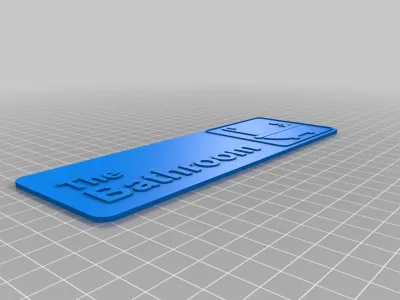
As of 2019-04-11 this thing now has a customizer app that allows you to enter your own room names. It creates a model with the text, square outline, and the base. Just add any one of the 50 pictograms from the included ZIP file and it's ready to slice and print. The customizer also creates a text only STL and the base and the square outline are included in the zip file, combined and separate, in case you have a dual or multi extruder and want separate models for each part.
Each of the parts is in the correct location to make a complete sign, so as long as your slicer leaves them there you won't have to reposition anything.
Note: Thingiverse hadn't run their customizer queue from Jul 10, 2020 to Aug 4, 2022 and may stop running it at any time again, so if they don't process your customized job, you will have to install and run OpenSCAD (free software) on your own computer to process the code to create your own customized models. See DrLex's instructions linked below for further details.
How to Run Customizer on Your Own Computer
Combining parts in Slic3r:
First load in the base part STL or the combined part STL. Then click the "Settings..." button - a window will pop up. Click the "Load part..." button and load each of the other parts needed to make a complete sign. It's then ready to slice.
Combining parts in Cura:
I haven't been able to figure out how to get Cura 3.6.0 to leave the models in their original locations when they're loaded into the slicer. It always moves them to the center of the build plate or the closest spot if the center is already occupied. I've found the relevant settings, but they're ignored. I can move them after they're loaded, but it's annoying to have to do that so I always use FlashPrint to merge any multi-part models and then save as a single part to load into Cura. If your slicer is giving you the same grief, here are the part locations specified as [X,Y,Z] coordinates :
| Part | Location |
|---|---|
| Base | [0, 0, 0] |
| Square | [58.275, 0, 2] |
| Text | [Xᵗᵉˣᵗ, Yᵗᵉˣᵗ, 2] |
| Pictogram | [58.125, 0, 2] |
If you want, you can just place the text part where you think it looks good, in which case you can just ignore the next paragraph.
The location of the text is dependant on the letters in the text and the scaling of the text . The text is automatically scaled if there are more than 8 letters in the room name. For unscaled text, the Y coordinate is -7.07. The following formula aren't exact but they should place the text in a good location close enough to where they should be:
Xᵗᵉˣᵗ = -84 - (TextXsize/2)
Yᵗᵉˣᵗ = -7.07 - (27.67-TextYsize)/2.66
If your print won't be dual-extrusion, you can use the combined model and then you only have to place the pictogram.
Available Signs
There are signs for the following rooms:
- The Attic
- The Ballroom
- The Basement
- The Bathroom
- The Bedroom
- The Billiard Room
- The Cold Room
- The Computer Room
- The Deck
- The Dining Room
- The Dressing Room (alternative pictogram also included)
- The Dungeon
- The Exercise Room
- The Exit
- The Furnace Room
- The Games Closet
- The Gaming Room
- The Garage
- The Grow Room
- The Guest Bedroom
- The Kitchen
- The Laundry Room
- The Library
- The Linen Closet
- The Litter Room
- The Living Room
- The Makerspace
- The Man Cave
- The Nursery
- The Pantry
- The Party Room
- The Playroom
- The Poo Room
- The Sauna
- The Sewing Room
- The Shack (amateur/ham radio)
- The Studio
- The Study
- The Sunroom
- The Theatre
- The Toy Room
- The TV Room
- The Utility Room (oops, should be called Electrical Room, I thought a utility room was where the utilities came into the house, but it's basically a laundry room)
- The Washroom
- The Wine Cellar
- The Workshop
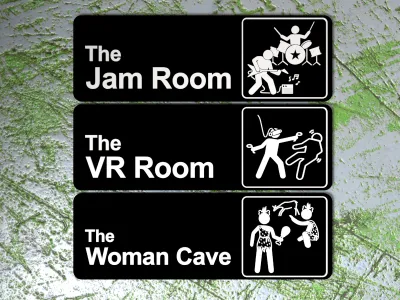
Update 2020-04-27 - Added signs for three additional rooms:
- The Jam Room
- The VR Room
- The Woman Cave
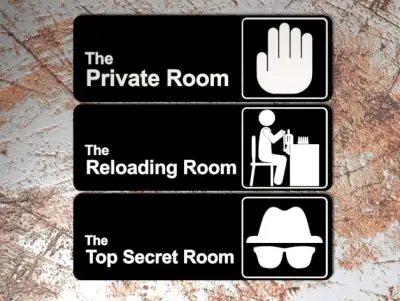
Update 2020-12-17 - Added signs for three additional rooms:
- The Private Room
- The Reloading Room
- The Top Secret Room
Note that Thingiverse hasn't updated the ZIP file that you get when you click the "Download All Files" button so if you want one of these last three you'll have to get it from the "Thing Files" tab.
Update 2022-05-19 - Added the pictogram for the original "The Office" sign.
Note that Thingiverse hasn't updated the ZIP file that you get when you click the "Download All Files" button so if you want this pictogram you'll have to get it from the "Thing Files" tab.
Update 2022-06-17 - Added a sign and pictogram for a "The Nurse's Office" sign.
Note that Thingiverse hasn't updated the ZIP file that you get when you click the "Download All Files" button so if you want this pictogram you'll have to get it from the "Thing Files" tab.
If you have any requests for other rooms, feel free to drop me a message with your request.
Print Quality Tip
For the best looking sign, you'll want the top infill area of the (black) base part of the model to be a single continuous solid print from one corner to the other. To accomplish this in Cura, set the Skin Expand Distance to a high number like 30. For most signs, 5 is enough, but setting it higher has no adverse effect.
How I Designed This
I originally used the rounded rectangular base and the rounded square around the pictogram from The Office Sign, so technically they're remixes of that model. These signs are scaled to 125% in X and Y compared to that model. Since adding the customizer, those parts are now created with OpenSCAD.
The pictograms were created with Gimp (bitmap) → Inkscape (vector drawing) → OpenSCAD (OpenSCAD program) → STL.
The text was created with OpenSCAD.
The fine details of all pictograms are precision crafted to ensure that all printed details are at least 0.4 mm wide so that the slicer won't have any drop-out areas for a standard 0.4 mm nozzle. Wherever design space allowed, printed details were made 0.8 mm or larger.
 Some of My Designs
Click an image below (opens in a new tab) or go to my designs page and see them all.
If you see some thing that you like  , please click the Like button


Originality of the Model
The author declares that this work is their personally shared model

This model is licensed under the following terms:
Credit must be given to the creator
Remixes must be shared under the same license
Models(30)
 TheBedroomSign.stl
175.77 KB

2025-03-27
- CustomizerForText-V1.2.scad
2.50 KB
2025-03-27
- TheLaundryRoomSign.stl
259.95 KB
2025-03-27
- TheBathroomSign.stl
221.27 KB
2025-03-27
- TheGarageSign.stl
266.59 KB
2025-03-27
- TheLitterRoomSign.stl
185.14 KB
2025-03-27
- TheTVRoomSign.stl
157.21 KB
2025-03-27
- TheFurnaceRoomSign.stl
393.64 KB
2025-03-27
- TheWashroomSign.stl
217.17 KB
2025-03-27
- TheExerciseRoomSign.stl
234.36 KB
2025-03-27
- TheBasementSign.stl
230.84 KB
2025-03-27
- TheMakerspaceSign.stl
261.90 KB
2025-03-27
- TheDiningRoomSign.stl
291.20 KB
2025-03-27
- ThePlayroomSign.stl
225.18 KB
2025-03-27
- TheComputerRoomSign-02.stl
349.79 KB
2025-03-27
- TheGamingRoomSign-02.stl
275.38 KB
2025-03-27
- TheGrowRoomSign-02.stl
321.86 KB
2025-03-27
- TheDungeonSign.stl
281.82 KB
2025-03-27
- TheNurserySign.stl
249.20 KB
2025-03-27
- TheManCaveSign.stl
274.79 KB
2025-03-27
- TheSewingRoomSign.stl
274.01 KB
2025-03-27
- TheWorkshopSign.stl
241.59 KB
2025-03-27
- TheShackSign.stl
226.55 KB
2025-03-27
- TheStudioSign.stl
295.49 KB
2025-03-27
- TheToyRoomSign.stl
349.79 KB
2025-03-27
- TheDressingRoomSign.stl
286.70 KB
2025-03-27
- TheTheatreSign.stl
235.34 KB
2025-03-27
- TheGuestBedroomSign.stl
256.04 KB
2025-03-27
- TheSaunaSign.stl
263.85 KB
2025-03-27
- ThePooRoomSign.stl
202.72 KB
2025-03-27
View all(30)


