




lego compatible
LEGO
Text Bricks
text block


73

15
Summary
Customizable LEGO compatible Text Bricks
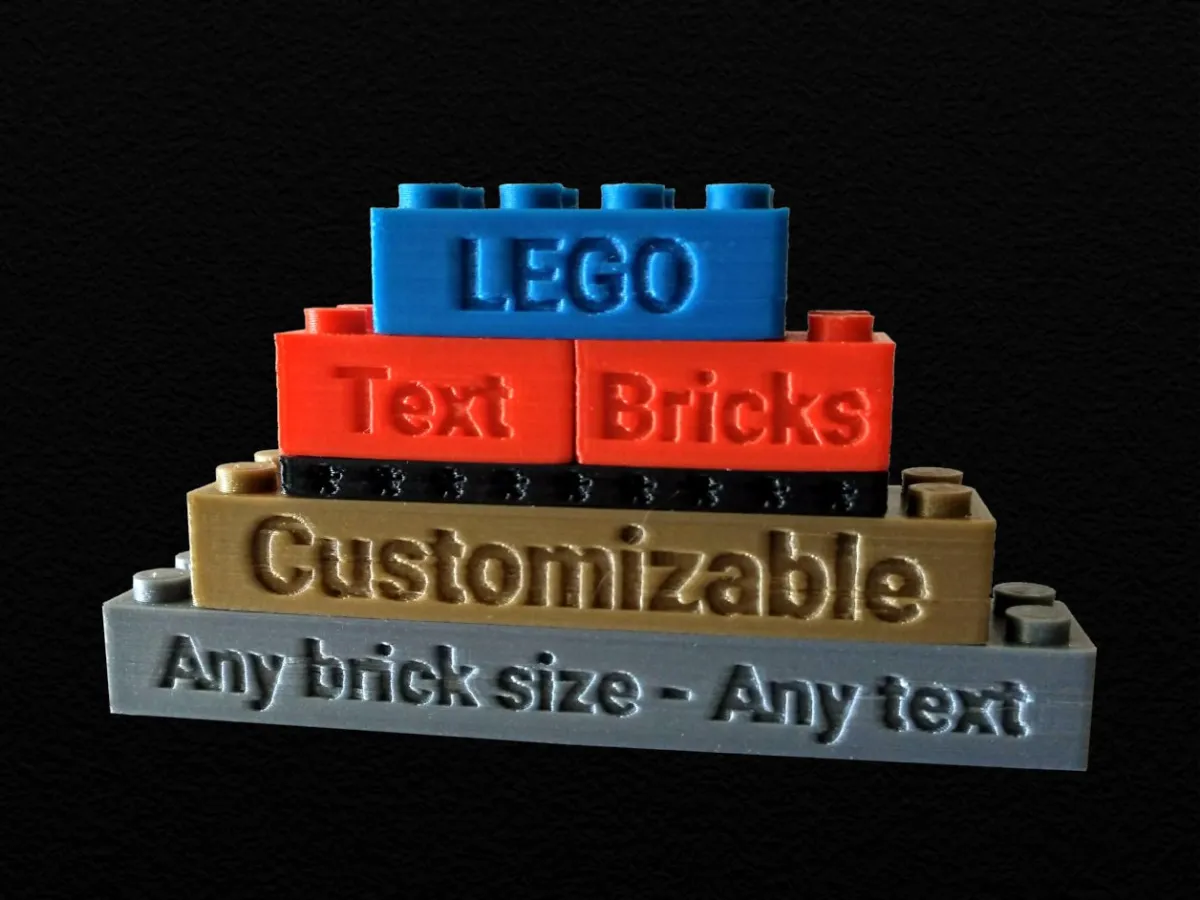
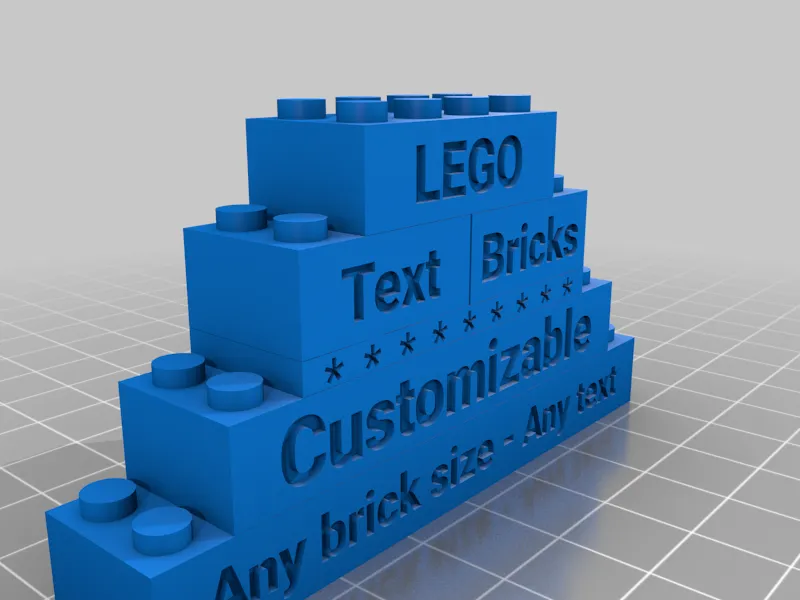
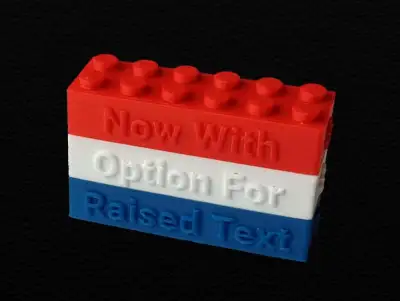
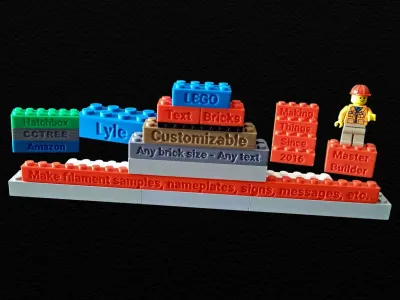
This is a customizer for creating LEGO® compatible rectangular bricks with text engraved on the sides (all 4 sides). You can of course also use it to create bricks without any text. It can create bricks as small as 1x1x1 (plate height) or as large as 48x48x18 (6 normal bricks high).
There is also a key fob remix of this thing:
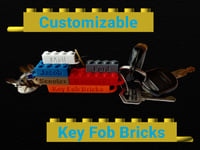
Getting A Good Fit
All dimensions are accurate, but the customizer has a tolerance parameter so the dimensions can be adjusted to your printer/filament so that they have a perfect fit with one another and with real LEGO® blocks. Real LEGO® blocks have a horizontal play of 0.2 mm so that they can be connected to one another. So a 4x2 brick is 31.8x15.8 mm and a 6x2 brick is 47.8x15.8 mm, for example. The tolerance is in addition to the required 0.2 mm play and is subtracted from both sides of all walls so that a tolerance of 0.05 would make the previously mentioned bricks 31.7x15.7 mm and 47.7x15.7 mm. If your printed bricks are too tight you'll probably want to set this to a non-zero value to loosen the fit. For complete control over the fit, the customizer also has a section that allows you to override each of the LEGO dimensions individually.
The customizer, by default, creates LEGO-sized bricks only. The large nameplate brick in the photos was scaled up in the slicer to 200% and then printed. I had adjusted the text depth parameter in the customizer to half the default so that when it was scaled up it was at the desired depth of 0.8 mm. This depth is recommended so that there are no extreme overhangs.
Note that since creating the bricks in the photographs I have added a parameter to specify the spacing between letters and by default they will be spaced a little farther apart than on the bricks in the photos.
Using the Customizer
Thingiverse hadn't run their customizer queue from Jul 10, 2020 to Aug 4, 2022 and may stop running it at any time again, so if they don't process your customized job, you will have to install and run OpenSCAD (free software) on your own computer to process the code to create your own customized models. See DrLex's instructions linked below for further details.
How to Run Customizer on Your Own Computer
If you are running the code on your own machine using OpenSCAD, you will need to install the font(s) on your system. The fonts are available to download from the Google Fonts repository. The default font for this thing is available at:
https://fonts.google.com/specimen/Roboto
To make a font available to OpenSCAD you have three options:
1) Install the font to the system. The procedure for installing system fonts is dependant on what operating system and what version you are using (Ubuntu Linux 16.01, Ubuntu Linux 20.04, Windows 7, Windows 10, Mac OS 9, Mac OS X, etc. ). If you don't know how to install a font on your system then search the web for instructions.
2) Add the font file to your fonts folder, creating the folder if it doesn't already exist. On Linux this would be something like "/home/YOURUSERNAME/.fonts" and on Windows 10 it would be something like "C:/Users/YOURUSERNAME/.fonts".
3) Add the font to the folder that contains the OpenSCAD file that you want to use the fonts. You will also have to add to the OpenSCAD file the 'use <fontname.ttf>' command substituting the filename of the font for "fontname.ttf".
Close OpenSCAD if it was open while you were making the font available and then relaunch it after you have installed/added the font. The OpenSCAD "Help=>Font List" menu item shows what fonts are available, so if it doesn't show up in the list then it is not available for use and you will need to try again.
For additional details, see the Using Fonts and Styles section on the following page:
https://en.m.wikibooks.org/wiki/OpenSCAD_User_Manual/Text
Printing Recommendations
If a brick will be connected to other bricks you don't want it to have an elephant's foot. I usually have the initial layer horizontal expansion parameter in Cura set to -0.2 mm to prevent elephant's feet.
For the best looking brick, you'll want the top surface of the brick part of the model to be a single continuous print from one corner to the other instead of going around the areas where the studs will be added in later layers. To accomplish this in Cura, set the Skin Expand Distance to 2.2.
The raison d'etre
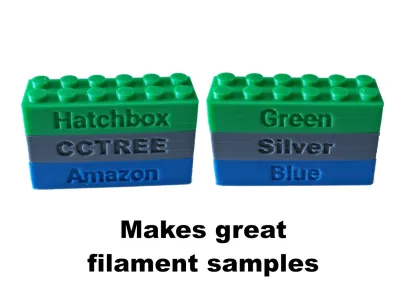
I had been printing #2456 LEGO bricks as my test print filament samples, but they didn't indicate which filament it was so I couldn't differentiate between two similar ones. Thus the idea was born to put text on the side of LEGO bricks.
 Some of My Designs
Click an image below (opens in a new tab) or go to my designs page and see them all.
If you see some thing that you like  , please click the Like button


Originality of the Model
The author declares that this work is their personally shared model

This model is licensed under the following terms:
Credit must be given to the creator
Remixes must be shared under the same license
Models(3)
 LEGOTextBrick-v2p1.scad
11.71 KB

2025-03-27
- LEGOTextBrick-v1p1.zip
2.97 KB
2025-03-27
- LEGOTextBricks-CustomizableAny.stl
3.02 MB
2025-03-27
View all(3)


