



 GIF
GIF

Multi‑Color Box
Flip‑cover

 0.2 mm layer height, 2‑wall walls, 15% infill density
1-disc
PLA
Designer

62

4
S1C-ACE Flip Bracket – Multi‑Color Box Flip Bracket

Like most users, I initially placed the ACE multi‑color cartridge on top of the S1C. While this setup works fine for everyday use, it does come with a minor inconvenience: to remove the top cover, you first need to disconnect all the cables connected to the ACE unit, take the cartridge off, and then finally open the cover—quite a hassle!
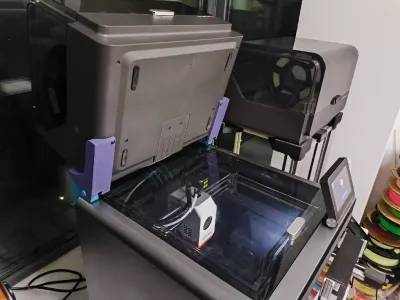

To address this issue, we designed this flip‑style bracket. Now, whenever you want to access the top cover, simply give the ACE cartridge a gentle flip—and the cover pops open effortlessly, even while the printer is actively printing.
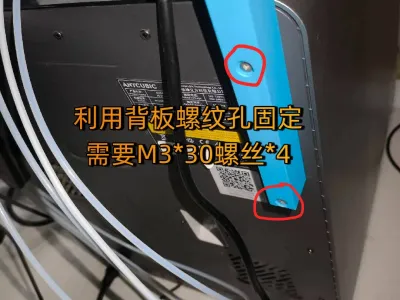
Note: Printer Mounting – Secure the bracket using the threaded holes on the backplate; you’ll need four M3×30 screws.
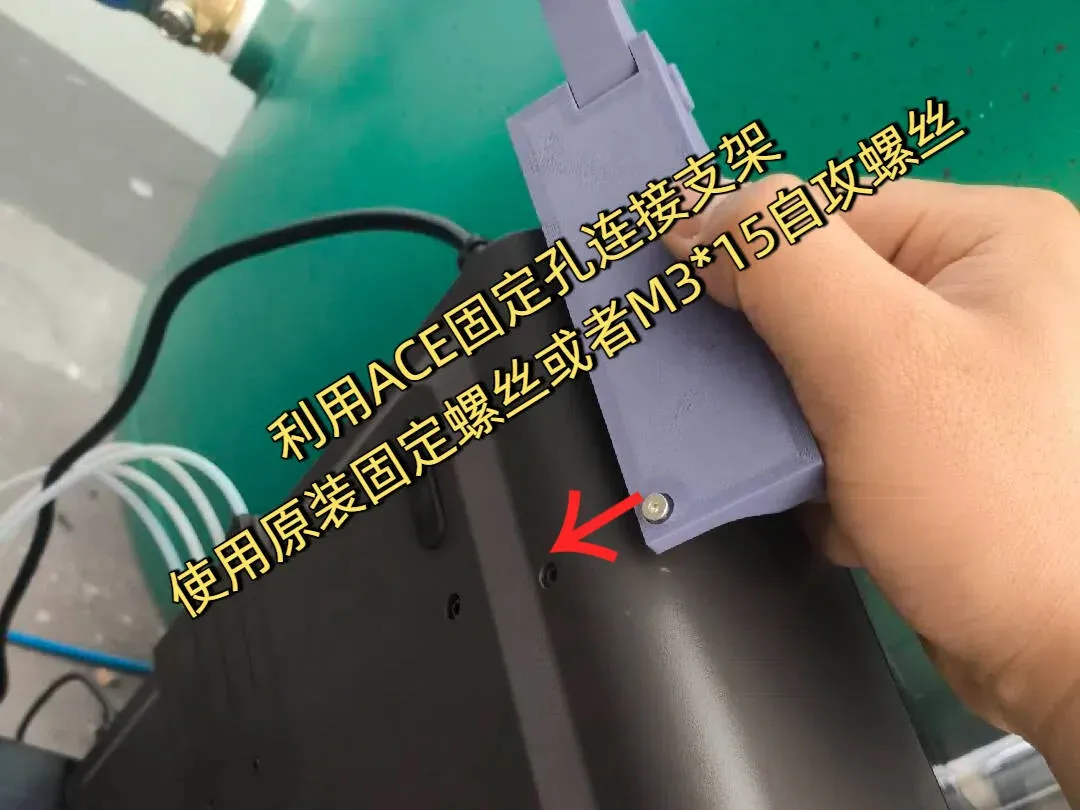
ACE Cartridge Mounting – Attach the cartridge using the existing mounting holes designed for transport; you can either reuse the original securing screws or opt for two M3×15 self‑tapping screws.

Originality of the Model
The author declares that this work is their personally original model
This model is licensed under the following terms:
This work is licensed under a Standard Digital File License. Digital files have a strict non-commercial, personal use only license.
You shall not share, sub-license, sell, rent, host, transfer, or distribute in any way the digital file or 3D printed versions of this object, nor any other derivative work of this object in its digital or physical format (including remixes of this object). You can not host these files on other digital platforms, web stores or cloud repositories. The objects may not be used in any way whatsoever in which you charge money, collect fees.
Models(1)
- S1C翻盖支架.3mfDesigner

369.23 KB

2025-11-11


