




futuristicdesign
mechanicalart
tactical
rugged
utility
futurism
gadget
techwear
container
magnetmount
precision
detail
filament
deskdecor
sculpture

- 0.2 mm layer height, 3‑layer walls, 15% infill density

2-disc
PLA
Designer

12

0
🧰 Mech‑Style Tissue Box — Full Print Configuration
1. Design Inspiration
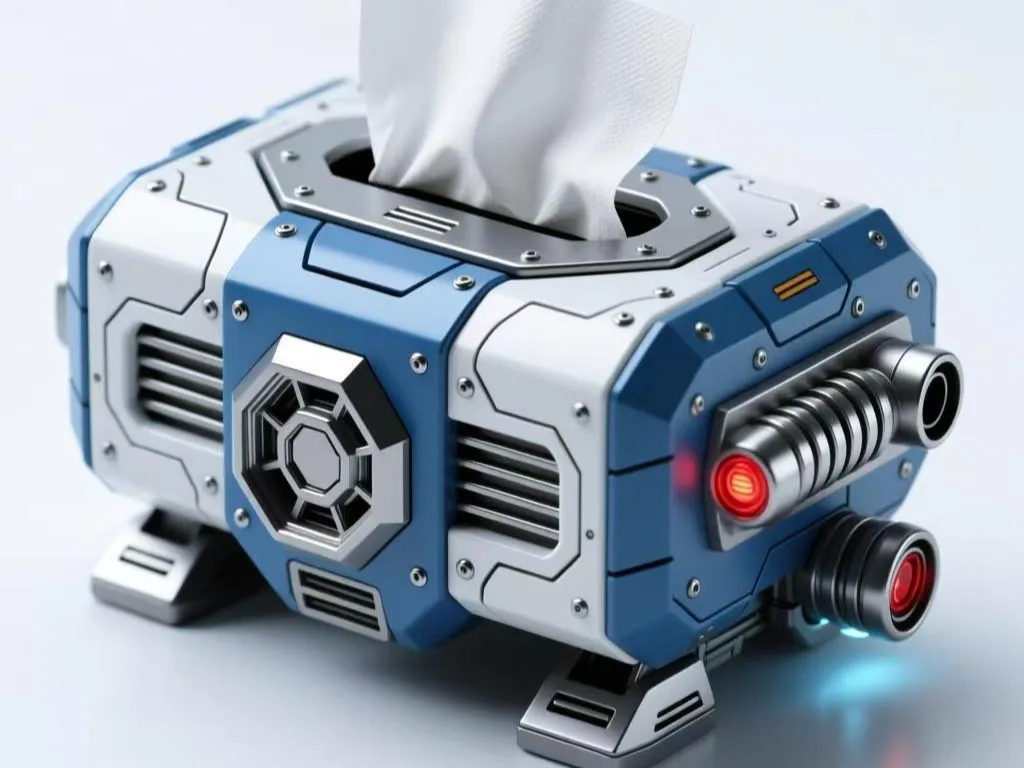
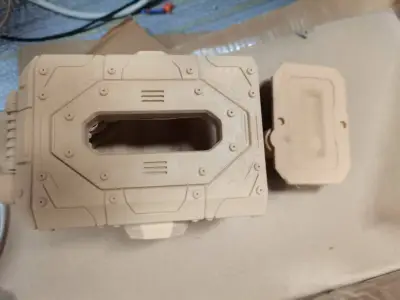
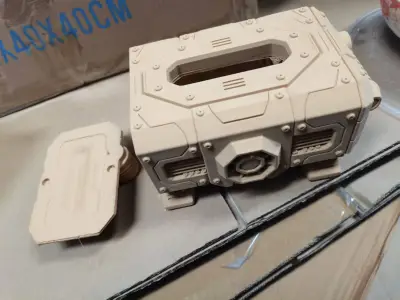
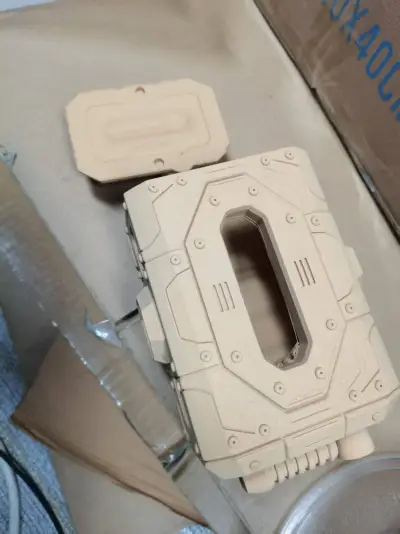
The design of this mech‑style tissue box draws its inspiration from the seamless fusion of cyberpunk aesthetics and industrial design.
- Core Concept: By integrating everyday tissue storage with futuristic mechanical accents—such as bold, angular lines, rivets, and heat‑dissipating grilles—we’ve crafted a desktop accessory that balances practical functionality with striking visual impact.
- Design Process: The base form was generated with AI assistance, then refined through manual optimization to ensure the piece not only serves as a functional tissue holder but also doubles as a high‑impact, forward‑thinking desk decoration.
2. Printing Requirements
- Do You Need Adhesive?
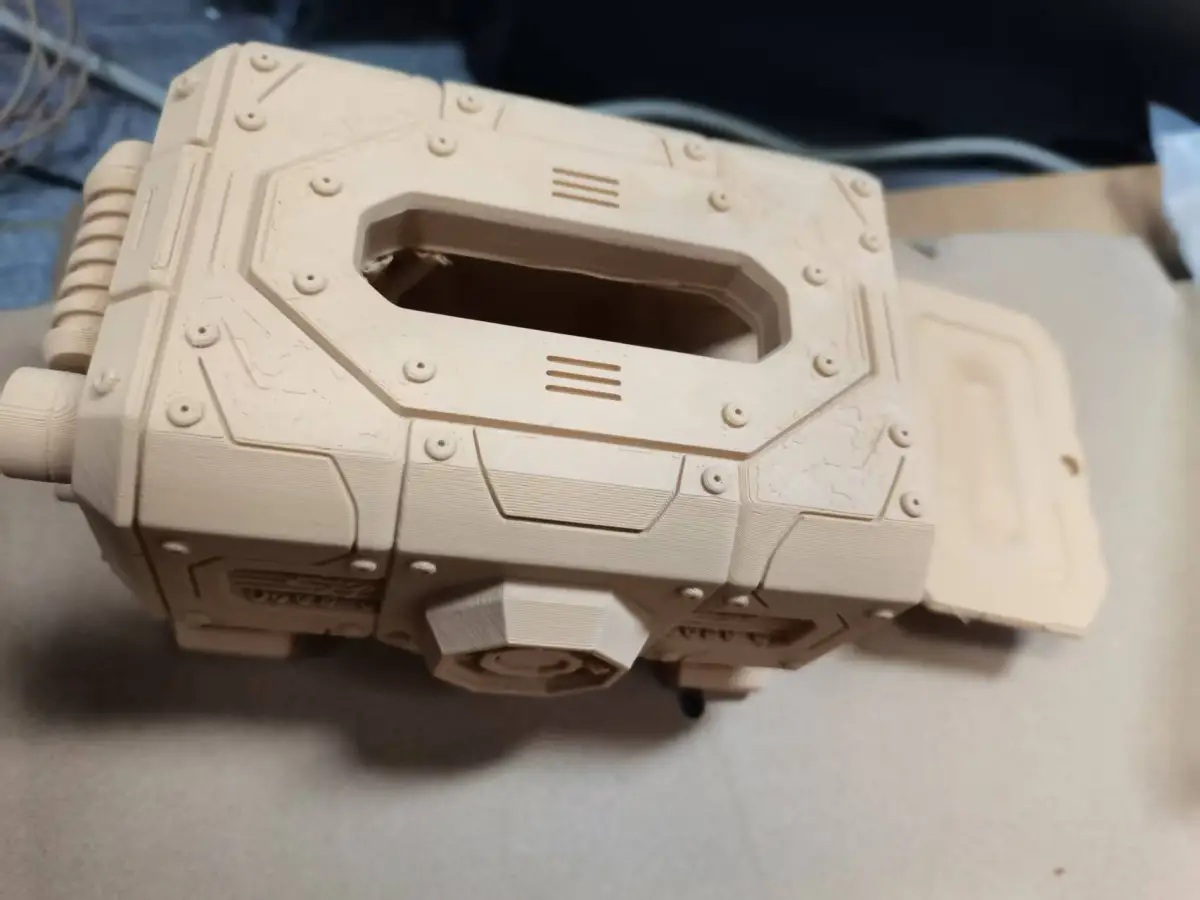
The main body is fully integrated and requires no glue for assembly. When installing the magnets, you may apply a small amount of strong adhesive—such as 502—to secure the magnets in place and prevent them from coming loose.
- Do You Need Support Structures?
Support is required. Overhanging features like internal voids, heat‑dissipating grilles, and bottom feet must be supported to preserve fine details and ensure structural integrity. Be careful when removing supports to avoid scratching or damaging the surface texture.
- Do You Need a Skirt?
Whether a skirt is needed depends on the adhesion properties of your print bed. If your bed offers excellent adhesion—such as with a solid glue coating or a PEI‑coated build plate—you can skip the skirt; however, if adhesion is moderate, we recommend adding a skirt to prevent warping and edge lifting.
- Base Parameters:
- Layer Height: 0.2 mm—striking a balance between detail and print speed.
- Infill Density: 20%—providing sufficient strength while keeping weight low.
- Temperature Settings: Nozzle 200–210°C, heated bed 60–65°C (for PLA).
- Materials: Both PLA and PETG are suitable; PLA is easier to print, while PETG offers superior strength and durability.
- Size Adjustments: The model can be scaled according to the dimensions of the tissue pack you intend to use. We recommend measuring the tissue pack first, then adjusting the model’s scale in your slicing software to ensure the tissues fit smoothly into the box.
3. Assembly Instructions
1. After Printing: Carefully remove all support structures, then use sandpaper (400–800 grit) to smooth out any residual support marks and enhance the surface finish.
2. Magnet Installation:
- Embed magnets into the corresponding locations on both the box body and the lid—recommended magnet size: 6–8 mm in diameter and 2–3 mm thick, made from neodymium‑iron‑boron material.
- Apply a small amount of strong adhesive to secure the magnets, ensuring the lid adheres firmly to the box body.
3. Tissue Installation:
- Adjust the model’s dimensions according to the actual size of your tissue pack, or simply trim the tissues to fit snugly inside the box.
- Simply pull tissues out from the top opening to access them.
Originality of the Model
The author declares that this work is their personally original model
This model is licensed under the following terms:
Credit must be given to the creator
Models(1)
- 纸巾盒1.3mfDesigner

14.77 MB

2026-02-18


