




The Idea Guy
Camera gimbal
Prop Photography

 0.1 mm layer height, 2‑wall structure, 15% infill density
2-disc
PLA
Designer

42

1
Sometimes you want to capture a dynamic camera move, but your hand shakes? Or you can’t quite get the angle right when shooting from a fixed position?
Here’s a DIY camera dolly platform to help amateur filmmakers boost their efficiency.

First off, a quick complaint about GIFs: smooth, seamless animations look jerky and choppy once uploaded—frustrating!
When I first started designing the dolly, I considered several options, including linear rails and other hardware. In the end, I settled on 20x40 aluminum extrusions for the track—they’re inexpensive and offer excellent stability.
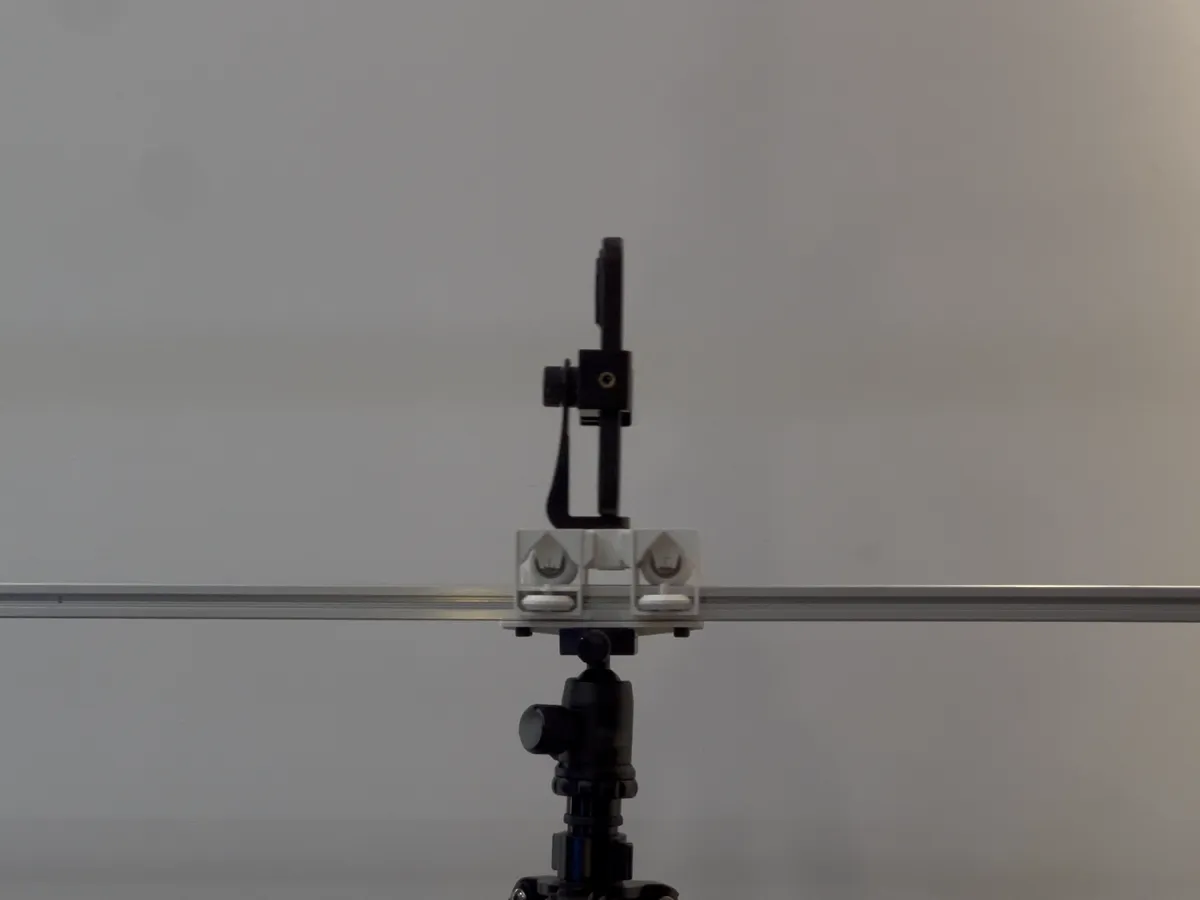
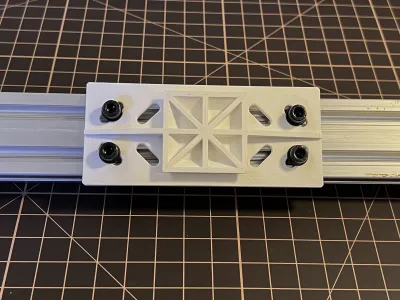
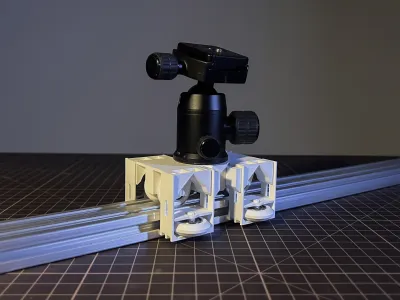
I also built a quick-release mounting bracket that allows for rapid adjustment of the camera angle and length, no matter the configuration (the cover image shows a 1.5-meter-long aluminum rail paired with two tripod heads).
The bracket is designed to work with M5 screws and T-nuts; if you use cup-head bolts, it can be assembled or disassembled by hand. The eight mounting holes are compatible with all 20x40 aluminum extrusions.
(I’ve split the model into two separate files so I can easily update it later to accommodate other bracket sizes—if you need a different size, just wait for the next update.)
In the future, I plan to add an electric version and a curved track slot, which will enable smooth, stable camera movements and even circular shots.


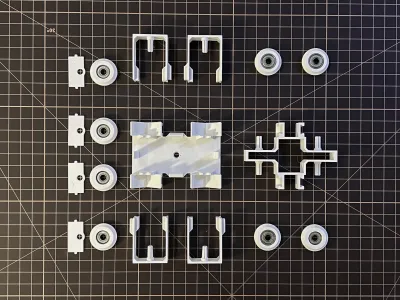
The pulleys are easy to install and print—no special setup required. Just buy a few 606ZZ deep-groove ball bearings and mount them in sequence.


Before installing the side axles, screw in the quick-release plate bolts first—it’ll be easier for those with larger hands. Use standard camera head screw holes; just tap the threads lightly the first time to form the threads.
You can also install the camera head later to achieve even more flexible angle adjustments.

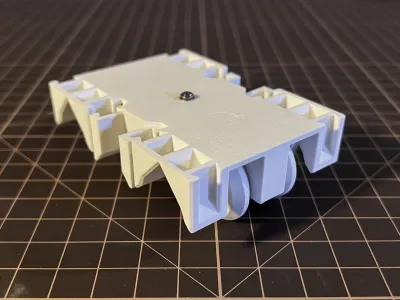
If you don’t install the anti-tilt axles on both sides, you can use the dolly as a flat pusher, moving the camera directly on a tabletop or other surface.


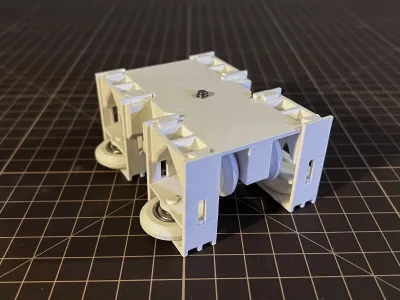
To secure the side axles, simply slide the stabilizing card in at an angle and press down firmly. Once the position is adjusted, you can apply a bit of glue to prevent loosening.

The side axle pulley assemblies have a specific orientation—make sure the protruding side faces outward.


The bearing-mounted wheels have limited stop slots—pay attention to the correct orientation.

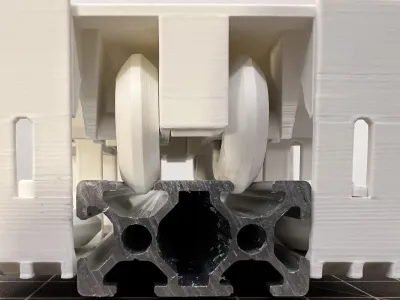

The only tricky part is dealing with Z-axis seam buildup. If you choose aligned, straight seams like in the top half of the image, you’ll need to carefully sand the area to make it smooth.
My recommendation is to randomize the seam locations instead—this reduces the polishing requirements. You can simply wrap your finger around the wheel and roll it over sandpaper a few times.

Because aluminum extrusions of the same size but different grades may have slight dimensional variations, I designed adjustable left-right positioning axles. After installation, simply push the extrusion into the groove to align it properly.
The side axles primarily provide extra stability when the track needs to tilt significantly to one side.
After testing the assembly, I recommend applying a bit of glue to each connection point to further reinforce the structure.
The model includes adapter brackets for standard quick-release camera heads; updates for other quick-release head models will be provided separately in future files.
Bill of materials
- NameQuantityNotes
- 1标准件606zz深沟球轴承8d:6mm ; D:17mm ; H:6mm
- 2M5铝型材螺栓套件44-8套
- 31/4英寸-快装板螺丝1
Originality of the Model
The author declares that this work is their personally original model
This model is licensed under the following terms:
This work is licensed under a Standard Digital File License. Digital files have a strict non-commercial, personal use only license.
You shall not share, sub-license, sell, rent, host, transfer, or distribute in any way the digital file or 3D printed versions of this object, nor any other derivative work of this object in its digital or physical format (including remixes of this object). You can not host these files on other digital platforms, web stores or cloud repositories. The objects may not be used in any way whatsoever in which you charge money, collect fees.
Models(1)
- 拍摄滑轮 NEXT260510.3mfDesigner

309.12 KB

2026-05-10


