




Aileku CC2
CC2 Accessories
CC2 Active Cabin Temperature
cc2
Engineering Consumables
Active Cabin Temperature
Printer Accessories
Printer Appearance

- 0.2 mm layer height, 2-wall walls, 10% infill density

5-disc
ABS
Designer

3.8k

175
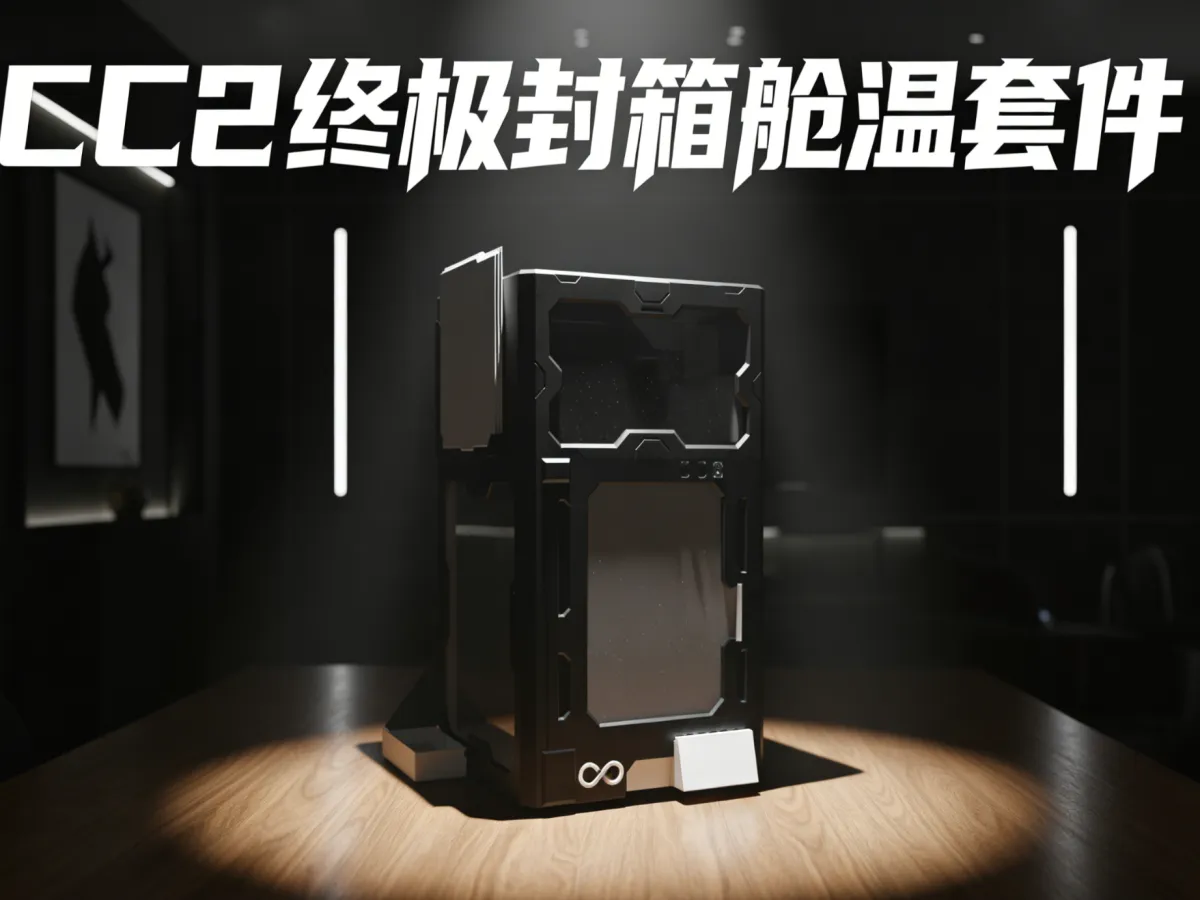
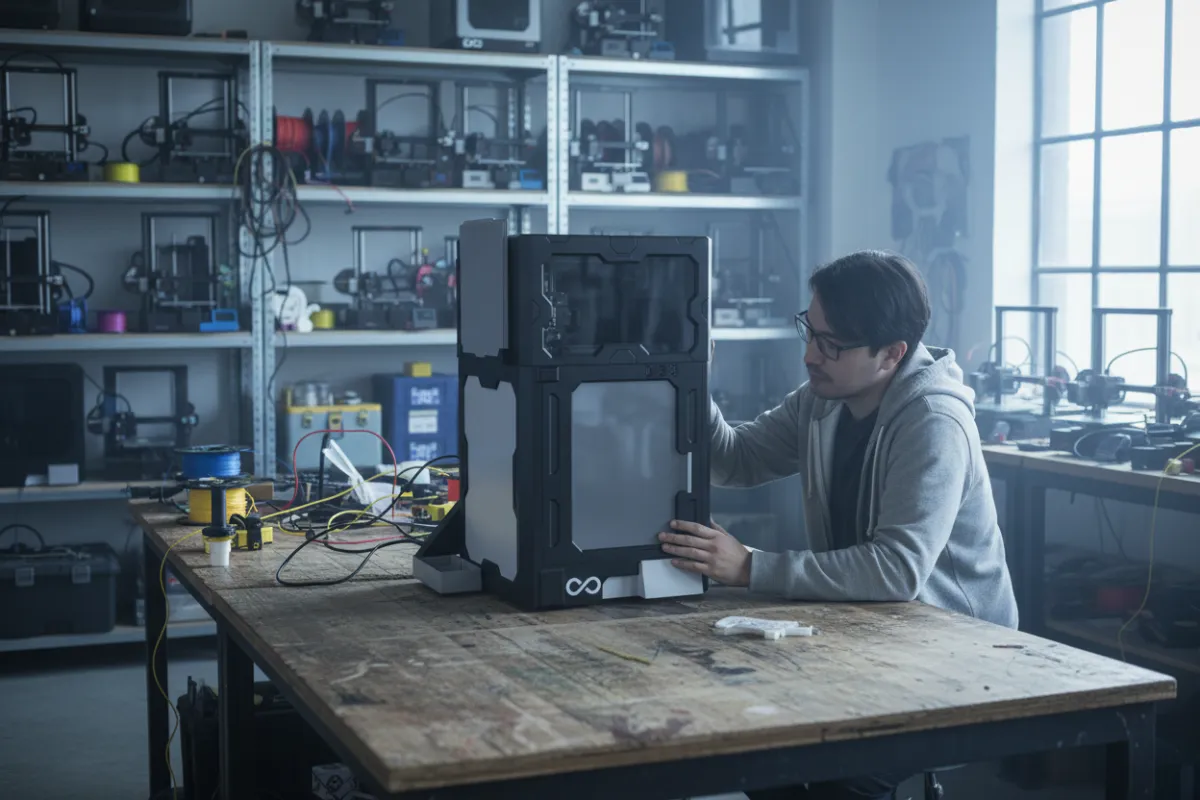
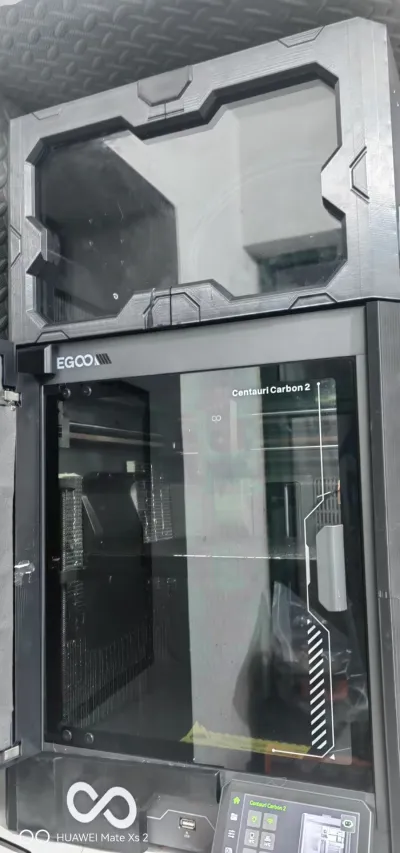
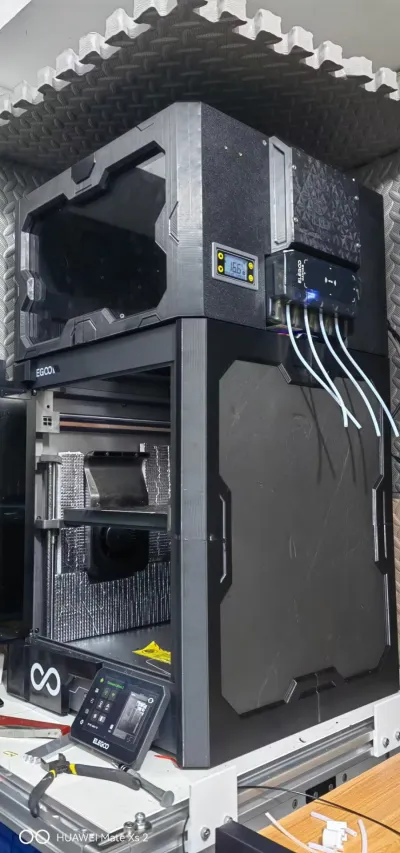
The ultimate upgrade for the CC2 brain chamber not only boasts a futuristic, sci‑fi aesthetic but also delivers an array of advanced functionalities—including, but not limited to: a multi‑purpose bracket capable of accommodating three print beds; a sleek observation window positioned at the top; superior thermal insulation—designed to address the subpar heat retention characteristics of standard plastic heads; a built‑in cabin temperature control panel; and, most critically, an integrated active cabin temperature system equipped with a custom‑designed airflow shroud!
Total consumable weight: 1.5 kg
Note:
1. This model includes only the top section (which houses all of the aforementioned features). For optimal thermal performance and aesthetic appeal, we recommend pairing this model with the insulation kit I previously uploaded—available for free download at Magnetic CC2 Insulation Kit – Youshi Little Fox | Nexprint: Free 3D Model Download. This model will be updated in the future.
2. If you plan to print with ABS but your printer lacks a dedicated cabin temperature control system, don’t worry! You can start with a simple cabin temperature solution (CC2 Active Cabin Temperature – Youshi Little Fox | Nexprint: Free 3D Model Download) paired with the “cotton blanket” method—simply wrap the CC2 head in a thick layer of fabric to retain heat. The controller for this cabin temperature system is fully compatible with this model, and multiple heaters can be connected in parallel to boost heating power and improve overall cabin temperature control. Additionally, this model has been optimized to significantly reduce the risk of warping or edge lifting. (We recommend using Elegoo ABS, which offers lower shrinkage rates.)
3. To ensure structural stability, this model employs precision hardware connections, while lightweight yet durable sheet materials are used to maintain both visual appeal and cost efficiency. Please refer to the BOM list for detailed part procurement or inventory planning; some hardware components are optional or interchangeable.
Installation Guide
1. Assembling the Left Cabin: Use M5 hot‑melt nuts and M5 x 10 screws, along with dumbbell‑shaped connectors, to join the front and rear left cabin sections. Secure the air ducts with M5 hot‑melt nuts and M5 x 25 cup‑head screws, angling the fasteners for added reinforcement.

Secure the PTC heater with M4 screws.
2. Assembling the Right Cabin: Attach the front and rear right cabin sections, as well as the multi‑color cabin assembly, using four M4 hot‑melt nuts and M4 x 35 flat‑head screws. Leave the top four screw holes empty, then insert the temperature control module into the reserved slots.

3. Final Assembly: Embed M5 and M4 hot‑melt nuts into the two short rectangular connectors and one long rectangular connector.

Apply adhesive around the outer perimeter of the top plate (made from PVC sheet), then assemble the left and right cabins, the top plate, and the front acrylic panel. Use the short rectangular connectors (paired with M5 cup‑head screws) to link the left and right cabins, and secure small baffle plates to the exterior of the front screws using adhesive.

Once the top plate is securely fastened, position the long rectangular connector on the back side of the multi‑color module and secure it with M4 screws.
4. Wiring: Route the PTC connection cable through the red hole shown in the diagram and out through the blue hole (which features a curved guide channel). Feed the power cable through the back of the blue hole and out through the front. Connect the additional heater (using my older heater design) through the same hole, routing the cable around the multi‑color assembly before connecting it to the controller—be sure to pay attention to the input and output terminals, as there’s no distinction between live and neutral wires at the output end.

Bill of materials
- NameQuantityNotes
- 1带插头电线1从任何坏掉的插排或无用的电源线上获取
- 2标准尺寸亚克力板(200*350*10mm)110mm厚亚克力板提供保温性,可以选购更薄的亚克力板来降低重量,但是更薄的亚克力板需要使用胶水
- 3黑色雪弗板(400*370*5)1雪弗板易于裁切,可以购买400*600的雪弗板自行裁切,也可选择其他板材,如亚克力板,建议选择保温效果好的板材
- 4PTC加热器(60*60)(400w建议带支架温控)1参考链接:【淘宝】假一赔四 https://e.tb.cn/h.i3G2QpXaWTFHofo?tk=vCaBUEt14zC CZ321 「PTCYIDU12V~220V风扇陶瓷PTC加热器电发热片恒温空气孵化保温配件」
- 5温控器(220v,带wifi版)1参考链接:【淘宝】7天无理由退货 https://e.tb.cn/h.i3V75pic6iJBUNE?tk=ZgC6UEtdOeK CZ009 「数显智能温控仪温度继电器开关模块定时WIFI远程联网控制12v220v」
- 6M5*20杯头螺丝(可选,用于打印板支架的固定)3
- 7M4*35平头螺丝4如不在意内部有螺丝凸出,M4型号螺丝可以全选该规格
- 8M4*25平头&杯头螺丝2平头杯头皆可
- 9M4*20平头螺丝4可由上一项(M4*25)代替
- 10M5*4*7 热熔螺母12
- 11M4*4*5 热熔螺母10
- 12M5*10杯头&平头螺丝(建议使用发黑处理的螺丝,后同)8
- 13M5*25杯头螺丝(可选,用于提高连接的紧固性)1
Originality of the Model
The author declares that this work is their personally original model
This model is licensed under the following terms:
Credit must be given to the creator
Only noncommercial uses of the work are permitted
Remixes must be shared under the same license
Models(1)
- 大头(1).3mfDesigner

483.45 KB

2026-03-11


