



 GIF
GIF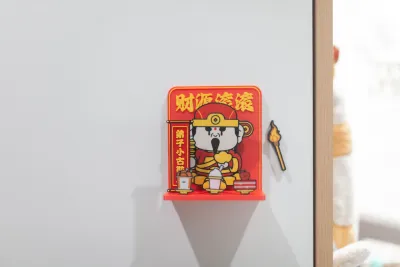

Refrigerator magnets
Praying for blessings
Light incense.
Abundant financial resources!
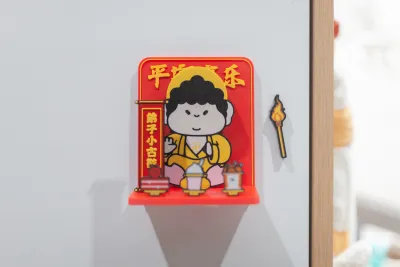
Peace and joy
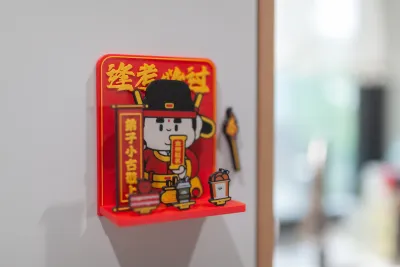
Pass every exam!
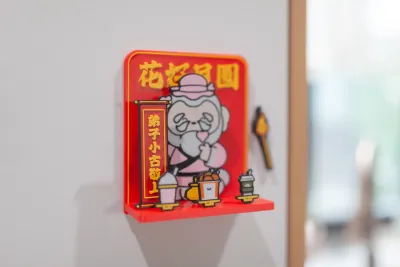
A beautiful flower and a full moon.
Buddha
Matchmaker
God of Wealth
Wenqu
Wen Qu Xing
Cyber Blessings
Spring Festival

- Full-set minimum material-change printing configuration

12-disc
PLA
Designer - Buddha – Peace and Joy
9-disc
PLA
Designer - God of Wealth – May Your Wealth Flow In Like a Torrent!
9-disc
PLA
Designer - The Matchmaker – May the Moon Be Full and the Flowers in Bloom!
9-disc
PLA
Designer - Wen Qu – Guaranteed to Pass Every Exam!
9-disc
PLA
Designer

24

1
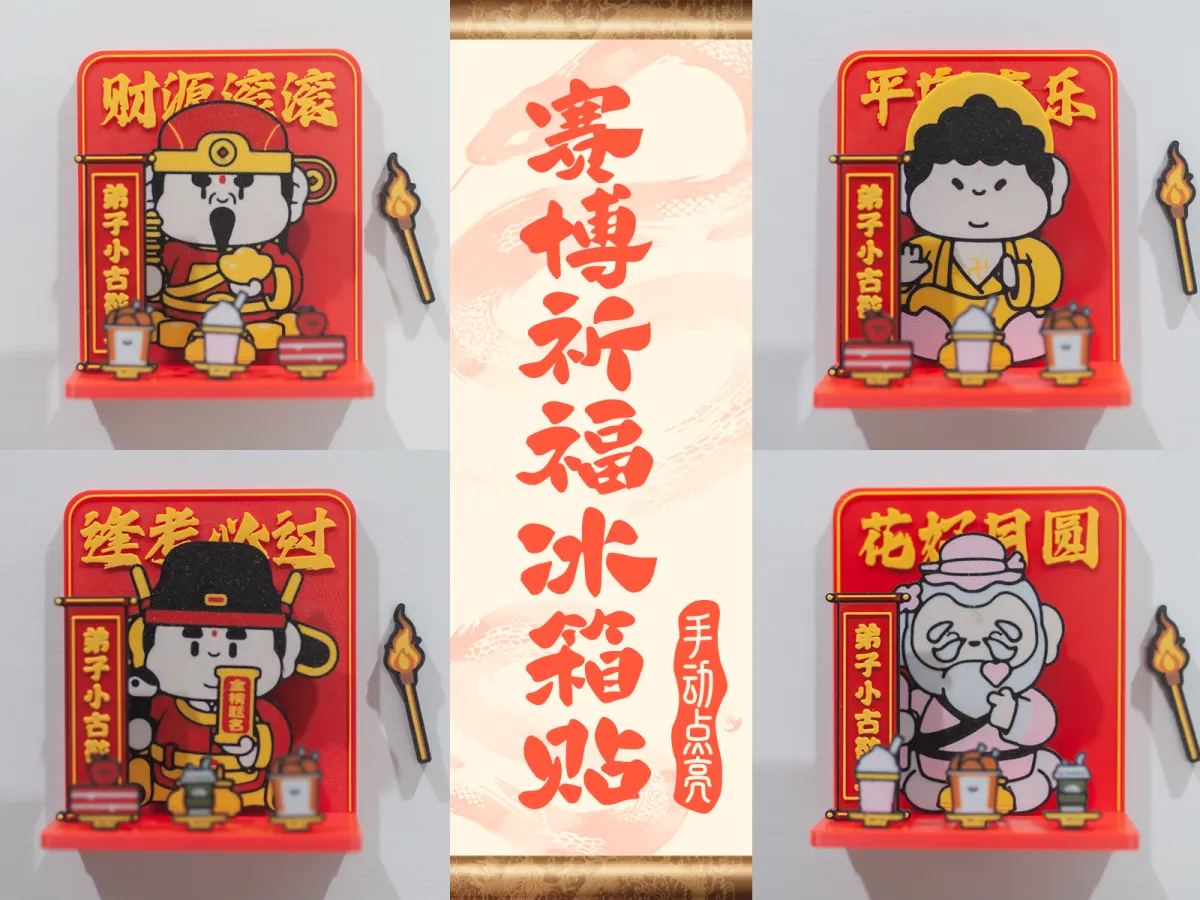
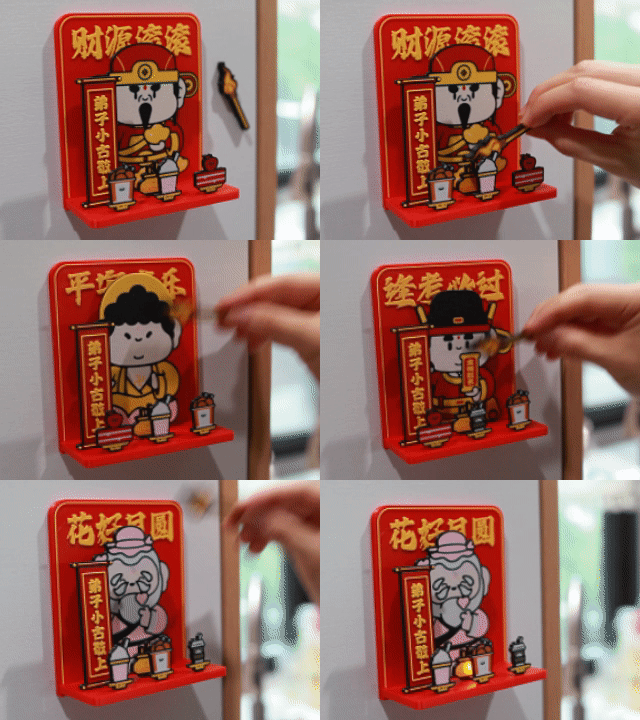
This time, we’re introducing a cyber-style prayer fridge magnet that can be lit up manually—light it every day to offer your heartfelt wishes; sincerity truly does work!
I stayed up until 3 a.m. working on this project—hope you all enjoy it o(*≧▽≦)ツ
Four Stylish Designs Available
Simply choose the design that resonates with you most:

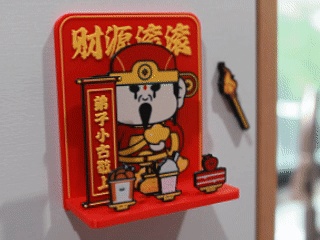
Invoke wealth and prosperity by lighting the God of Wealth.
Pursue peace and safety by honoring the Buddha Amitabha.
Ensure success in exams by calling upon the Star of Literature, Wenquxing.
Seek romantic fortune by praying to the Matchmaker, Yue Lao.
A Major Inventory Check for Printing Materials!
Available Colors:
PLA Red
PLA Warm Yellow (While yellow isn’t officially recommended, you can experiment with Silk Gold for a luxurious finish)
PLA Black
PLA Orange
PLA White
Matte PLA Pink
Matte PLA Dark Green (Feel free to swap out the coffee-cup color as desired)
Installation Accessories:
Each set requires 5 round magnets measuring 5 x 3 mm.
1 KC015 Warm White Magnetic Light (or an equivalent magnetic light with an 8 mm diameter available on the market)

Installation Guide (Recommended Steps for Easy Assembly)
1. Attach the magnets to the backplate and torch.
2. Mount the magnetic light behind the incense burner—be sure to align it correctly, install the battery, and test the light before securing it in place.
3. Attach each standing plaque to the base plate.
4. Join the base plate and backplate together—align them carefully, then press firmly to ensure a secure fit. If the pieces don’t quite snap into place, use a knife (handle sharp tools with care!) to gently widen the mounting holes—if necessary (though in most cases, no adjustments are required).
How to Customize the Text on the Disciple Plaques:
1. Select the disciple plaque.
2. In the left-hand toolbar, navigate to “Process” > “Object,” then locate the text you wish to edit.

3. Right‑click and select “Edit Text.”

4. Simply update the text in the dialog box—feel free to switch to a more traditional, rustic font for added charm.

Reducing Material Changes During Multi‑Set Printing: The Optimal Print Slicing Configuration Has Been Uploaded!
That’s all for today—may your endeavors go smoothly, and may joy accompany you every step of the way!
Bill of materials
- NameQuantityNotes
- 18mm直径磁控灯1
- 25*3mm的圆形磁铁5
Originality of the Model
The author declares that this work is their personally original model
This model is licensed under the following terms:
This work is licensed under a Standard Digital File License. Digital files have a strict non-commercial, personal use only license.
You shall not share, sub-license, sell, rent, host, transfer, or distribute in any way the digital file or 3D printed versions of this object, nor any other derivative work of this object in its digital or physical format (including remixes of this object). You can not host these files on other digital platforms, web stores or cloud repositories. The objects may not be used in any way whatsoever in which you charge money, collect fees.
Models(5)
- 财神-财源滚滚-elegoo.3mfDesigner

10.54 MB

2026-03-14
- 佛祖-平安喜乐-elegoo.3mfDesigner
8.70 MB
2026-03-14
- 文曲-逢考必过-elegoo.3mfDesigner
10.09 MB
2026-03-14
- 月老-花好月圆-elegoo.3mfDesigner
9.85 MB
2026-03-14
- 全套最少换料打印-elegoo.3mfDesigner
23.65 MB
2026-03-14
View all(5)


