










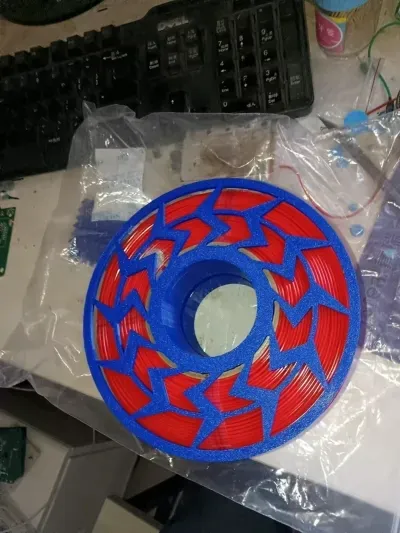
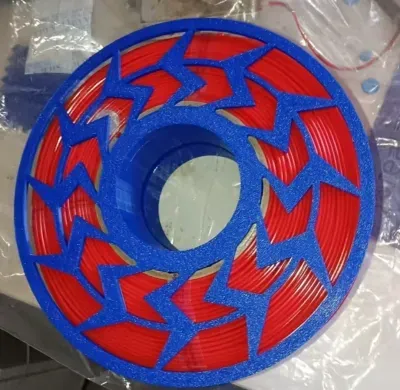

Material Tray
180
Printer Accessories

- 0.28 mm layer height, 2-wall structure, 15% infill density

2-disc
PLA
Designer

39

7
Introduction
A mechanical spring-driven gear puzzle toy designed for rapid printing and effortless assembly. The entire assembly measures 178.5 mm in diameter and requires no hardware components; all parts are produced in a single print run and can be easily removed. Assembly is achieved using threaded screw connections—simply hand-tighten the screws and apply a slight additional force to secure a robust, vibration-free gear transmission.
🚀 Key Highlights
Rapid full-plate printing: With a diameter of 178.5 mm, the entire model can be printed in one go without splitting it into separate parts.
Hardware-free design: All gears and threaded components are 3D-printed, eliminating the need for bearings, springs, or other external accessories.
Threaded locking for permanent stability: The screws and threads are designed to self-lock once properly tightened by hand; even after prolonged use, the connection remains secure and does not loosen.
Ultra-simplified assembly: Align the top and bottom covers, tighten a single screw, and you’re done—no tools required, assembly takes just ten seconds.
🛠️ Printing Guidelines
Recommended materials: PETG or PLA+, ensuring that the filament is kept dry to prevent gear parts from sticking together.
Key settings: Layer height of 0.28 mm, wall thickness of 2 layers, and infill of 10–15%; for faster prints, consider increasing the print speed slightly.
Size considerations: The overall diameter is 178.5 mm, so make sure your print bed can accommodate it.
Accuracy recommendations: If the threads are too tight, scale the entire model down to 99%–99.5% before printing.
🧩 Assembly Steps
Clean the parts: Remove the printed components and use a blade to carefully deburr any small burrs around the threads and gear edges.
Insert the gear set: Place the gears in order of size into their corresponding shaft holes on the bottom cover.
Close the top cover: Align the locating pins and threaded holes on the top and bottom covers.
Tighten the screw: Insert the screw into the central or designated hole and turn it clockwise by hand while applying gentle but firm pressure until you feel noticeable resistance and the two covers no longer wobble.
Do not over-tighten—the threads will self-lock and remain securely fastened.
⚡ Frequently Asked Questions
Still loose after tightening? Check the threads for any stringing or burrs left over from printing; clean them thoroughly and try again. Alternatively, apply a drop of alcohol or a small amount of lubricant to the threads to aid in tightening.
Is the gear rotation uneven? Ensure that there are no residual supports inside the gear shaft holes, and apply a tiny amount of dry lubricant at the contact points between the gears and shafts.
Can’t screw the threads in after printing? This usually indicates that the tolerances are too tight. Gently file the start of the threads with a rasp, or re-print the screws at 99% scale.
Insufficient spring storage capacity? The all-plastic gear set itself has limited energy-storage capability; the focus should be on the mechanical linkage and sound feedback, so it’s best to manage expectations regarding runtime.
Originality of the Model
The author declares that this work is their personally original model
This model is licensed under the following terms:
Credit must be given to the creator
Models(1)
- 176料盘.3mfDesigner

332.52 KB

2026-04-23


