




cube
infill
pattern


12

2
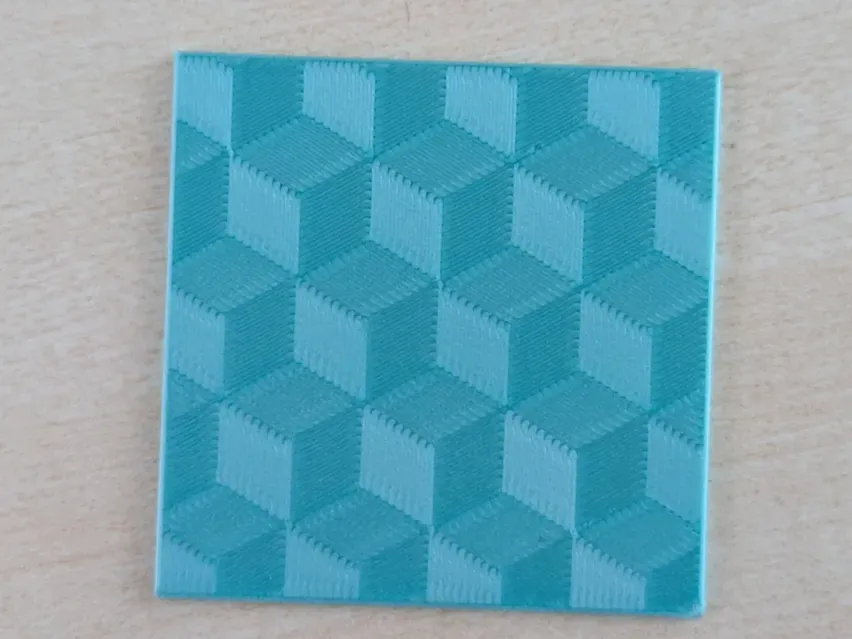
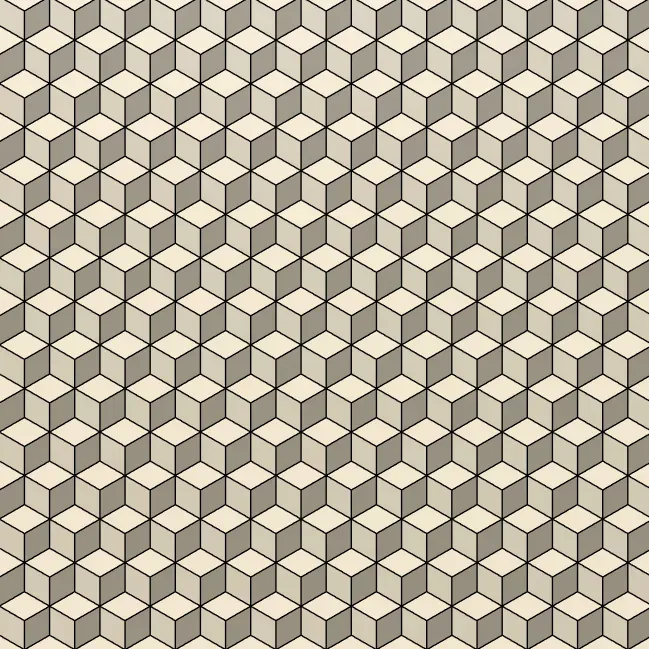
This is a set of modifiers for your models to print the bottom and/or top layers to create a cube pattern.
This effect works best with silk filament and (for bottom surfaces) a lightly textured build plate.
The instructions are for OrcaSlicer, but this will work in any slicer that supports modifier meshes.
How to use
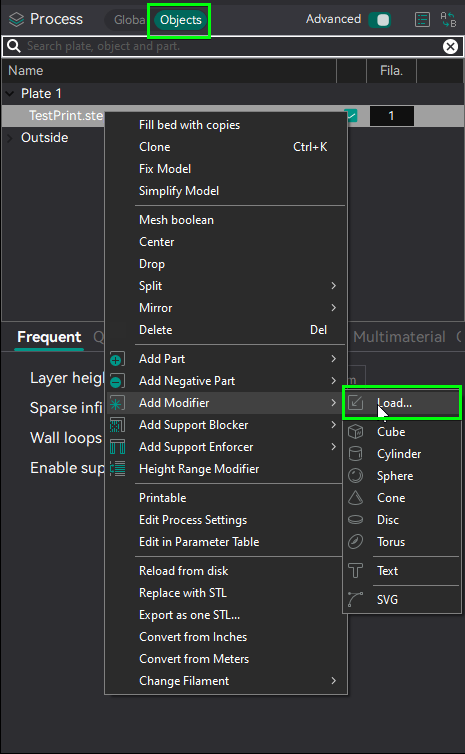
Go to the objects tab, right click your model and add the downloaded files as modifiers
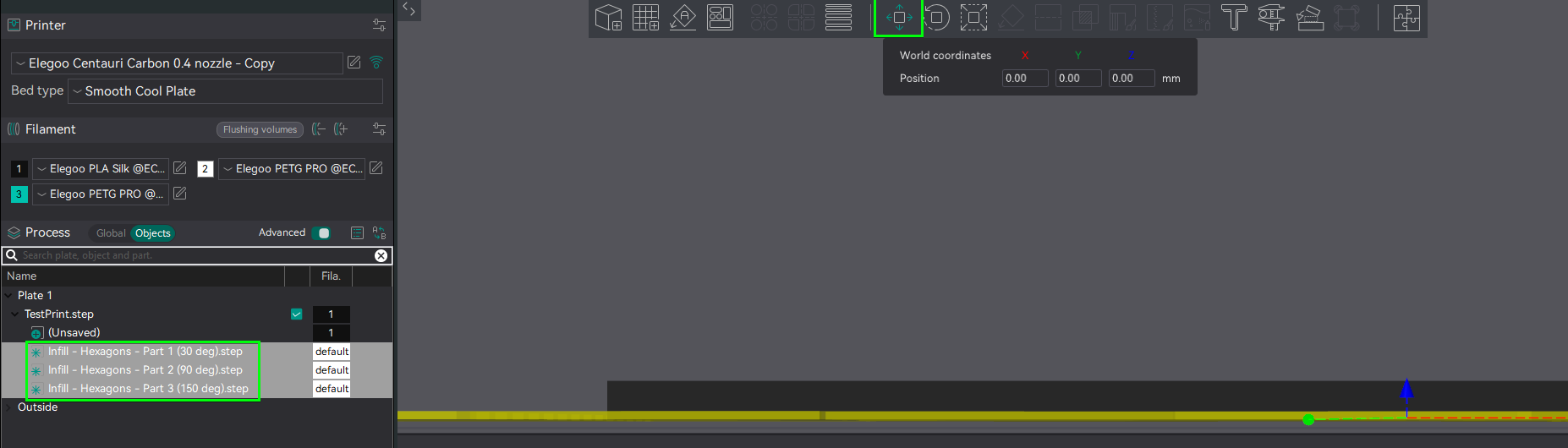
Select all modifiers and use the move tool to align them with the bottom (or top) surface of the print
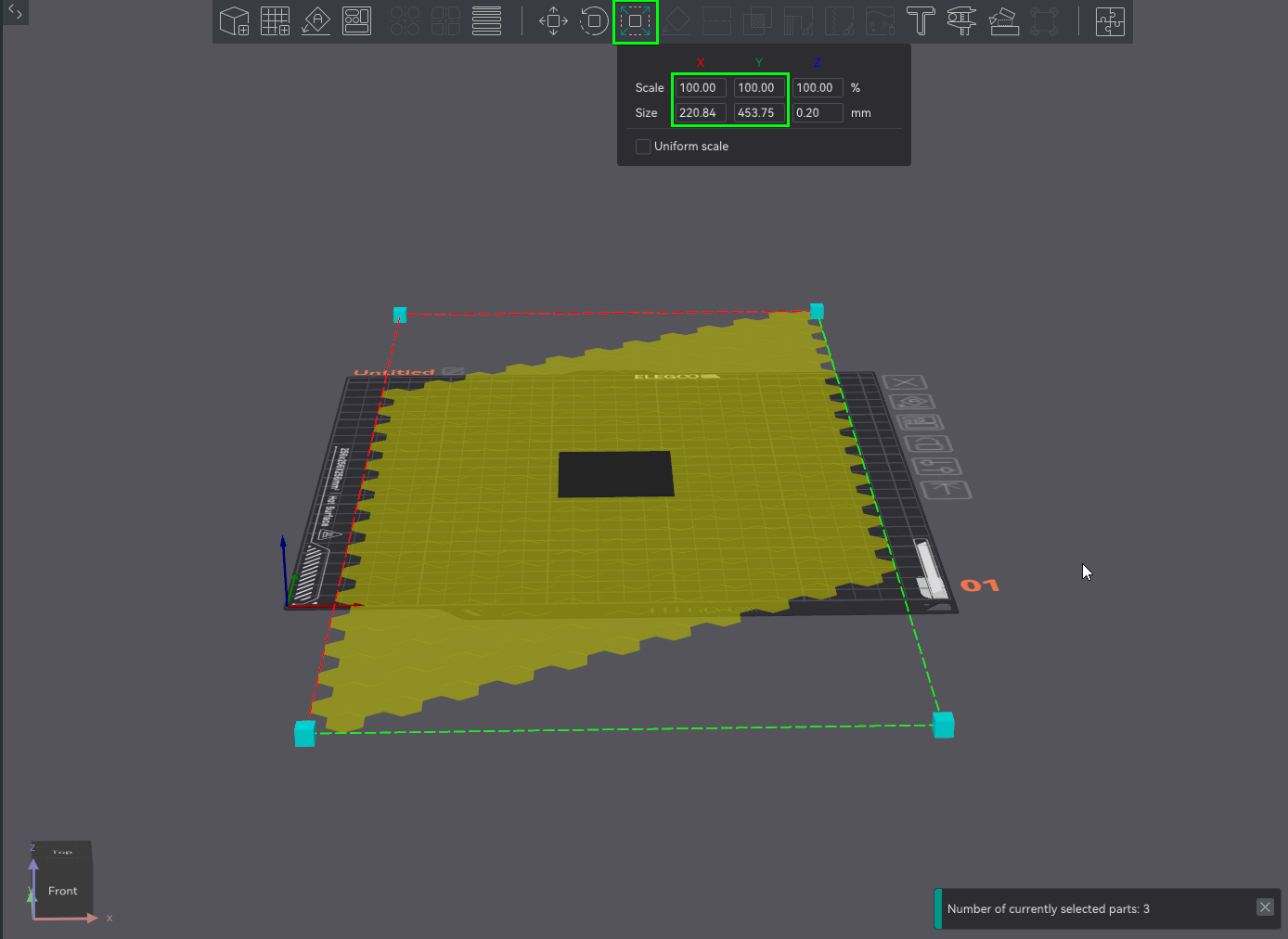
The pattern can be scaled by simply scaling both X and Y. Make sure to disable “uniform scale” so the thickness isn't affected
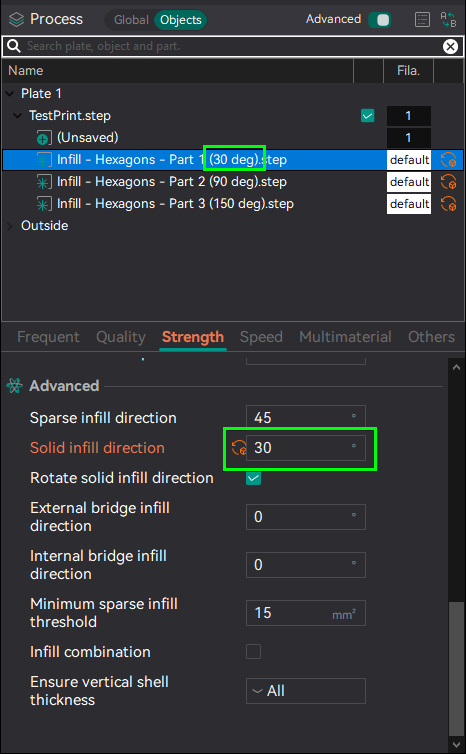
For each modifier, set the solid infill direction to match the angle in the file name
If you rotated the pattern, add the rotation angle to the given angles.
Slice the file and use the gcode preview to verify that the pattern works and is on the correct layer
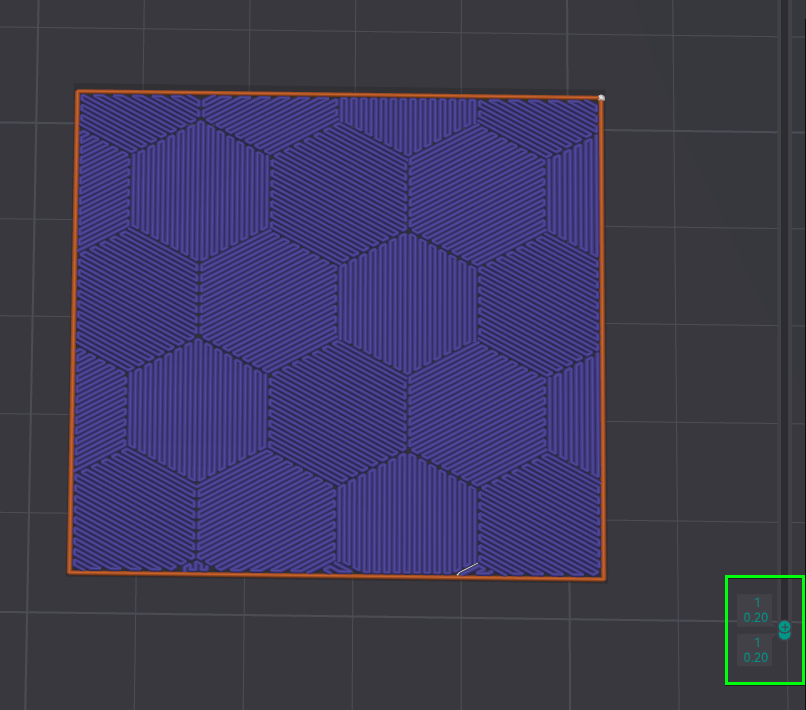
Recommended settings
- Bottom/Top surface pattern: Monotonic, Monotonic line, Rectilinear or Aligned Rectilinear
- Only one wall on first layer/top surfaces enabled
- If using silk filament, slow down first layer infill speed and/or top surface speed for the best effect
Other patterns
Originality of the Model
The author declares that this work is their personally original model
This model is licensed under the following terms:
No Copyright.
Models(3)
 Infill - Cubes - Part 1 (30 deg).stepDesigner
3.21 MB

2025-12-30
 Infill - Cubes - Part 2 (90 deg).stepDesigner
3.24 MB
2025-12-30
 Infill - Cubes - Part 3 (150 deg).stepDesigner
3.22 MB
2025-12-30
View all(3)


