


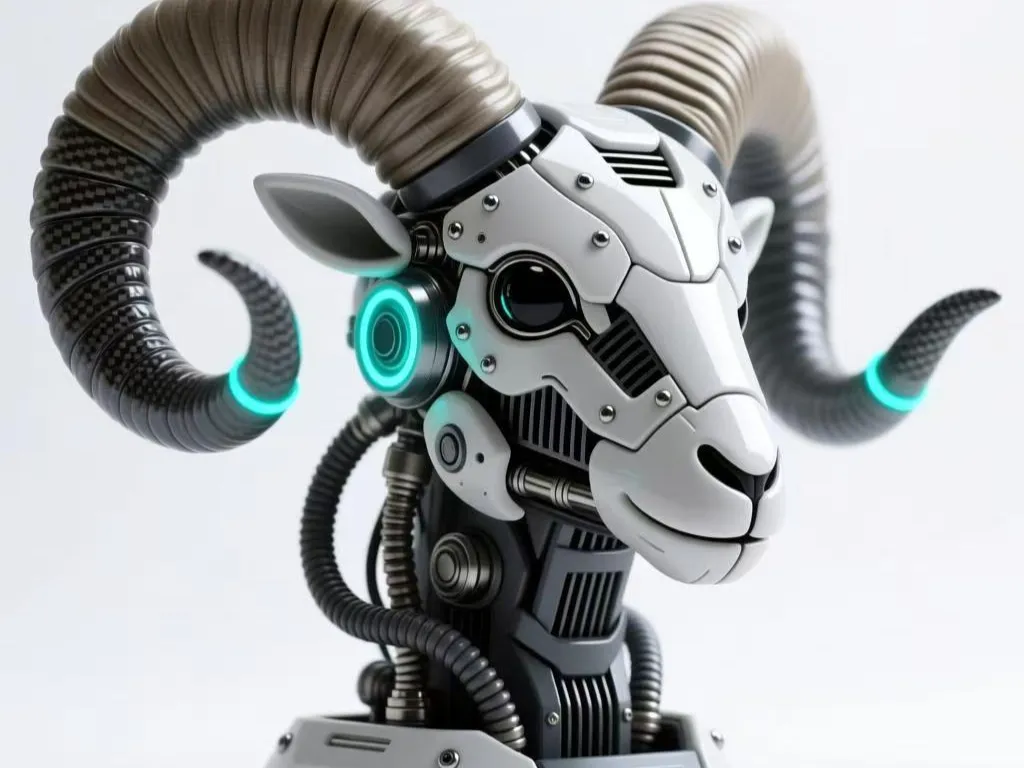
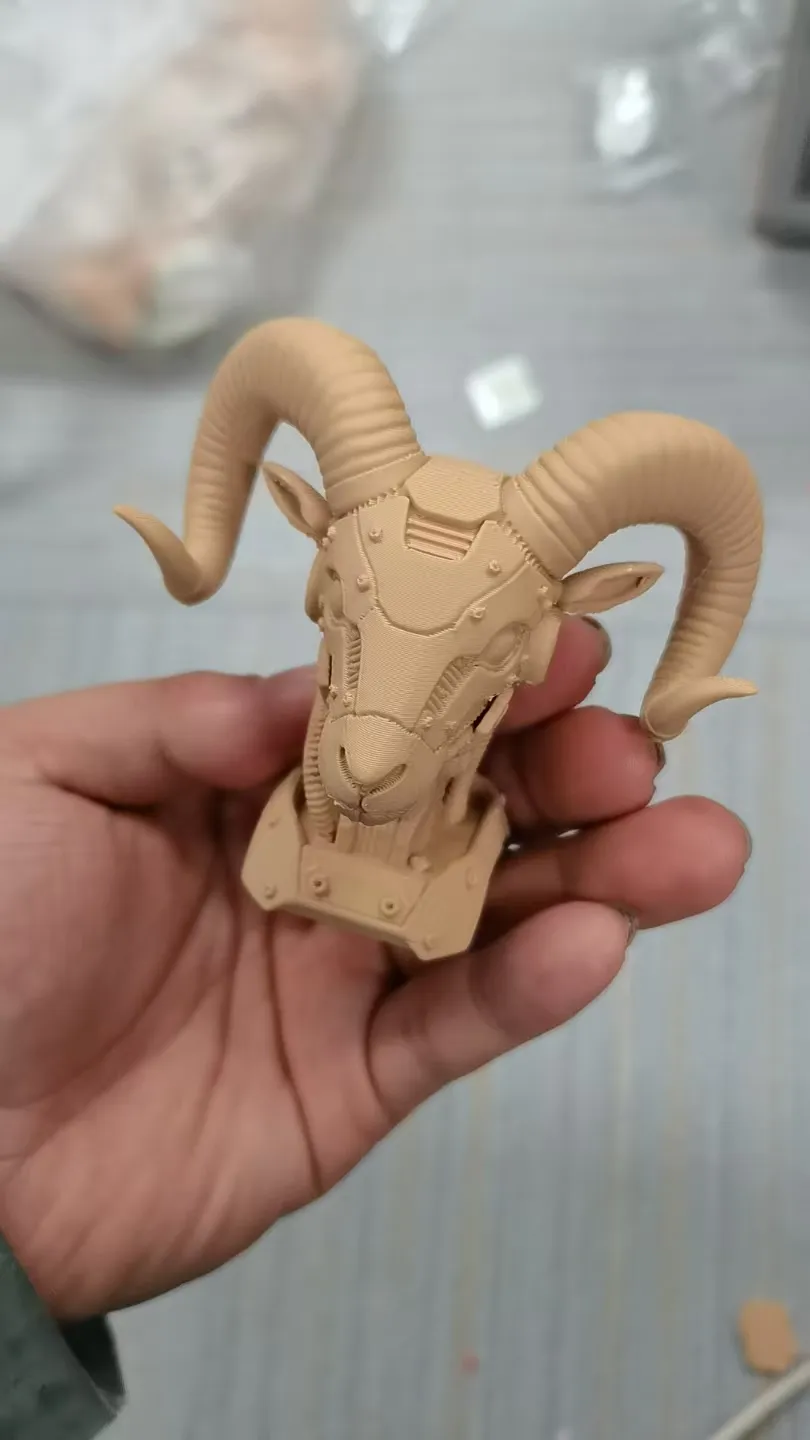

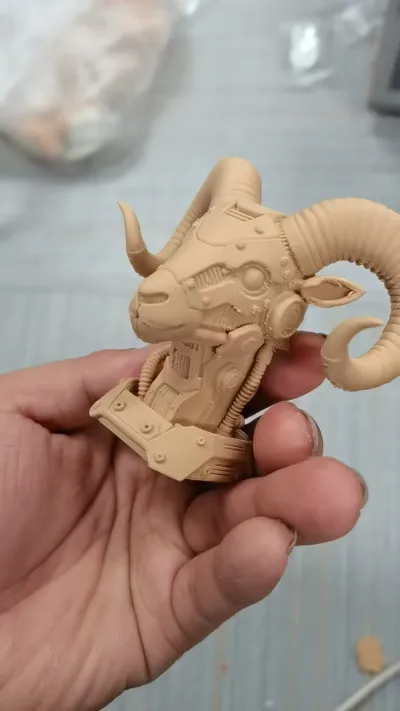
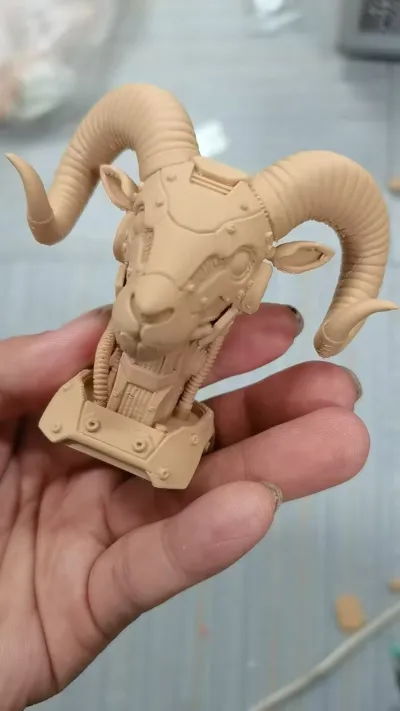

Mech Ram Head
Cyberpunk
Decorative Ornament
OnePiece Molding
Mechanical Style
SciFi
Desk Decor
Spiral Horns
Mechanical Face
Fragile
Support Optimization
Spray Painting
Metallic Texture
Luminous Effect
Energy Conduit
Power Core
Independent Decoration
Mecha Component
Printing Parameter
Wild Mecha
Reinforcement Tips
Spiral Antenna
Hollow Structure
Material Selection
Interactive Prop

- 0.2 mm layer height, 3‑layer walls, 15% infill density

1-disc
PLA
Designer

7

1
🐏 Cyber Ram Head 3D Printing Model Documentation
1. Support, Skirt, and Adhesive Requirements
Support Structures
- Necessity: Mandatory. The spiraled horns, facial mechanical cutouts, and protruding jaw components are all prominent overhanging features. Without support, these areas will experience layer collapse, stringing, or delamination.
- Recommended Strategy:
- Horns: Use tree supports with contact points only on the underside of the horns to minimize damage to the spiral texture. Set support density to 15–20% for easier removal.
- Facial Cutouts & Jaw: Use automatic supports, then manually optimize contact points in the slicer to prioritize non-critical surfaces, reducing visible scarring.
- Removal Tips: Cut supports at the base with a sharp knife or flush cutters; avoid brute force. For fragile areas like horns, gently soften the plastic with a low-temperature heat gun before peeling away supports, then sand the contact points smooth.
Skirt (First Layer Adhesion Aid)
- Necessity: Highly recommended. The model has a circular base, and a skirt helps prime the nozzle, improve first-layer adhesion, and prevent warping or lifting.
- Settings: Set the skirt to 2–3mm from the model edge, with 1–2 loops. A slightly wider line width than the nozzle diameter can enhance its effectiveness without excessive material waste.
Adhesive (Glue)
- Necessity: Not required for assembly. This model is a one-piece design, so it prints as a single, solid unit.
- Repair Use Case: If horns, the jaw, or other protrusions break during support removal or handling, cyanoacrylate (super glue) can be used for repairs. After gluing, sand the joint to blend it into the surrounding surface.
2. Model Inspiration
The design draws inspiration from the fusion of cyberpunk and futuristic mecha aesthetics, blending the primal power of a ram with the precision of machinery. The iconic spiraled horns are reimagined as energy conduits, while the facial gears and tubing simulate a mecha’s power core. This juxtaposition retains the raw, untamed spirit of the ram while infusing it with the cold, calculated edge of future technology. The result is a piece that works equally well as a standalone desk ornament or as a central component in a larger sci-fi diorama.
3. Printing Requirements & Recommendations
Printing Technology
- Process: Fused Deposition Modeling (FDM) 3D Printing
Recommended Materials
- PLA: Ideal for static displays due to its ease of printing and low cost. However, it is relatively brittle, so extra care is needed when removing supports from fragile areas like horns.
- PETG: Offers superior toughness and impact resistance, making it a better choice for models that will be handled frequently or used as interactive props.
Print Settings
- Layer Height: 0.2mm (balances detail and speed). For ultra-fine details, reduce to 0.15mm.
- Infill Density: 20–30% for the main body to maintain strength while keeping weight low. Increase to 40% locally for high-stress areas like the horn bases and jaw.
- Temperature Settings:
- Nozzle: 200–210°C (PLA) / 230–240°C (PETG)
- Bed: 60°C (PLA) / 80°C (PETG)
- Print Speed: 40–60mm/s for general areas. Slow to 20–30mm/s for the spiraled horns and fine facial details to prevent layer separation and warping.
- Cooling Fan: Full power for PLA printing. For PETG, adjust based on ambient temperature to prevent warping.
4. Assembly & Post-Processing Instructions
Assembly
- One-Piece Construction: The model is designed to print as a single unit, so no assembly is required. Once the print finishes and supports are removed, it is ready for display.
Support Removal
1. Horns: Use flush cutters or a hobby knife to carefully snip supports at their base. For stubborn areas, apply gentle heat with a heat gun (set to low) to soften the plastic before peeling.
2. Facial Cutouts: Clear internal supports first, then use a small file or sandpaper to smooth the edges of the cutouts.
Post-Processing
- Sanding: Start with 400-grit sandpaper to remove support marks and layer lines, then progress to 2000-grit for a smooth finish. For a mirror-like sheen, use a polishing compound.
- Painting:
- Base coat: Use a primer, then apply metallic or matte paints to emulate the look of metal plating.
- Accents: Highlight the horns with fluorescent or glow-in-the-dark paint for a futuristic touch. Fill the gear and tubing details with contrasting metallic paints to enhance depth.
- Weathering: Add subtle washes or dry brushing to simulate wear and tear, giving the model a battle-worn, lived-in appearance.
5. Special Considerations & Safety Notes
Fragile Area Reinforcement
The spiraled horns and jaw are the most fragile parts. For added durability:
- Increase the wall thickness or infill density in these areas during slicing.
- After printing, reinforce the base of the horns with a thin layer of epoxy resin.
Bed Calibration
The circular base is sensitive to bed leveling. Before printing, perform a first-layer calibration test to ensure the bed is perfectly level. This prevents warping, lifting, or a failed print.
Safety
- Always wear safety glasses when removing supports to protect against flying plastic shavings.
- Use sharp tools carefully to avoid cuts.
- When using a heat gun, keep it moving and at a safe distance to prevent overheating and warping the model.
Originality of the Model
The author declares that this work is their personally original model
This model is licensed under the following terms:
Credit must be given to the creator
Models(1)
- 判羊机械头.3mfDesigner

17.10 MB

2026-02-20


