




articulated
flexi
toy
flexible
shark
transformer
transforming
multicolor
animal
printinplace
supportless
easy
kids
hammerhead
hammer
fish


57

12
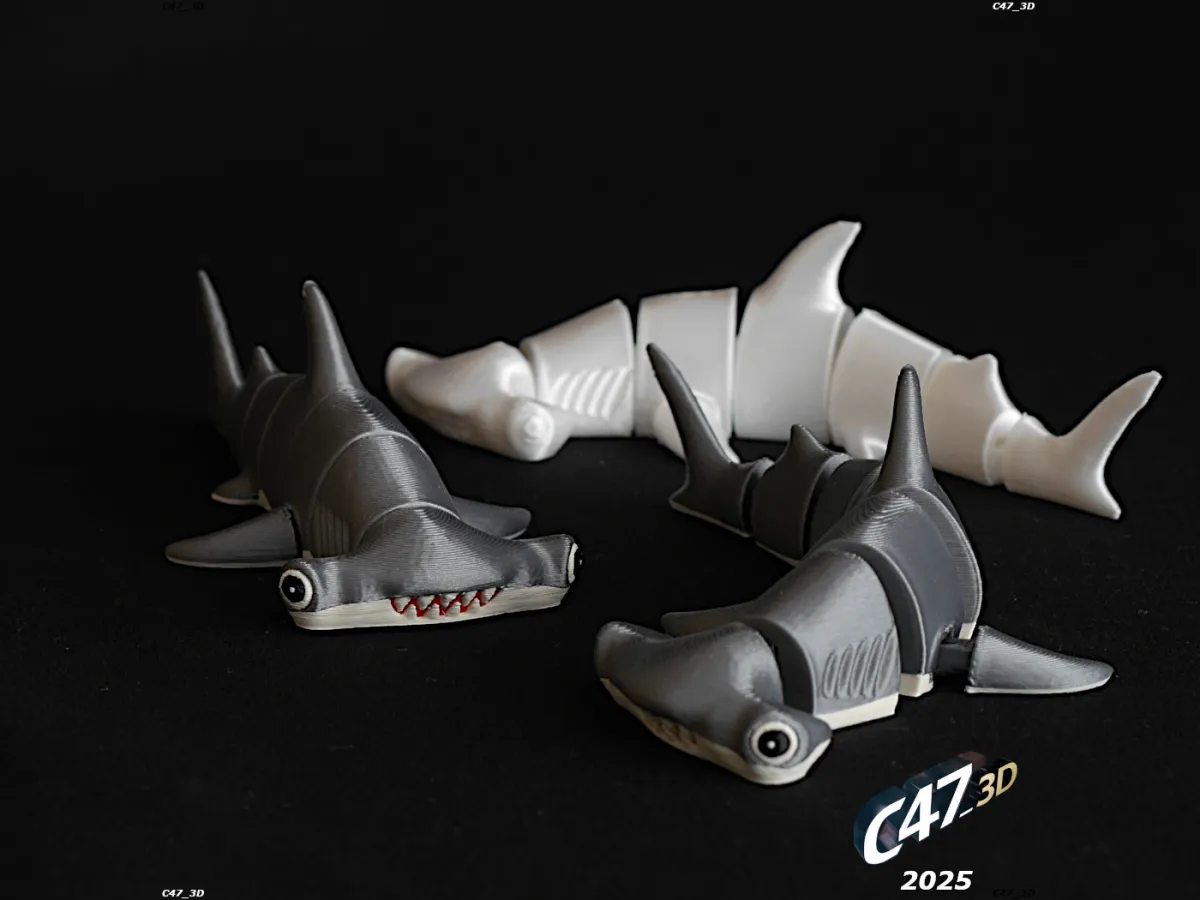
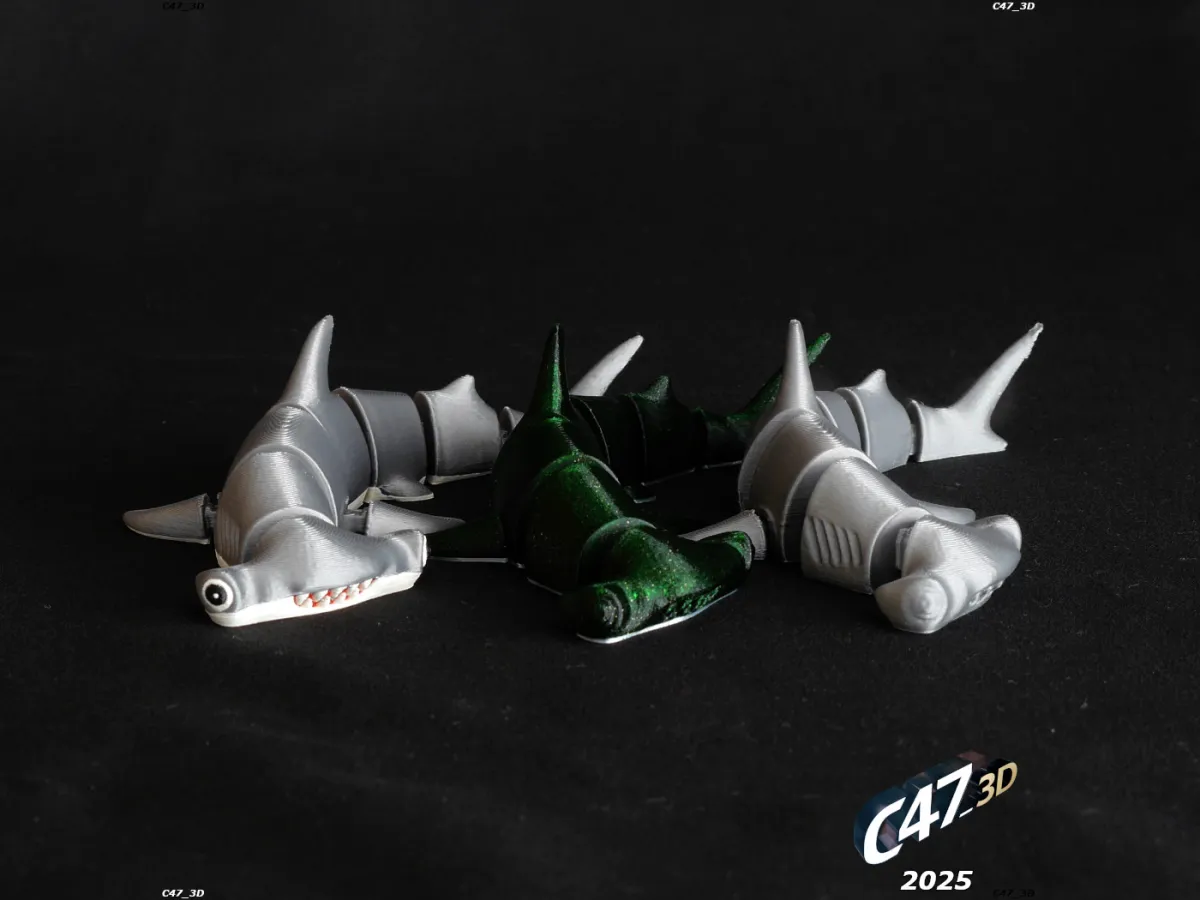
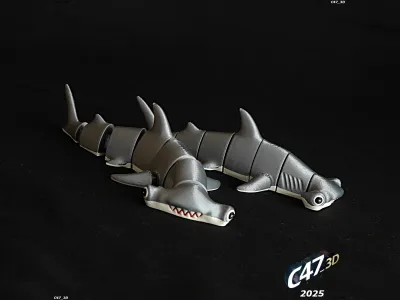
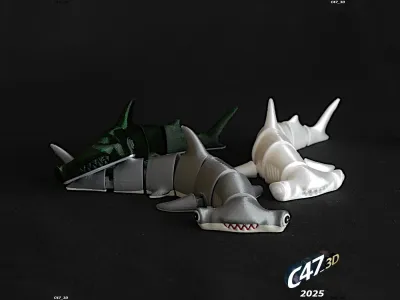
Print-in-place model of a Flexi Hammerhead Shark
It transforms from a solid model to a flexi model
The force and tolerances are set like for a kids - but it will also depend on the filament used and print optons
Model can be printed in one color, two color (one filament change) and with 4-6 colors on multicolor printer
---
If you want to sell prints of this model I can prepare a commercial license
---
Printing tips
Printed with PLA
0.1mm and 0.16mm layer height
15% grid infill
3 walls
Before printing a Shark print a TEST file to check if your filament and slicer settings are right
The force needed to transform the model will depend on the filament used, printer calibration and slicer settings
If the force is too low, or its even not holding at all, you can
- lower layer height
- use an XY compensation (horizontal expansion) with positive values (start with 0.02-0.05)
- print slower (you can use a MODIFIER - see below)
- or just set the flow a little highier
There is also a MODIFIER file just to change settings of the connectors
I used it to slow down the speed of printing the connectors
You can also change other settings listed above
Just right click on the model and add a modifier, then set it on the same XY position and then change what you want
--
Connectors (on legs and body parts) will be printed 'half-in air'
There is a 0.2mm gap between connectors and other parts on Z axis - this works like a self support
---
Multicolor print:
Select a TransformingHammerhead and all of MULTICOLOR files and move them to the slicer
Click 'yes' when asked if you want to add it as one model - it will merge all the files to one. If there will be no such notification merge them by yourself (select all, right click and merge)
Then choose a color for each model
If models are merged you can then duplicate them to fill the bed plate
You can also print it with different bottom color on single color printer
Set the filament change right before layers with teeth
After a print you will need to break small connections between parts
Move parts up and down a little and it will be free to use
Originality of the Model
The author declares that this work is their personally original model
This model is licensed under the following terms:
This work is licensed under a Standard Digital File License. Digital files have a strict non-commercial, personal use only license.
You shall not share, sub-license, sell, rent, host, transfer, or distribute in any way the digital file or 3D printed versions of this object, nor any other derivative work of this object in its digital or physical format (including remixes of this object). You can not host these files on other digital platforms, web stores or cloud repositories. The objects may not be used in any way whatsoever in which you charge money, collect fees.
Models(8)
 TransformingHammerhead.stlDesigner
819.52 KB

2026-01-27
 TransformingHammerhead_MODIFIER.stlDesigner
20.79 KB
2026-01-27
 TransformingHammerhead_Multicolor_black-eyes.stlDesigner
23.32 KB
2026-01-27
 TransformingHammerhead_Multicolor_red-mouth.stlDesigner
45.79 KB
2026-01-27
 TransformingHammerhead_Multicolor_white-bottom.stlDesigner
591.88 KB
2026-01-27
 TransformingHammerhead_Multicolor_white-eyes.stlDesigner
33.29 KB
2026-01-27
 TransformingHammerhead_Multicolor_white-teeth.stlDesigner
49.11 KB
2026-01-27
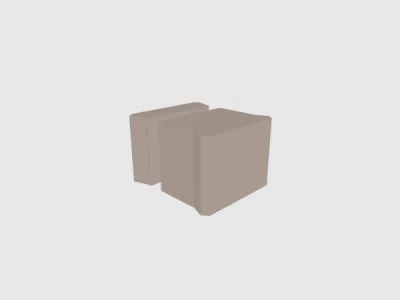 TransformingHammerhead_TEST.stlDesigner
29.38 KB
2026-01-27
View all(8)


