





external button
power button
computer
accesiories


27

2
Tired of crawling under your desk just to press that tiny PC button?
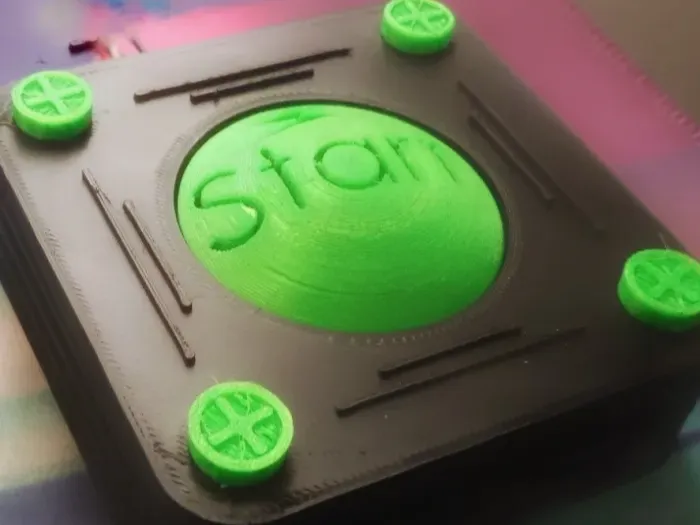
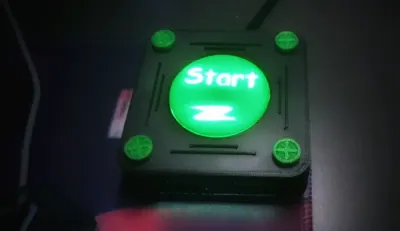
Say hello to the ultimate external power button – big, bold, and glowing with style! 💡💻
---
✅ Why You’ll Love It
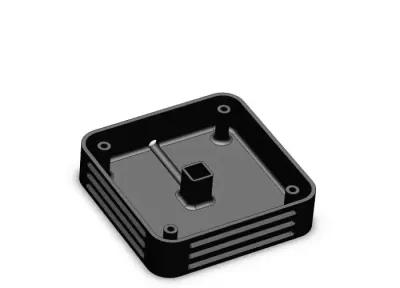
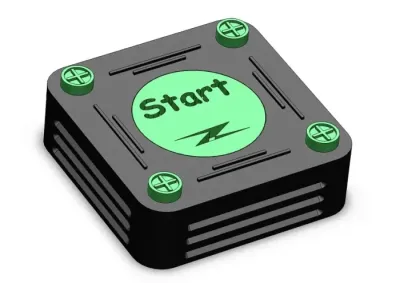
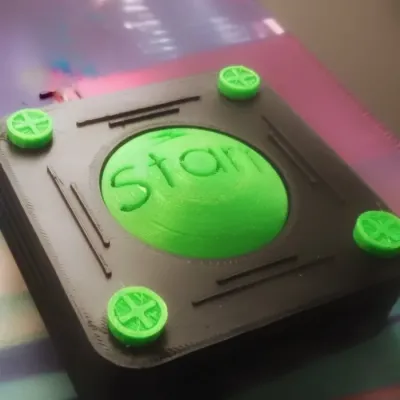
Sleek square design (80×80 mm) – looks awesome on any desk 🖤
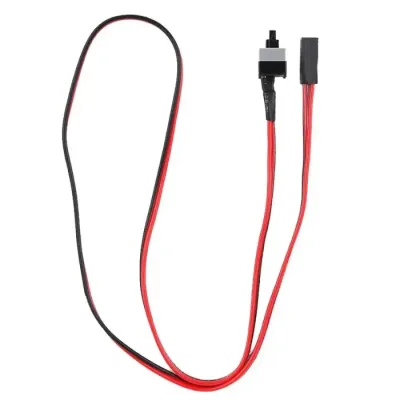
Works with standard ATX switches – plug & play! ⚡
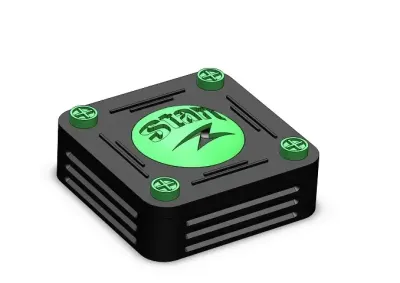
Two button styles → flat for easy print or convex for extra wow 🟢
Hidden cable channel = clean and pro look 🎯
4 screw caps for a smooth, finished design 🔩
---
📏 What’s Inside
Base (with wiring groove + ATX switch holder)
Top cover (screw-on)
Button (flat or convex)
4× screw caps
Dimensions: 80×80×20 mm, button Ø 44 mm
---
🖨️ Print Like a Pro
Layer height: 0.2 mm
Walls: 2 mm → perimeter-only (no infill)
Supports: ❌ none (flat version) |
✅ under convex button, under top plate
Material: PLA, PETG, ABS – your choice 🎨
---
💡 Pro Tips
Print the button in bright green or transparent filament for the best glow ✨
Assemble the ATX switch + button first, then mount the cover
👉 No spring needed!
The button doesn’t require any additional spring – the ATX switch itself has enough resistance and strength to push the button back into place after pressing. Simple, reliable, and fewer parts to worry about ✅
🔌 Guide for Wiring an External Power Button with COB LED
1️⃣ Power Switch
Locate the pins on the motherboard labeled POWER SW (usually on the “F_PANEL” connector).
Connect the two-pin switch from the button directly to these two pins.
Polarity doesn’t matter (it’s just an ON/OFF contact).
---
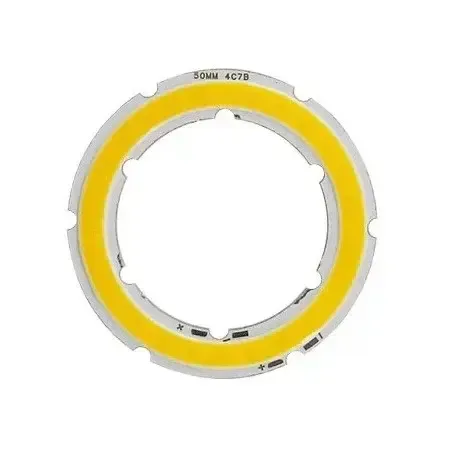
2️⃣ Lighting (COB LED Ring)
Do not connect the COB LED ring to the POWER LED pins – not enough current, it will only glow dimly.
Instead, take voltage directly from a SATA power connector from the PSU:
Red wire = +5 V
Black wire = GND (ground)
Connect the COB LED directly to these two wires.
---
3️⃣ Result
The COB LED lights up only when the PC is turned on (since the SATA 5 V is active only after startup).
When the PC is off, the COB LED remains off.
The power switch works the same as the original one on the case.
---
🚀 Upgrade your setup today with this powerful power button!
Don’t forget to ⭐ rate it & share your desk setup pics 📸 – let’s see your glowing button in action!
Bill of materials
- NameQuantityNotes
- 1LED COB ring 5V1
- 2ATX power supply switch1
Originality of the Model
The author declares that this work is their personally original model
This model is licensed under the following terms:
Credit must be given to the creator
Only noncommercial uses of the work are permitted
Models(5)
 button.stepDesigner
561.32 KB

2025-09-19
- button2.stepDesigner
720.78 KB
2025-09-19
- screew-cover.stepDesigner
79.91 KB
2025-09-19
- base.stepDesigner
322.75 KB
2025-09-19
- top-plate.stepDesigner
178.62 KB
2025-09-19
View all(5)


