




creality
k2 pro
k2pro
airscrubber
hepa
activated carbon
activated carbon filter
- 0.2mm layer, 2 walls, 10% infill

2-disc
ASA
Designer

26

2
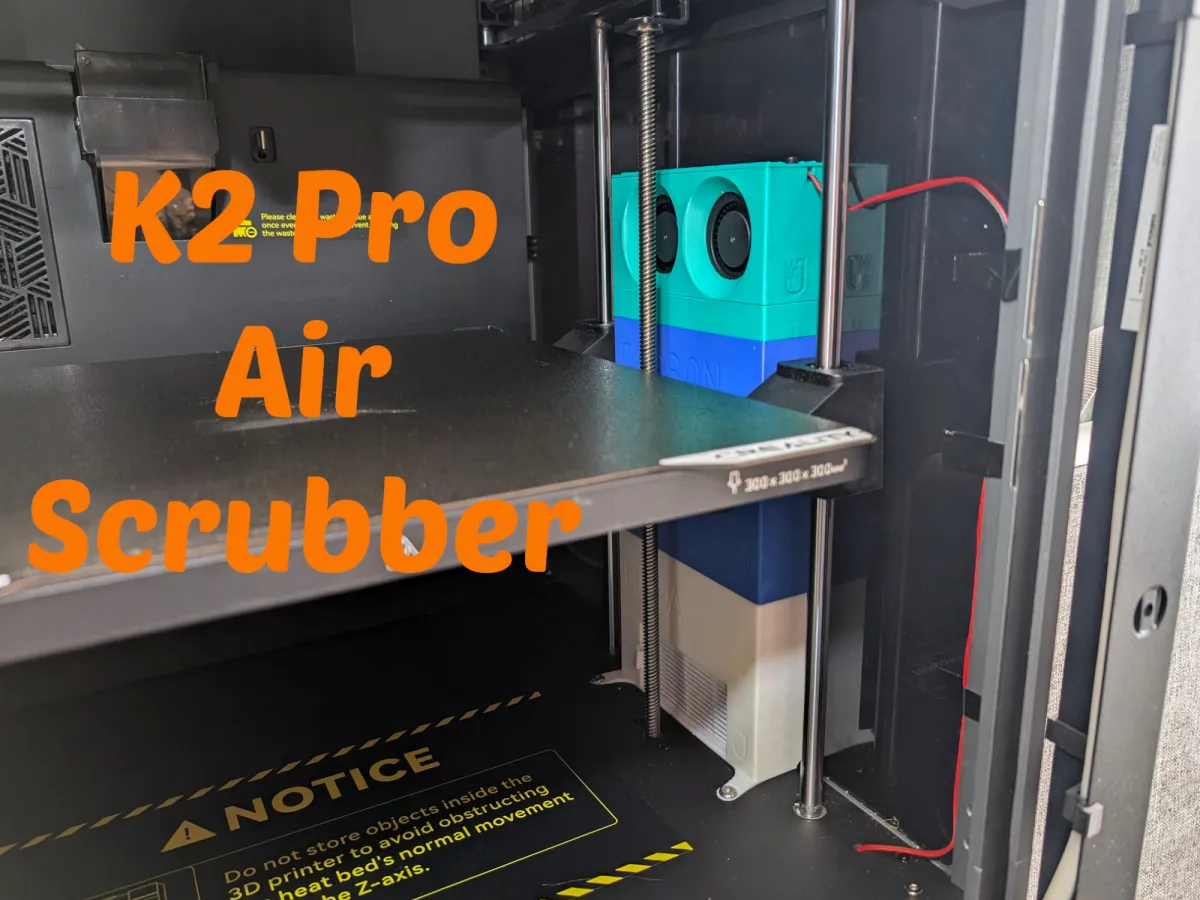
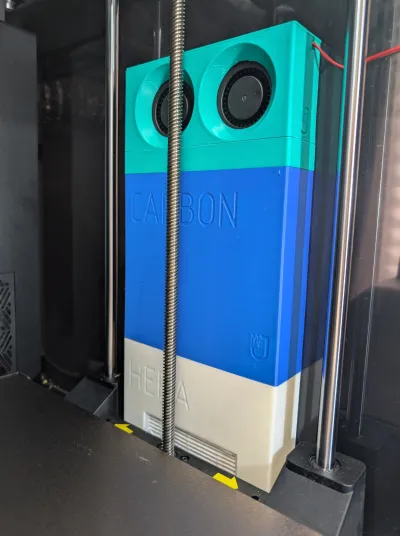
This project provides a complete air filtration system for the Creality K2 Pro 3D printer, designed to remove harmful Volatile Organic Compounds (VOCs) and particulate matter. It recirculates air through activated carbon and a HEPA filter, offering a solution for printing materials like ASA and ABS without losing valuable heat. Other existing solutions like the Bentobox do not fit the K2 Pro. This system is specifically designed to fit neatly inside the K2 Pro, utilizing the right-side space next to the print bed.
How it Works: This air scrubber draws air from inside the K2 Pro, filters it, and returns clean air back into the enclosure, creating a safer and more controlled printing environment. It's ideal for materials that release fumes but benefit from a heated chamber.
Materials Required (Non-Printed):
- Fans: Two 5015 blower fans (choose your preferred voltage)
- Power Supply: Compatible with your chosen fan voltage, with wiring to connect the fans.
- HEPA Filter: 80x40x15mm (compatible with iLife V5 vacuum robot filters)
- Activated Carbon: Acid-Free Activated Carbon (essential to prevent corrosion!)
- Heat Inserts: Four M4 heat inserts
- Screws:
- Two 16mm M4 screws
- Two 6mm M4 screws
- Two flat head M4 screws (for securing HEPA box to printer base - critical, see warnings below*)
- Magnets:
- Twenty-four 6x2mm magnets (same as Gridfinity)
- Four 10x3mm magnets (optional, for added stability)
- Adhesive: Glue (for magnet and component assembly)
3D Printed Components:
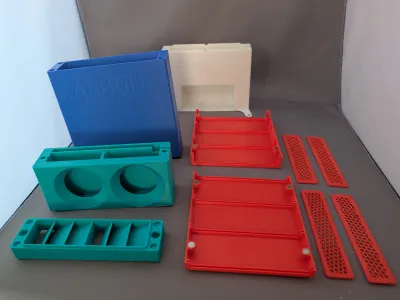
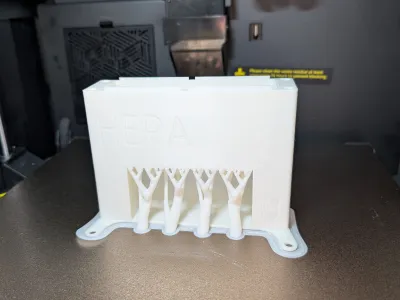
- HEPA Box: The base unit, housing the HEPA filter.
- Carbon Box: Sits on top of the HEPA box, holding the Carbon Magazine (CMAG).
- CMAG (Carbon Magazine): A two-part magazine with divider plates for containing the activated carbon.
- Fan Guide Box: Directs airflow from the fans.
- Fan Box: Houses the 2 blower fans.
- Fan Box Cover: Secures the top of the Fan Box.
- MagnetHolder: Optional magnet holder for 10x3 mm magnets on the outside wall of the K2 Pro. If you drop them they will be easier to find this way :)
Assembly Instructions:
1. Magnet Installation:
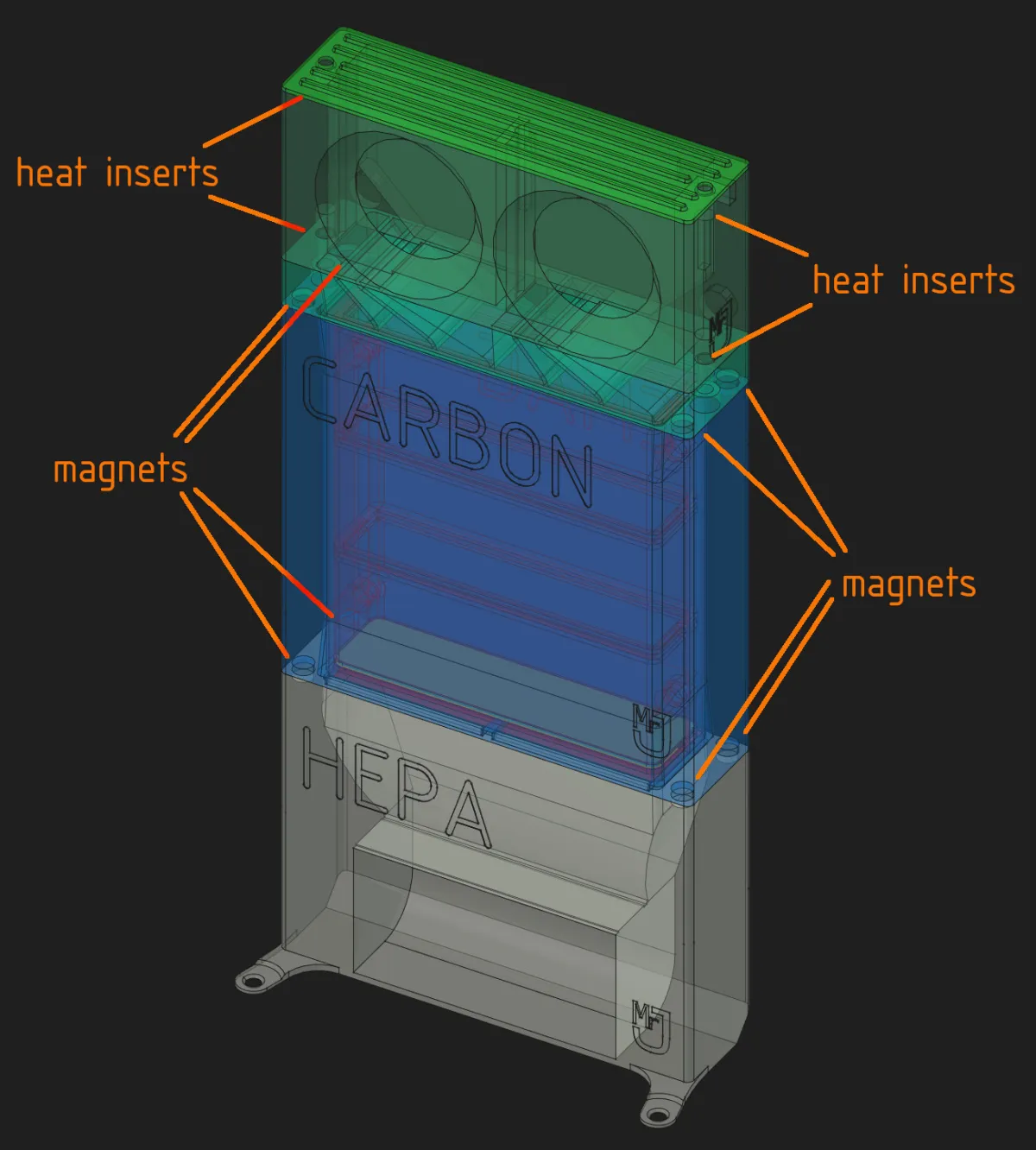
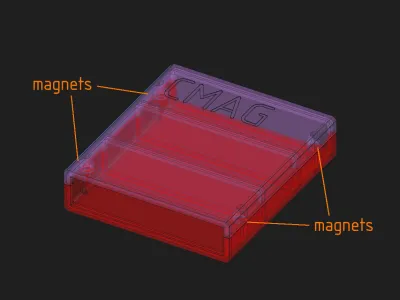
- Using glue, insert 6x2mm magnets into the top of the HEPA Box, both the top and bottom of the Carbon Box, both the top and bottom of the CMAG, and the bottom of the Fan Guide Box.
- Important: Ensure correct polarity so the magnets attract each other. A magnet setter pen is highly recommended for ease of installation: https://www.nexprint.com/en/models/G1832283
2. Fan Box Assembly:
- Press the heat inserts into the bottom of the Fan Box and the top of the Fan Guide Box using a solder iron.
- Insert the 5015 blower fans into the Fan Box, routing the wires through the designated hole. Excess wire can be stored in the rear compartment.
- (Optional) Glue the 10x3mm magnets to the back of the Fan Box for added stability against the printer's side wall. Add two other magnets to the outside of the printer's side wall in the optional magnetholders. This as a precaution to keep the tower from falling over.
- Attach the Fan Guide Box to the Fan Box using the 16mm screws, ensuring correct orientation relative to the fans.
- Secure the Fan Box Cover to the Fan Box with the 6mm screws.
3. Carbon Box & CMAG Assembly:
- Insert and glue the magazine divider plates into the bottom of the Carbon Magazine.
- Fill the Carbon Magazine with activated carbon to approximately halfway (do not overfill).
- Place the top cover onto the Carbon Magazine.
- Insert the assembled Carbon Magazine into the Carbon Box.
4. HEPA Box & Filter Installation:
- Insert the 80x40x15mm HEPA filter into the designated cutout within the HEPA Box. It should fit snugly.
5. Installation in K2 Pro:
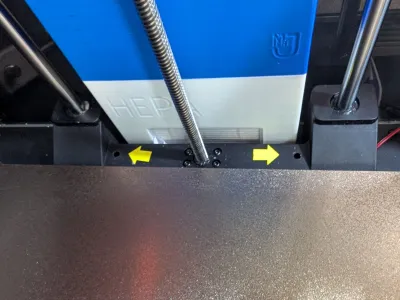
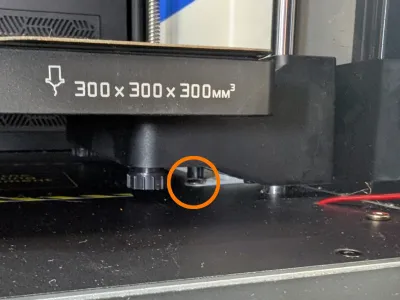
- Place the HEPA Box in the right-side of the K2 Pro and secure it to the printer's base using the flat head M4 screws. Critical: Ensure the total height of the HEPA Box feet and screws does not exceed 3mm. Higher than this will interfere with the print bed's movement and could damage your printer.
- Place the Carbon Box (with the CMAG inside) on top of the HEPA Box.
- Place the Fan Box on top of the Carbon Box.
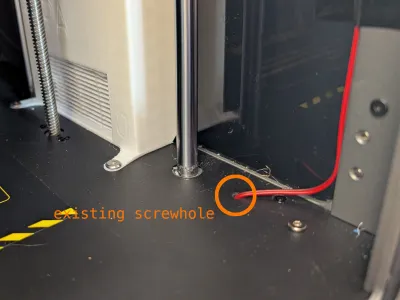
- Route the fan wires through the existing screw hole in the printer base to connect to your external power supply.
Printing Recommendations:
- Material: Use a heat-resistant material such as ABS or ASA.
- General Settings: 2 walls, 10% infill. Use a brim or mouse ears to minimize warping and ensure a tight fit.
- HEPA Box: Supports are recommended unless your printer can reliably bridge 8cm. The design incorporates small support bridges, so if you decide to print without supports, only two small 8cm bridges will be used and a 4 cm wide bridge across those.
- Carbon Magazine Plates: Utilize slicer infill to create a grid pattern. Recommended settings: 8 walls, 20% honeycomb infill, no bottom or top layers, and no single wall layers on top and bottom.
Important Warnings & Disclaimers:
- Use at your own risk. This design has been tested on my K2 Pro; compatibility with newer versions may vary.
- Do not obstruct the print bed’s movement!
- Flat Head Screws are ESSENTIAL: Use flat head screws when attaching the HEPA box to the printer base. Exceeding a 3mm total height will likely block the print bed, potentially damaging your printer. (The amount of clearance may vary depending on your specific K2 Pro model).
- Acid-Free Carbon ONLY: Use only acid-free activated carbon to prevent corrosion of internal components.
- No Responsibility: I am not responsible for any damage caused to your printer.
Related Project:
For those interested, you can find my K2 Pro exhaust fan duct here: https://www.nexprint.com/en/models/G8508242
Bill of materials
- NameQuantityNotes
- 15015 blower fan2
- 2Power supply1Compatible with your chosen fan voltage
- 3HEPA filter 80x40x15mm1compatible with iLife V5 vacuum robot filters
- 4Acid-Free Activated Carbon100
- 5M4 heat inserts4
- 616mm M4 screws2
- 76mm M4 screws2
- 8flat head M4 screws2
- 96x2mm magnets24same as Gridfinity
- 1010x3mm magnets4optional
Originality of the Model
The author declares that this work is their personally original model
This model is licensed under the following terms:
Credit must be given to the creator
Only noncommercial uses of the work are permitted
Remixes must be shared under the same license
Models(19)
- K2Pro_Airscrubber_CP_.3mfDesigner

602.43 KB

2026-05-17
 K2Pro_Airscrubber-Carbon_box.stepDesigner
372.34 KB
2026-05-17
- K2Pro_Airscrubber-Carbon_box.stlDesigner
807.80 KB
2026-05-17
- K2Pro_Airscrubber-CMAG_bot.stepDesigner
275.27 KB
2026-05-17
- K2Pro_Airscrubber-CMAG_bot.stlDesigner
918.15 KB
2026-05-17
- K2Pro_Airscrubber-CMAG_plate_4x.stepDesigner
12.32 KB
2026-05-17
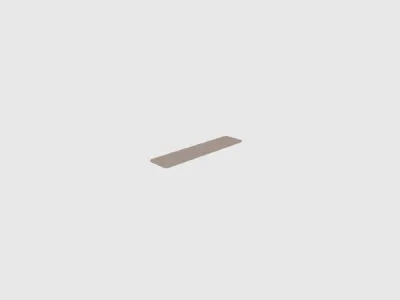 K2Pro_Airscrubber-CMAG_plate_4x.stlDesigner
29.18 KB
2026-05-17
- K2Pro_Airscrubber-CMAG_top.stepDesigner
426.07 KB
2026-05-17
- K2Pro_Airscrubber-CMAG_top.stlDesigner
1.00 MB
2026-05-17
- K2Pro_Airscrubber-Fanbox.stepDesigner
164.83 KB
2026-05-17
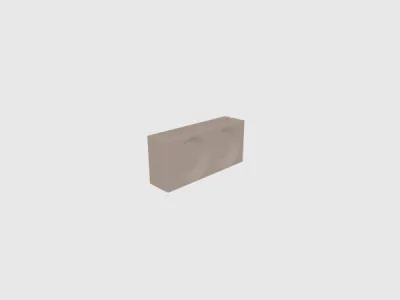 K2Pro_Airscrubber-Fanbox.stlDesigner
402.52 KB
2026-05-17
- K2Pro_Airscrubber-Fanbox_topcover.stepDesigner
45.53 KB
2026-05-17
- K2Pro_Airscrubber-Fanbox_topcover.stlDesigner
401.35 KB
2026-05-17
- K2Pro_Airscrubber-FanGuide_box.stepDesigner
257.07 KB
2026-05-17
- K2Pro_Airscrubber-FanGuide_box.stlDesigner
451.06 KB
2026-05-17
- K2Pro_Airscrubber-HEPA_box.stepDesigner
315.27 KB
2026-05-17
- K2Pro_Airscrubber-HEPA_box.stlDesigner
1008.29 KB
2026-05-17
- K2Pro_Airscrubber-MagnetHolder_10x3mm.stepDesigner
8.75 KB
2026-05-17
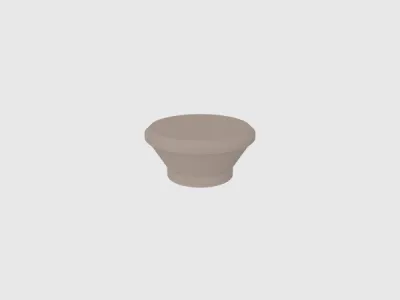 K2Pro_Airscrubber-MagnetHolder_10x3mm.stlDesigner
148.03 KB
2026-05-17
View all(19)


