












adapter
3d print
3d printing
3d printer

 0.2mm layer, 6 walls, 20% infill
1-disc
PLA
Designer4.7(3)

13.4k

2.5k
Update — April 29
This model is now compatible with both Centauri Carbon 2 Combo (CC2C) and CANVAS for Centauri Carbon (Centauri Carbon multi-color system).
The adapter can be used across both systems with the same setup logic, making it suitable for users working with flexible filaments such as TPU.
- Compatibility Note:
The installation guide images and videos use the Centauri Carbon 2 Combo (CC2C) as an example.
The same installation method applies to CANVAS for Centauri Carbon—simply follow the existing instructions. - Recommended Use:
For flexible filaments, it is still recommended to use the TPU-optimized spool holder together with this adapter to ensure stable feeding and better print results.
Update — Mar 30
We’ve made several improvements to help with flexible filament printing and overall setup:
1. TPU-Optimized Spool Holder Added
A new spool holder model (with G-code files) is now available, designed specifically for TPU and other flexible filaments.
Due to their feeding characteristics, using the standard spool holder may affect performance. For better results, we recommend switching to this spool holder when printing flexible materials.
2. Installation Guides Updated
Instruction images and videos have been updated to reflect the new spool holder setup, making the installation process clearer.
3. Improved Instructions
We’ve corrected some text and added missing details, including guidance for disconnecting the CANVAS cable.
Tip:
If you experience feeding issues or instability when printing TPU, try using the new spool holder along with this adapter for more consistent results.
--------------------------------
Update — Mar 9
We have added a video guide to help explain the model and installation process.
Please watch the video below for a quick overview and step-by-step setup.
📌Video Guide: https://youtu.be/mvpY9bibwpc
--------------------------------
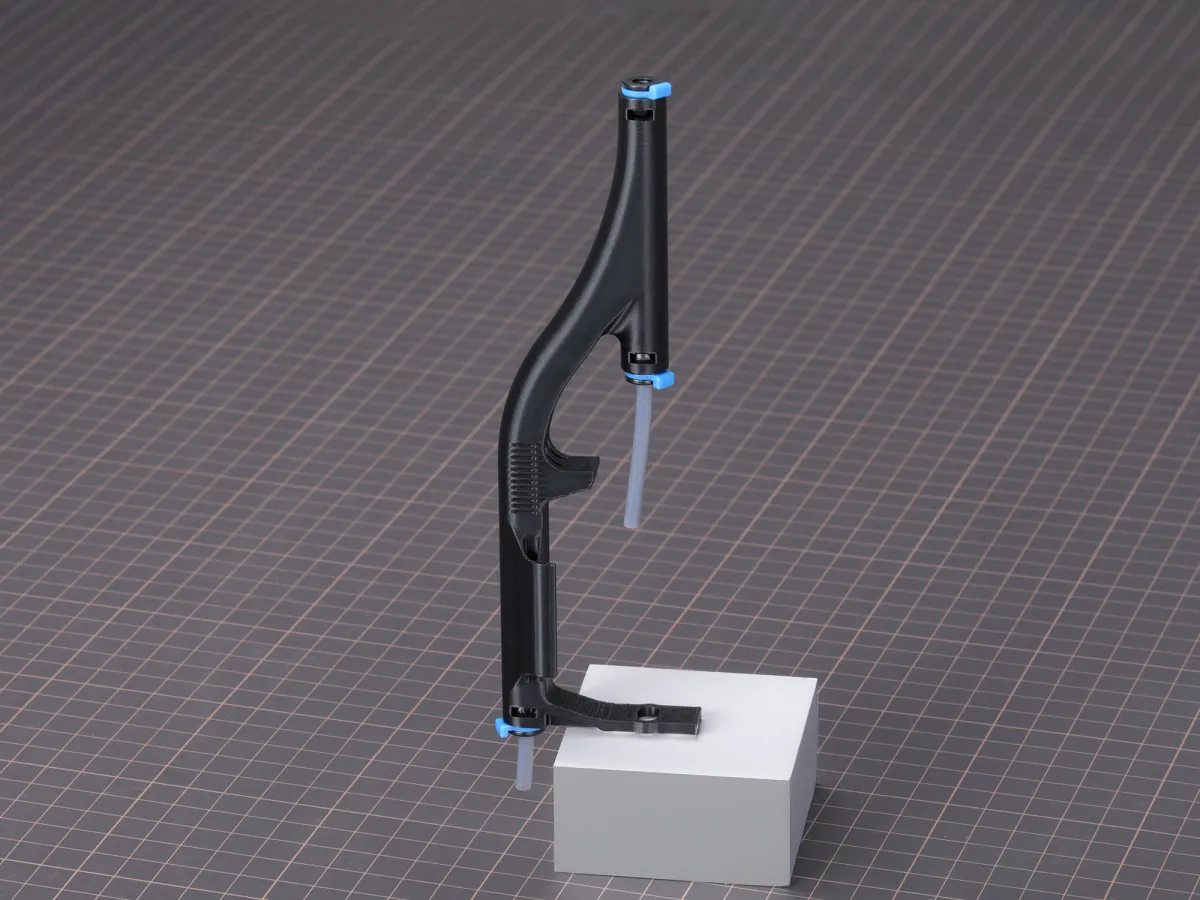
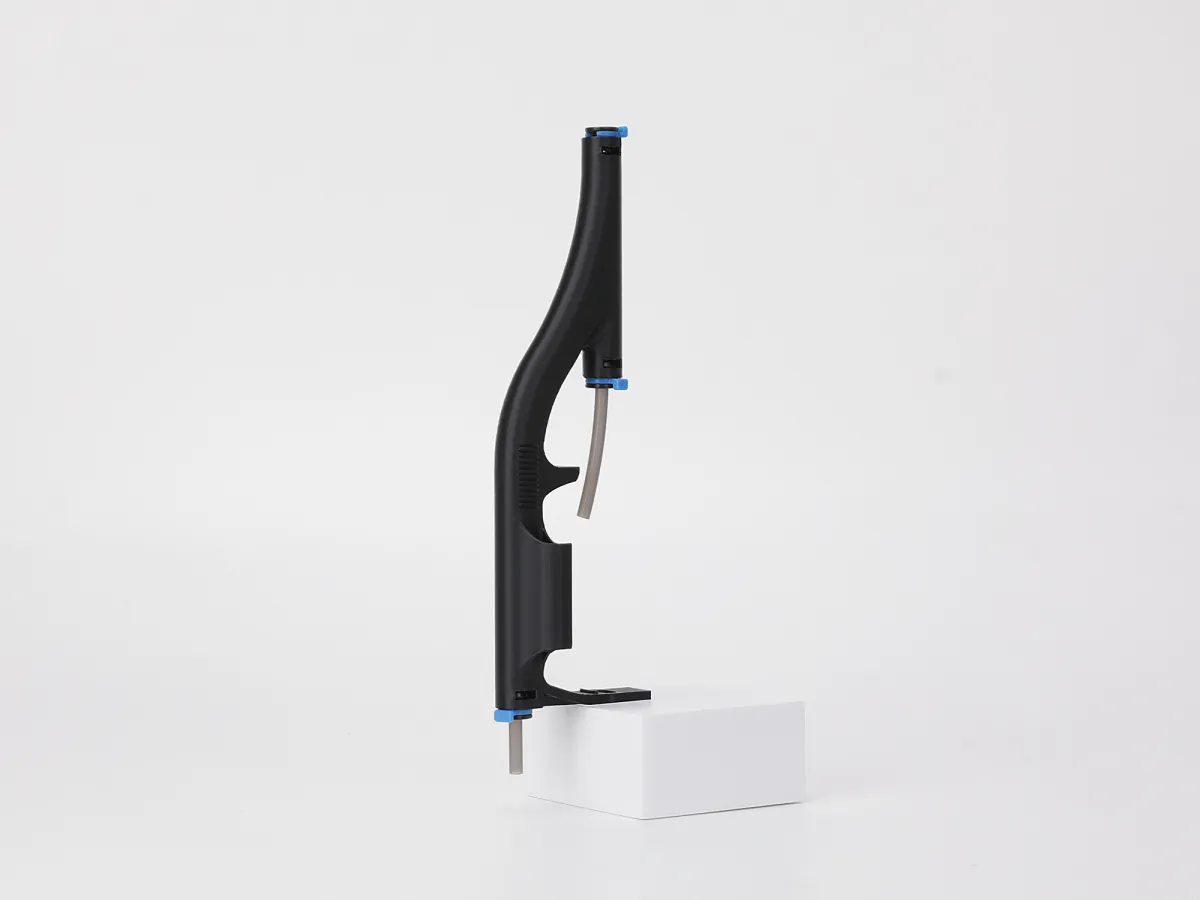
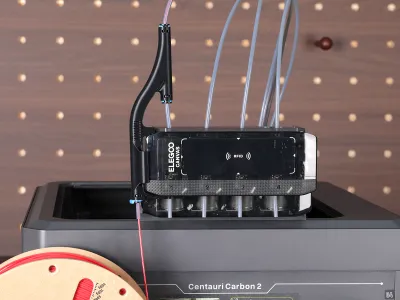
A practical adapter for the Centauri Carbon 2 Combo that improves handling of TPU and other flexible filaments, ensuring more reliable prints. It helps reduce jams and enhances print consistency, making flexible material printing accessible for both beginners and experienced users.
Additional Information & Instructions
1. Compatible Printer: Compatible Printers: Centauri Carbon 2 Combo (CC2C) and CANVAS for Centauri Carbon (CC1 multi-color system)
2. Printing Material (for the adapter itself): PLA
3. Compatibility Notice: This adapter is not compatible with the top cover and cannot be used while the top cover is installed.
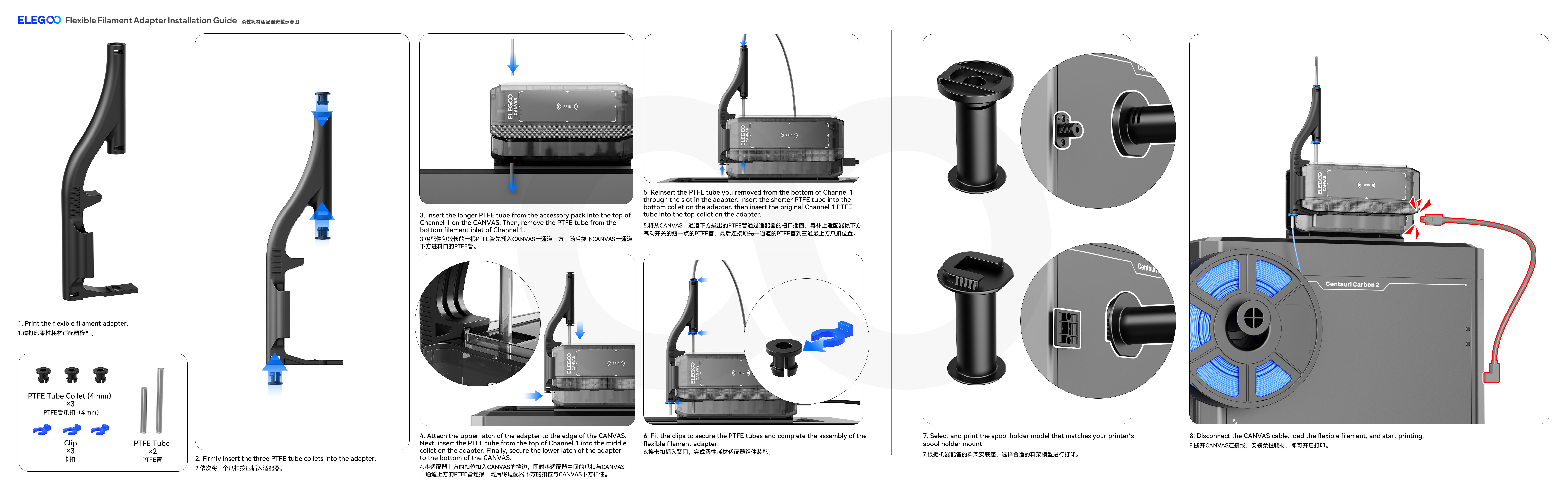
4. Tube Configuration
• The long PTFE tube (approx. 48mm length specification as provided, 4 mm inner diameter) should be inserted into Canvas Channel 1 (upper inlet).
• The short PTFE tube (approx. 25mm length specification as provided, 4 mm inner diameter) should be installed at the bottom of the adapter.
Please ensure both tubes are firmly seated to prevent filament feeding issues.
Recommended Use Case
This adapter is specifically designed for printing flexible filaments such as TPU.
It improves filament guidance and feeding stability, reducing the risk of buckling and jams during printing.
How to Use
1. Single-Color Printing
• Disconnect the CANVAS cable.
• Feed the filament through the PTFE tube located at the bottom of the adapter.
2. Multi-Color Printing
• Feed the filament through the PTFE tube below Canvas Channel 1, following the standard multi-color printing workflow.
• The setup remains the same as regular multi-color printing.
Removal Instructions
When removing the adapter:
1. Use flush cutters (side cutting pliers) to carefully remove the support structure if necessary.
2. Insert the tool into the U-shaped slot below Channel 1 to gently loosen the connection point between the adapter and the CANVAS lower latch.
3. Remove the adapter from the top of the T-joint.
4. Reinstall and restore the CANVAS module to its original configuration.
Here is the installation guide step by step:
Originality of the Model
The author declares that this work is their personally original model
This model is licensed under the following terms:
Credit must be given to the creator
Models(3)
 Flexible Filament Printing Adapter.STLDesigner
3.70 MB

2026-04-30
 Flexible Filament Printing Adapter_Mar 30 Update.STLDesigner
3.70 MB
2026-04-30
- Flexible Filament Printing Adapter.3mf
896.99 KB
2026-02-17
View all(3)
Attachments(2)
gcode
ECC2_0.4_Flexible Filament Printing Adapter_Elegoo PLA _0.2_1h25m.gcode
12.64 MB
2026-04-30
gcode
ECC2_0.4_Spool Holder Module -Old_Elegoo PLA _0.15_2h39m.gcode
15.23 MB
2026-04-30


