




Desktop Decorations
Success at the First Try!
Living Room Decorations
Year of the Horse Cultural & Creative Products
Office Decor
Gifts for the Year of the Horse
Handcrafted Collectibles
A Perfect Gift
Zodiac Decorations for the Year of the Horse
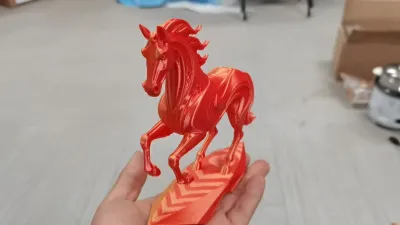
Silk Gold Red Horse
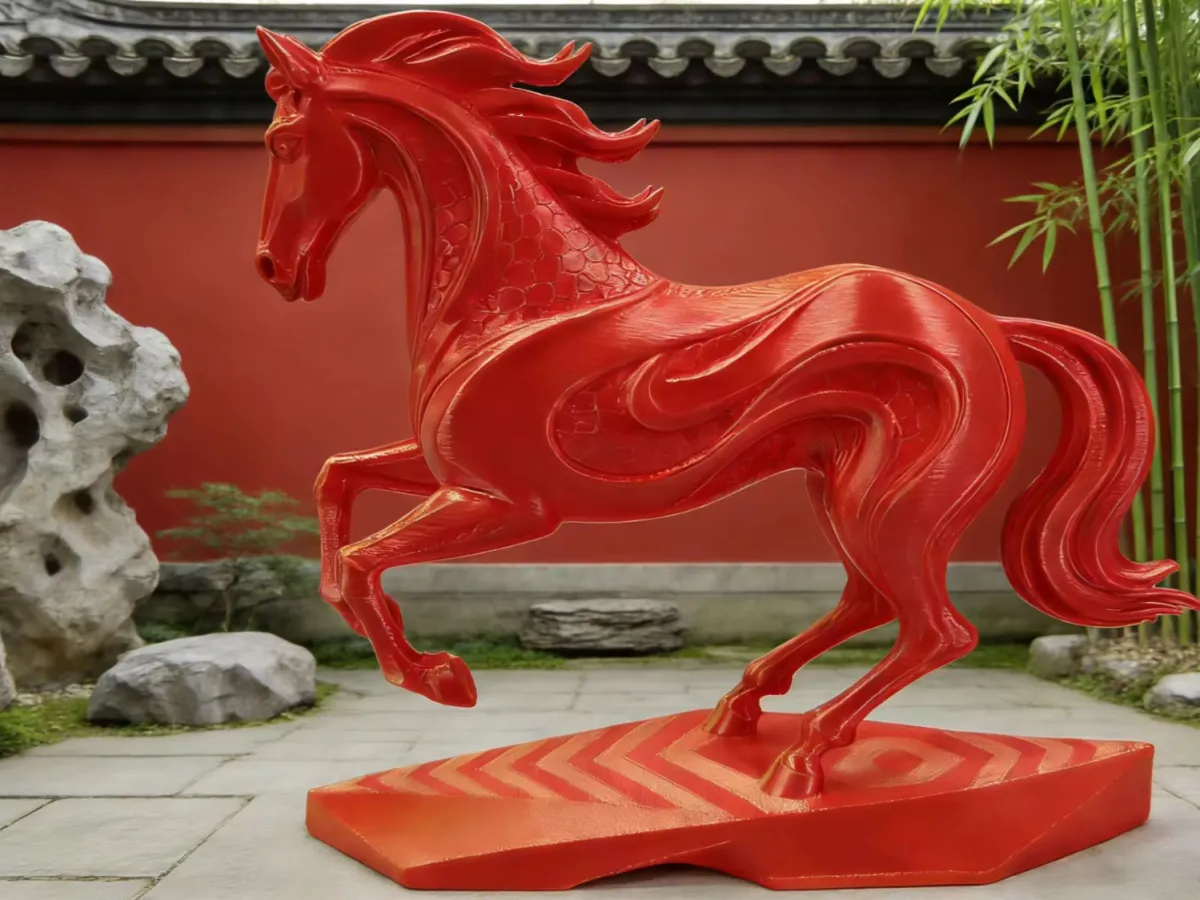
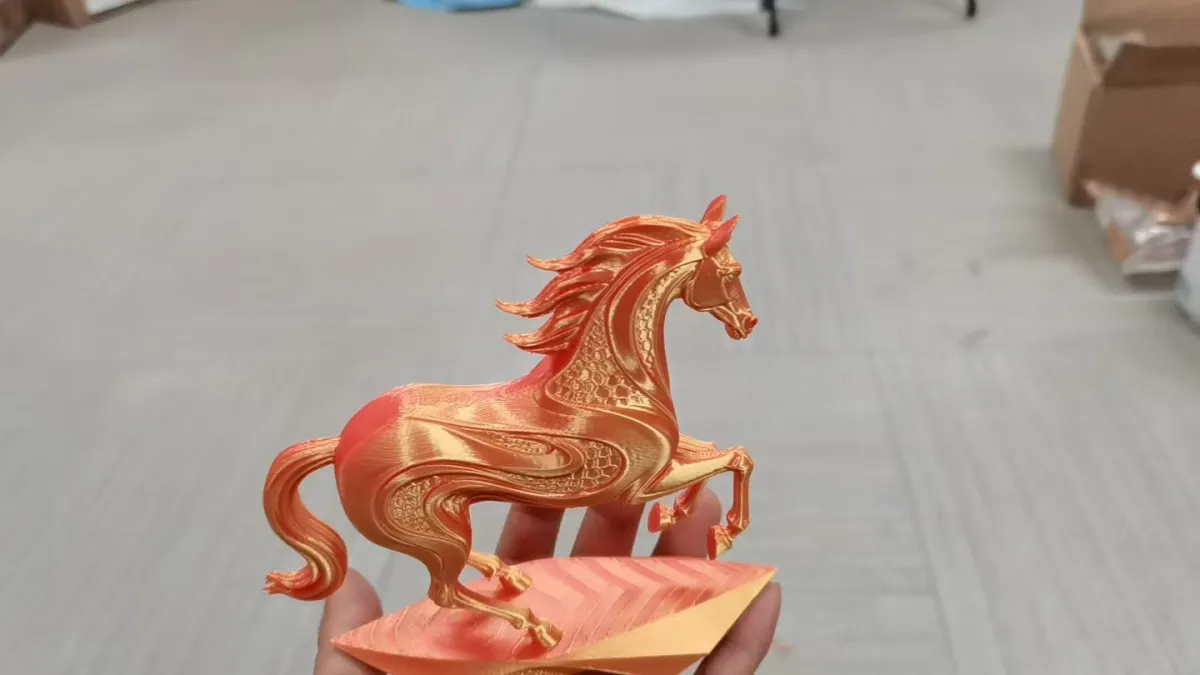
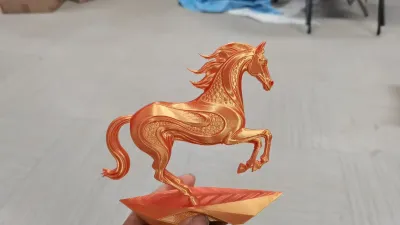
Luxury yet understated texture, a lifelike three-dimensional horse with flowing mane—simple, refined, and brimming with creative charm as a decorative accent.
3D‑Printed Arabian Stallion
Niche Cultural & Creative Products
Galloping Steed
Home Decor

- 0.2 mm layer height, 3‑layer walls, 15% infill density

1-disc
PLA
Designer

1

0
1. Sources of Printing Inspiration
This majestic horse model takes “Success at the First Try” as its core design concept, seamlessly blending traditional auspicious symbolism with modern, fluid forms. Inspired by the 2026 Year of the Red Horse—the Chinese zodiac year associated with prosperity and good fortune—it captures the dynamic energy of a galloping steed through a silky, gradient sheen of gold and red, symbolizing smooth career progress and an unwavering, upward‑facing vitality. Beyond being a stunning desktop decoration, this model also makes for an exceptional gift in the Year of the Horse.
2. Printing Configuration Overview
(Optimized for Silk Gold–Red Gradient PLA, with targeted enhancements for fragile areas)
- Filament: Silk Gold–Red Gradient PLA (1.75 mm), offering both exceptional gloss and robust base toughness
- Nozzle Temperature: 205–215°C, ensuring thorough material melting and strong interlayer adhesion
- Bed Temperature: 50–55°C, preventing warping or delamination at the base layer
- Print Speed: A consistent 40–50 mm/s overall, with detailed areas like the horse’s legs and mane slowed to 30–35 mm/s
- Layer Height: 0.18 mm, striking a balance between print accuracy and interlayer strength
- Wall Thickness: 1.4–1.6 mm, enhancing structural stability in load‑bearing regions such as the horse’s legs
- Infill Density: 25–30%, boosting the model’s overall resistance to fracture
- Support Settings: Tree‑like supports are enabled, generated only in areas where the horse’s belly and legs extend beyond a 45° overhang; support density is set at 10–12%, with contact point diameters of 0.3 mm
- Skirt Settings: A 6 mm wide, single‑layer skirt is applied, positioned 2 mm from the model’s edge; solid adhesive is applied to the heated bed to enhance adhesion
- Cooling Fan: The cooling fan is turned off for the first three layers, then maintained at 40% speed for subsequent layers; when printing the horse’s legs and mane, the fan speed is reduced to 30% to further strengthen interlayer bonding
3. Assembly Instructions
1. Cooling and Removal: After printing is complete, allow the heated bed to cool to room temperature—approximately 15–20 minutes—before gently peeling off the skirt.
2. Support Removal: Use needle‑nose pliers to carefully snip the supports at their base. For the tiny supports on the horse’s legs and mane, delicately lift them away with soft tweezers; never pull or yank them directly.
3. Surface Finishing (Optional): If any support residue remains, lightly sand it down with 2000‑grit sandpaper, then wipe the surface clean with a cotton cloth to restore the model’s silky luster.
4. Final Placement: The model features an integrated design that requires no additional assembly—simply place it on your desk as a beautiful decorative piece.
4. Key Considerations
During Printing
- Monitor the printing status of the horse’s legs and mane in real time; if stringing or interlayer gaps occur, incrementally increase the nozzle temperature by 2–3°C.
- Avoid pausing the print mid‑process, as cooling between layers can lead to insufficient adhesion in the horse’s legs.
After Post‑Processing
- The horse’s legs and mane are high‑risk areas prone to breakage; when removing supports, always start at the base and avoid forceful tearing or pulling.
- If minor cracks appear on the horse’s legs, reinforce them by applying a small dot of PLA‑specific adhesive, let it dry completely before handling again.
- When moving the model, support the base and main body of the horse—never grasp the legs or mane directly.
Everyday Display
- Keep the model away from high temperatures and direct sunlight to prevent deformation of the PLA material.
- For cleaning, use a dry cotton cloth to gently wipe the surface; avoid soaking or exposing the model to water.
Originality of the Model
The author declares that this work is their personally original model
This model is licensed under the following terms:
Credit must be given to the creator
Models(1)
- baoma.3mfDesigner

4.58 MB

2026-02-05


