




customized
illumination
openscad
shadow
light
shadow display
display
yinyang
customizer
Shadow Display (Customizer)
Print Profile(0)

6

0
Released 2025-08-02
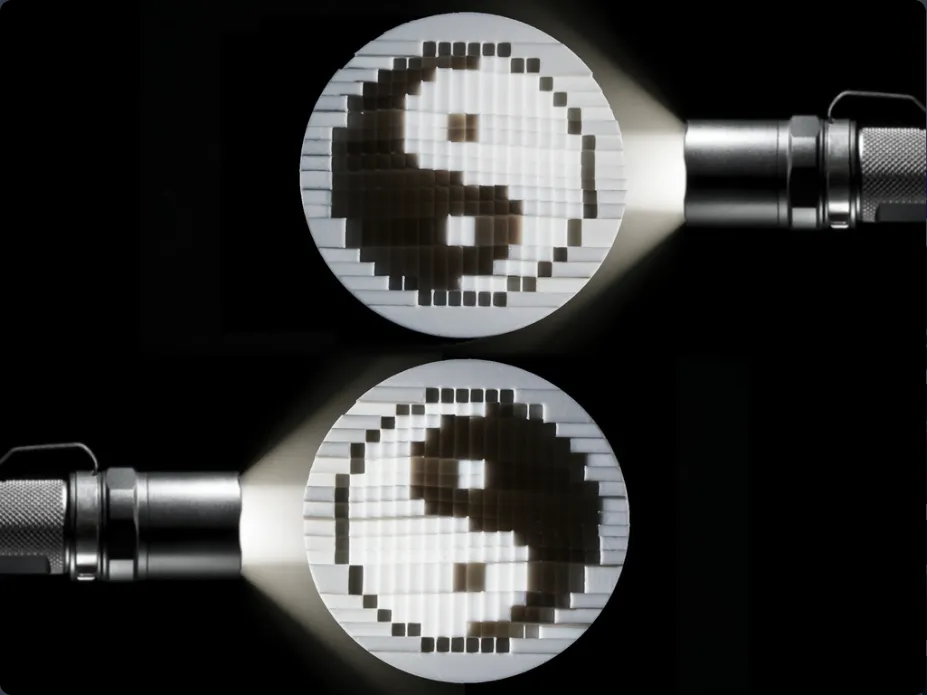
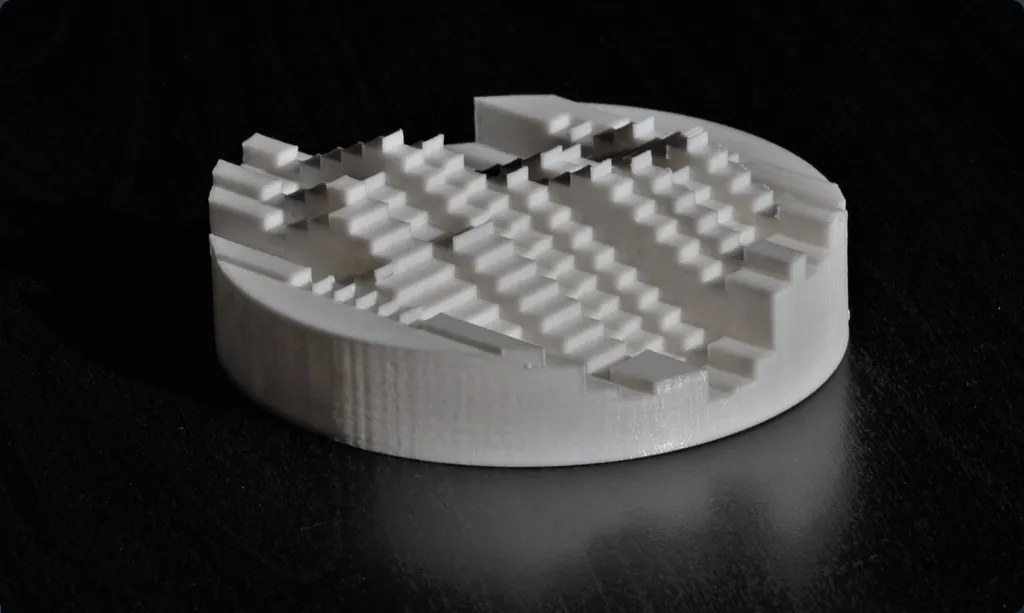
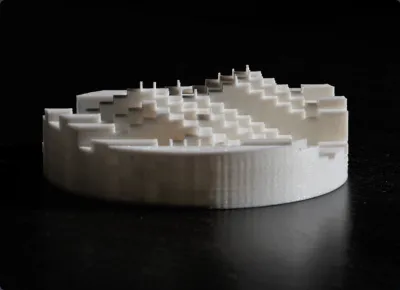
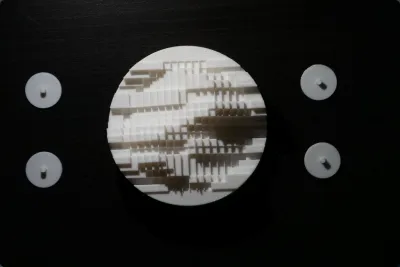
The shadow display is a static object that displays 2 different images when illuminated from 2 different, specific angles. The images are low resolution black and white images.
This is created programmatically so you can create your own:
- Create 2 black and white (not greyscale) images that are EXACTLY 20x20 pixels in size. This is easy to do in MS Paint or similar. It looks best if your images have a white background color.
- Click "Open In Customizer" button ^
- Choose the nozzle size of your printer. 0.2mm works best. If you choose 0.4mm the whole print will be quite large.
- Upload your right and left images with the "Open File" buttons.
- Click "Create Thing".
- Open Queue.
- Wait 5 mins
- Print the output
For more options download the SCAD file and run it locally. The top of the file has extra variables you can try tweaking.
Originality of the Model
The author declares that this work is their personally shared model
Original creator:

AdditiveTech
Reprint source:https://www.thingiverse.com/thing:2971742
This model is licensed under the following terms:
Credit must be given to the creator
Models(3)
 shadow_display.scad
6.69 KB

2025-07-23
- yinyang0.2mm.stl
1.01 MB
2025-07-23
- yinyang0.4mm.stl
1.01 MB
2025-07-23
View all(3)
No more


