


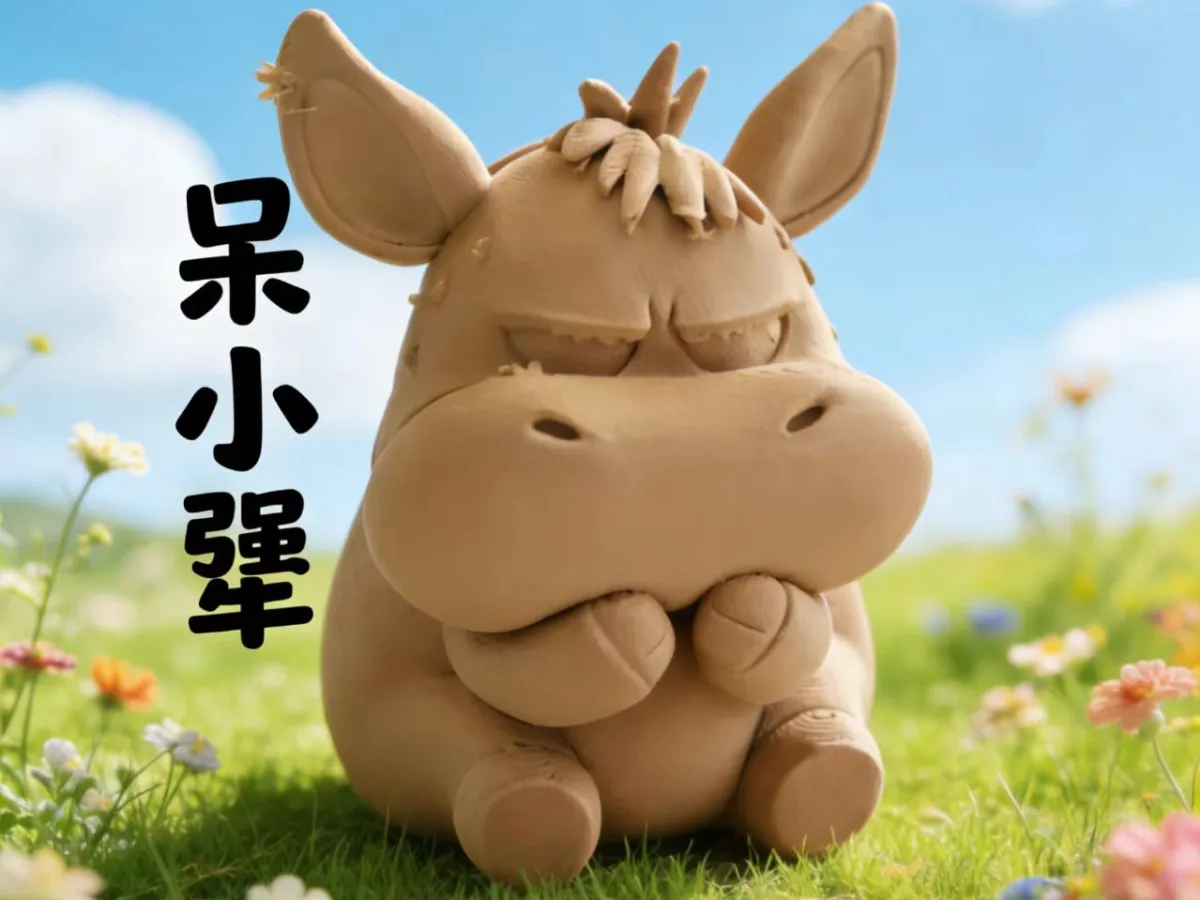
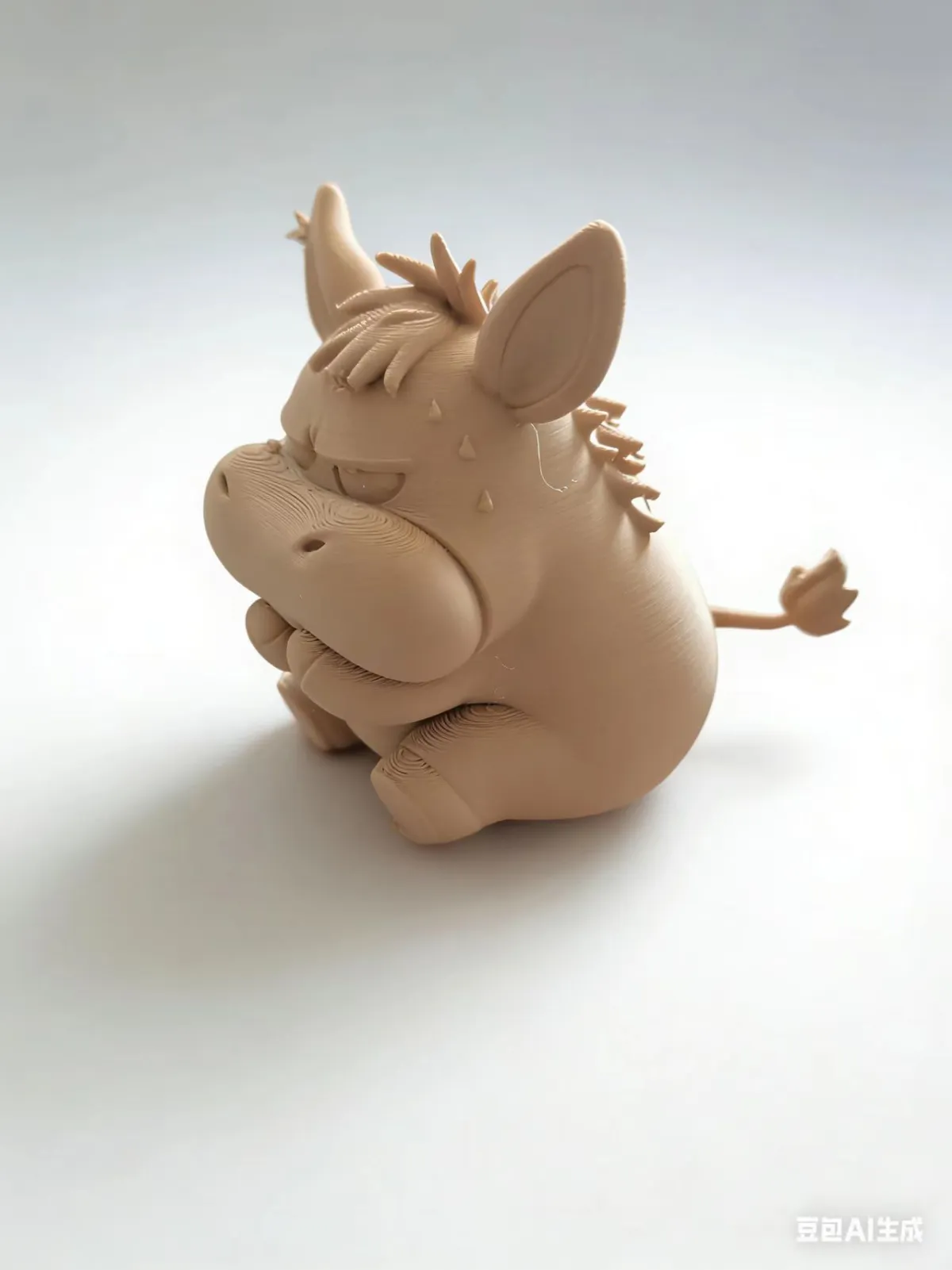

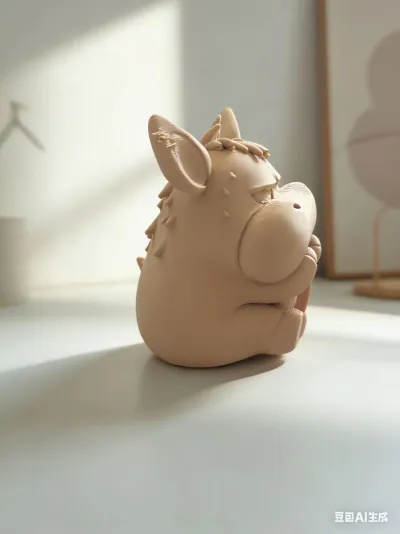

3D‑printed figurine with a ceramic-like texture
Delicately printed, with a cute and charming aesthetic.
After applying matte paint, the little stubborn donkey was colored.
Printed Cute, Spirited Little Donkey Figurine
Easy‑To‑Remove Supports
Low printing difficulty
Cultural and Creative Figurines
High texture fidelity
Seamless Support
Small-scale models
Mass‑produced prints
Round and plump design
Lightweight Model
Sandpaper can be used for polishing.
Anti‑warping edges

- 0.2 mm layer height, 3‑layer walls, 15% infill density

1-disc
PLA
Designer

6

1
🔧 Basic Print Settings
Parameter | Recommended Setting | Notes
Print Material: PLA (Light Terra Cotta) – For this cute, anime-style figure, PLA is an ideal choice: it’s easy to print, offers stable color performance, and delivers a surface finish that closely matches the original artwork.
Layer Height: 0.2 mm – This setting strikes a balance between fine detail resolution and printing efficiency; a 0.2 mm layer height ensures crisp, well-defined features like fur tufts and intricate facial expressions.
Infill Density: 15%–20% – This range provides sufficient structural integrity while minimizing material usage—perfect for round, organic shapes that don’t require high infill densities.
Print Speed: 60–80 mm/s – Reduce the shell speed to 50 mm/s to enhance surface smoothness and prevent detail blurring.
🛠️ Support and Bed Adhesion Configuration
Support Settings
- Support Type: Tree Support – Generate supports only in overhang areas such as beneath the ears and along raised fur sections, minimizing contact points to avoid damaging the model’s surface.
- Support Density: 10%–15% – This density ensures sturdy support while making removal easier and leaving minimal residual marks on the print.
- Support Contact Point Size: 0.6 mm – Reducing the adhesion between supports and the model results in a smoother surface after removal.
Adhesive & Skirt
- Adhesive Application: We recommend applying a thin coat of PVP solid adhesive or dedicated 3D printing adhesive to the heated bed surface—especially when using PLA. This significantly improves bed adhesion and helps prevent warping or edge lifting.
- Skirt: Enabled – Set the skirt width to 5–8 mm with 1 layer to verify extrusion consistency and further enhance bed adhesion.
⚙️ Advanced Print Options
1. Surface Texture Optimization – If you’re aiming for a more refined, ceramic-like finish, enable “Vase Mode” or reduce the print speed to 40 mm/s to minimize visible layer lines.
2. Multi‑Color Gradient Effects – To replicate the natural color transitions found in the original artwork, consider using gradient PLA filaments or lightly tinting the finished print with matte paint after post‑processing.
3. Batch Printing Optimization – When printing multiple copies, rotate the model by 15° to reduce support footprint, and enable “Auto‑Support Generation” to save time on manual adjustments.
4. Post‑Processing Enhancement – After printing, gently sand any remaining support marks with fine-grit sandpaper (400–800 grit), then apply a light coat of matte clear coat to elevate the overall aesthetic quality.
Originality of the Model
The author declares that this work is their personally original model
This model is licensed under the following terms:
Credit must be given to the creator
Models(1)
- 呆小犟.3mfDesigner

19.95 MB

2026-02-03


