




Wanhao Duplicator I3
belt
x-axis
modification


5

1
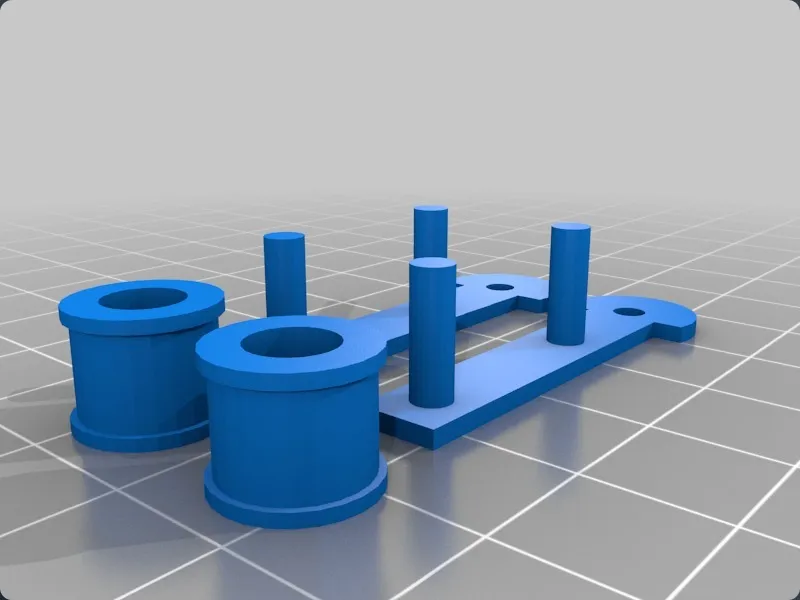
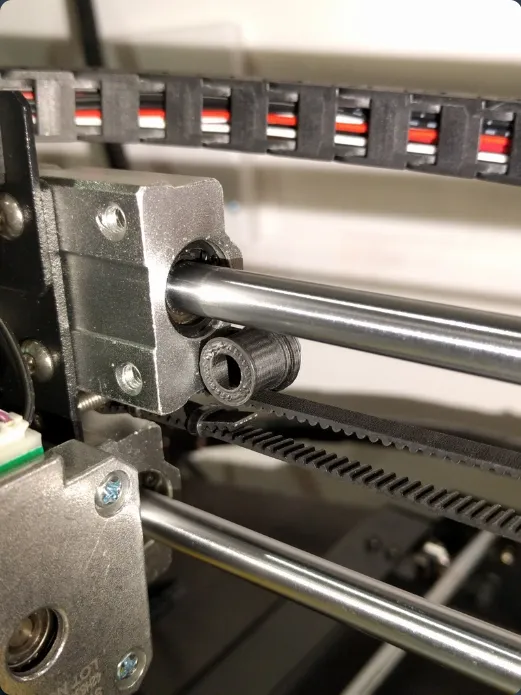
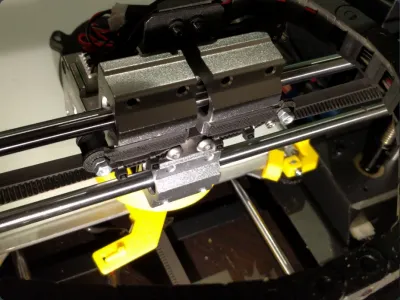
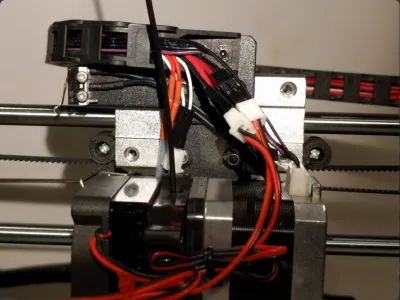
This is a little device for shifting your X axis drive belt away from the machined block that it normally rubs against.
It comes in two parts:
- X Roller - A friction fitting support structure for mounting the wheel
- X Roller Wheel - A wheel with a lip to keep the band tracking properly
A full set of two supports and two wheels can be printed using the "X Roller Set.stl" file
In addition you will require the following hardware:
- 2 x 10mm or 12mm M3 machine screw
- 2 x M3 locking nut (Or 4 standard M3 nuts like I have used in the picture.)
Assembly:
- Print a set of parts.
- Push a machine screw through a wheel, and then screw the thread into the hole in the support so that the wheel is on the same side as the two prongs for the support.
- Put the locking nut on the back of the support.
- Adjust so that the wheel rotates freely, but the machine screw remains fixed.
- Push prongs into the holes on the back of the X-Axis mounting block so that the wheel depresses the X-Axis belt slightly.
- Repeat from step 2, placing the second support and wheel on the other side.
Note: Change your printer's maximum X travel to account for the wheel on the right of the print head. I had to reduce my print area by 8mm to 192mm.
Originality of the Model
The author declares that this work is their personally shared model

This model is licensed under the following terms:
No Copyright.
Models(8)
 X_Rollers_2.skp
1.09 MB

2025-06-25
- X_Rollers_2.stl
168.25 KB
2025-06-25
- X_Roller_-_Single_Support.skp
1.10 MB
2025-06-25
- X_Roller_-_Single_Support.stl
197.02 KB
2025-06-25
- X_Roller_Set.skp
1.29 MB
2025-06-25
- X_Roller_Set.stl
603.41 KB
2025-06-25
- X_Roller_wheels_2.skp
1.08 MB
2025-06-25
- X_Roller_wheels_2.stl
127.13 KB
2025-06-25
View all(8)


