









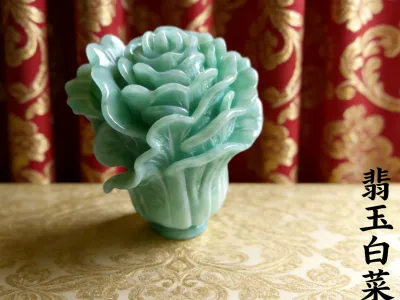
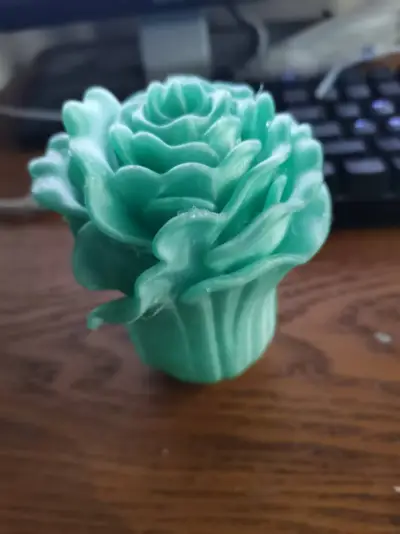
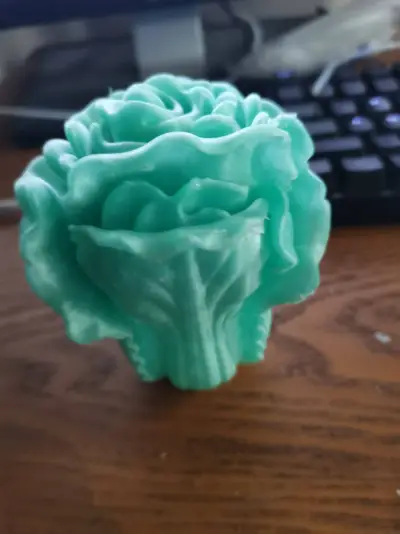
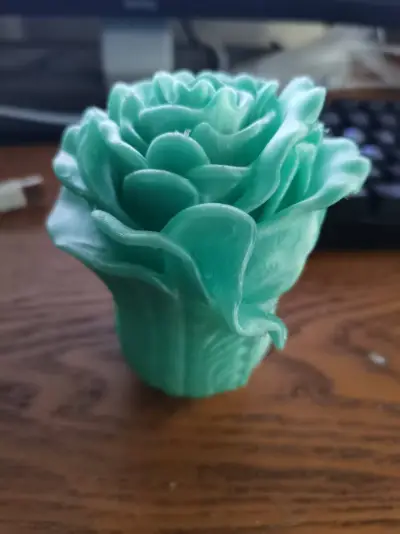

Desktop Decorations
New Year’s Gift
Turquoise PETG
Integrated Molding
Healing‑style decorative figurines
Home Aesthetics
Cultural and Creative Industries
Elegant Decorative Piece
Fresh Color Palettes
Visual Tension
Original Design
National Trend Cultural & Creative Products
Rounded Shapes
Biomimetic Plants

- 0.1 mm layer height, 3‑layer walls, 15% infill.

1-disc
PETG
Designer

5

2
1. Source of Inspiration
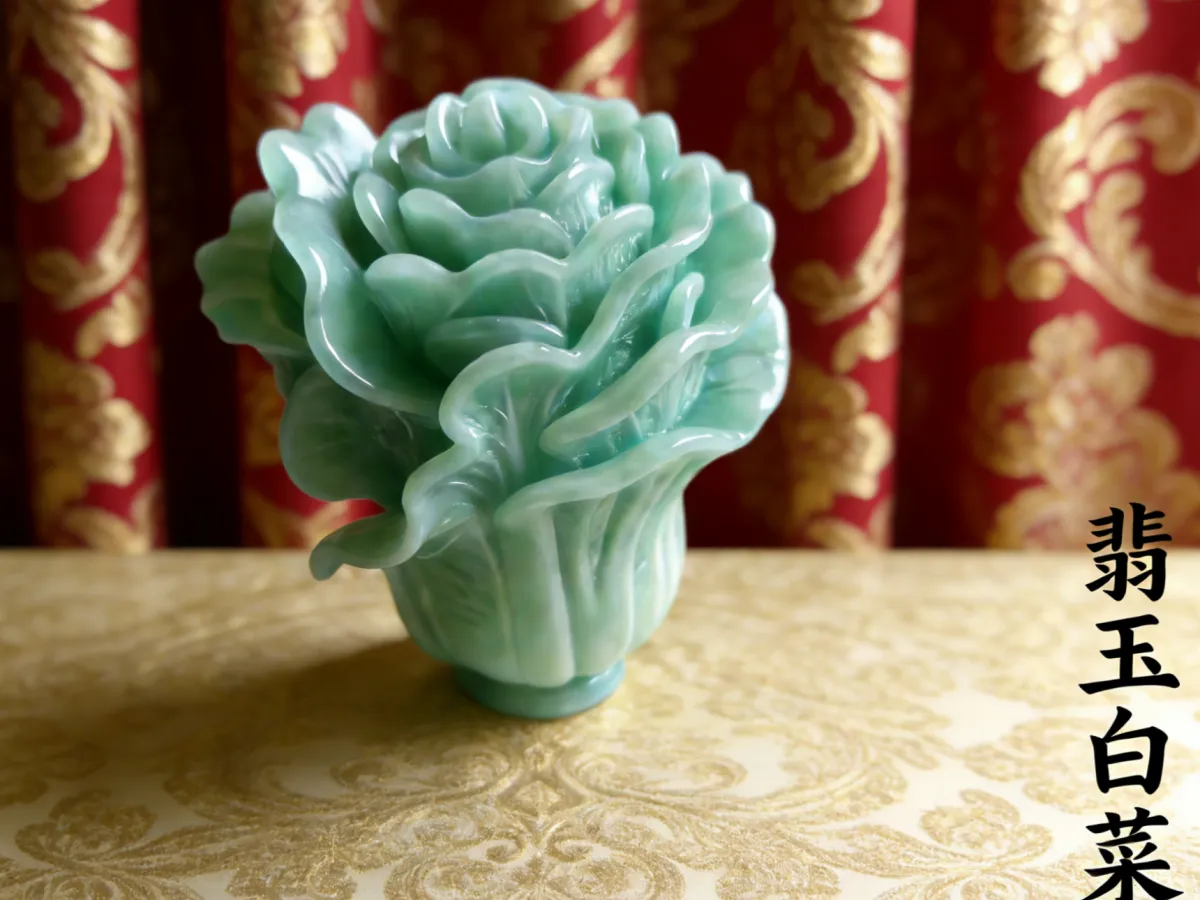
The “Jade Peony Vegetable” draws its creative inspiration from the fusion of Chinese homophonic culture and Eastern aesthetics. By pairing the homophone “bai cai” (meaning “a hundred fortunes”) associated with Chinese cabbage with the symbolic imagery of peonies as emblems of wealth and prosperity, this design embodies the auspicious sentiment of “a gathering of a hundred fortunes and enduring good fortune.”
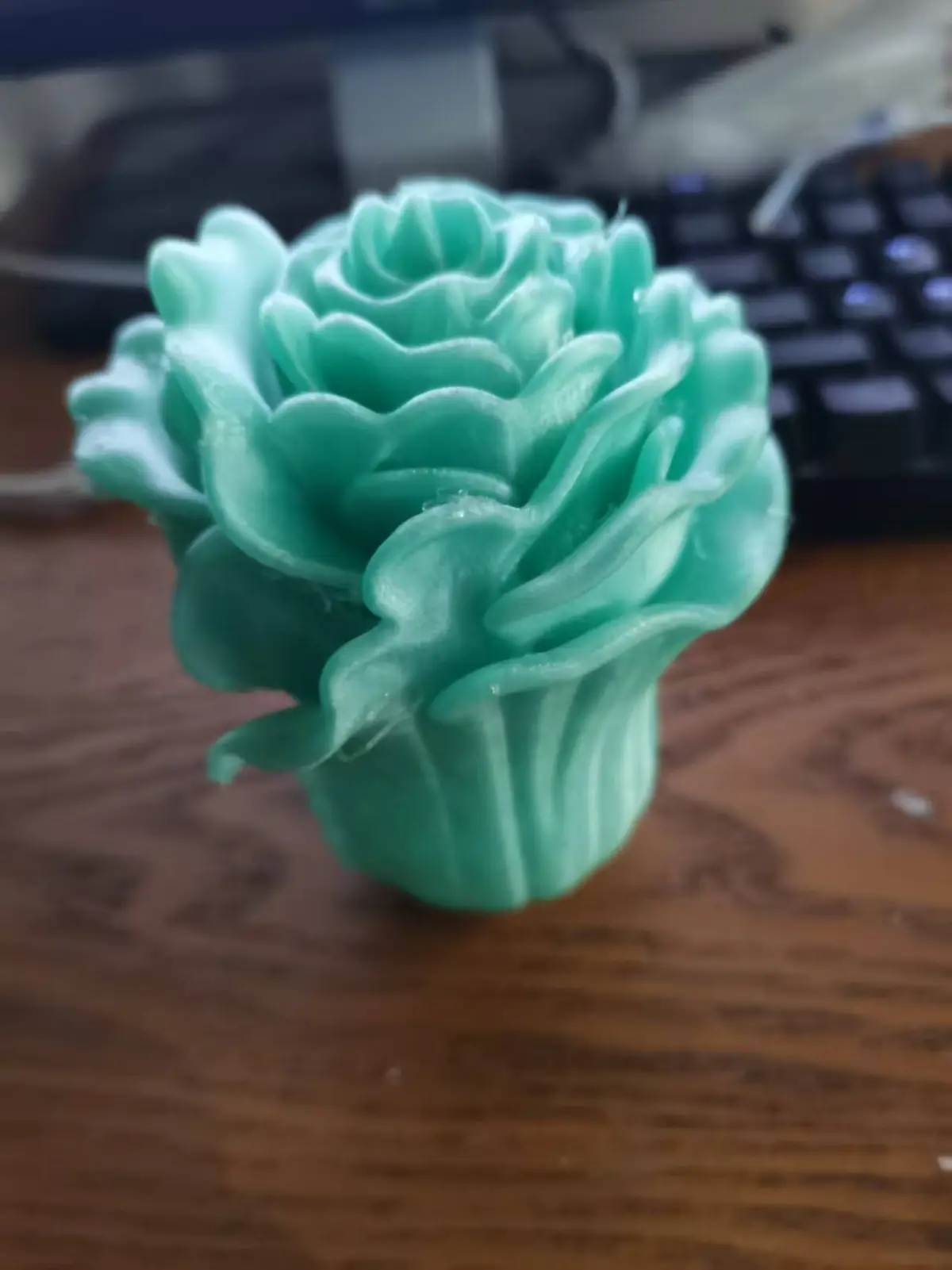
In terms of design, I reimagined the leaves of Chinese cabbage by layering and texturing them to resemble peony petals—retaining the cabbage’s iconic form while imbuing it with the refined elegance of floral motifs. The verdant green hue is inspired by the warm, jade-like luster of “jade,” lending traditional wealth‑attracting symbols a more artistic and sophisticated expression.
Printing Technology: FDM – Fused Deposition Modeling
- Recommended Filament: PETG (1.75 mm, high‑transparency filament in a soft, jade‑green shade; we recommend opting for matte or silk‑finish PETG to emulate the gentle, luminous sheen of jade)
- Layer Height: 0.1 mm (in Extreme Detail mode, this setting ensures crisp, well‑defined leaf layering, delicate undulations along petal edges, and intricate vertical textures on the base)
- Infill Density: 15% overall (to maintain structural integrity across the model; increase infill to 20% in the core area of the base for enhanced stability when placed)
- Print Temperature: Nozzle 230–240°C (adjust slightly based on filament brand—recommended to perform a temperature tower test during your first print), Bed 70–75°C (PETG requires a higher bed temperature to ensure strong interlayer adhesion)
- Print Speed: 30–35 mm/s for outer walls and detailed areas (reduce speed at 0.1 mm layer height to maintain consistent extrusion and sharp, clean outlines); 50–60 mm/s for infill regions (balancing efficiency with print quality)
- Cooling Settings: Fan speed set to 50–60% (overcooling PETG can lead to interlayer cracking—carefully manage airflow to avoid rapid temperature drops)
- Retraction Settings: Enable retraction, with a retraction distance of 5–6 mm and a retraction speed of 40 mm/s (this minimizes stringing and helps achieve a cleaner, smoother surface)
- Line Width Setting: 0.4 mm (matched to the nozzle diameter to ensure thorough filling of fine details)
Special Configuration Requirements
- No Glue Required: PETG filament exhibits stable adhesion at a bed temperature of 70°C, eliminating the need for additional glue or tape to secure the model—preventing residual adhesive from compromising the base’s flatness.
- Support Structures Needed: The model features numerous overhanging, layered structures in the leaf sections; enable automatic support generation and set the support density to 8–10%, with contact points sized at 0.25 mm. For delicate areas such as leaf edges and downward‑drooping outer layers, manually add localized reinforcement supports to increase the contact area between supports and the model, thereby preventing warping or detachment during printing.
- Skirt Feature Required: Activate the skirt function, setting the width to 6–8 mm with 1 layer—this not only stabilizes the base and prevents edge curling but also allows you to pre‑verify that the nozzle is dispensing material smoothly, helping to avoid filament interruptions later in the print process.
- Reinforced Hanging Structures: For the drooping sections of the outer leaves, increase the contact area of supporting structures to enhance overall strength and ensure high‑quality detail reproduction.
- Base Optimization: Since the base is cylindrical, enable bottom compensation (set the compensation value to 0.1 mm) to prevent edge curling and ensure the model sits steadily on the build plate.
Estimated Print Time
Based on a layer height of 0.1 mm and an infill density of 15%, the total print time is approximately 8–9.5 hours. Generating support structures and reinforcing hanging areas will add roughly 45–60 minutes to the process; if you opt for multi‑color printing or switch filaments, the total print time may increase by 1–2 hours accordingly.
3. Assembly Instructions
This model is designed for integrated printing—no complex assembly is required. Simply complete the following post‑processing steps to finalize the piece:
1. Remove Supports
Once printing is complete, allow the model to cool completely to room temperature (approximately 30–40 minutes). Carefully remove support structures using needle‑nose pliers or a utility knife. Pay special attention to removing any remaining support material from leaf edges and layer seams—work gently to avoid scratching the surface texture. For small, stubborn support contacts, use tweezers to assist with removal.
2. Fine‑Tune Details
Start by lightly sanding away any visible residue left by the supports using 600‑grit sandpaper to smooth out prominent bumps; then refine the surface with 1000‑grit sandpaper for a more polished finish; finally, use 1500‑grit sandpaper to achieve a silky‑smooth, high‑gloss finish. To minimize dust and prevent excessive sanding from damaging the leaf texture, lightly dampen the surface with a small amount of water during sanding.
3. Surface Enhancement (Optional)
If you wish to further accentuate the warm, jade‑like luster of PETG, apply a thin coat of clear varnish—either matte or high‑gloss works well. Before spraying, thoroughly clean the model’s surface to ensure no dust remains; spray from a distance of 15–20 cm, applying 2–3 even coats with 5–10 minutes between each layer. Once fully dry, the model will reveal a translucent, jade‑like finish that exudes natural beauty and depth.
4. Stability Check
Place the model on a flat, stable surface and verify that the base sits evenly. If the model tilts slightly, attach a 3M anti‑slip pad (15 mm in diameter) to the base to adjust the balance—and take care to avoid scratching the tabletop in the process.
5. Decorative Enhancements (Optional)
You can add a touch of gold acrylic paint along the base’s edges, or pair the model with a wooden or acrylic display box to elevate its visual impact and showcase its intricate details even further.
Originality of the Model
The author declares that this work is their personally original model
This model is licensed under the following terms:
Credit must be given to the creator
Models(1)
- 翡翠白菜.3mfDesigner

12.38 MB

2026-01-30


