




spool
spool mount
Centauri Carbon
spool holder
support


1.1k

114
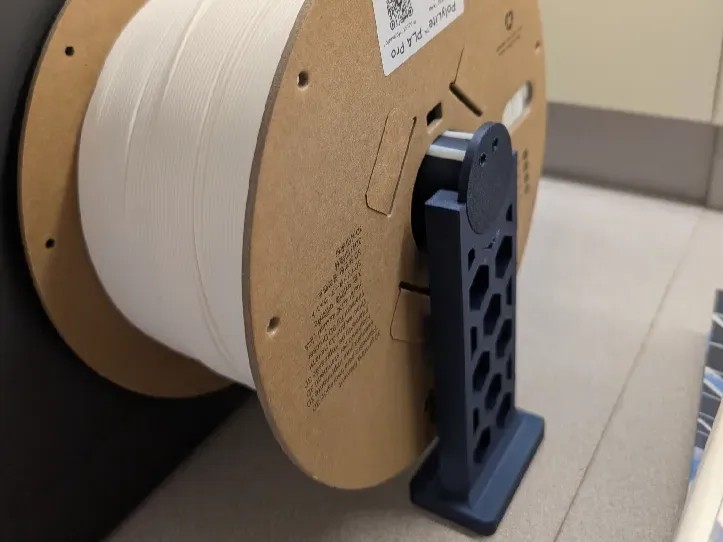
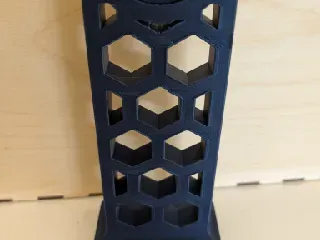
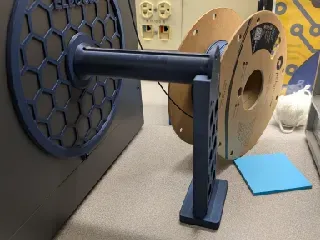
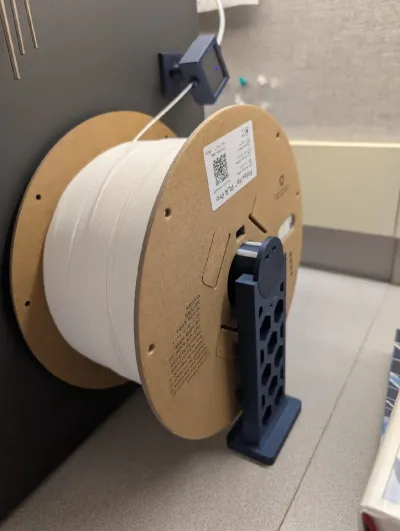
I printed Uncle Jessy's 3kg Spool Holder for the Centauri Carbon, but noticed it severely drooped when putting on a full 3kg roll. To prevent the cantilever, I designed a support structure that can be attached and removed in seconds from the outer edge of the spool holder.
It keeps the filament roll level and prevents unnecessary torque to the Centauri Carbon's side panel.
Compatible with Uncle Jessy's 3kg Spool Holder and pascal_lb's original spool holder design.
Note: Height designed for the stock Centauri Carbon directly on the table. The vibration feet are not being used and the printer is not sitting on other materials.
- I found 166mm tall to the best height for the stock printer.
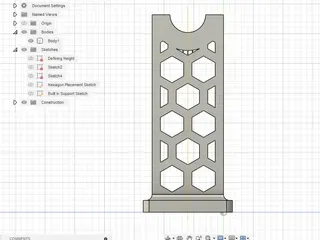
- Resizing instructions of the .F3D to get the appropriate height and hexagon look can be found at the very bottom.
Files:
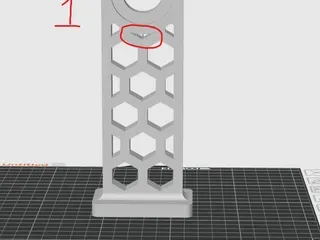
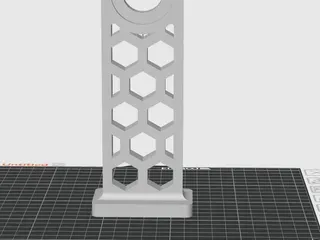
- Design with hexagons and built in supports for the top hexagon. (STL)
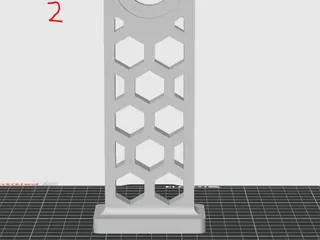
- Design with hexagons, no top hexagon, so no need for built in supports. (STL)
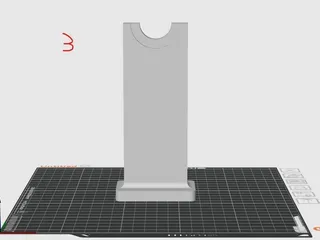
- Design completely solid, no built in supports. (STL)
- Master File for resizing/ altering hexagon placement. (F3D)
Print Instructions:
- Print model vertically, needs to be rotated in the slicer.
- I used Polymaker PLA Pro, but should be fine with regular PLA or other filaments
- I used fairly stock print settings, 0.2mm layer height, 2 walls, 15% gyroid infill.
- All printed without supports. You will get floating warnings, ignore them.
- File 1 has built in supports for the top hexagon overhang.
- Probably not the best built in supports, but they do the job and can be removed after some finagling. Recommend removing from the inside, completely flat side to keep the exterior nicer.
- Files 2 and 3 have no built in supports. They were not needed for the design.
- File 1 has built in supports for the top hexagon overhang.
Resizing the Master File:
- Open the Master file in Fusion (not sure if it can be open in other CAD programs).
- Edit Defining Sketch and select intended height to the center of the spool holder. (the extrusions will likely go crazy, that is ok)
- Edit Hexagon Placement Sketch. Click on any of the hexagon vertices and slide until you get a position you like within the “rectangular” window.
- Edit the Extruding Hexagon Cutouts. Clicking on the objects you want to cutout.
- Edit or delete the Built In Support Sketch, Extrusion, and Pattern to resize/ adjust/ create your intended built in supports depending on what you need.
- Standard hexagons below top row do not need supports.
- I have found that the rounded corners of the “rectangular supports” in the 3 wide hexagon (current configurations) do not need supports.
- Top center in a 3 wide setup or the top two in a two wide set will likely need built in supports made to accommodate the large, rounded, overhangs.
Originality of the Model
The author declares that this work is their personally original model
This model is licensed under the following terms:
Credit must be given to the creator
Only noncommercial uses of the work are permitted
Models(4)
 1_elegoo_centauri_3kg_spool_holder_support_hexagon.stlDesigner
57.31 KB

2025-08-09
 3_elegoo_centauri_3kg_spool_holder_support_solid.stlDesigner
29.18 KB
2025-08-09
 2_elegoo_centauri_3kg_spool_holder_support_no_top_hex v2.stlDesigner
51.84 KB
2025-08-09
 4_elegoo_centauri_3kg_spool_holder_support_master.f3dDesigner
240.69 KB
2025-08-09
View all(4)


