




multicolor
multipart
wallart
acdc
rock
vinyl
nfc

- 0.2mm layer, 3 walls, 15% infill

4-disc
PLA
Designer

25

2
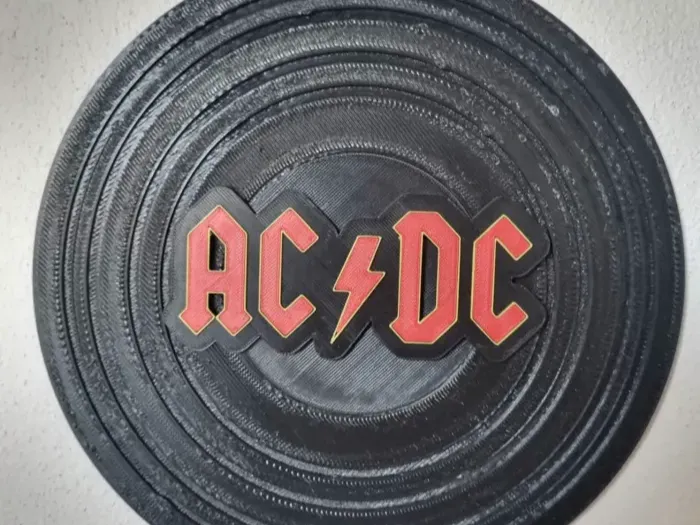
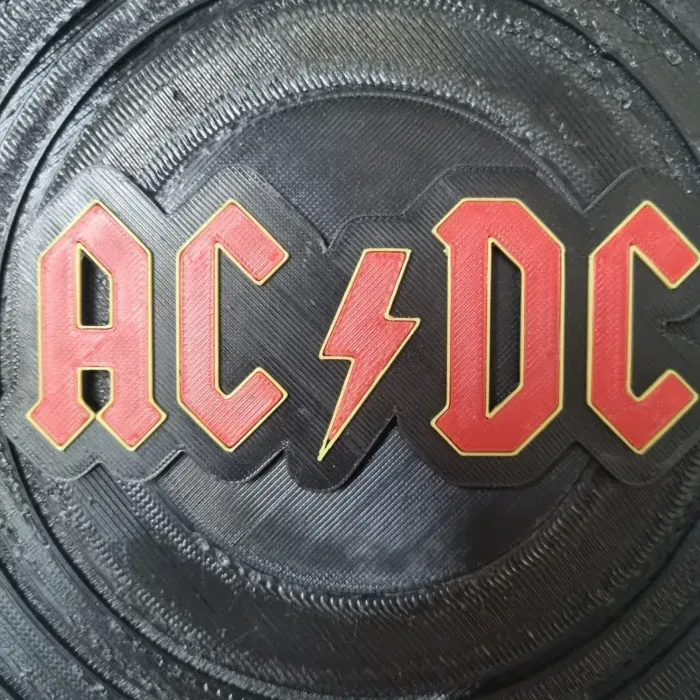
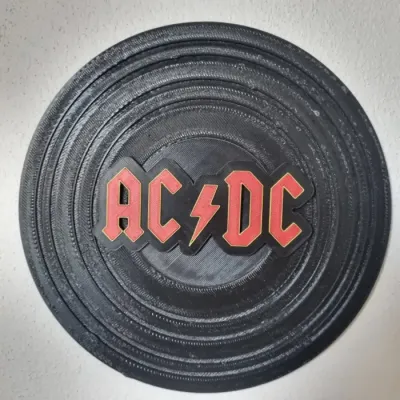
This is a Vinyl with the ACDC Logo.
To display it simply mount it on the wall using double sided tape.
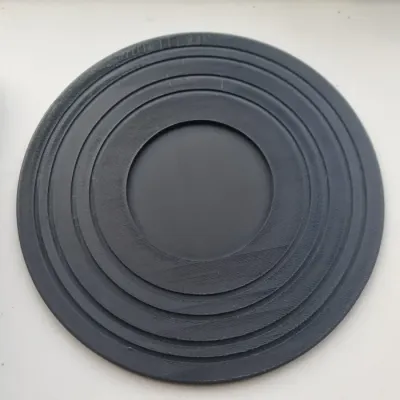
The model consists of 4 parts.
1. The Vinyl Base: This part requires no support to print, and it is printed in a singular colour.
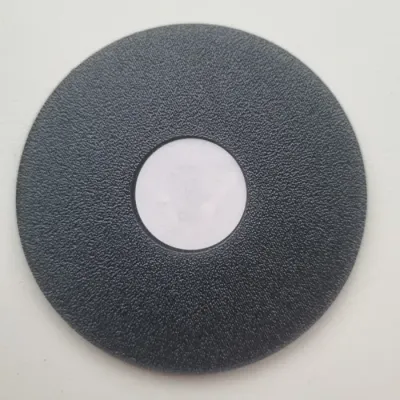
2. The Middle Part: This part requires support, it is preferrably printed right side up, and it is printed in a singular colour.
3. The Logo Base: This part requires support, it is preferrably printed right side up, but it can also be printed on the other side. This part is printed preferrably in two colours, black and whatever colour you want to outline the text. Guide on how to print multicolour further down.
4. The Letters: These parts requires support, it is preferrably printed right side up, but it can also be printed on the other side. This part is printed in a singular colour.
To assemble to model just use glue.
How to use NFC tags in the model. (You don't have to, but it is a cool niche.)
!!Your phone needs an NFC reader for this to work. Most modern Smartphones have it, but double check to be sure!!
The middle part has a space for a circular NFC tag.
I use these NFC Tags from Temu, they have a sticker on the bottom so they don't rattle around inside the vinyl. (Link at the bottom of description.)
Then you stick the NFC Tag in the hole i have made for it on the back of the middle part.
Assemble the rest of the model with glue.
Download the app NFC Tools from the Appstore on your phone.
Click the Write tab.
Click "Add a record"
Click "URL/URI"
Insert your Youtube Playlist Link. I have not managed to get it working with Spotify Playlists, unfortunately.
Click "OK"
Click the "Write" Button which has appeared
Hold your phone to the middle of the Vinyl, where the NFC Tag sits.
Then your phone quickly writes the link onto the Tag. And now whenever you hold your phone up to the Midlle of the Vinyl, your phone opens the Youtube Playlist.
The Playlist i use is this one: https://www.youtube.com/watch?v=v2AC41dglnM&list=PL6Gg2QyPfZO1gyBVdK8rAgXOmZzqA15P5&pp=gAQB0gcJCV8EOCosWNin
!!Your phone cover can't be too thick!!
How to print Multicolour on a singlecolour printer, using Creality Print
Step 1: Slice the model
Drag the layer slider to the layer where you want to change filament
Step 3: Right click on the layer slider
Step 4: Click "Add Pause"
Step 5: Slice a second time
Step 6: Print
How to pause a printer in Cura:
https://www.youtube.com/watch?v=kkOuyhffNQk&ab_channel=MysticMesh3D
In case you don't use either Creality Print or Cura then use google to discover how to do it in your slicer. Most slicers have the option to do so, it is just about knowing how to.
You can also use an AMS/CFS/MMU, that makes the process easier and fully automated.
https://www.temu.com/dk/nfc-m%C3%A6rker-nfc--nfc-stik--215-nfc-m%C3%A6rke-nfc-mynt-runde-hvide-nfc-stik--215-g-601100243760162.html?_oak_name_id=3651960710188370970&_oak_mp_inf=EKLog%2FSo1ogBGiBiMjFjOTdiNmU4NjI0YTk1YTAyNDc4YmQ4MTM4OWMzNSCE3oH8%2FjI%3D&top_gallery_url=https%3A%2F%2Fimg.kwcdn.com%2Fproduct%2Ffancy%2F4e5b0c16-bc68-4f70-82d0-30a882175bda.jpg&spec_gallery_id=601100243760162&refer_page_sn=10009&refer_source=0&freesia_scene=2&_oak_freesia_scene=2&_oak_rec_ext_1=MTQ0MA&_oak_gallery_order=1454902948%2C351835803%2C374016509%2C1016414298%2C2121144475&search_key=nfc%20tag&refer_page_el_sn=200049&_x_vst_scene=adg&_x_ads_channel=google&_x_ads_sub_channel=search&_x_ads_account=1607580266&_x_ads_set=21918262481&_x_ads_id=173476360271&_x_ads_creative_id=721745985822&_x_ns_source=g&_x_ns_gclid=CjwKCAjwprjDBhBTEiwA1m1d0rHuM4z7mu-o9GTAFjtuf1WqyvLDL1qkUQv6O_O83rfEb8h5g1iu-hoCqQkQAvD_BwE&_x_ns_placement=&_x_ns_match_type=e&_x_ns_ad_position=&_x_ns_product_id=&_x_ns_target=&_x_ns_devicemodel=&_x_ns_wbraid=CkEKCQjwg7PDBhCDARIwAOUsq4XdkOQuMUTAiblQYNHRR485e7fjdZtLjqn8zLHbfebFlJcL3jvA5heUDnKTGgIaQw&_x_ns_gbraid=0AAAAAo4mICGjNHbIS99lmgZ4tdrOqTGfk&_x_ns_keyword=temu&_x_ns_targetid=kwd-4583699489&_x_ns_extensionid=&_x_sessn_id=t6n20c8cus&refer_page_name=search_result&refer_page_id=10009_1752069491403_qg2iyogm1e
Bill of materials
- NameQuantityNotes
- 1NFC Tag1
Originality of the Model
The author declares that this work is their personally original model
This model is licensed under the following terms:
This work is licensed under a Standard Digital File License. Digital files have a strict non-commercial, personal use only license.
You shall not share, sub-license, sell, rent, host, transfer, or distribute in any way the digital file or 3D printed versions of this object, nor any other derivative work of this object in its digital or physical format (including remixes of this object). You can not host these files on other digital platforms, web stores or cloud repositories. The objects may not be used in any way whatsoever in which you charge money, collect fees.
Models(5)
 ACDC+Vinyl.stlDesigner
382.89 KB

2025-08-09
 ACDC+Letters.stlDesigner
126.16 KB
2025-08-09
 ACDC+Middlepart.stlDesigner
37.19 KB
2025-08-09
 ACDC+Logo+Main+Part.stlDesigner
432.02 KB
2025-08-09
- ACDC+Vinyl.3mfDesigner
330.81 KB
2025-08-09
View all(5)


