




Ender3
ender3s1pro
sonic pad
creality sonic pad
Sonic pad mount


9

1
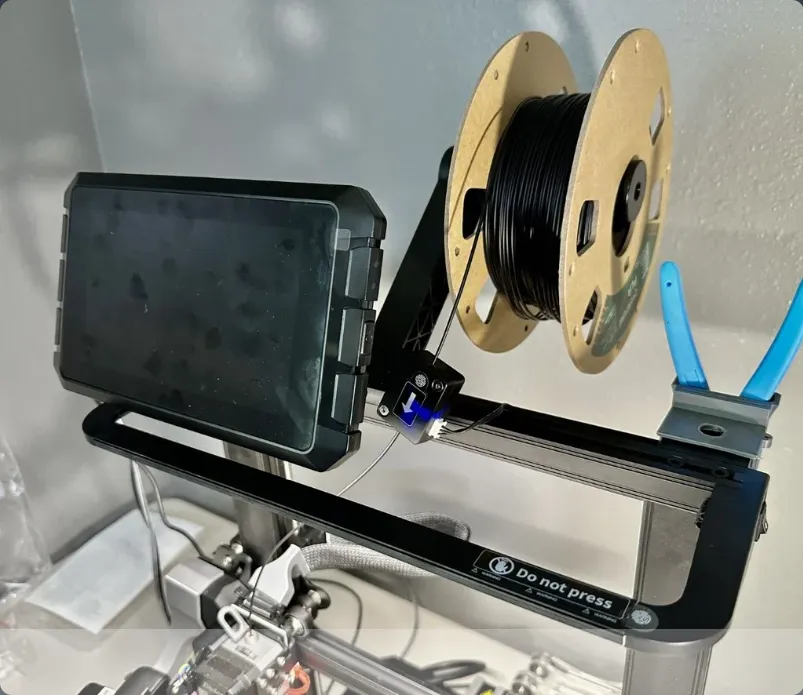
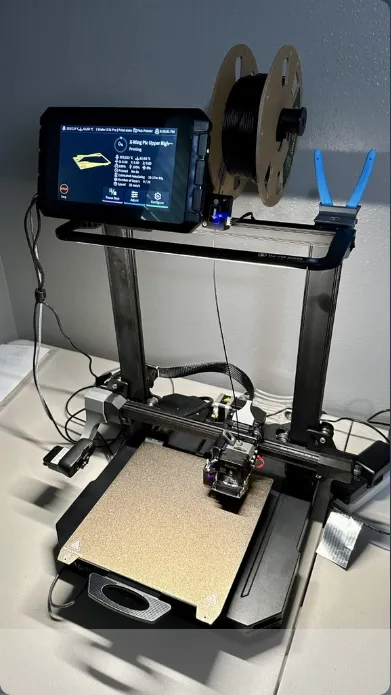
I finished setting up my Creality Sonic Pad with my Ender 3 S1 Pro. Now where to put it?
I was looking for a clean look as well as practicality.
Some solutions I was looking at online, mount it instead of the old Ender 3 display, or anywhere to the side of the printer. Some also on top of the printer.
I decided to go with the top of the printer, above the LED light and as much as possible to the left, so it will be out of the way from the filament and run-out sensor.
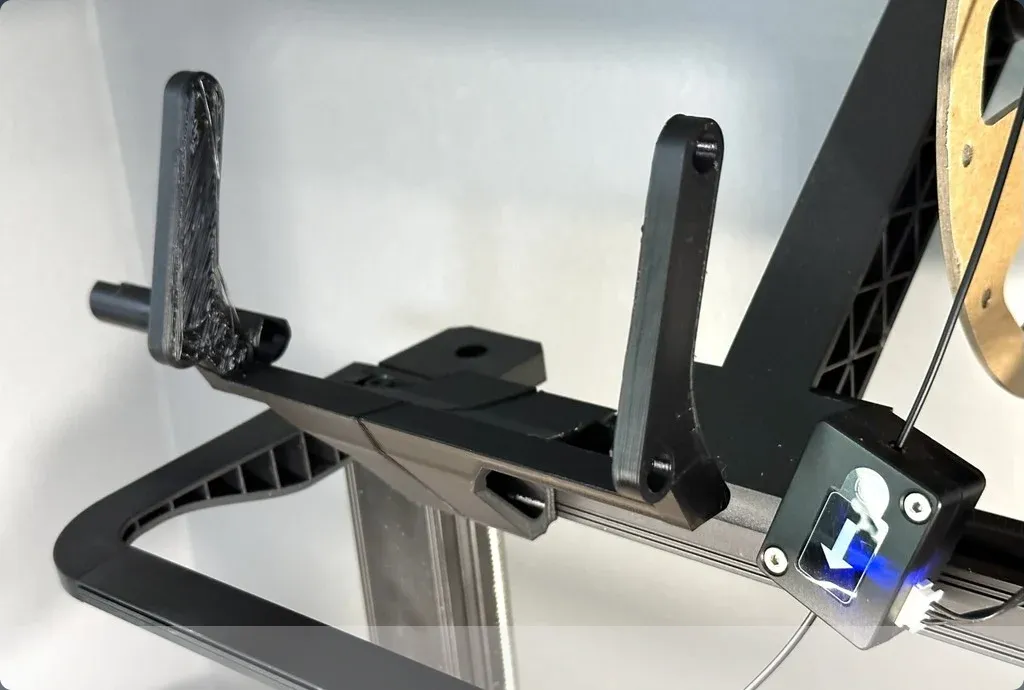
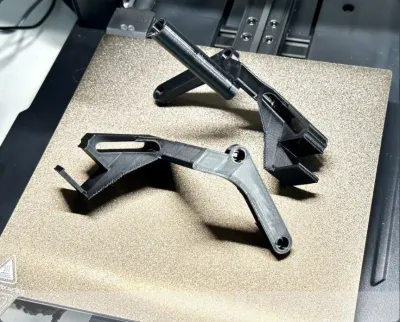
I also added a little open tube to the left to route the cables to the side and prevent entanglement.
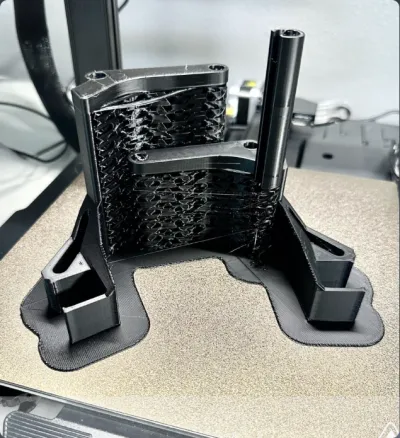
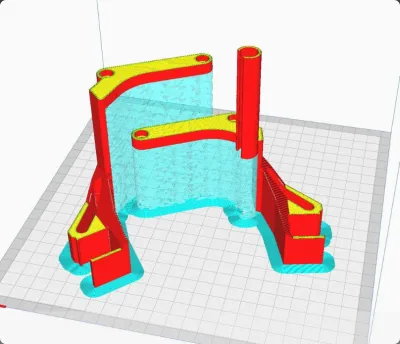
I printed with draft and support both parts at the same time. Then just insert on the top rail next to each other and screw in the Creality Sonic Pad in place.
Uploaded STEP file per request, so you can modify easily.
If you like my design, I would appreciate it if you buy me coffee.
Originality of the Model
The author declares that this work is their personally shared model

This model is licensed under the following terms:
Credit must be given to the creator
Models(4)
 Creality_Sonic_Pad_Mount_for_Ender_3_S1_and_Pro.step
436.33 KB

2025-07-16
- Creality_Sonic_Pad_Mount_for_Ender_3_S1_and_Pro_Left.stl
74.11 KB
2025-07-16
- Creality_Sonic_Pad_Mount_for_Ender_3_S1_and_Pro_Full.stl
126.16 KB
2025-07-16
- Creality_Sonic_Pad_Mount_for_Ender_3_S1_and_Pro_Right.stl
52.13 KB
2025-07-16
View all(4)


