






Box
Safe
Magic
Password

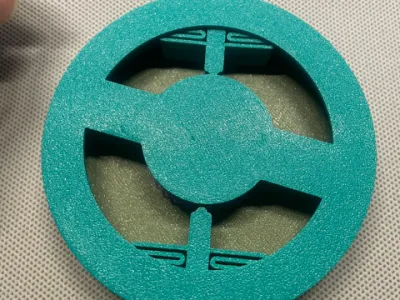 0.2 mm layer height, 2‑wall walls, 15% infill density
2-disc
PLA
Designer- 0.2 mm layer height, 2‑wall walls, 15% infill density
5-disc
PETG/PLA
Designer

48

6
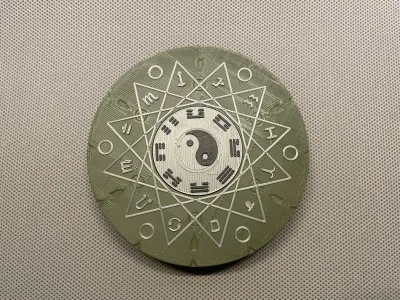
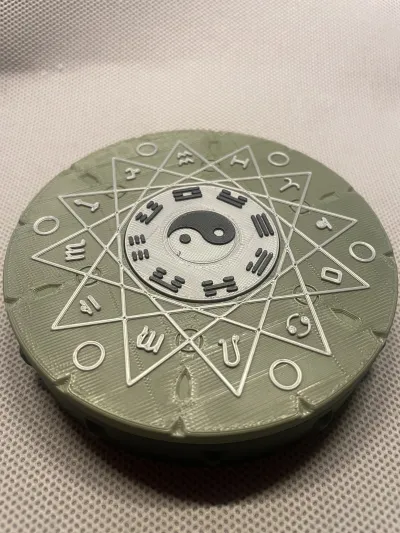
A magic box that combines eastern gossip (Bagua) and western constellations, combining magic and machinery, is waiting for you to open.
You can put a ring, a coin, or a TF(MicroSD) card, or a whisper, or just your WIFI password.
Only 85g consumables, 3 and a half hours of printing time (A1mini). 0 support, if the material is similar to my shrinkage rate, no glue is needed.
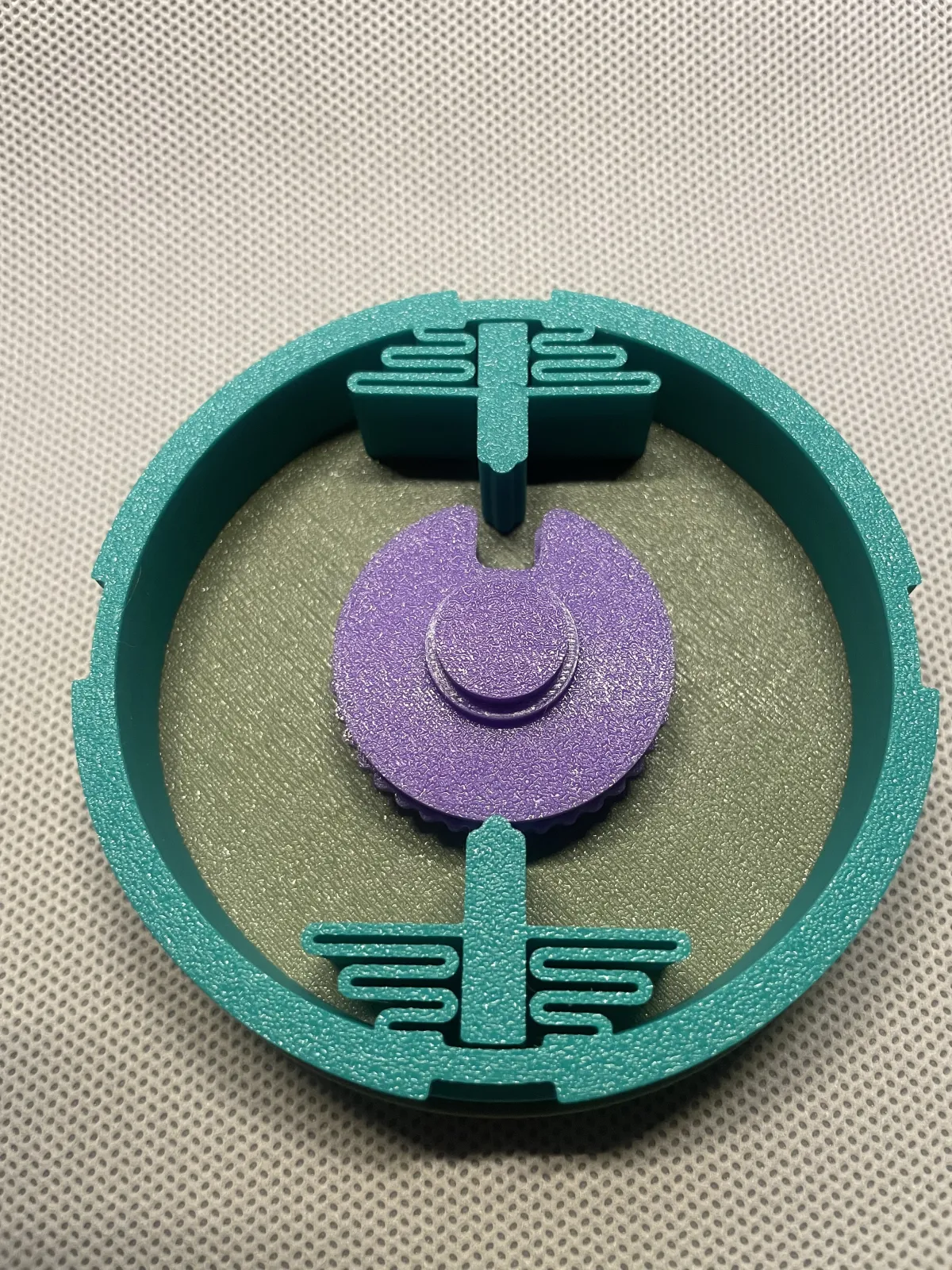
strongly recommend that in the second printing configuration, an additional "observation box" is printed. The hollow bottom is convenient for you to calibrate the password and master the opening method when using it for the first time.
and if you are interested in challenging more passwords, you can print a "custom password" disc pack (Wheel Pack) and set your own password through different positions of the finger (drive pin "Fly"). (This part belongs to additional exploration, the principle is correct but not guaranteed)
The basic logic
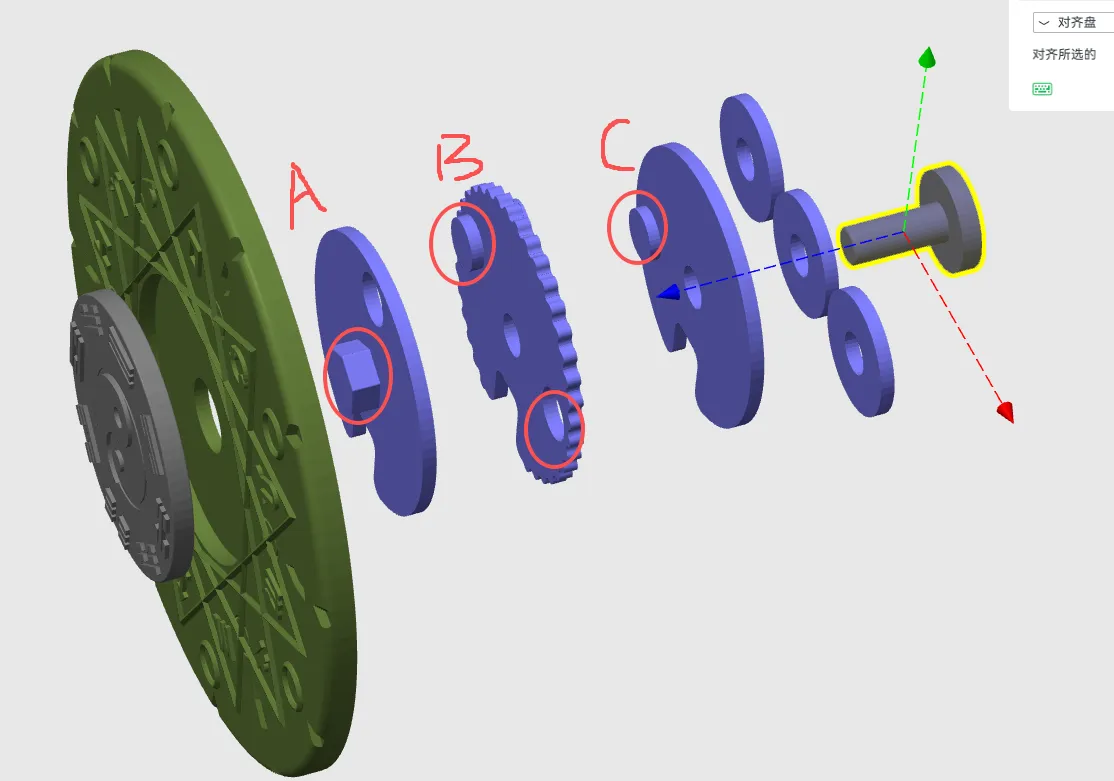
is like the mechanical dial lock (Mechanical Dial Lock) of the safe. The dial lock is composed of three discs. A is the drive disc (Drive Cam), which drives the rotation of B and C to make the gap (Gate) Turn to the same position so that the lock bolt (Fence) can be pushed to open the box.
Installation and password settings:
1. Install the lock bolt (Fence) to the support ring, and install the lock tongue to the lock bolt
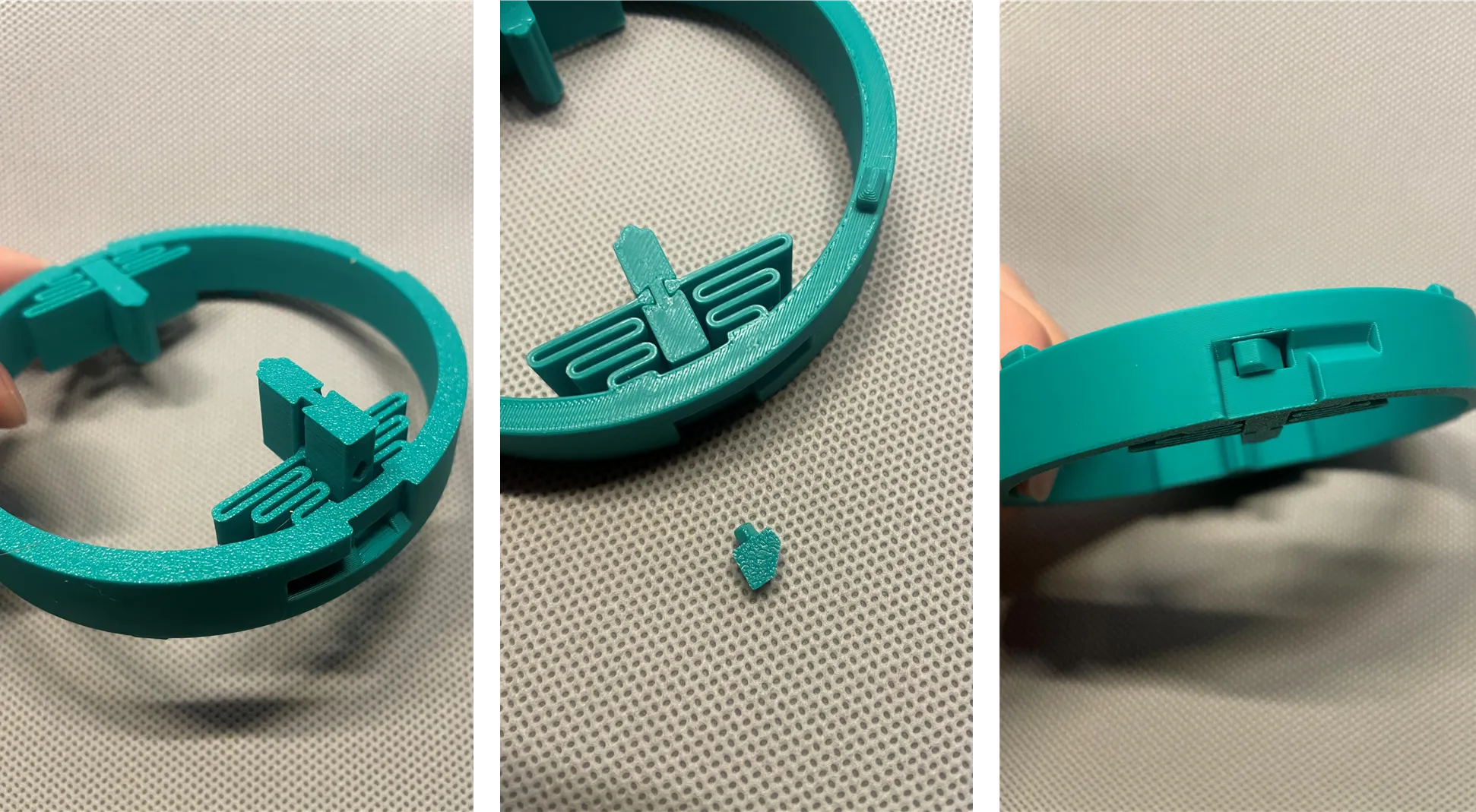
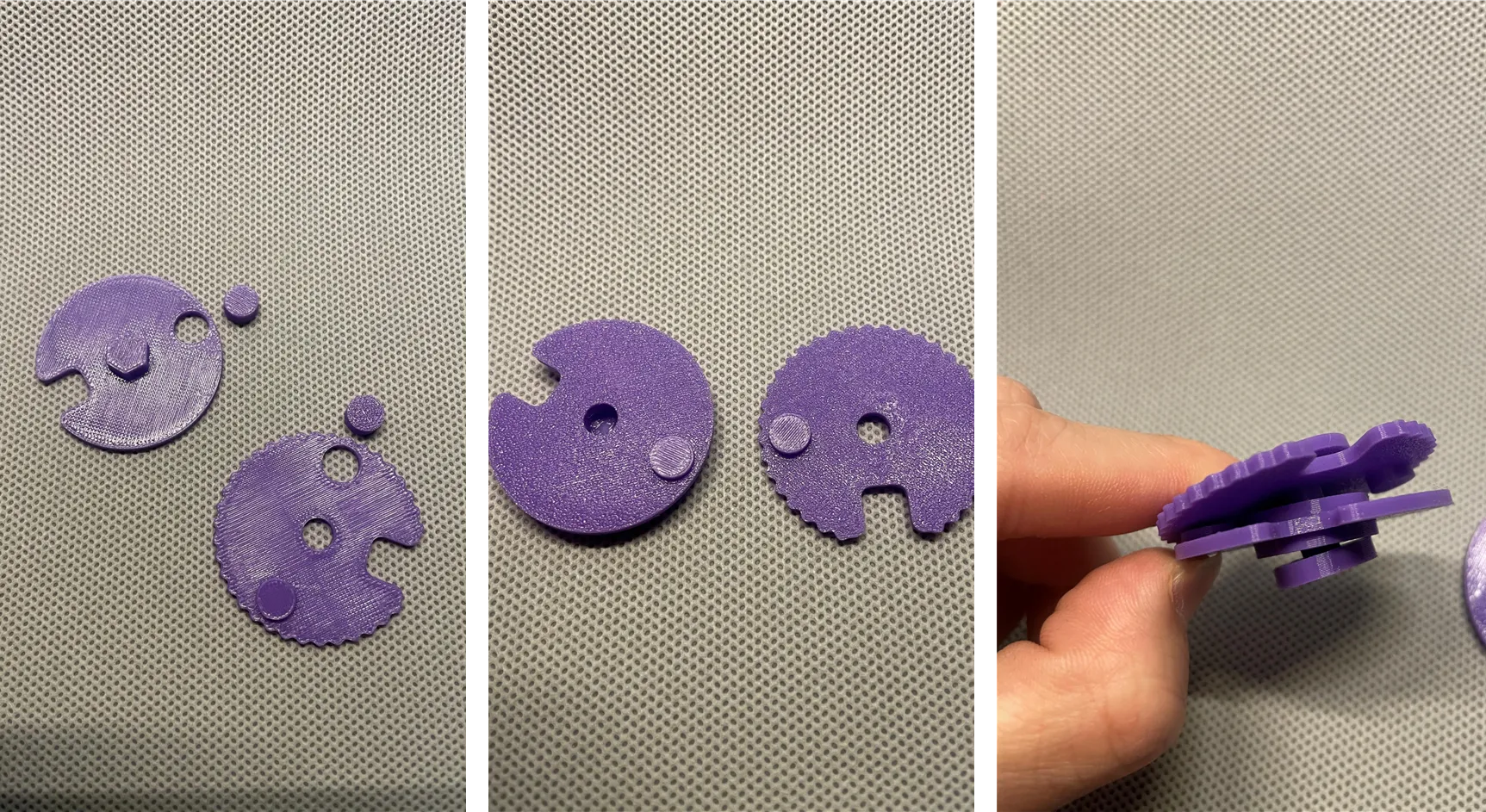
2. Install the dial finger (drive pin "Fly") to the dial wheel A and wheel B. A has a 6-sided shape on one side and B has a dial finger on both sides. Please install both towards the other side.
Then put wheel B and C and 3 spacers (spacer) through the shaft (Wheel Post) in turn, spacer-C-spacer-B-spacer --- A
! Important! Please place the printing surface of disk B (I. e. the hot bed contact surface) towards dial c, otherwise it will be different from the password I demonstrated.
3,! Important! To use my demo password, please place the outer ring disc and inner ring disc as shown in the figure, and useDry (☰) qian, aim at Gemini (Changed icon) Gemini, reverse dial A'sGaps need to be aligned with their direction.
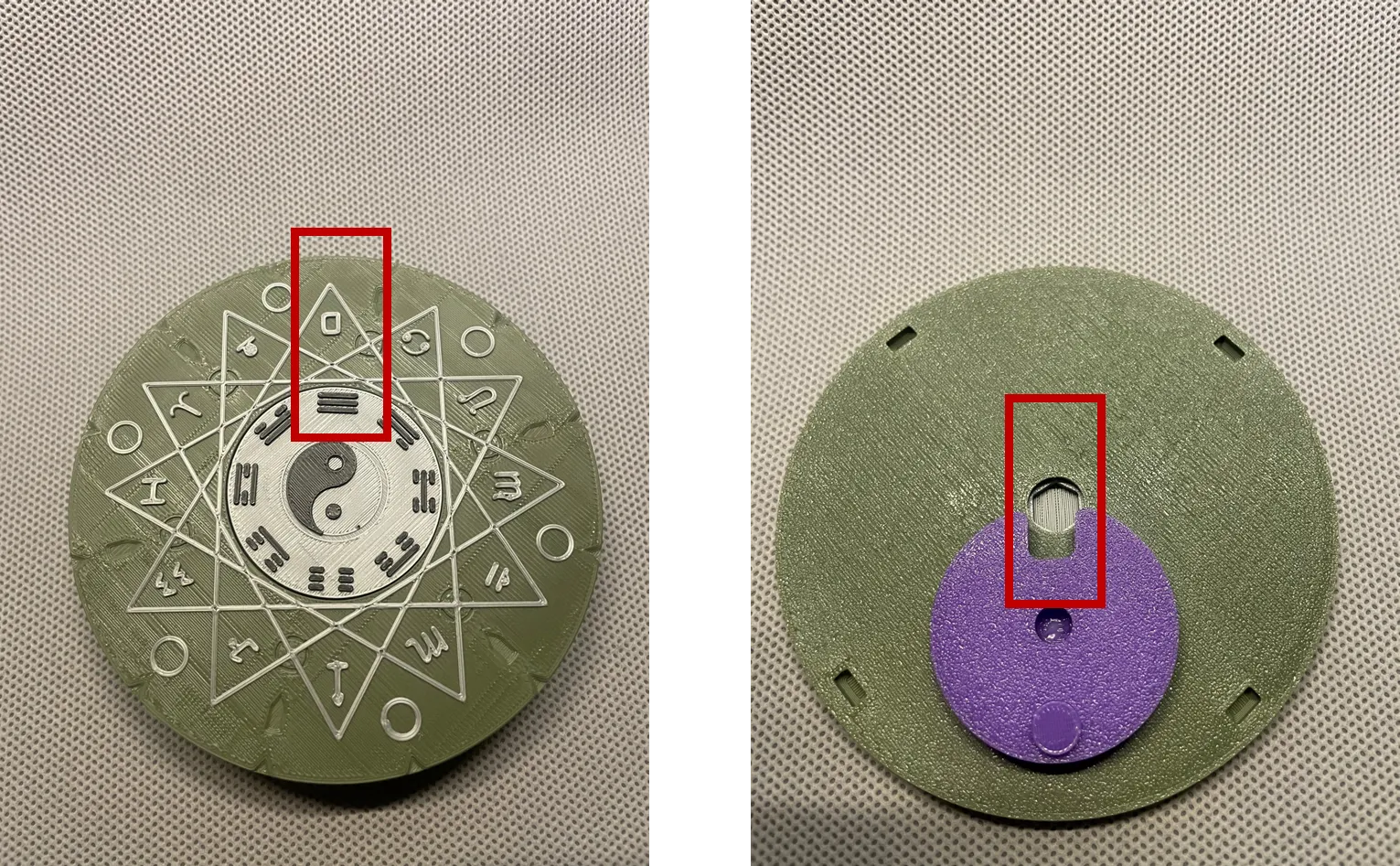
4. Align the four connecting protrusions of the support ring before installation. Please note that the Fence and Gate must be in one direction.
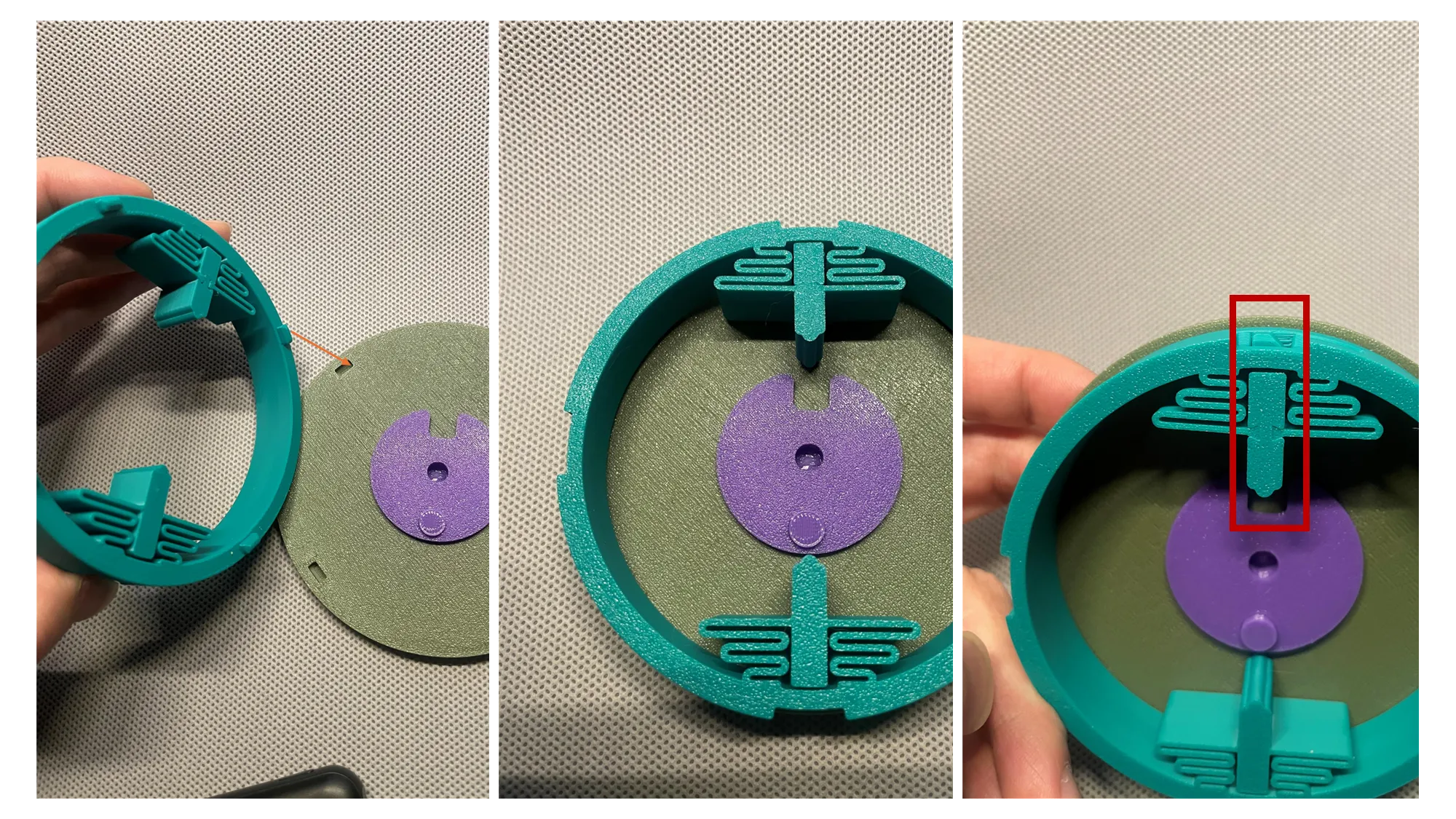
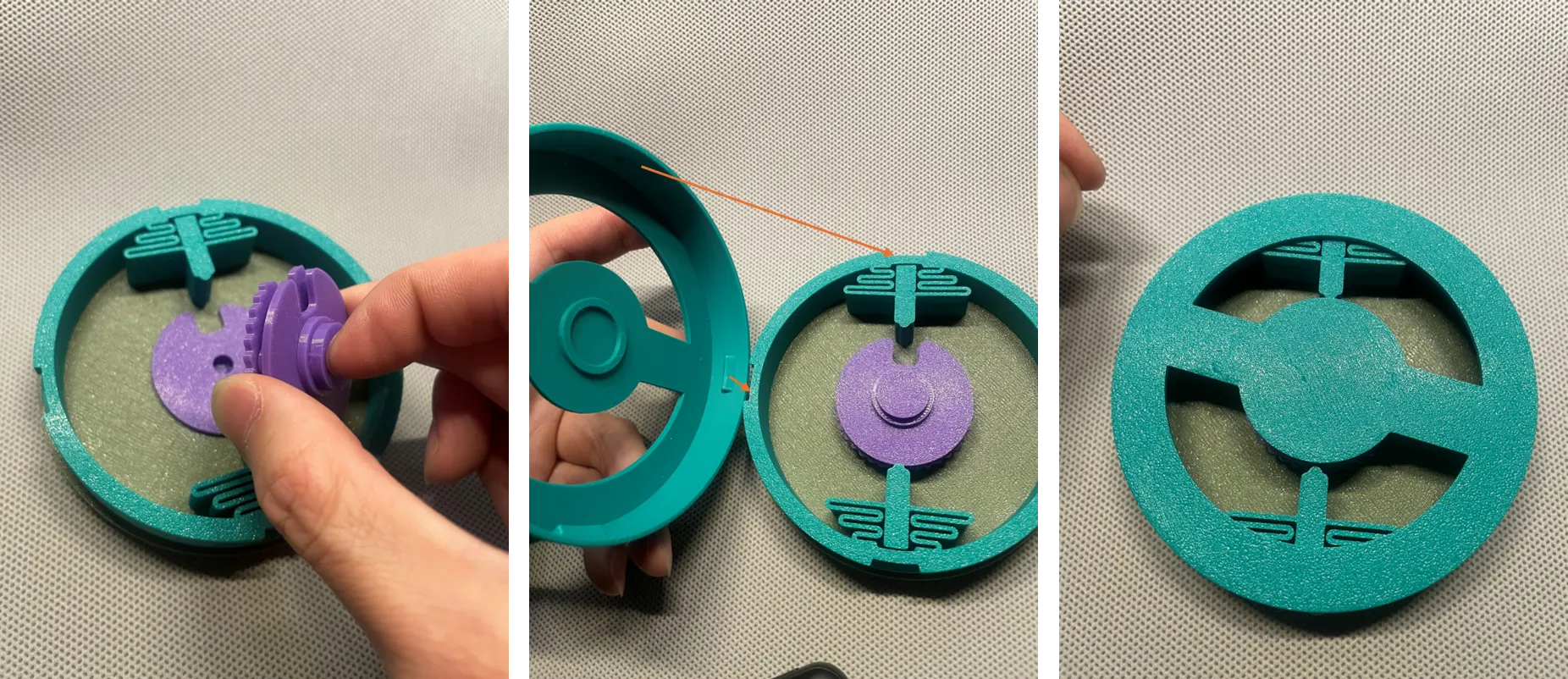
5. Hold the disc set composed of dials B and C with your hand, install it at A, and keep the gap (Gate) in the same direction.
To install the bottom box, it is strongly recommended to try it out with the observation box in print configuration 2. in the following figure.
After pressing down vertically, turn clockwise (to the right) to lock the box.
6. Observe the relationship between password and dial
a. After the disc is moved at will, the lock bolt (Fence) and the notch (Gate) no longer correspond. So I can't open the box.
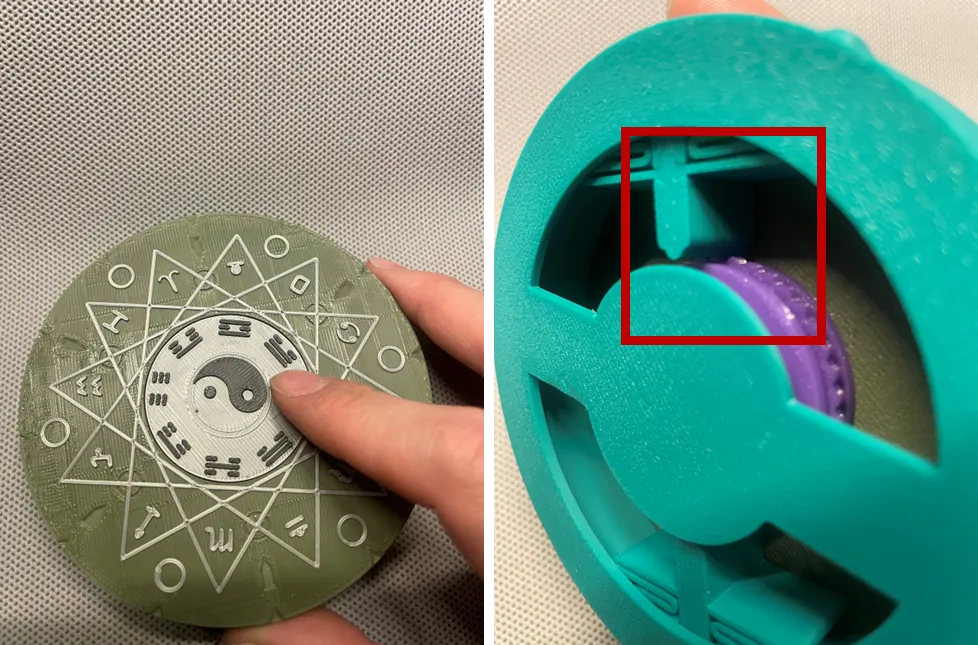
B. rotate Bagua clockwise, when you hear and feel a click (click), and (☰) qian, after aiming at Gemini Gemini, rotate clockwise again to let dry (☰) qian, aim at cancer.
At this time dial C notch (Gate) aligned with the lock (Fence)
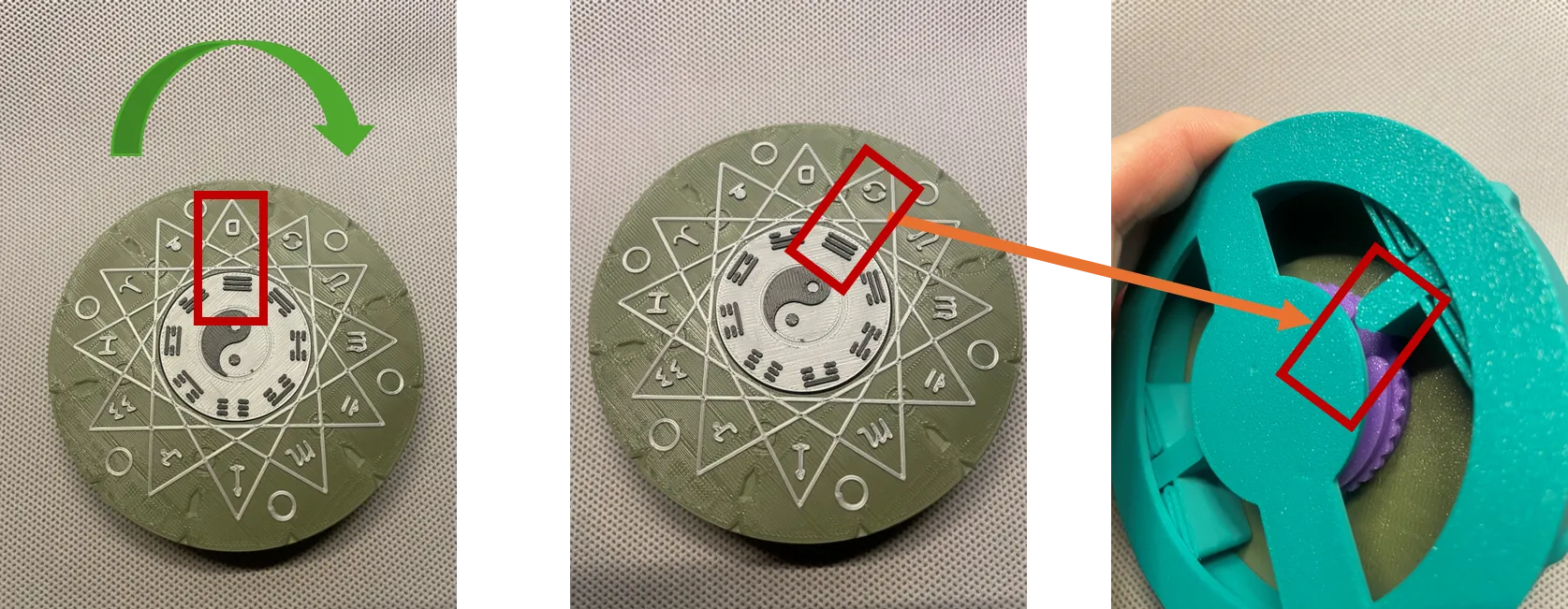
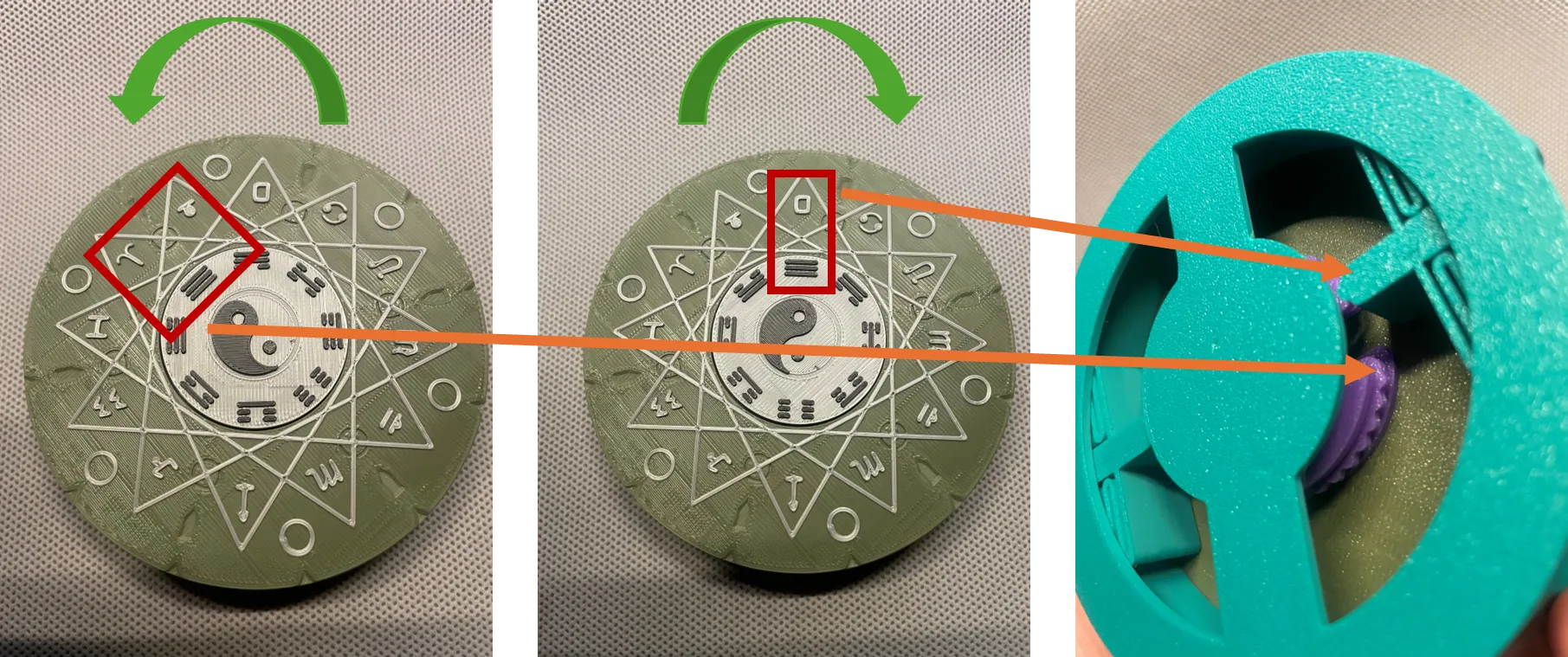
c. Then rotate counterclockwise (to the left), when you hear and feel a click (click), and after Gemini Gemini, stop between Aries aries and Taurus taurus. At this time, the notch (Gate) of dial B is aligned with the lock bolt (Fence)
The then rotates clockwise, a little distance, to dry (☰) qian, align with Gemini Gemini, and the gap (Gate) of dial A is aligned with the lock bolt (Fence).
3 notches are aligned.
Counter-clockwise open the box.
Note:
1. It is recommended to use PETG printing for dial groups and shafts. I think it is smoother and avoids linkage. You can use some grease, it will be a little sticky at first, and it will be better to turn a few more times.
2. If you turn wrong in any step, start again, that is, turn Gemini clockwise after hearing the click, and turn again.
3, if the beginning of the assembly, dry (☰) qian's pair is not Gemini but something else, that is, one constellation on the right and 1.5 constellation positions on the left are all similar (if the printing surface of dial B is facing the wrong direction to a, this is not the relationship). Other symbols in Bagua can also be used.
4. Further advanced play is to print the dial group in configuration 2 and redefine the dial pin (Fly) position. The password relationship is different. You can use the observation bottom box to try.
Originality of the Model
The author declares that this work is their personally original model
This model is licensed under the following terms:
Credit must be given to the creator
Only noncommercial uses of the work are permitted
Remixes must be shared under the same license
Models(2)
- Magic Seal Code Box.3mfDesigner

542.80 KB

2026-02-18
- Observe Box and Custom Code (Magic Seal Code Box).3mfDesigner
195.29 KB
2026-02-18


