



 GIF
GIF

My World
Chishijia Technology
Iron Golem
Minecraft
mc
Redstone
Redstone Technology

 Chishijia Technology – The Dancing Iron Golem (No Multi‑Color Modules Required)
9-disc
PLA
Designer

10

2

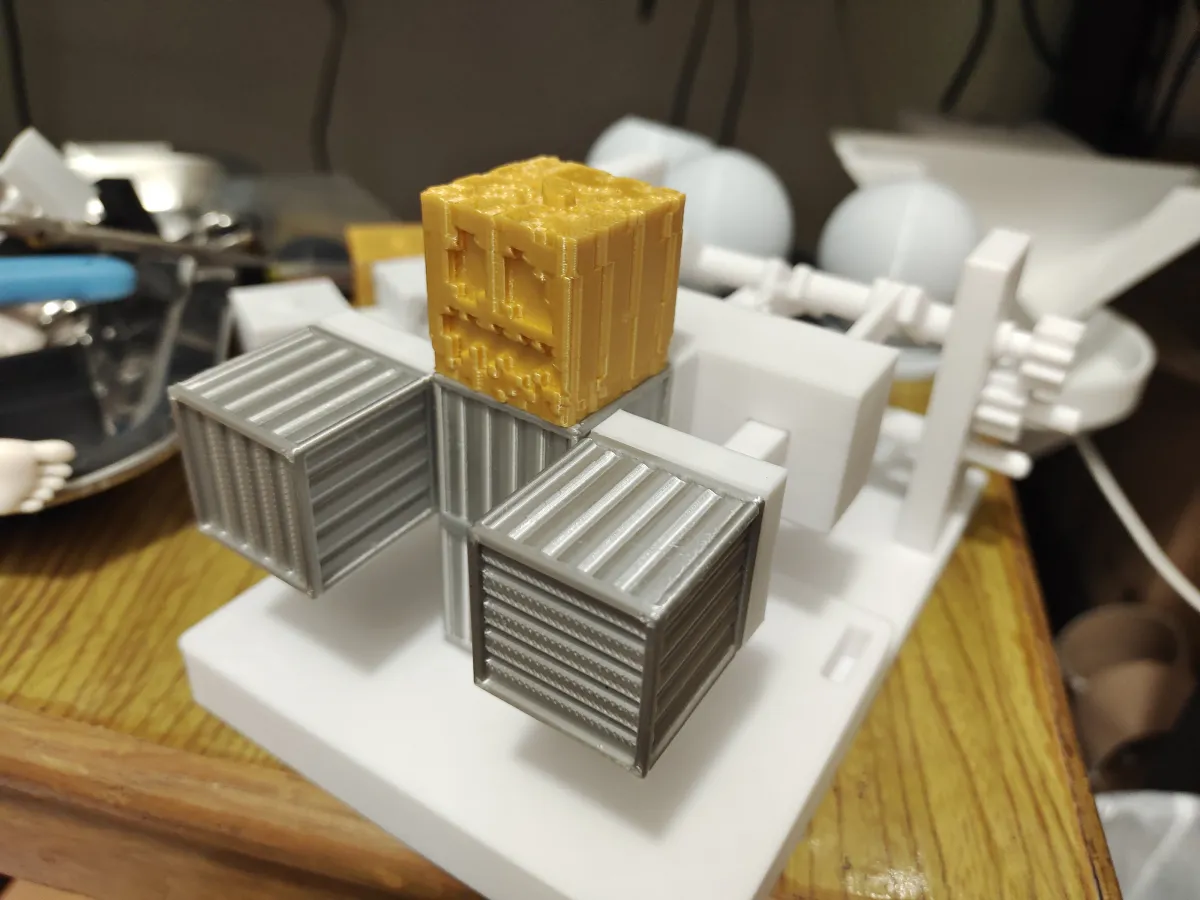
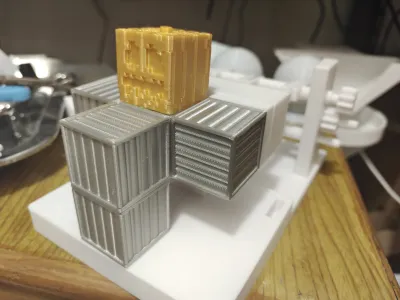
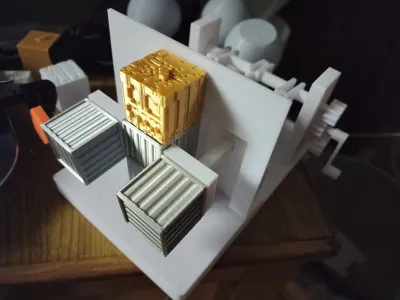
At Chishi Technology, the textures of the pumpkin head and iron block were meticulously crafted based on the game’s texture maps. By excavating corresponding volumes according to the color values in the game textures, we simulated varying shades of color while incorporating subtle aesthetic enhancements.
We initially planned to apply the same texturing approach to the piston as well—but after printing it out, the results fell short of our expectations. As a result, we decided not to add any additional textures to the piston.
The pumpkin head is printed using Lanbo’s PLA Silk Gold, while the iron block is printed with PAMBERY’s PLA Silk Silver. The remaining components are made from Tianrui PLA in a cool white finish.

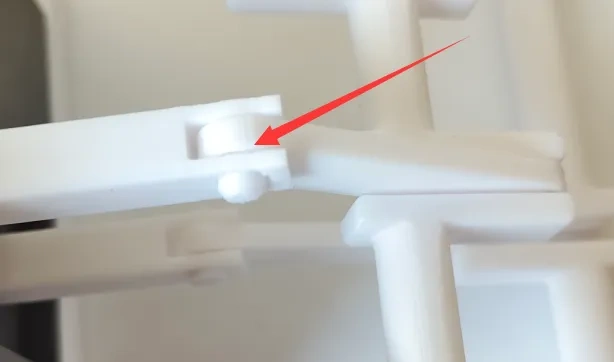
To achieve piston extension and retraction, we utilized a crankshaft mechanism, securing the crankshaft and piston rod via a pin‑in‑hole connection. When attaching the crankshaft to the piston’s pushrod, it’s crucial to avoid using matte PLA—opt for higher‑quality materials instead. The Jayo and R3D Youth Edition PLA I had on hand fractured during the pin‑in‑hole process, whereas Tianrui PLA held up without issue; alternatively, PETG can also be used. If the pin feels too loose, simply enlarge the hole slightly or secure both ends with clear tape to prevent the pin from slipping out—once assembled, the mechanism operates smoothly and with minimal friction.
We recommend the following installation sequence: 1. Assemble the piston and pushrod → 2. Connect the pushrod to the crankshaft → 3. Attach the side panels to the crankshaft → 4. Mount the piston onto the baseplate and install the side panels onto the baseplate → 5. Install the gears → 6. Attach the gear guard → 7. Install the crank handle → 8. Install the iron block and pumpkin head.
(P.S. Why isn’t there an accompanying image for the installation sequence…? Well, after I finished shooting, I realized that the method I’d captured wasn’t the most efficient—and if I tried to reshoot, I’d have to reprint everything, which was just too much hassle.)
Installation Tips
When installing the second driven gear, make sure both crankshafts remain aligned. Always refer to the first driven gear and the driving gear to determine the optimal positioning of the second driven gear. Don’t just blindly install the gears!
The gears can be a bit tricky to install—just ensure they’re securely fastened and sit perfectly flat; you don’t need to force them all the way in.
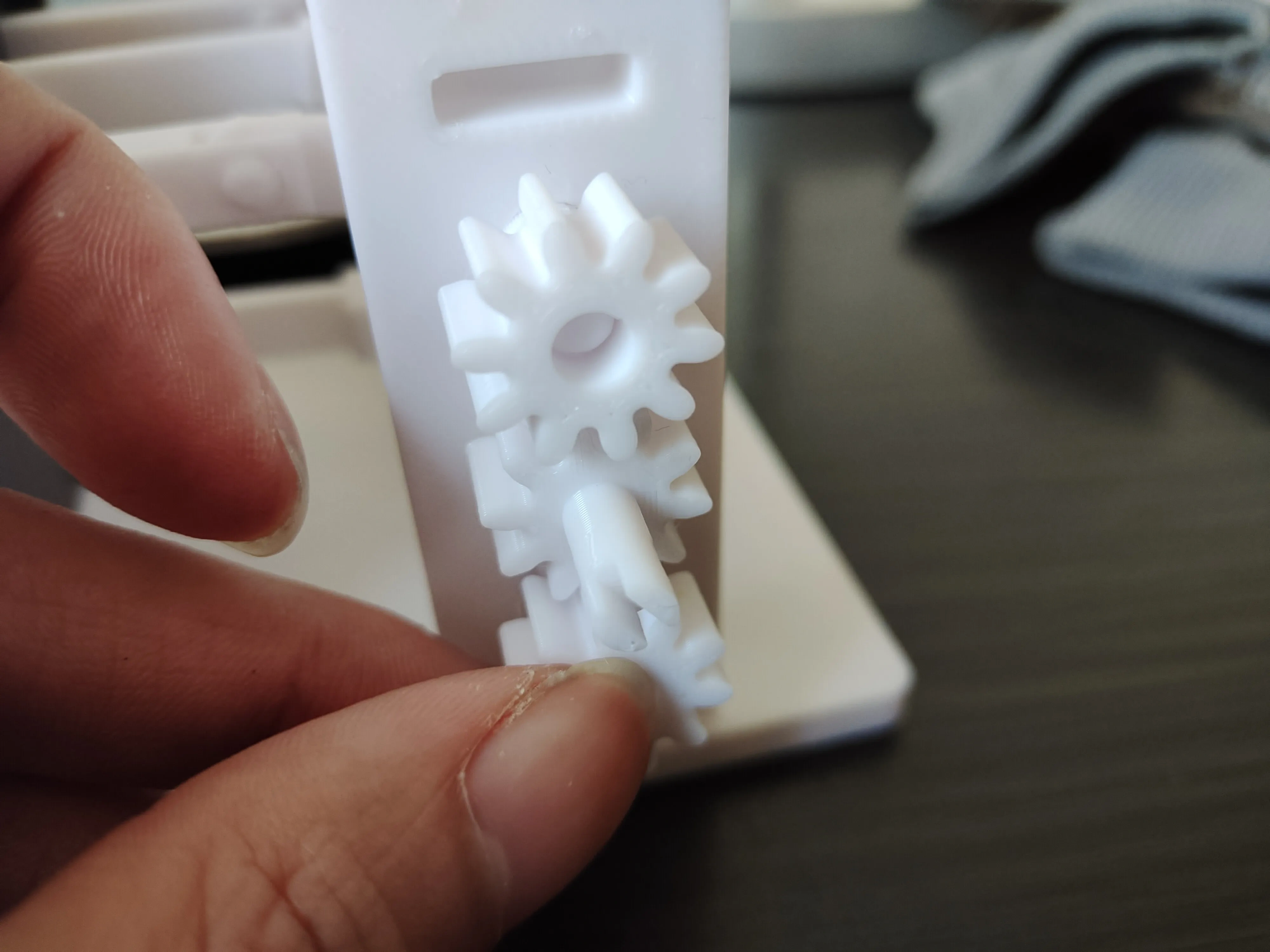
Some of the images were taken during the initial prototype phase; compared to the final, officially uploaded version, the latter features a reduced length for the crankshaft’s gear‑securing rod, along with minor adjustments to several components that proved challenging to assemble.
After numerous iterations and tests, we’ve used nearly a full roll of filament—so if you like what you see, give us a thumbs up!
Originality of the Model
The author declares that this work is their personally original model
This model is licensed under the following terms:
This work is licensed under a Standard Digital File License. Digital files have a strict non-commercial, personal use only license.
You shall not share, sub-license, sell, rent, host, transfer, or distribute in any way the digital file or 3D printed versions of this object, nor any other derivative work of this object in its digital or physical format (including remixes of this object). You can not host these files on other digital platforms, web stores or cloud repositories. The objects may not be used in any way whatsoever in which you charge money, collect fees.
Models(1)
- 赤石科技.3mfDesigner

40.16 MB

2026-02-07


