





Ji Kongjian Z4 Pro
Heat Sink Cover Plate
High‑Flow Heat Dissipation
Magnetic Modification
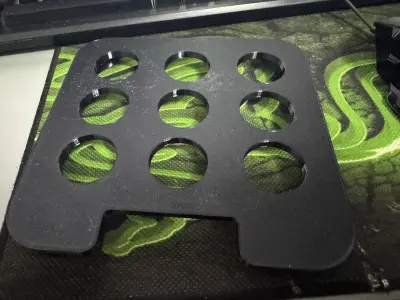
3D printed model
NAS Cooling
Hollow Panel
Extreme Space Accessories
DIY Cooling
Z4 Pro Modding by Jikongjian – A Customization Project

- 0.2 mm layer height, 2‑wall walls, 15% infill density

1-disc
PETG
Designer

4

0
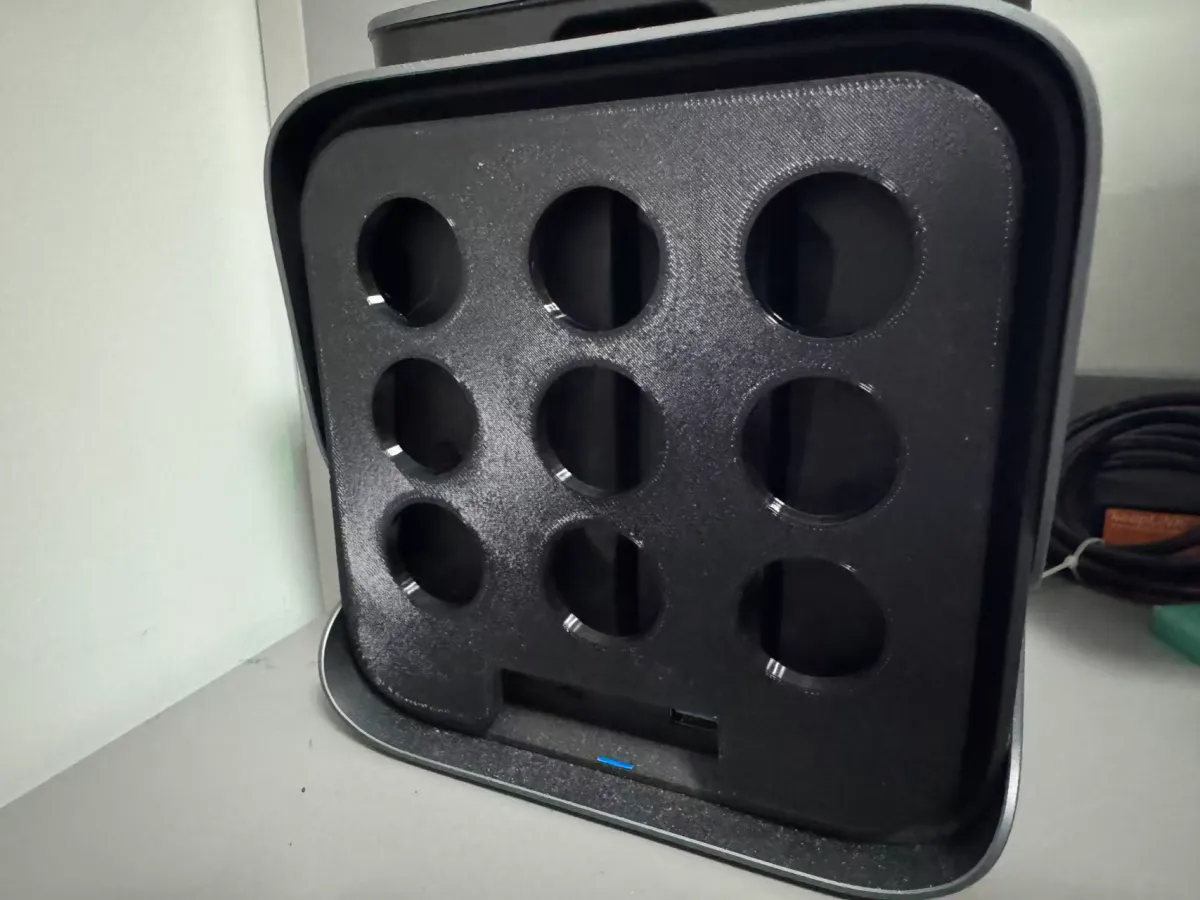
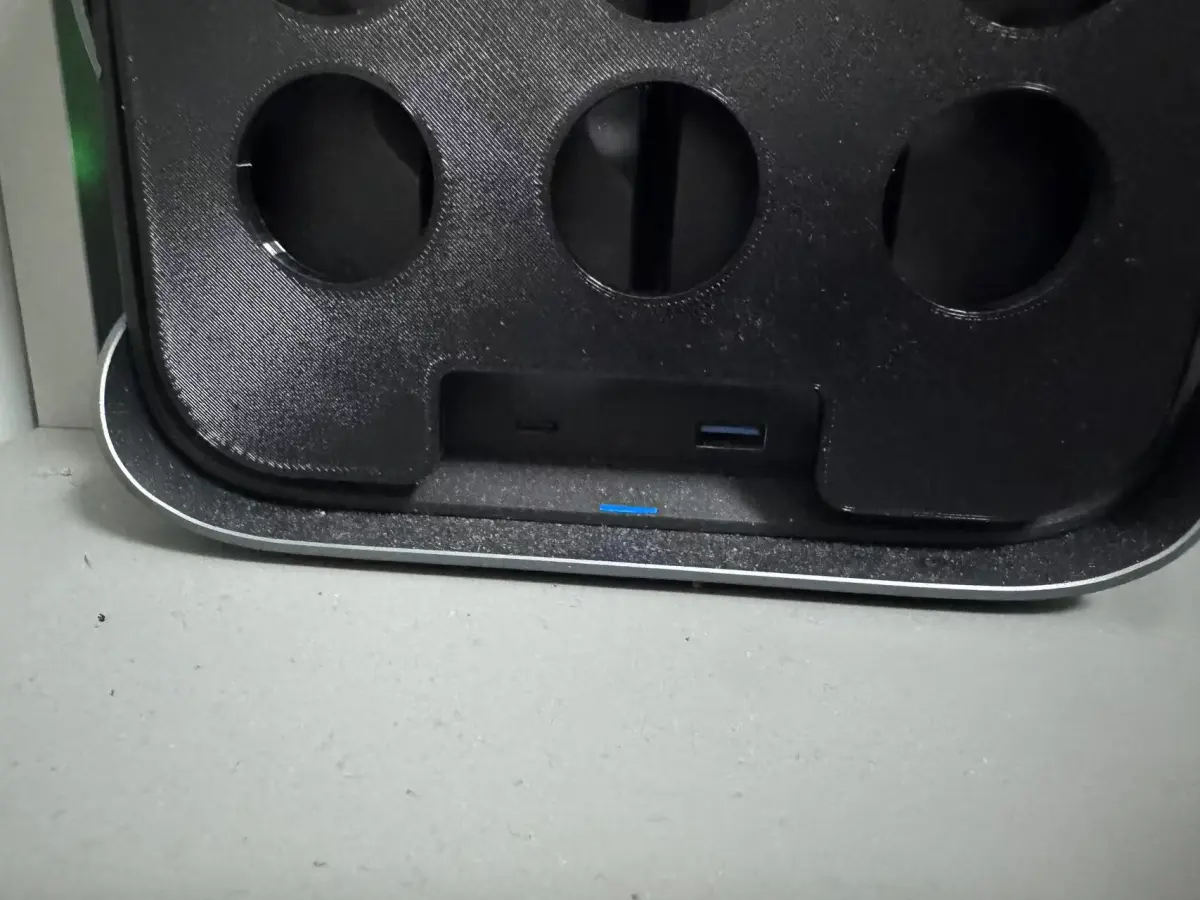
Specifically designed for the JiKongjian Z4 Pro private cloud, this front heat sink cover features a 3D-printed design with optimized airflow channels, balancing high‑volume heat dissipation with uncompromised interface accessibility—the USB and memory card slots remain fully exposed at the bottom. The cover incorporates 8×3mm magnets, enabling hassle‑free, screw‑free, tool‑less installation and removal while ensuring quick and easy assembly. It’s compatible with both original manufacturer–specified cooling solutions and third‑party thermal management needs.
- High‑Volume Heat Dissipation: The cover is equipped with large honeycomb or strip-shaped openings (total open area ≥ 80 cm²), which optimize air convection to reduce device operating temperatures—field tests show that it can lower the temperature by 3–5°C compared to the stock cover.
- Precise Interface Exposure: The bottom section features precisely sized cutouts for the USB port and memory card slot (accurately aligned without obstructing access), allowing direct insertion of USB drives and memory cards without needing to remove the cover.
- Magnetic Attachment: Built-in 8×3mm magnets provide a secure, reliable hold—perfectly matched to the metal panel on the front of the JiKongjian Z4S—and offer strong adhesion (with a load capacity of ≥ 500g), ensuring the cover stays firmly in place even when the device is shaken or moved.
- Scratch‑Resistant and Aesthetically Pleasing: The surface is finished with a matte texture and features rounded, chamfered edges to prevent scratches on fingers or the device itself. Available in black, white, or transparent color options to complement a variety of desktop styles.
Design Highlights
- Optimized Airflow Channels: The opening layout is meticulously engineered using computational fluid dynamics to maximize air intake and exhaust efficiency, rapidly dissipating heat from the hard drive and motherboard.
- Accurate Interface Clearance: The USB and memory card slot cutouts are precisely replicated at the same positions as the factory‑installed cover, ensuring zero obstruction during insertion and eliminating the frustration of having to remove the cover just to plug in or unplug devices.
- Strong Magnetic Adhesion: A matrix of 8×3mm magnets delivers consistent, reliable suction while minimizing the risk of damaging the device’s exterior—insulating the magnetic attachment area to protect against potential wear or corrosion.
- Customization Options: The 3D‑printed model allows users to customize the opening style (honeycomb, strip, or round holes), the color (black, white, or transparent), and the number and placement of magnets to perfectly match different versions of the JiKongjian series.
Technical Specifications
- Compatible Model: JiKongjian Z4 Pro (Private Cloud)
- Installation Method: Magnetic Attachment (built‑in 8×3mm magnets, 4–6 per unit, adjusted according to the specific model)
- Opening Dimensions: USB port cutout (approx. 15mm × 8mm), memory card slot cutout (approx. 12mm × 6mm)
- Heat Dissipation Openings: Honeycomb holes (3mm diameter, 5mm spacing) or strip-shaped holes (3mm wide, 4mm spacing), with a total open area ≥ 80 cm²
- Recommended Materials: PETG (heat resistance up to 70°C+, maintains shape under long‑term operation), ABS (high strength, excellent impact resistance)
- Printing Recommendations: Use a 0.2mm nozzle, set the infill to 30% (for enhanced structural integrity), and apply countersunk recesses around the magnet mounting areas to prevent magnets from protruding. Choose between a matte or glossy finish based on personal preference.
Application Scenarios
▸ Thermal Upgrade for JiKongjian Z4S: When the stock cover fails to provide adequate cooling, replacing it with this upgraded solution enhances airflow and significantly reduces the risk of overheating the hard drive.
▸ Convenient Interface Access: With USB and memory card slots fully exposed, you can directly insert storage devices or read cards without removing the cover—ideal for scenarios where frequent external storage connections or card reads are required.
▸ Enhanced Desktop Aesthetics: Replace the stock cover with a custom‑designed option in your preferred color, seamlessly integrating the private cloud into your desktop setup—whether you prefer a sleek black tech aesthetic or a minimalist white design.
Installation Instructions
- Ensure the metal panel on the front of the JiKongjian Z4S is clean and free of oil or grease, then power off the device.
- Align the heat sink cover with the metal panel on the front, gently push until the magnets click into place (you’ll hear a distinct “click” when properly seated).
- Verify that the USB and memory card slots are fully exposed and that all heat dissipation openings remain unobstructed.
- To remove the cover, lightly pry along the edge of the cover (or use a plastic prying tool) to separate the magnets, then carefully lift the cover off.
Originality of the Model
The author declares that this work is their personally original model
This model is licensed under the following terms:
This work is licensed under a Standard Digital File License. Digital files have a strict non-commercial, personal use only license.
You shall not share, sub-license, sell, rent, host, transfer, or distribute in any way the digital file or 3D printed versions of this object, nor any other derivative work of this object in its digital or physical format (including remixes of this object). You can not host these files on other digital platforms, web stores or cloud repositories. The objects may not be used in any way whatsoever in which you charge money, collect fees.
Models(1)
- 极空间前盖板 大通量.3mfDesigner

79.17 KB

2026-03-14


