




a1mini
Heat Dissipation
Motherboard Cooling

- 0.2 mm layer height, 2‑wall walls, 15% infill density

1-disc
PETG
Designer

4

1
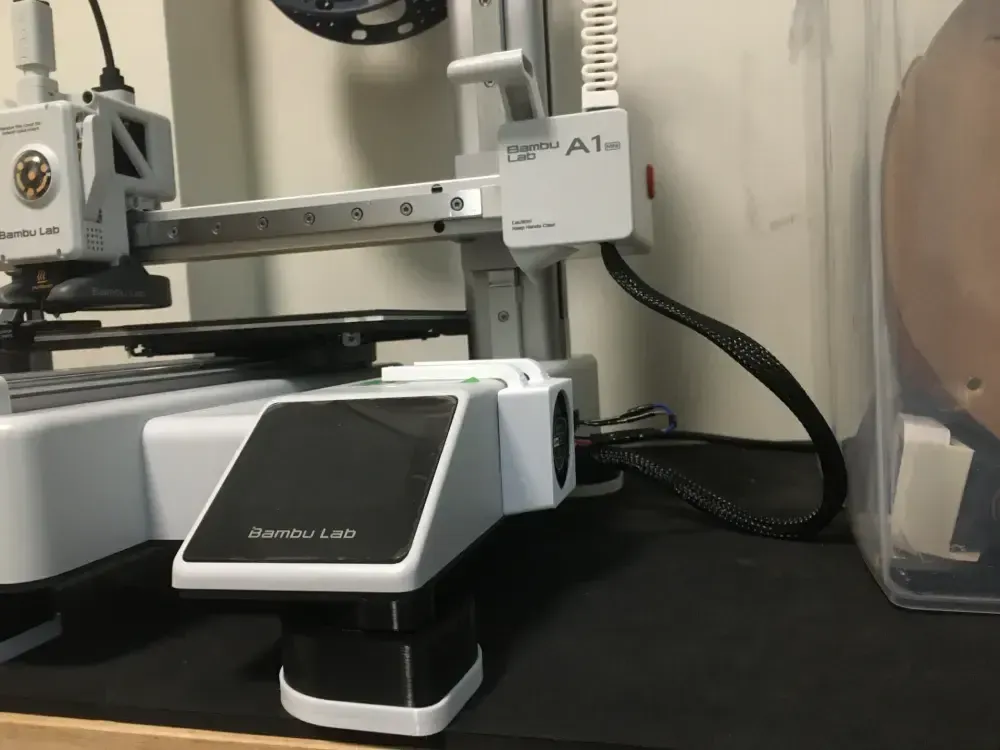
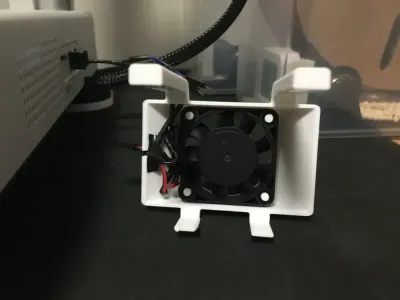
Compared to the A1, the A1 mini comes standard with an additional cooling fan that draws air outward from the bottom. However, the silicone pad at the base of the mini is relatively thin, and the motherboard is positioned close to the power supply—plus, the mini’s motherboard has limited internal space—making heat dissipation still quite challenging. When you touch the bottom, it feels even hotter than the A1.
Please use PETG; if you opt for PLA, the filament may melt due to its proximity to the heated bed.
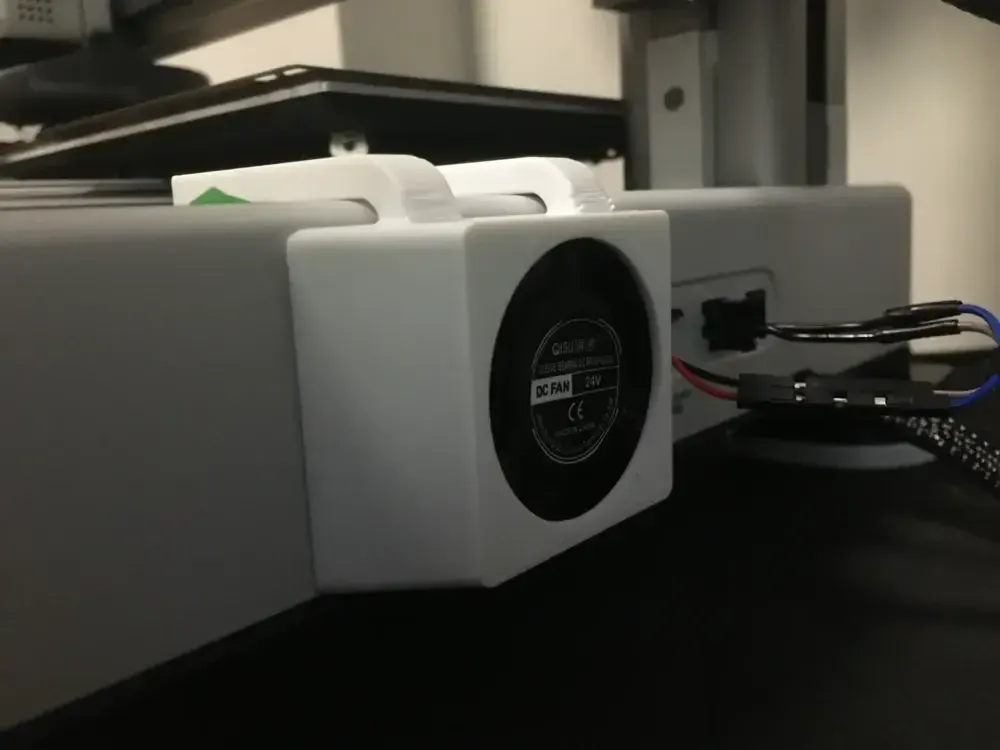
Mounting Bracket for the A1 mini Motherboard Cooling Fan
- No glue or screws required (to avoid unsightly adhesive residue)
- Supports KSD9700 temperature-controlled fans (recommended at 45°C); both the left and right brackets are compatible—choose whichever suits your setup.
- Power is supplied via the AMS connector (43025 specification), which is closer and more convenient than on the A1. You can also connect an external power source—if desired, I’ve included a dedicated cable outlet for the fan.
What you’ll need:
- A 24V 4010 cooling fan
- KSD9700 (optional—but highly recommended)
If you encounter any issues during use or have suggestions for optimization, please don’t hesitate to reach out!
Originality of the Model
The author declares that this work is their personally original model
This model is licensed under the following terms:
This work is licensed under a Standard Digital File License. Digital files have a strict non-commercial, personal use only license.
You shall not share, sub-license, sell, rent, host, transfer, or distribute in any way the digital file or 3D printed versions of this object, nor any other derivative work of this object in its digital or physical format (including remixes of this object). You can not host these files on other digital platforms, web stores or cloud repositories. The objects may not be used in any way whatsoever in which you charge money, collect fees.
Models(1)
- A1mini散热风扇支架.3mfDesigner

828.54 KB

2026-02-02


