


'%3e%3cpath%20id='Rectangle%20995'%20d='M0%200H24C26.2091%200%2028%201.79086%2028%204V52C28%2054.2091%2026.2091%2056%2024%2056H0V0Z'%20fill='black'%20fill-opacity='0.2'/%3e%3cpath%20id='Vector'%20d='M17%2022L11%2028L17%2034'%20stroke='white'%20stroke-opacity='0.85'%20stroke-width='1.5'%20stroke-linecap='round'%20stroke-linejoin='round'/%3e%3c/g%3e%3cdefs%3e%3cclipPath%20id='clip0_1639_4805'%3e%3crect%20width='28'%20height='56'%20fill='white'/%3e%3c/clipPath%3e%3c/defs%3e%3c/svg%3e)
'%3e%3cpath%20id='Rectangle%20995'%20d='M0%204C0%201.79086%201.79086%200%204%200H28V56H4C1.79086%2056%200%2054.2091%200%2052V4Z'%20fill='black'%20fill-opacity='0.2'/%3e%3cpath%20id='Vector'%20d='M11%2022L17%2028L11%2034'%20stroke='white'%20stroke-opacity='0.85'%20stroke-width='1.5'%20stroke-linecap='round'%20stroke-linejoin='round'/%3e%3c/g%3e%3cdefs%3e%3cclipPath%20id='clip0_1639_4802'%3e%3crect%20width='28'%20height='56'%20fill='white'/%3e%3c/clipPath%3e%3c/defs%3e%3c/svg%3e)
DIY
sound
electronics
market
japan
cheap
aliexpress
jdm
audio
domestic
start
module
waifu
melody
startup

 all parts - 0.2mm layer, 3 walls, 15% infill
'%20fill='%23B3B3B3'/%3e%3crect%20id='Rectangle%201051'%20x='8'%20y='2'%20width='12'%20height='0.5'%20transform='rotate(90%208%202)'%20fill='%23D9D9D9'/%3e%3crect%20id='Rectangle%201052'%20x='11'%20y='2'%20width='12'%20height='0.5'%20transform='rotate(90%2011%202)'%20fill='%23B3B3B3'/%3e%3cpath%20id='Rectangle%201048'%20d='M2%202H14V14H11L10.5%2014.5H8H5.5L5%2014H2V2Z'%20stroke='%23828282'%20stroke-linejoin='round'/%3e%3c/g%3e%3c/g%3e%3c/svg%3e)
3-disc
PLA
Designer

32

0
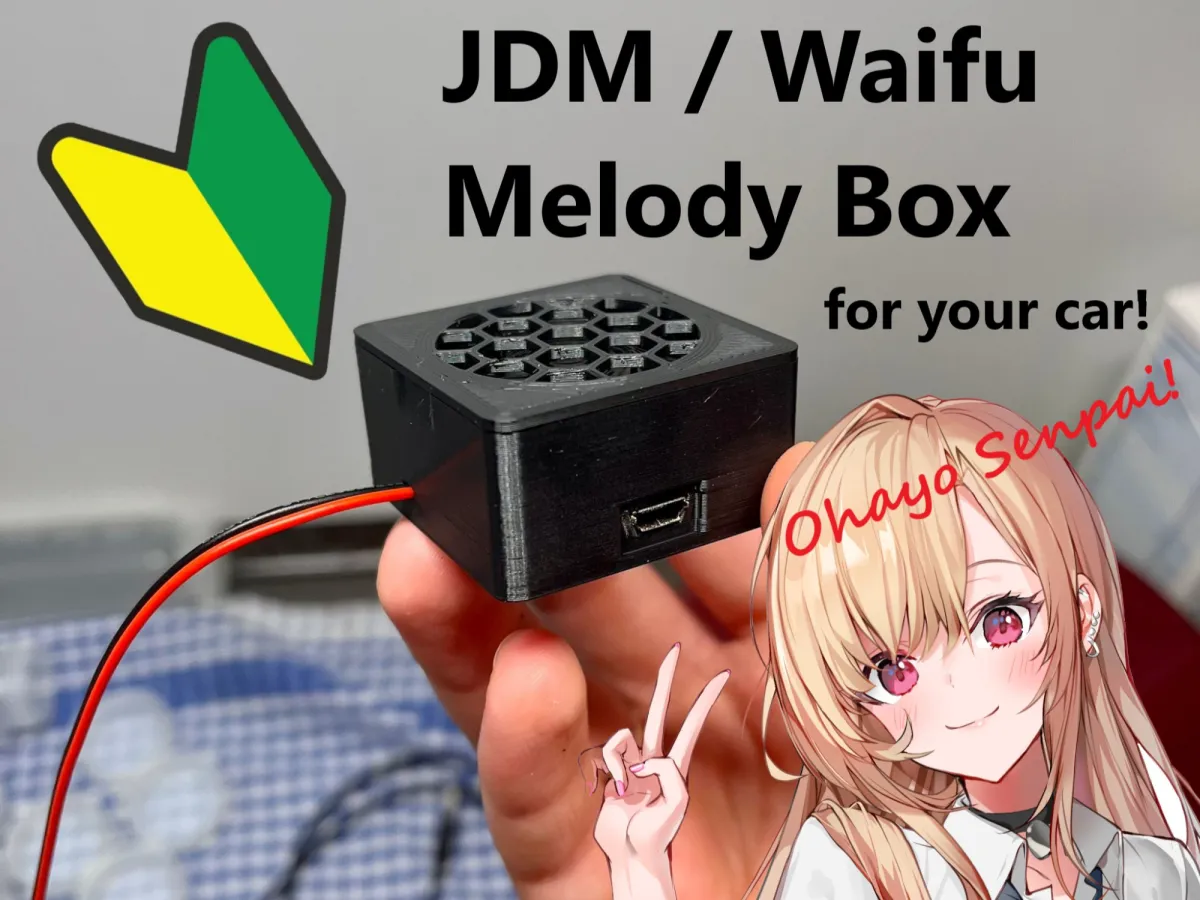
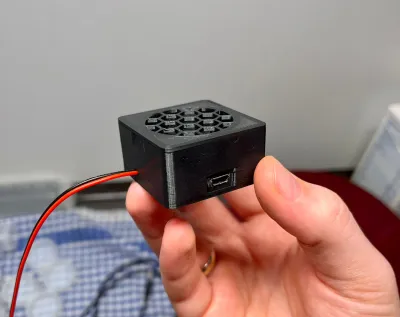
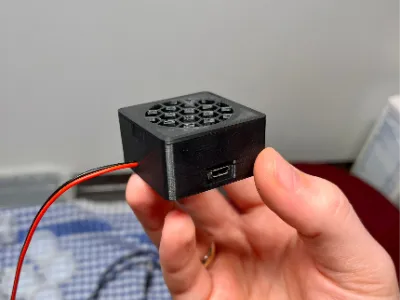
Build your own JDM or Waifu Melody box for the car!
(or for whatever you want to have funny sounds.)
Summary:
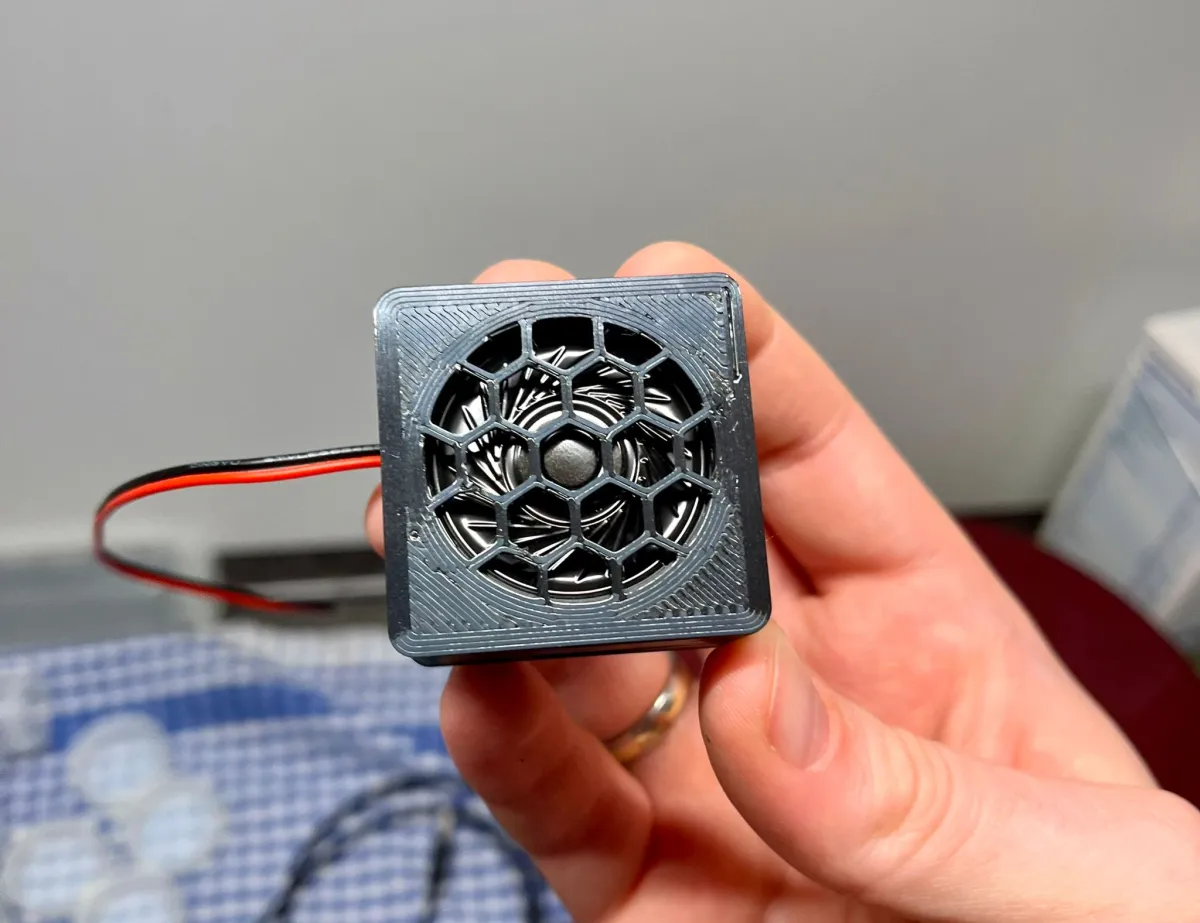
With this box, an inexpensive sound module (e.g. from AliExpress) and a USB connection (or 5V DC) you can build a Melody box that plays an MP3 file once or several MP3 files in succession when the Melody box receives power.
The sounds can be loaded directly onto the internal memory (8MB at my case) of the sound module via USB cable.
There are two box sizes:
low - for the supplied standard speaker (0.5 W 8 Ohm)
high - for a better full range speaker (3W 4 Ohm)
What you need:
- a 3D printer (haha)
- instant adhesive or hot melt glue
- soldering iron or another method of permanently connecting cables together
Instructions:
Step 1: Get / order a sound module with these dimensions and a speaker (https://de.aliexpress.com/item/1005002291235297.html).
The supplied speaker is very flat and makes a good sound (low version).
You can of course buy a better broadband speaker (3.6cm diameter) and solder it on (high version).
Step 2: Print this box and the required size. For the standard speaker you need the flat box.
Step 3: Disconnect the cables to the button and connect them permanently (soldering recommended) to get a autostart function when receiving power.
Step 4: Select the jingle, sound or melody you want the box to play.
Examples:
ara ara Sayonara: https://www.youtube.com/watch?v=gh4zNUCwIfc
Yamete Kudasai: https://www.youtube.com/watch?v=WXVnE8xCh8U
Many more sounds (from 2min 57s): https://www.youtube.com/watch?v=MeS6Oe5g5_E&t=305s&pp=ygUObWVsb2R5IGJveCBqZG0%3D
Step 5: Convert your sound to an MP3 file (e.g. https://tuberipper.com) and cut out your desired part (e.g. with MP3directcut) and load the mp3 file on the sound module. Please use a USB data cable.
A sound is played once until it is over.
If several sounds are saved, they are all played once.
Step 6: Install the sound module, glue the speaker into the lid and assemble the box.
You can power the box via the attached cables (5V DC) or with your USB charging cable.
Connect the box: Some cars or car radios have a USB port - or you can use an adapter for the cigarette lighter.
Step 7: Start your car - your personal sound will be played!
Do you like my work? I would be very happy if you would support my work on Ko-fi.
Originality of the Model
The author declares that this work is their personally original model
This model is licensed under the following terms:
Credit must be given to the creator
Only noncommercial uses of the work are permitted
Models(4)
 Melody Box low.stlDesigner
'%3e%3cpath%20id='Vector'%20d='M13.6663%201.33331H2.33301C1.78072%201.33331%201.33301%201.78103%201.33301%202.33331V13.6666C1.33301%2014.2189%201.78072%2014.6666%202.33301%2014.6666H13.6663C14.2186%2014.6666%2014.6663%2014.2189%2014.6663%2013.6666V2.33331C14.6663%201.78103%2014.2186%201.33331%2013.6663%201.33331Z'%20stroke='%23808080'%20stroke-linejoin='round'/%3e%3cpath%20id='Vector_2'%20d='M11.3333%201.33331V7.33331H5V1.33331H11.3333Z'%20stroke='%23808080'%20stroke-linejoin='round'/%3e%3cpath%20id='Vector_3'%20d='M9.66699%203.66669V5.00002'%20stroke='%23808080'%20stroke-linejoin='round'/%3e%3c/g%3e%3cdefs%3e%3cclipPath%20id='clip0_3212_168684'%3e%3crect%20width='16'%20height='16'%20fill='white'/%3e%3c/clipPath%3e%3c/defs%3e%3c/svg%3e)
323.13 KB
'%3e%3cpath%20id='Vector'%20d='M7.99967%2014.6666C11.6816%2014.6666%2014.6663%2011.6819%2014.6663%207.99998C14.6663%204.31808%2011.6816%201.33331%207.99967%201.33331C4.31777%201.33331%201.33301%204.31808%201.33301%207.99998C1.33301%2011.6819%204.31777%2014.6666%207.99967%2014.6666Z'%20stroke='black'%20stroke-opacity='0.49'%20stroke-linejoin='round'/%3e%3cpath%20id='Vector_2'%20d='M8.00235%204.00006L8.00195%208.00299L10.8284%2010.8295'%20stroke='black'%20stroke-opacity='0.49'%20stroke-linecap='round'%20stroke-linejoin='round'/%3e%3c/g%3e%3cdefs%3e%3cclipPath%20id='clip0_1890_13189'%3e%3crect%20width='16'%20height='16'%20fill='white'/%3e%3c/clipPath%3e%3c/defs%3e%3c/svg%3e)
2025-09-16
- Melody Box high.stlDesigner
330.16 KB
2025-09-16
- Melody Box top.stlDesigner
103.21 KB
2025-09-16
- Melody Boxes and Lid - Bambulab Nexprint.3mfDesigner
226.70 KB
2026-01-16
View all(4)


