


'%3e%3cpath%20id='Rectangle%20995'%20d='M0%200H24C26.2091%200%2028%201.79086%2028%204V52C28%2054.2091%2026.2091%2056%2024%2056H0V0Z'%20fill='black'%20fill-opacity='0.2'/%3e%3cpath%20id='Vector'%20d='M17%2022L11%2028L17%2034'%20stroke='white'%20stroke-opacity='0.85'%20stroke-width='1.5'%20stroke-linecap='round'%20stroke-linejoin='round'/%3e%3c/g%3e%3cdefs%3e%3cclipPath%20id='clip0_1639_4805'%3e%3crect%20width='28'%20height='56'%20fill='white'/%3e%3c/clipPath%3e%3c/defs%3e%3c/svg%3e)
'%3e%3cpath%20id='Rectangle%20995'%20d='M0%204C0%201.79086%201.79086%200%204%200H28V56H4C1.79086%2056%200%2054.2091%200%2052V4Z'%20fill='black'%20fill-opacity='0.2'/%3e%3cpath%20id='Vector'%20d='M11%2022L17%2028L11%2034'%20stroke='white'%20stroke-opacity='0.85'%20stroke-width='1.5'%20stroke-linecap='round'%20stroke-linejoin='round'/%3e%3c/g%3e%3cdefs%3e%3cclipPath%20id='clip0_1639_4802'%3e%3crect%20width='28'%20height='56'%20fill='white'/%3e%3c/clipPath%3e%3c/defs%3e%3c/svg%3e)
print in place
holder
stand
easy
phone holder
phone
phone stand
print in place hinge
beginner print
beginner
holder phone
stand phone
master printer
foldable phone stand
print in place hinges
foldable print in place

- Hilbert Curve
'%20fill='%23B3B3B3'/%3e%3crect%20id='Rectangle%201051'%20x='8'%20y='2'%20width='12'%20height='0.5'%20transform='rotate(90%208%202)'%20fill='%23D9D9D9'/%3e%3crect%20id='Rectangle%201052'%20x='11'%20y='2'%20width='12'%20height='0.5'%20transform='rotate(90%2011%202)'%20fill='%23B3B3B3'/%3e%3cpath%20id='Rectangle%201048'%20d='M2%202H14V14H11L10.5%2014.5H8H5.5L5%2014H2V2Z'%20stroke='%23828282'%20stroke-linejoin='round'/%3e%3c/g%3e%3c/g%3e%3c/svg%3e)
1-disc
PLA
Designer5(1)
- Archimedean Chords
1-disc
PLA
Designer5(1)
- Honeycomb
1-disc
PLA
Designer - Aligned Rectlinear
1-disc
PLA
Designer - Gyroid
1-disc
PLA
Designer

187

41
Foldable Phone Stand (Print In Place)
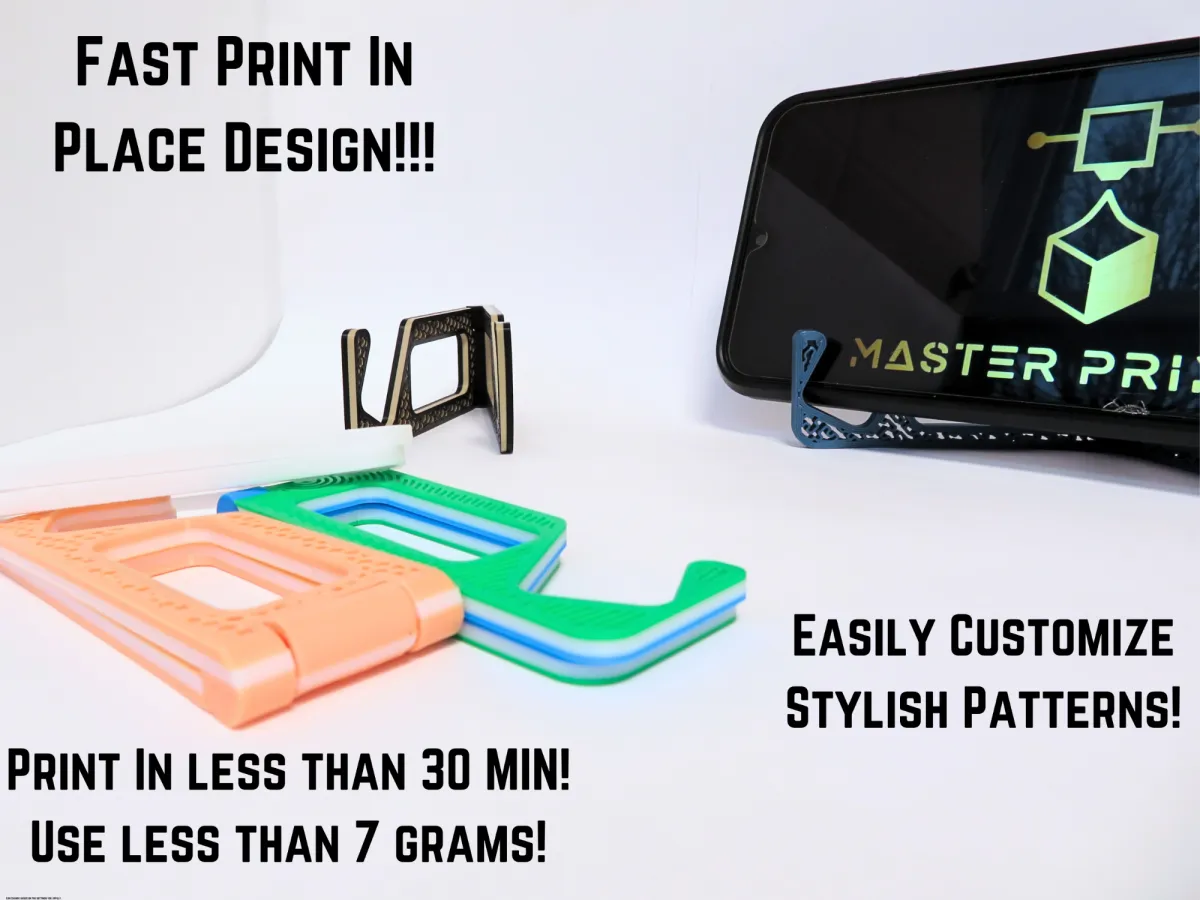
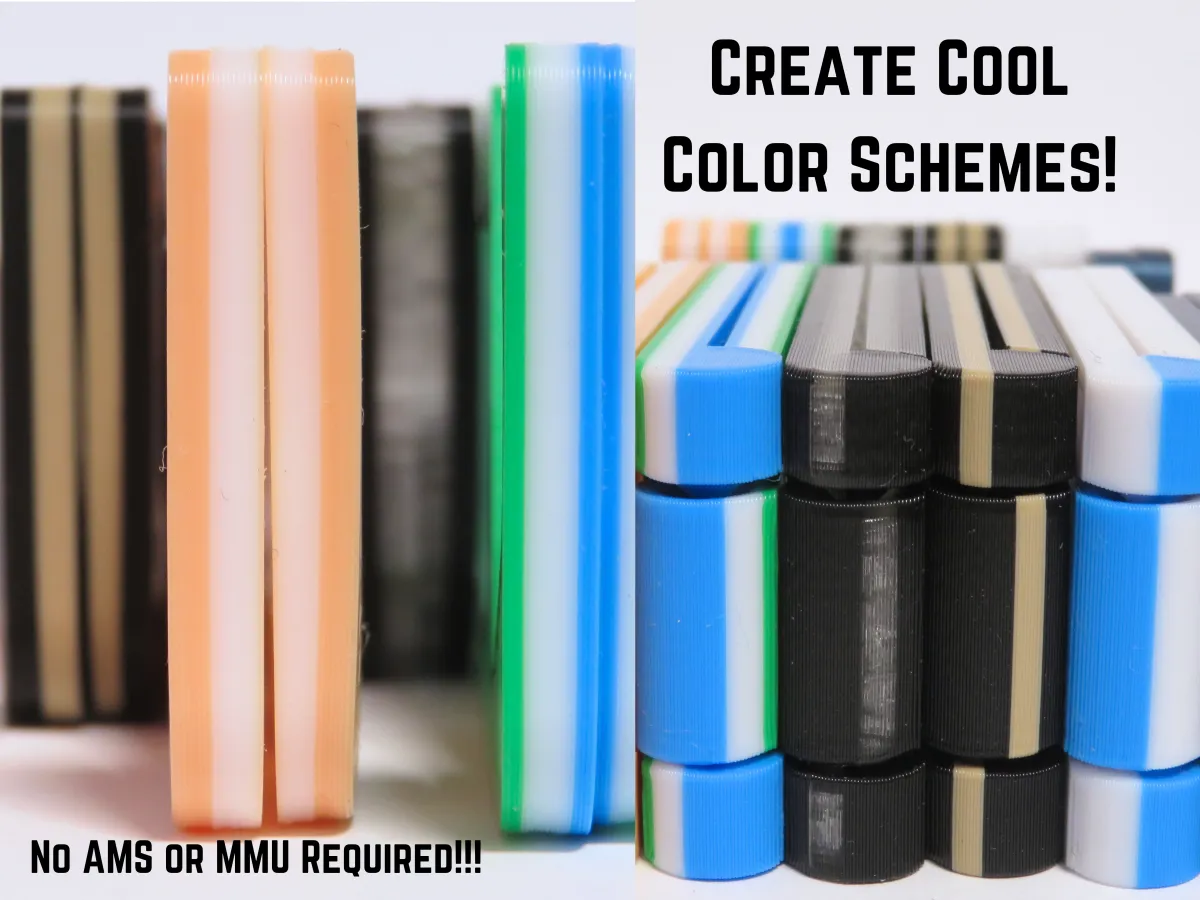
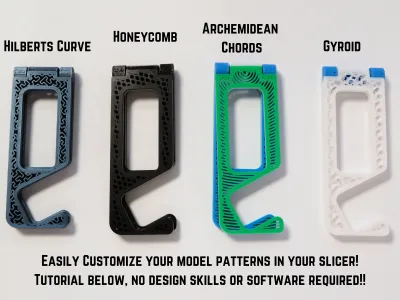
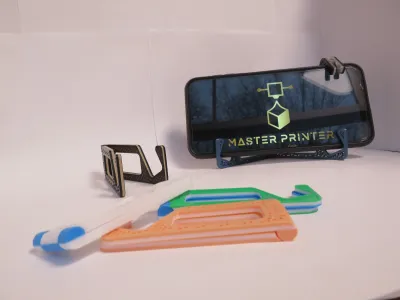
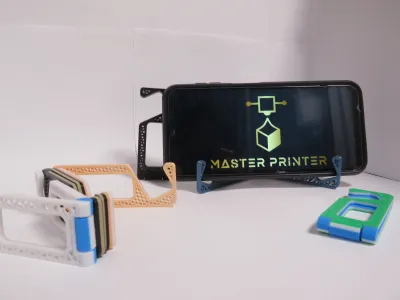
This is a really cool print in place model that incorporates a lot of basic design principles and slicer settings! On this model you can customize up 10+ different design patterns onto this model! This is a super fast a low costing print, that uses less than 7 grams, and prints in under 30 minuets! This is a great model to learn how to better utilize your slicer and how print in place designs work! (Below is a tutorial about how to make customizable patterns, in your slicer, print settings, and how I designed the model!) Enjoy!
Although before we start make sure to check out my patreon page! If you join for free you can receive (free) exclusive models only on my patreon! Also have access to more updates, polls, requests, and many other things! My Master Printer Patreon
Design:
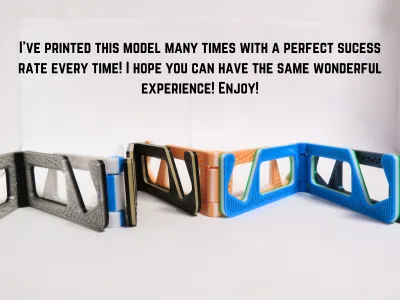
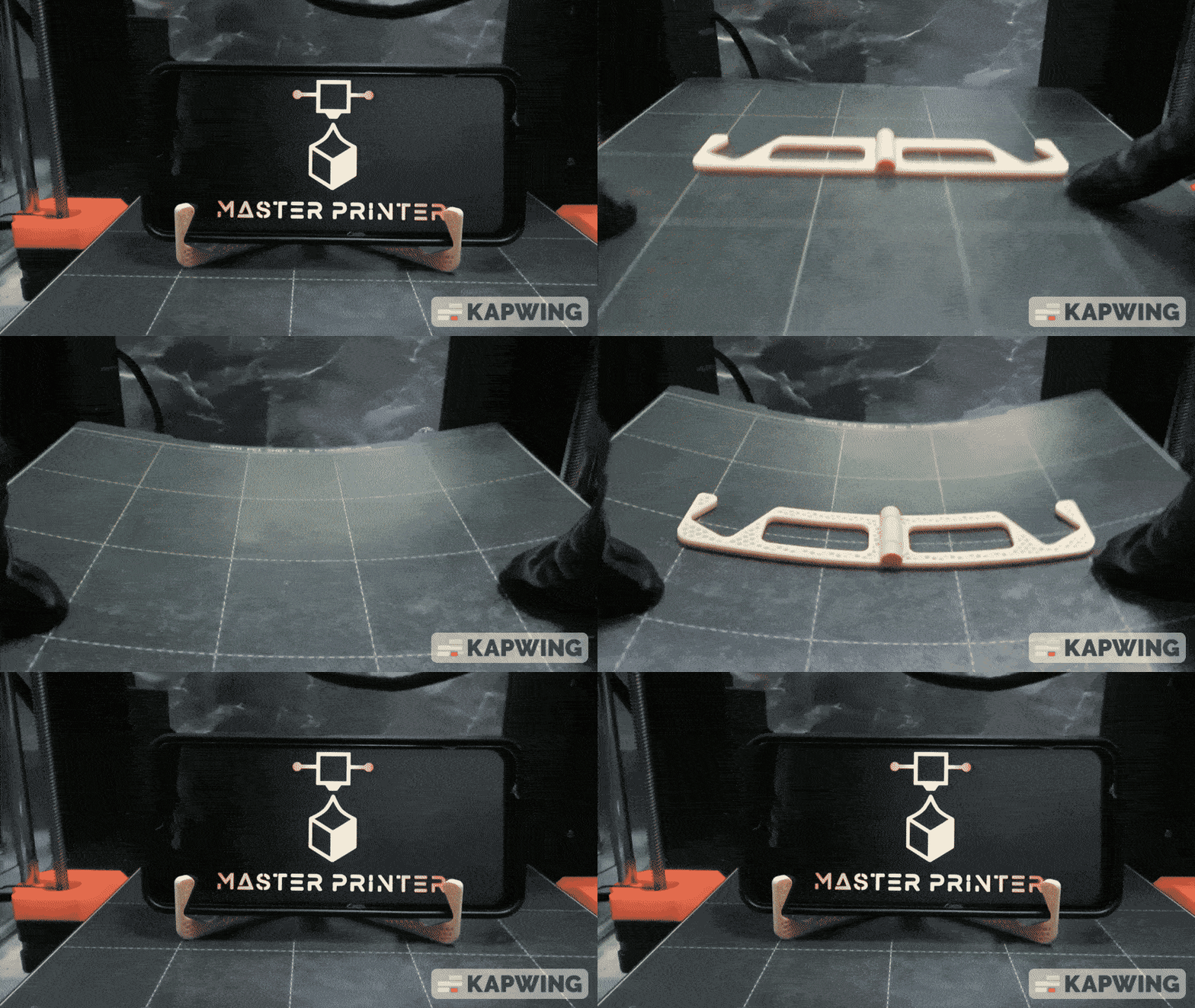
Since the phone stand is labeled as a print in place that requires the hinges to be able to print easily a flawlessly straight off the bed. (Look at the GIF below, for proof) I have done this print 10+ times and every time the hinge as worked straight off the bed. I have never had problems with the hinge, so you shouldn't either! 😉
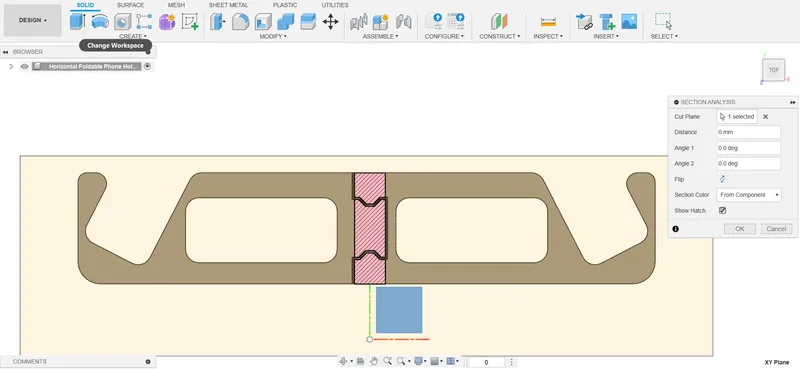
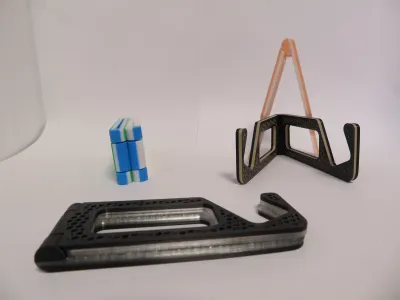
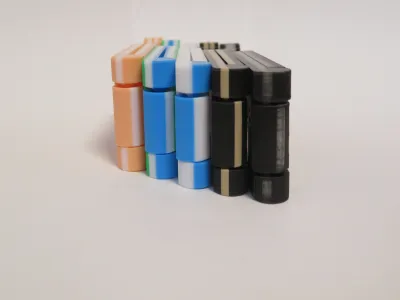
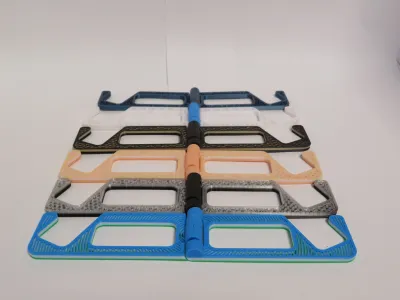
The photo to the right displays the phone stand, but now you can see the hinge and how being printed at that angle would best benefit the print. The hinge's clearance ( that's the gap on the border of the pink square) is 0.5, which is more than enough. Below I have attached the clearance of the file up to 0.2. (the lower the clearance the less of a wobble the phone stand will have) Print Settings at the bottom, if you need them!
Stylish Design Pattern:
This is what give the model such a unique feature, you can incorporate more than 10 different designs onto the model, and you don't even have to take it into your design software! (Photo below!)
Below I've posted a tutorial for both Prusa Slic3r and Bambu Studio! (I hope it helps!) (Also for those Anycubic users, use the Bambu Studio tutorial since those slicers are very similar)
Prusa Slic3r Tutorial:
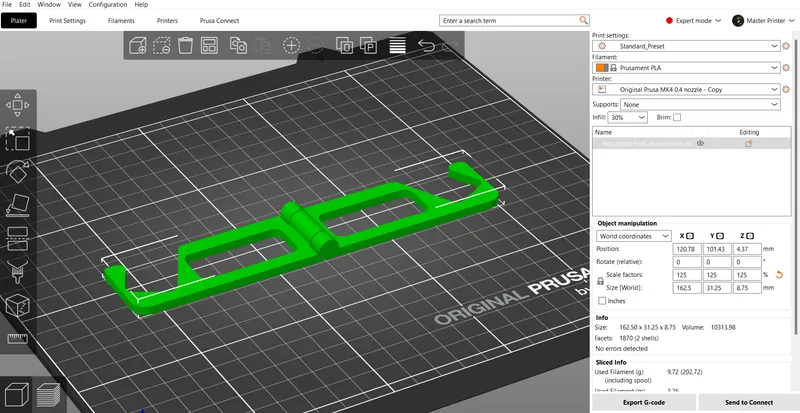
Load the model into Prusa Slic3r.
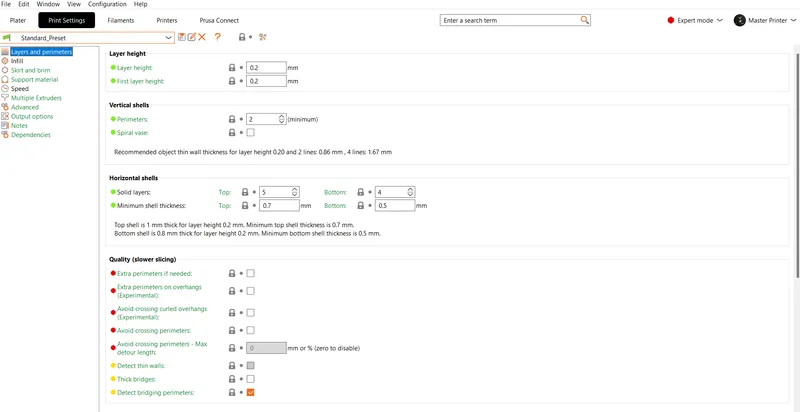
Then click print settings, then scroll locate horizontal shells, and solid layers.
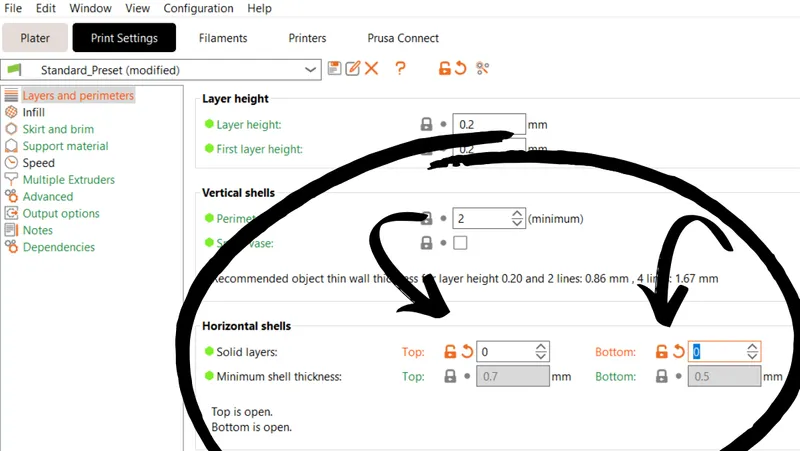
Then once you find Horizontal Shells, locate solid layers and turn it down ALL the way to 0.
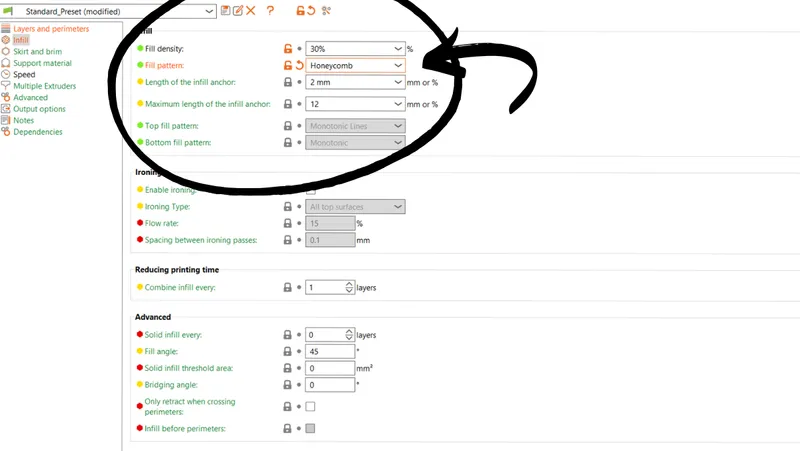
Then go to infill, and change it to any value between 15% to 30%. After that, change the infill type to any pattern you would like to try out!
I would recommend infill types like Gyroid or Honeycomb they give it a cool look! But feel free to experiment with your own types of infill patterns, there are more than 10 different patterns you can use! So enjoy!

Now go back to the Plater and slice the object, once you do that you'll have the pattern of your choice and create a stylish phone holder!
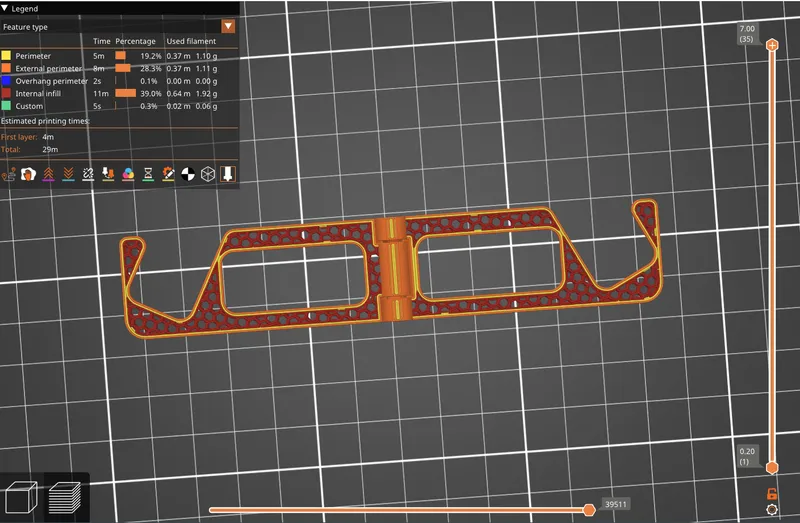
Enjoy!
Bambu Studio Tutorial:
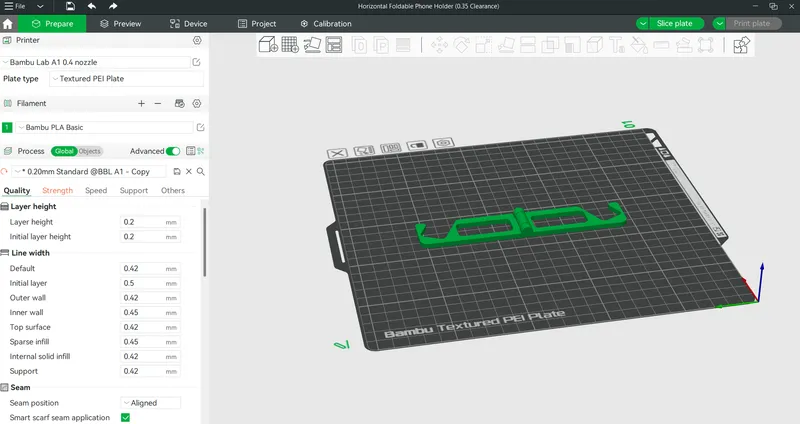
Load the model into Bambu Studio Slicer.
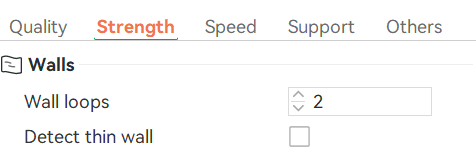
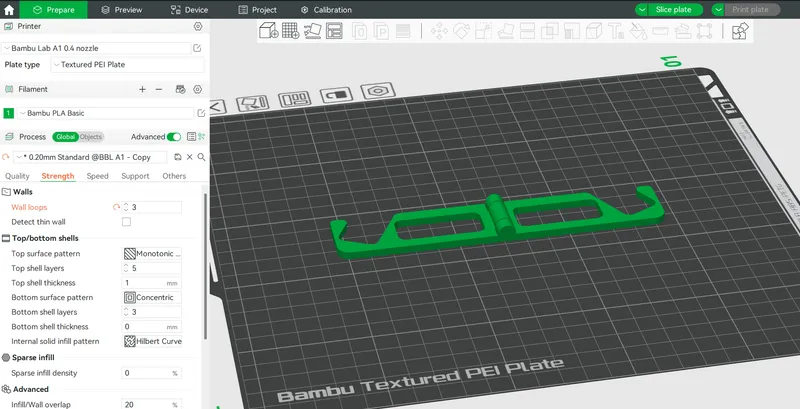
Go over the the side panel, and click strength, locate wall loops, and turn it from the standard 2, to 3 Wall Loops.
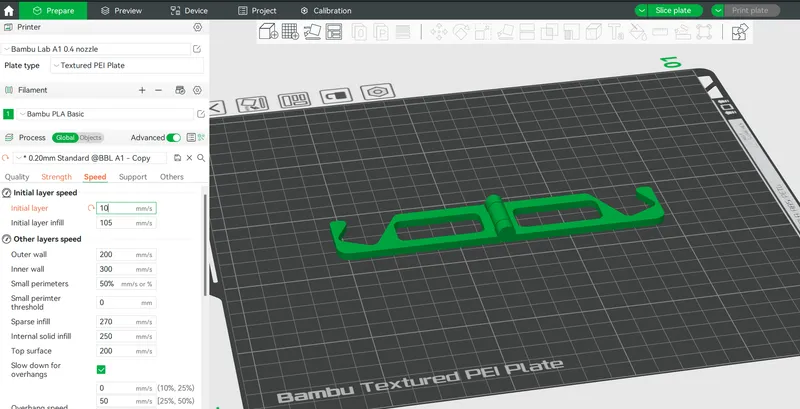
Then go over to speed and turn it down to any value below 20 mm/s for a better first layer.
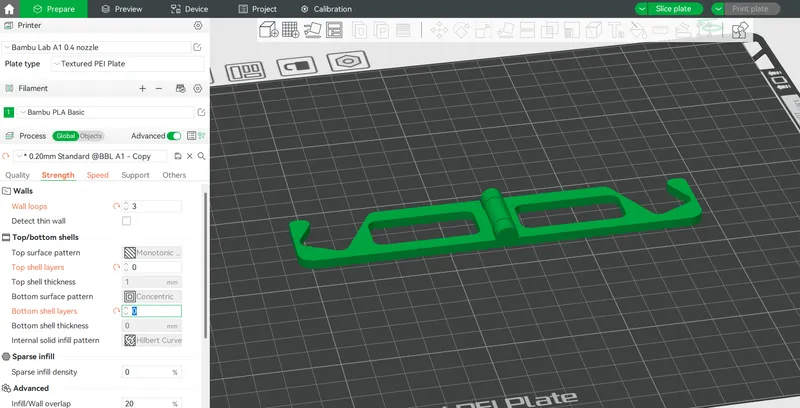
Then go back to strength, locate top shell layers and bottom shell layers. Then turn those values down to 0. (both of them)
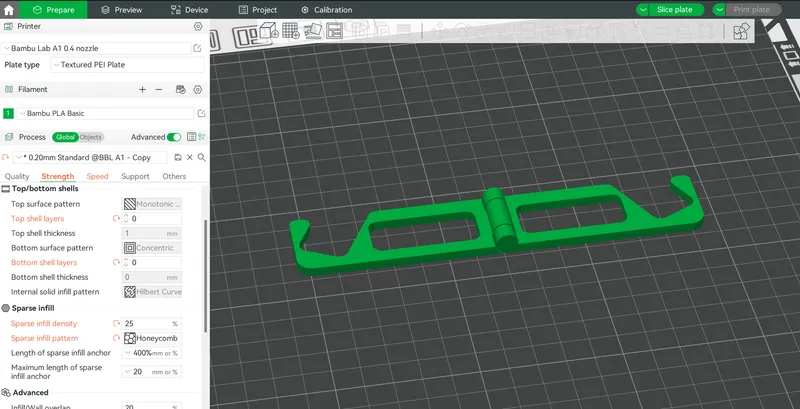
Then locate sparse infill density, and sparse infill type. Turn the infill density to any value between 15%-30%. Also change the infill pattern to what you prefer.
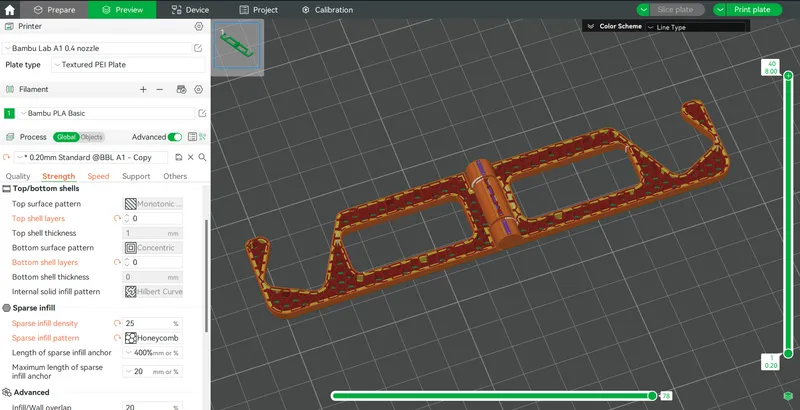
Now slice the model, and you can see your cool pattern! Enjoy!
Print Settings:
Scaling: If your phone has a phone case, make sure to scale it up to 105%-110%
Infill: 15%-40%
Infill Type: Read the tutorial above to learn more about how the infill type works.
Layer Height: 0.17-0.2
Supports: NO, this is a print-in-place model.
Raft: NO
Brim: NO
Ironing: If you don't do the special design patterns above, enable ironing for an even cleaner surface and better finish!
I've put a lot of effort in time into this model, so I hope you enjoy!
Originality of the Model
The author declares that this work is their personally original model
This model is licensed under the following terms:
This work is licensed under a Standard Digital File License. Digital files have a strict non-commercial, personal use only license.
You shall not share, sub-license, sell, rent, host, transfer, or distribute in any way the digital file or 3D printed versions of this object, nor any other derivative work of this object in its digital or physical format (including remixes of this object). You can not host these files on other digital platforms, web stores or cloud repositories. The objects may not be used in any way whatsoever in which you charge money, collect fees.
Models(5)
- Foldable Phone Holder Pattern (Alighned Rectliniear) BL.3mfDesigner
'%3e%3cpath%20id='Vector'%20d='M13.6663%201.33331H2.33301C1.78072%201.33331%201.33301%201.78103%201.33301%202.33331V13.6666C1.33301%2014.2189%201.78072%2014.6666%202.33301%2014.6666H13.6663C14.2186%2014.6666%2014.6663%2014.2189%2014.6663%2013.6666V2.33331C14.6663%201.78103%2014.2186%201.33331%2013.6663%201.33331Z'%20stroke='%23808080'%20stroke-linejoin='round'/%3e%3cpath%20id='Vector_2'%20d='M11.3333%201.33331V7.33331H5V1.33331H11.3333Z'%20stroke='%23808080'%20stroke-linejoin='round'/%3e%3cpath%20id='Vector_3'%20d='M9.66699%203.66669V5.00002'%20stroke='%23808080'%20stroke-linejoin='round'/%3e%3c/g%3e%3cdefs%3e%3cclipPath%20id='clip0_3212_168684'%3e%3crect%20width='16'%20height='16'%20fill='white'/%3e%3c/clipPath%3e%3c/defs%3e%3c/svg%3e)
49.90 KB
'%3e%3cpath%20id='Vector'%20d='M7.99967%2014.6666C11.6816%2014.6666%2014.6663%2011.6819%2014.6663%207.99998C14.6663%204.31808%2011.6816%201.33331%207.99967%201.33331C4.31777%201.33331%201.33301%204.31808%201.33301%207.99998C1.33301%2011.6819%204.31777%2014.6666%207.99967%2014.6666Z'%20stroke='black'%20stroke-opacity='0.49'%20stroke-linejoin='round'/%3e%3cpath%20id='Vector_2'%20d='M8.00235%204.00006L8.00195%208.00299L10.8284%2010.8295'%20stroke='black'%20stroke-opacity='0.49'%20stroke-linecap='round'%20stroke-linejoin='round'/%3e%3c/g%3e%3cdefs%3e%3cclipPath%20id='clip0_1890_13189'%3e%3crect%20width='16'%20height='16'%20fill='white'/%3e%3c/clipPath%3e%3c/defs%3e%3c/svg%3e)
2025-08-13
- Foldable Phone Holder Pattern (Archimedean Chords) BL.3mfDesigner
49.90 KB
2025-08-13
- Foldable Phone Holder Pattern (Gyroid) BL.3mfDesigner
49.89 KB
2025-08-13
- Foldable Phone Holder Pattern (Honeycomb) BL.3mfDesigner
49.89 KB
2025-08-13
- Foldable Phone Holder Pattern (Hilbert Curve) BL.3mfDesigner
49.89 KB
2025-08-13
View all(5)


